FerriteCore: give a busy modded world more breathing room

19 views 2 downloads

What FerriteCore changes, how to choose the right Fabric or Forge file, and how to check that it is active without changing the look of your world.

FerriteCore works quietly in the background to reduce Minecraft's memory use. You keep your familiar blocks, recipes and world. There is no new tool to craft or menu of visual effects to switch on.

That makes it an interesting addition to a modded setup, especially one with lots of different blocks. It is also easy to misunderstand: installing it is not a promise of a particular frame rate, and it does not turn a demanding shader into a lightweight one.

Your world still looks like your world
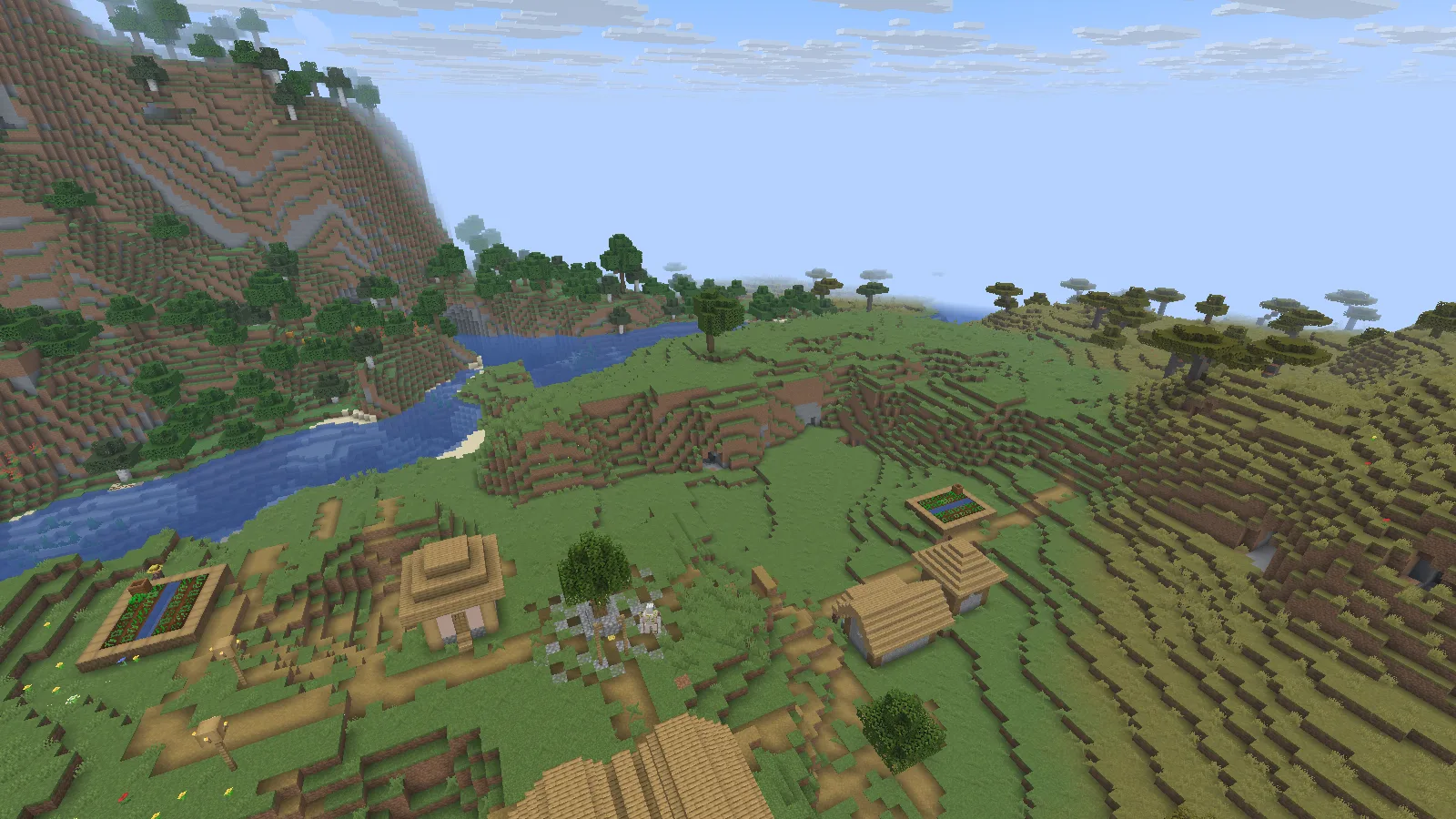
A village and river in Java 26.2 with FerriteCore 9.0.0 active.

The familiar landscape remains unchanged; FerriteCore works in the background.

We opened this village and river landscape with FerriteCore 9.0.0 for Fabric on Java 26.2. The mod does not add the village, alter the terrain or supply new textures. The useful change is behind the scenes, so a spectacular before-and-after landscape would tell you very little about whether it is doing its job.

Use FerriteCore when you want to keep the gameplay you already chose while reducing the memory it needs. If your main complaint is a slow camera when shaders are on, start with shader quality and render distance as well. Different kinds of slowdown need different fixes.

Choose the file for the game you actually play

Open Files and match both Minecraft version and mod loader. Fabric, Forge and NeoForge builds are separate downloads; a newer release number does not make a file suitable for an older game.

For example, our 26.2 session uses the Fabric 9.0.0 file. The archive also contains files for older setups. If your favorite modpack is still on 1.20.1, stay with its compatible file rather than updating the whole pack just to follow this screenshot.

Already using a modpack? Check its mod list first. If FerriteCore is included, do not add a second copy.

Add it to the right instance

  1. Close the game and open the folder for the installation or modpack you intend to use.
  2. Place the compatible FerriteCore JAR in that installation's mods folder. Leave the file intact.
  3. Remove the older FerriteCore JAR from that same folder when replacing it.
  4. Start the matching loader profile and open a small world first.

Our Fabric installation guide shows how to avoid putting a mod in one instance and launching another.
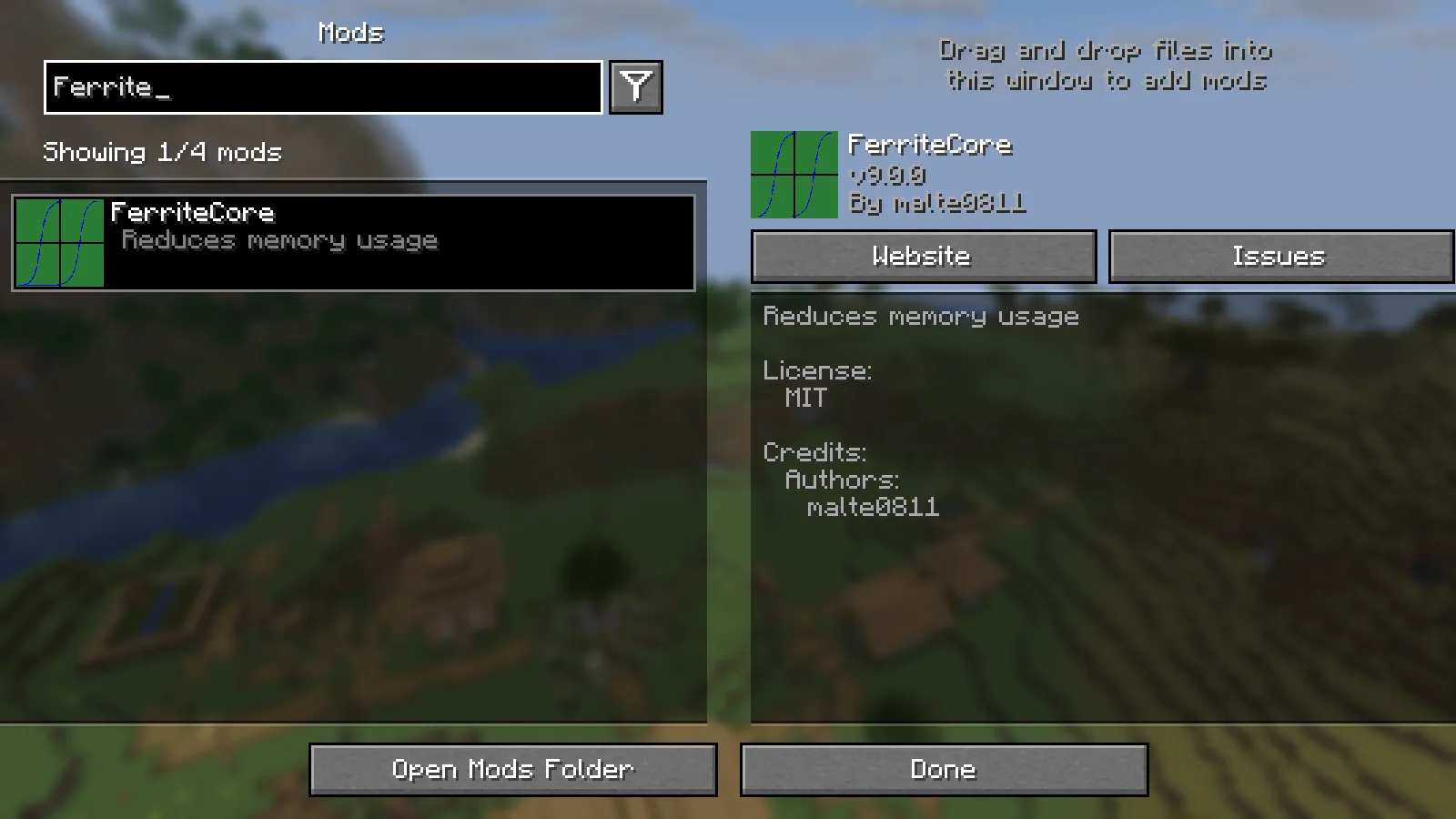
Mod Menu displays FerriteCore v9.0.0 by malte0811 in our Fabric instance.

Search the loaded mod list to confirm the release in this instance.

With Mod Menu installed, searching for FerriteCore brings up the loaded release, as shown here. Mod Menu is a convenient way to check; it is not required for FerriteCore to work. The absence of a new in-game item is normal.

A sensible way to judge the result

Return to a place you know well: your storage room, the busy center of a base, or a route you often travel. Keep the rest of the modpack and video settings unchanged. Give the world time to load before comparing anything.

If you watch Minecraft's memory display, expect the number to rise and fall during play. A single low reading immediately after opening a menu is not a useful promise of how the whole session will feel. Resist the temptation to assign all your computer's memory to the game; other applications still need room too.

When something goes wrong

  • Fabric reports the wrong game version or loader: replace the file with one matching this instance. Renaming a JAR cannot change its compatibility.
  • Minecraft reports a duplicate mod: keep one FerriteCore release in the active mods folder.
  • You cannot find it in the mod list: confirm that you launched the same instance whose folder you edited.
  • The game still stutters: check whether the delay happens while generating terrain, using a shader, or running a busy farm. FerriteCore addresses memory use; it does not solve every source of lag.

FerriteCore is by malte0811. Modonix wrote this guide and captured the game images. Use the file filters below to keep your existing Minecraft setup intact.

No ratings yet

Files

Filter files 4 filesStable
Show all files

Version 9.0.0

Stable

ferritecore-9.0.0-fabric.jar

Minecraft 26.2 Fabric Client or server
1 downloads
Download · 71.0 KB
Requirements & details
  • Game version: 26.2 · Mod loader: Fabric · Installation: Client or server

Use Fabric Loader for Java 26.2. Put this intact JAR in the active instance’s mods folder; keep only one FerriteCore version.

Requirements & notes
Updating from an earlier release
Match the game version and loader before replacing an older JAR. Keep world backups outside the mods folder.
Technical details
File details
Download type
Main
File information

Archive structure and entry integrity checked · 74 entries · 0.1 MB unpacked.

Mod ID
ferritecore
Mod version
9.0.0
Fabric environment
*
Requires fabricloader
>=0.14.21
Requires minecraft
>=26.1 <27

Manifest values describe the package. They do not prove that it works with every game version. This check is not an antivirus scan.

SHA-256: 213966c72ed967acc7392beb28a866fba301ff56b9976c2e7801c2db7de6bf22

Version 7.0.3-fabric

Stable

ferritecore-7.0.3-fabric.jar

Minecraft 1.21.1 Fabric Client or server
1 downloads
Download · 120.6 KB
Requirements & details
  • Game version: 1.21.1 · Mod loader: Fabric · Installation: Client or server
Technical details
File information

Archive structure and entry integrity checked · 116 entries · 0.2 MB unpacked.

Mod ID
ferritecore
Mod version
7.0.3
Fabric environment
*
Requires fabricloader
>=0.14.21
Requires minecraft
>=1.21.1 <1.22

Manifest values describe the package. They do not prove that it works with every game version. This check is not an antivirus scan.

SHA-256: 98c3ab1d5aab8f14b5d082d3f1a467727fd335f02d124555c94339761c4c18f2

Version 6.0.1

Stable

ferritecore-6.0.1-forge.jar

Minecraft 1.20.1 Forge Client or server
Minecraft 1.20.1 NeoForge Client or server
0 downloads
Download · 120.2 KB
Requirements & details
  • Game version: 1.20.1 · Mod loader: Forge · Installation: Client or server
  • Game version: 1.20.1 · Mod loader: NeoForge · Installation: Client or server
Technical details
File information

Archive structure and entry integrity checked · 127 entries · 0.2 MB unpacked.

No supported compatibility manifest was read. Review the author’s file requirements.

Manifest values describe the package. They do not prove that it works with every game version. This check is not an antivirus scan.

SHA-256: 9c2c9396a49e796d88497758caa4637d2bcbb433c318e2dd9cebcffbaf0f6c54

Version 5.0.3-forge

Stable

ferritecore-5.0.3-forge.jar

Minecraft 1.19.2 Forge Client or server
0 downloads
Download · 114.1 KB
Requirements & details
  • Game version: 1.19.2 · Mod loader: Forge · Installation: Client or server
Technical details
File information

Archive structure and entry integrity checked · 120 entries · 0.2 MB unpacked.

No supported compatibility manifest was read. Review the author’s file requirements.

Manifest values describe the package. They do not prove that it works with every game version. This check is not an antivirus scan.

SHA-256: b9dc9b61a14e8326c6e464acef2851b9b08cf421880901a47a79c75fb6ab51e9

Release updates

Version 9.0.0

Stable

Fabric release 9.0.0. This download is listed for Java 26.2, the setup used in the accompanying guide. Older Forge and Fabric files remain available below.

View files

Version 7.0.3-fabric

Stable

Creator release date: 2026-01-25.

Choose a file below that matches your Minecraft version and setup.

View files

Version 6.0.1

Stable

Creator release date: 2023-10-22.

Choose a file below that matches your Minecraft version and setup.

View files

Version 5.0.3-forge

Stable

Creator release date: 2022-11-26.

Choose a file below that matches your Minecraft version and setup.

View files

Comments & questions

Share what worked, ask for help or reply to another player.

No comments yet. Share what worked for you.

Join the conversation

No account required. Confirm your email with a code before your first comment.

1Your name & email

Only a masked address appears with your name. Guest comments are reviewed before publication.

2Verify & post

Search Modonix

Search in