
Distant Horizons gives a lookout something to look out over. It draws simplified terrain beyond Minecraft's normal block render distance, keeping a coastline or distant ridge in the view while the nearby world retains its detailed blocks. It is especially appealing when you build on a hill, explore wide landscapes or want a village to sit within a visible surrounding world.
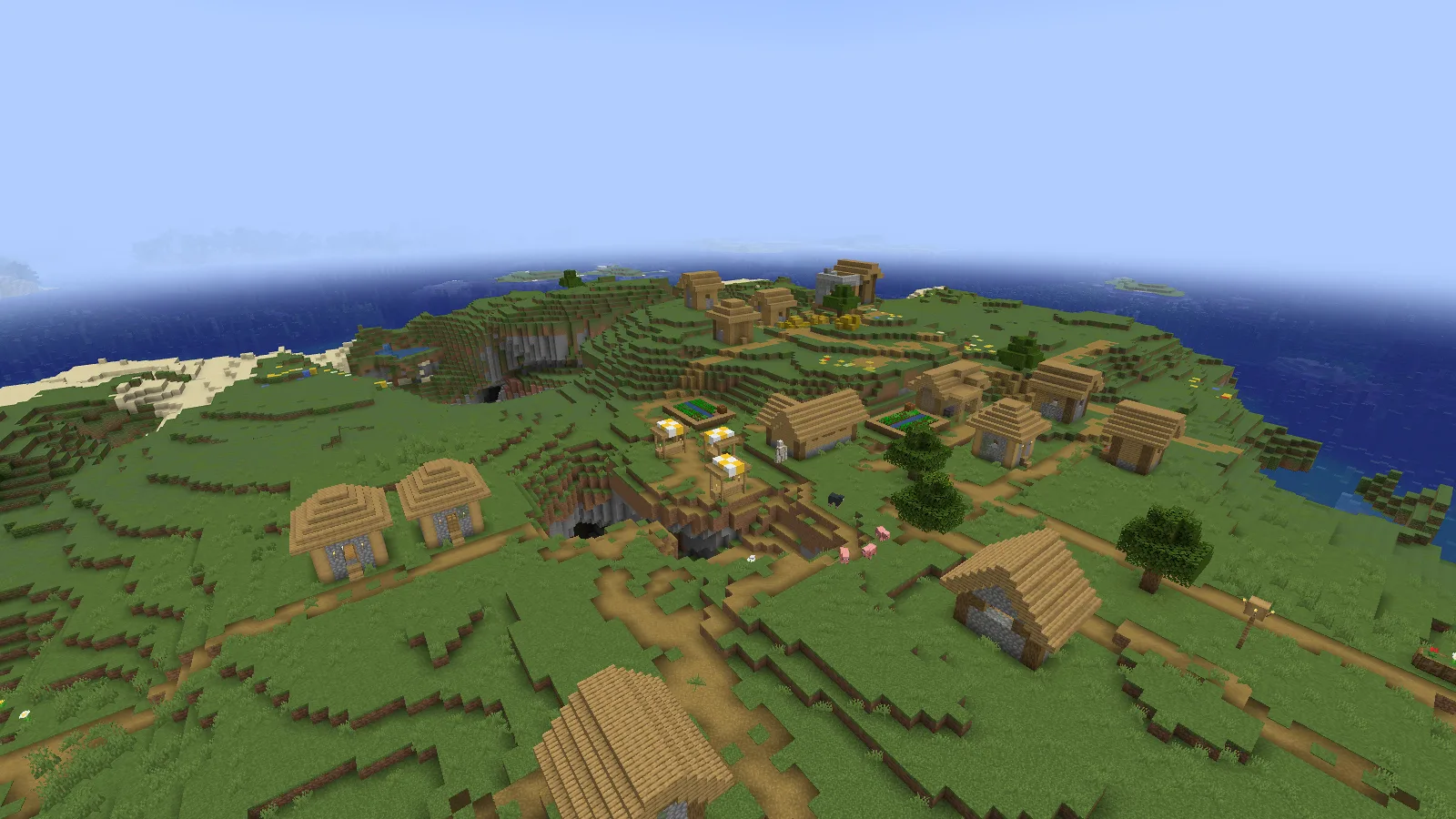
DH LOD rendering enabled: distant coast and water extend beyond the nearby village.
Understand the distant layer
Minecraft's render distance controls the nearby full-detail world. DH has a separate distance for its simplified terrain, often called LODs. Simulation distance controls active game behavior. Seeing a distant hill does not mean mobs and machines there are running as if you were standing beside them.
In this comparison, only DH LOD rendering is enabled or disabled in the same installed profile. The camera, world and remaining settings stay the same:
| Setting | Both frames |
|---|---|
| Minecraft render / simulation distance | 6 / 5 chunks |
| DH distance / field of view | 32 chunks / 68 |
| Vanilla fog / DH fog | Disabled / enabled |
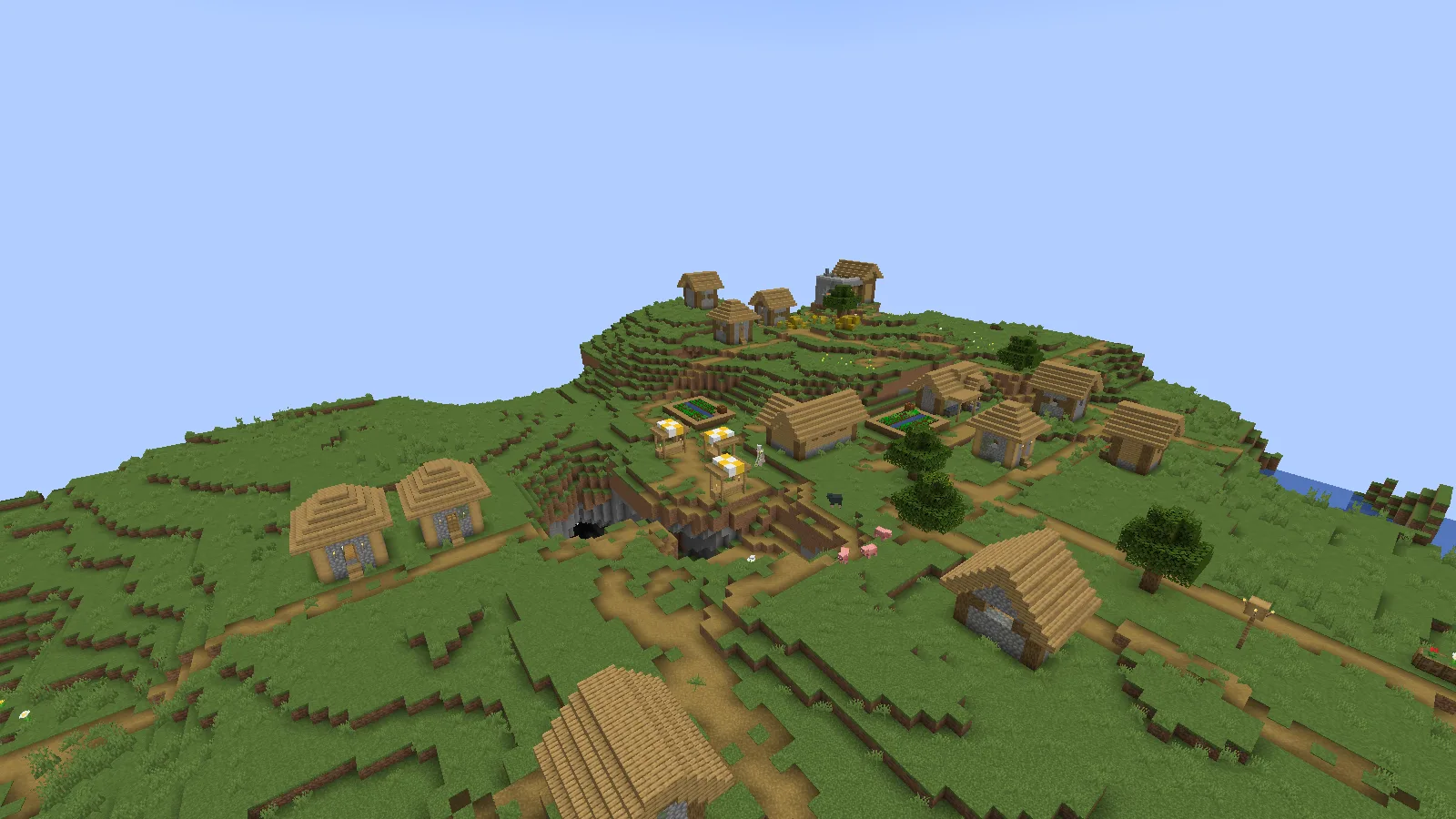
DH LOD rendering disabled in the same profile; vanilla fog remains disabled.
The off view is not stock vanilla Minecraft. This profile has vanilla fog disabled, which makes its terrain cutoff particularly sharp. The useful difference is the added distant water and hillside behind the village.
Install the Fabric version
- Set up Java 26.2 with Java 25 and Fabric Loader 0.19.5.
- Put Distant Horizons 3.3.2 and Fabric API 0.161.0+26.2 in that instance's
modsfolder. Fabric API provides modules this release needs. - Open a backup world and begin with a manageable DH distance. Give the distant terrain time to fill in before raising it further.
Find a comfortable balance
Keep the nearby render distance useful for play, then extend the horizon gradually. A higher DH distance asks for more processing and storage; the full distant view does not appear instantly. If filling the horizon competes with smooth play, reduce that distance. If the mod displays a low-memory message, check the launcher's memory allocation before increasing it again.
For a first setup, get the view working with the default visuals before adding shaders. That gives you a clear starting point if a later visual change causes a problem.
Comments & questions
Share what worked, ask for help or reply to another player.
No comments yet. Share what worked for you.