Mouse Tweaks gives ordinary inventory gestures a few useful extensions. Two everyday jobs make the controls easy to learn: taking a single item from a supply chest and filling the same crafting pattern twice.
Take one item with the wheel
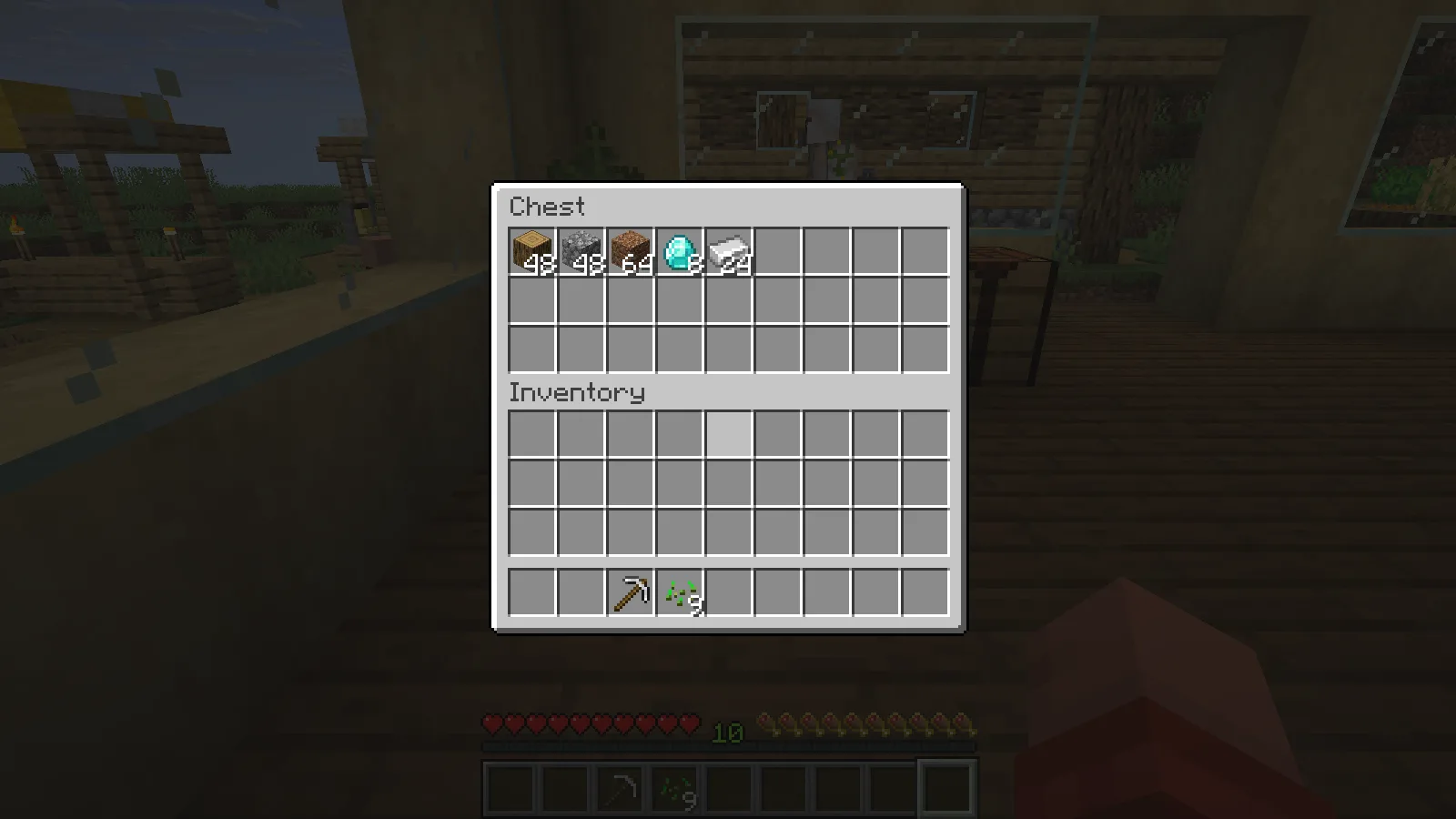
Open a chest and hover over the stack you want to move. In the example, the chest starts with 48 oak logs and the player has space for a transferred item.
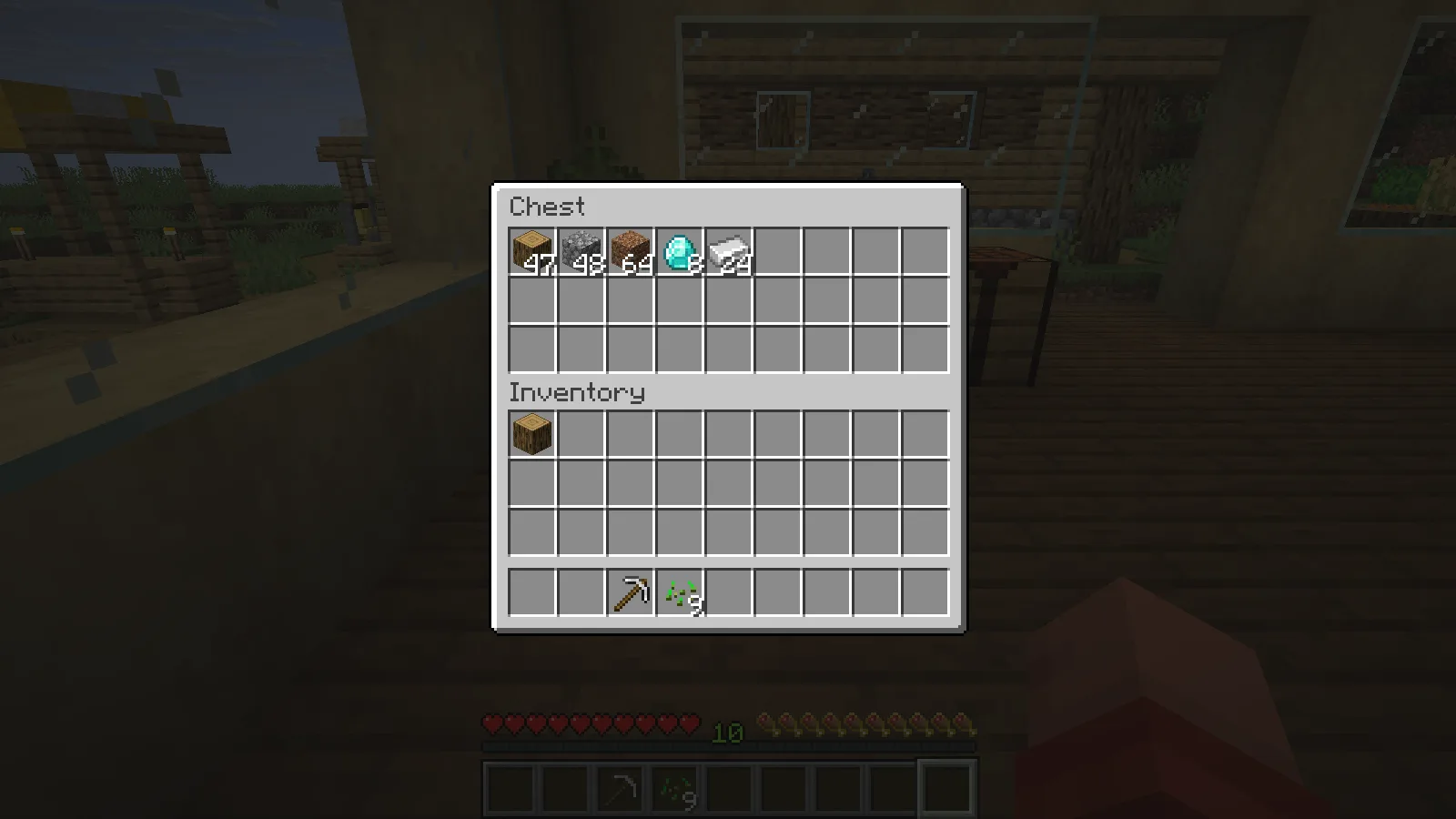
One wheel step moves one log into the player inventory, leaving 47 in the chest. Scrolling back in the opposite direction restores the chest stack to 48. Begin with a single step so you can see which direction does what with your settings.
For whole stacks, hold Shift and drag the left mouse button across the slots you want to transfer. The workshop example moved 48 logs, 48 cobblestone and 64 dirt into the player inventory in one pass, leaving the diamonds and iron behind. Follow the slots deliberately so you take only the supplies you intend to carry.
Fill a recipe twice
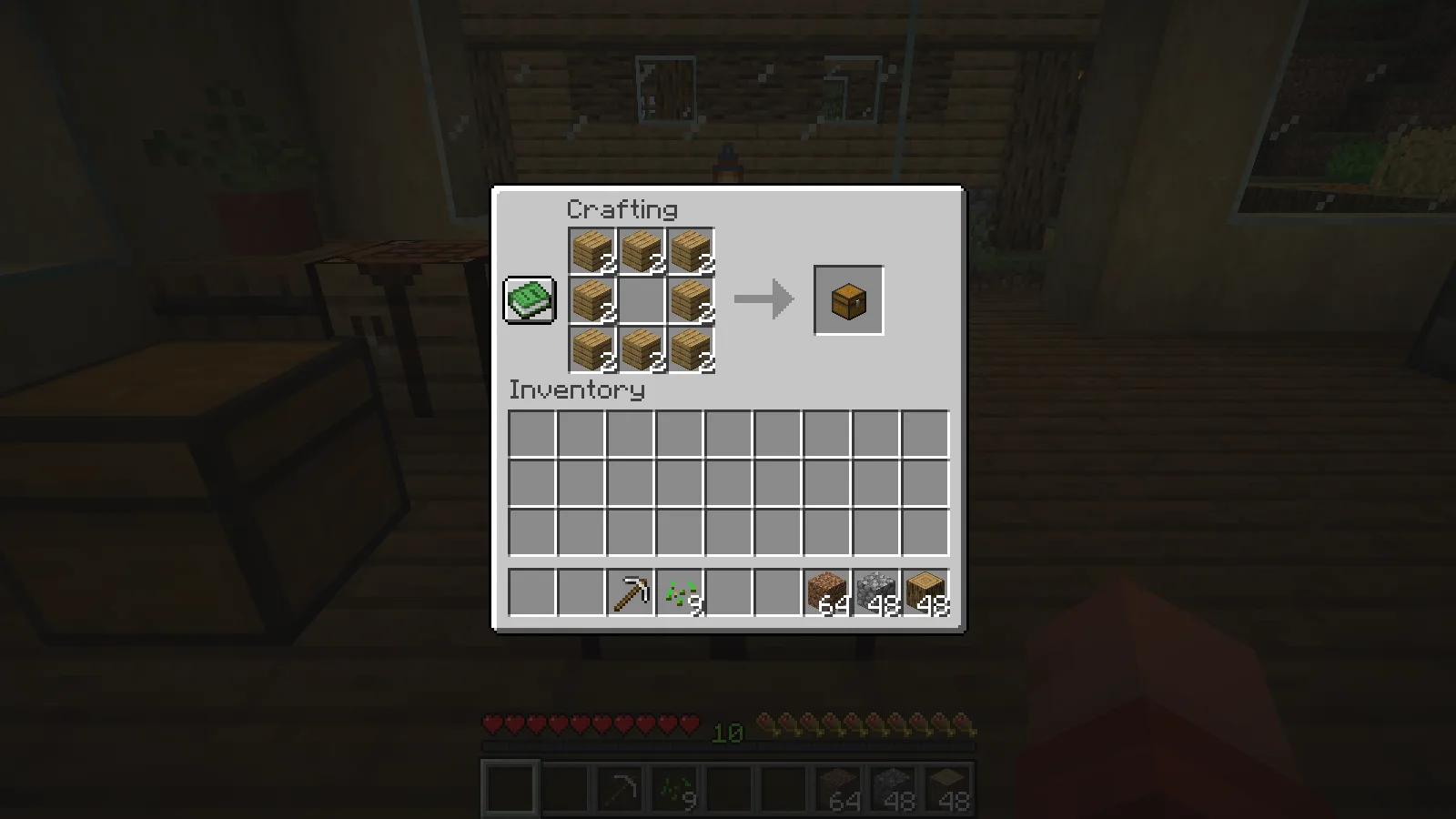
At a crafting table, pick up 16 oak planks. Hold the right mouse button and drag around the eight outside cells of the crafting grid, leaving the center empty. Continue around the same cells a second time before releasing the button.
Each visited cell now holds two planks. Mouse Tweaks lets the repeated visits add another item, so the chest pattern has enough material for two crafts.
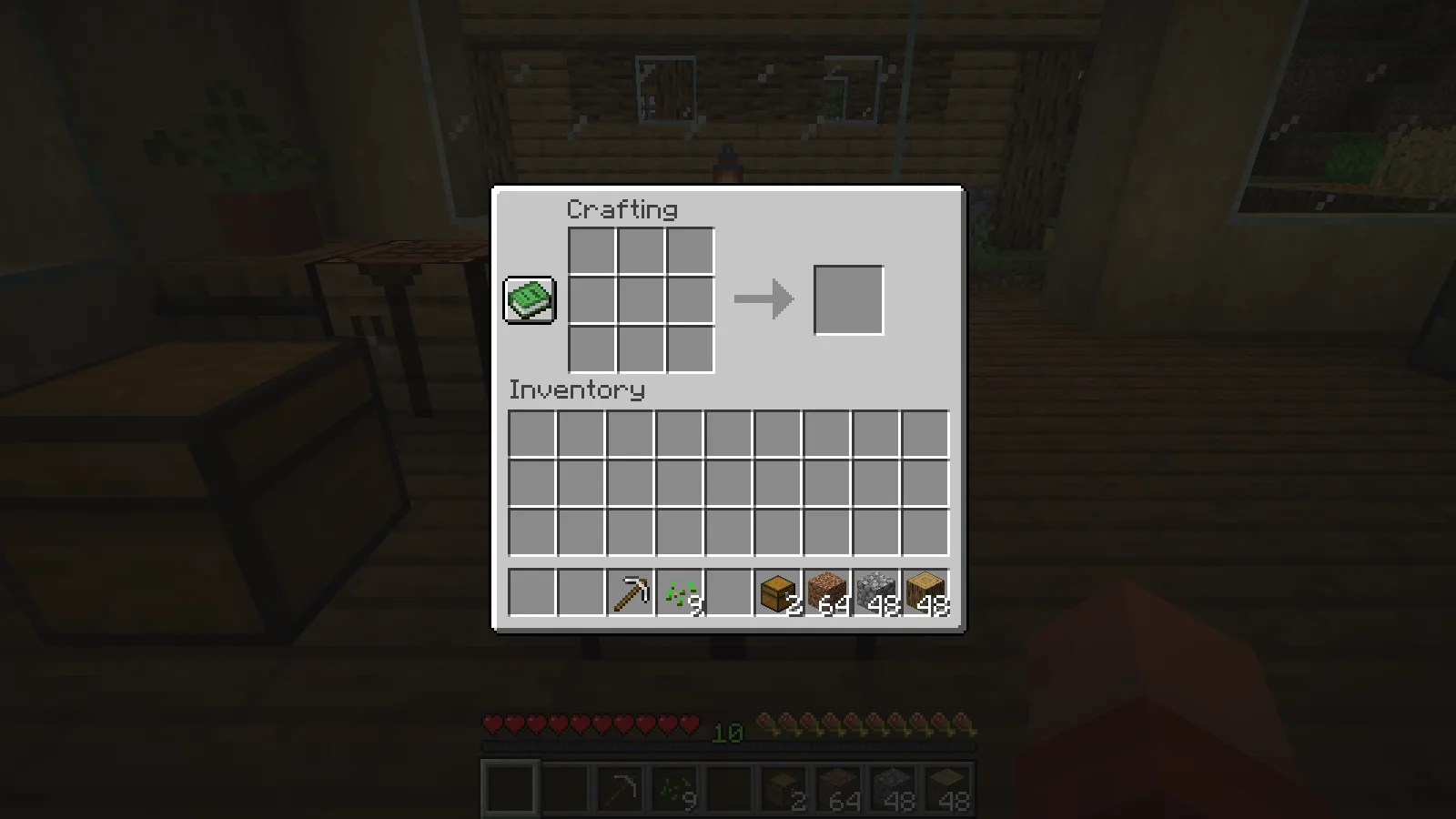
Shift-click the output to collect both chests. The crafting grid empties and a stack of two chests appears in the inventory.
This approach works well when you already know a small recipe and want to set up several repeats. Keep the carried stack count in mind; the drag cannot add materials you do not have.
Avoid overlapping wheel controls
The shown setup uses Mouse Tweaks 2.31 for Fabric and Minecraft Java 26.2, with Fabric API. Inventory Profiles Next was inactive for these wheel examples. If another inventory mod also handles scrolling, choose which mod should control that gesture and adjust its settings before relying on one-step transfers.
Comments & questions
Share what worked, ask for help or reply to another player.
No comments yet. Share what worked for you.