Mouse Tweaks: move one item, then craft two chests with a drag

11 views 0 downloads

Use the wheel for a small transfer and repeat a right-button drag around a recipe to fill it twice.

Mouse Tweaks gives ordinary inventory gestures a few useful extensions. Two everyday jobs make the controls easy to learn: taking a single item from a supply chest and filling the same crafting pattern twice.

Take one item with the wheel

Open a chest and hover over the stack you want to move. In the example, the chest starts with 48 oak logs and the player has space for a transferred item.
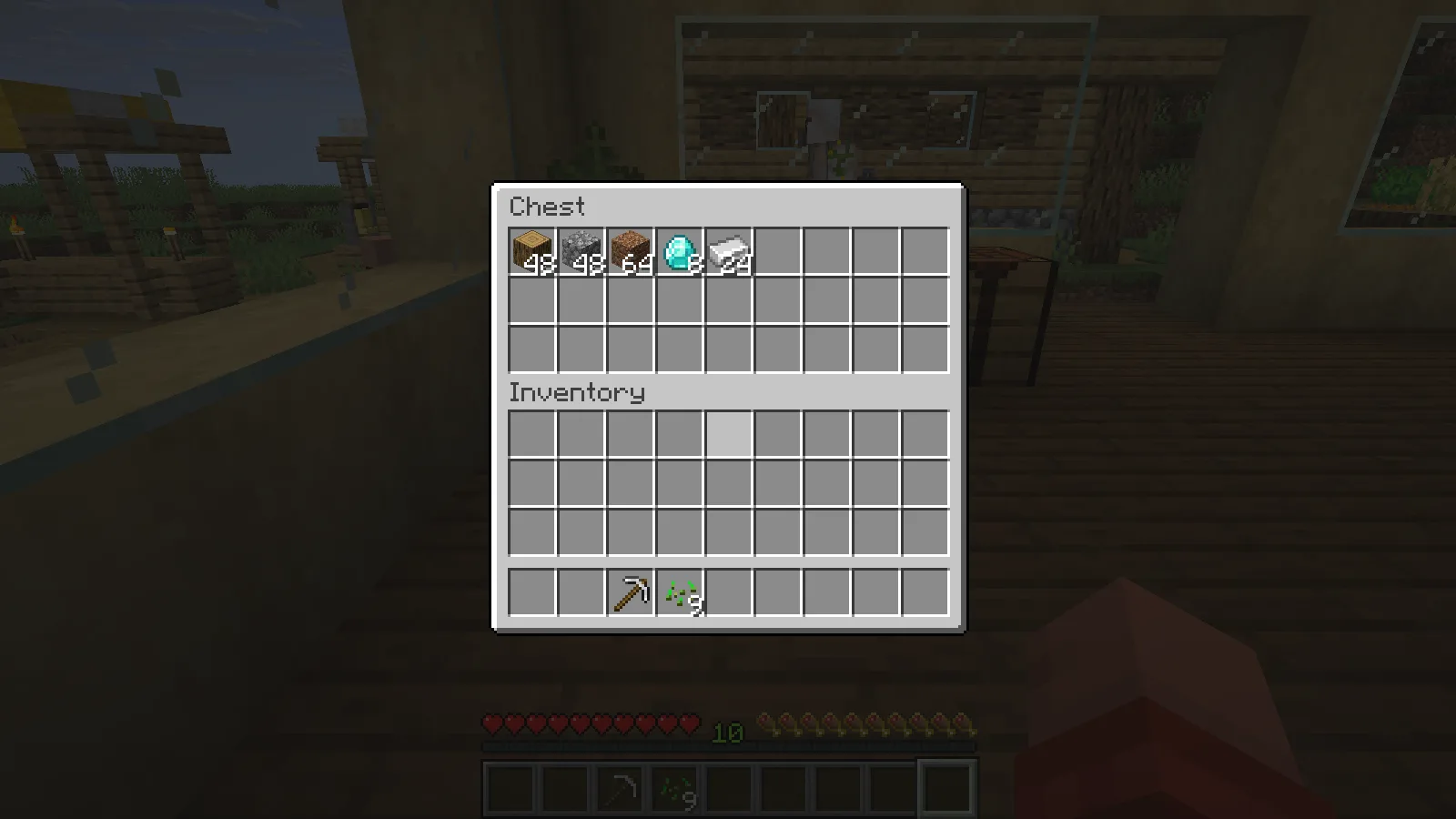
A supply chest contains 48 oak logs before the mouse-wheel transfer.

One wheel step moves one log into the player inventory, leaving 47 in the chest. Scrolling back in the opposite direction restores the chest stack to 48. Begin with a single step so you can see which direction does what with your settings.
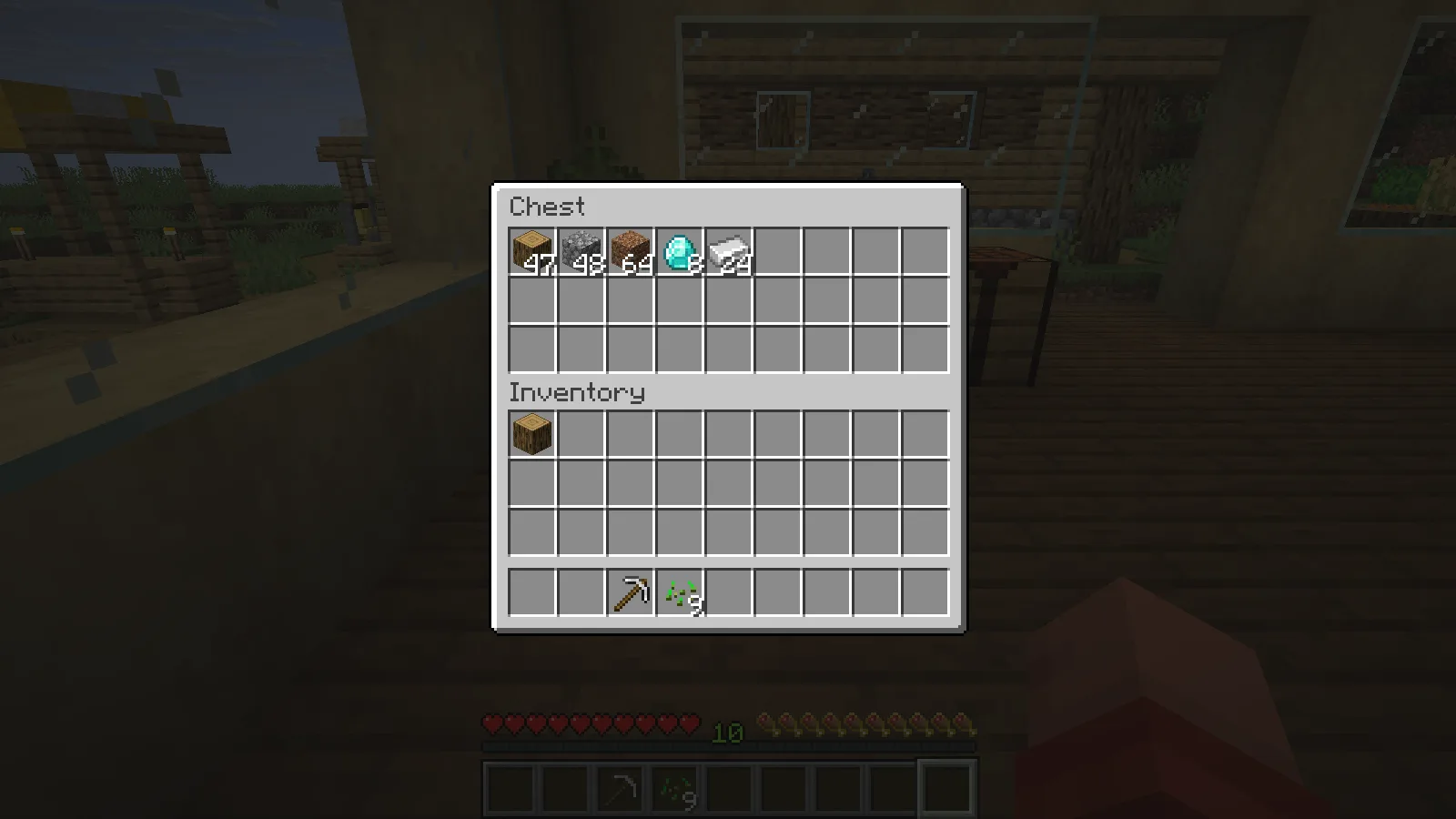
One wheel step leaves 47 logs in the chest and one log in player inventory.

For whole stacks, hold Shift and drag the left mouse button across the slots you want to transfer. The workshop example moved 48 logs, 48 cobblestone and 64 dirt into the player inventory in one pass, leaving the diamonds and iron behind. Follow the slots deliberately so you take only the supplies you intend to carry.

Fill a recipe twice

At a crafting table, pick up 16 oak planks. Hold the right mouse button and drag around the eight outside cells of the crafting grid, leaving the center empty. Continue around the same cells a second time before releasing the button.

Each visited cell now holds two planks. Mouse Tweaks lets the repeated visits add another item, so the chest pattern has enough material for two crafts.
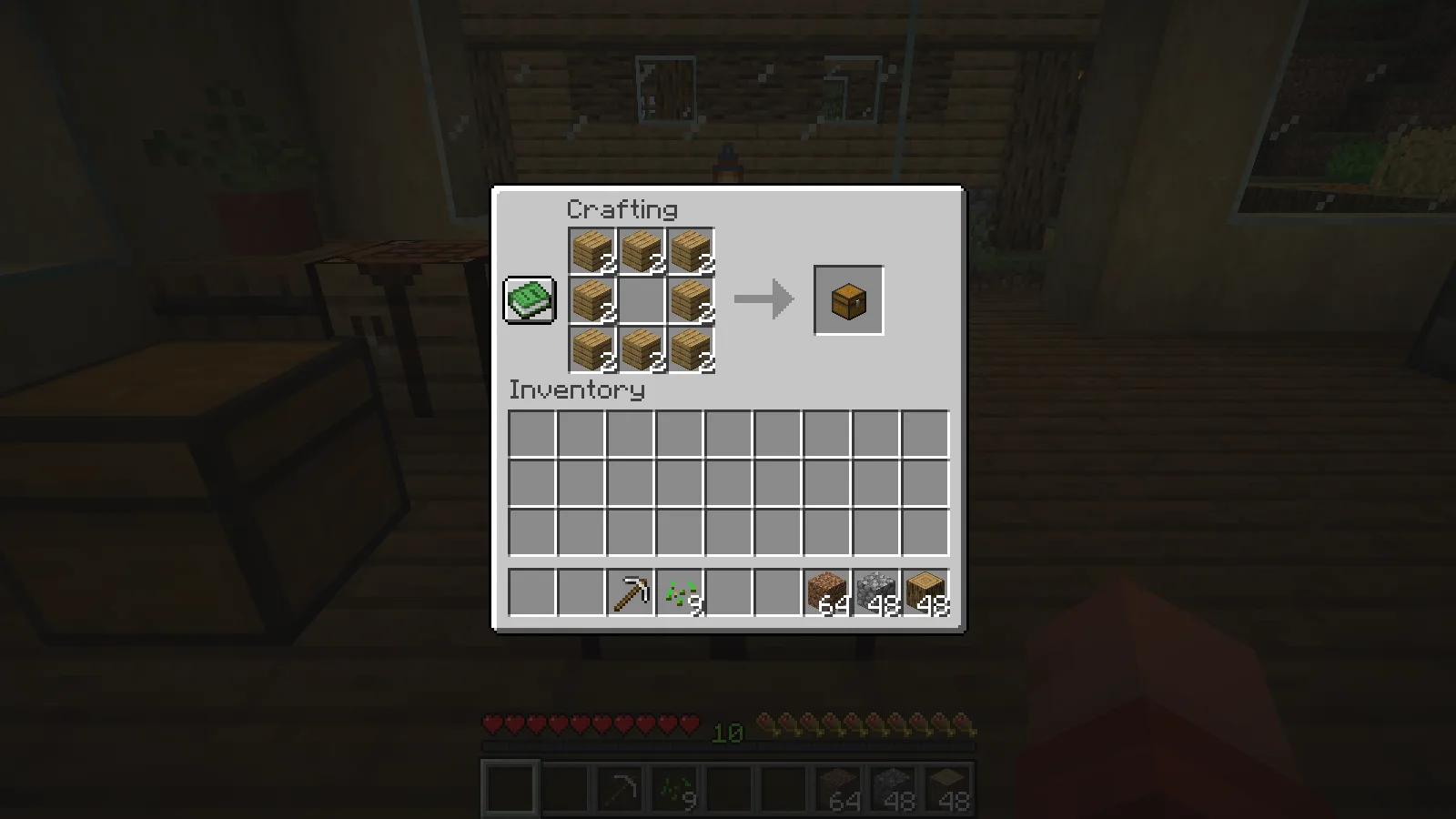
Two passes around the chest recipe leave two oak planks in each of eight crafting slots.

Shift-click the output to collect both chests. The crafting grid empties and a stack of two chests appears in the inventory.
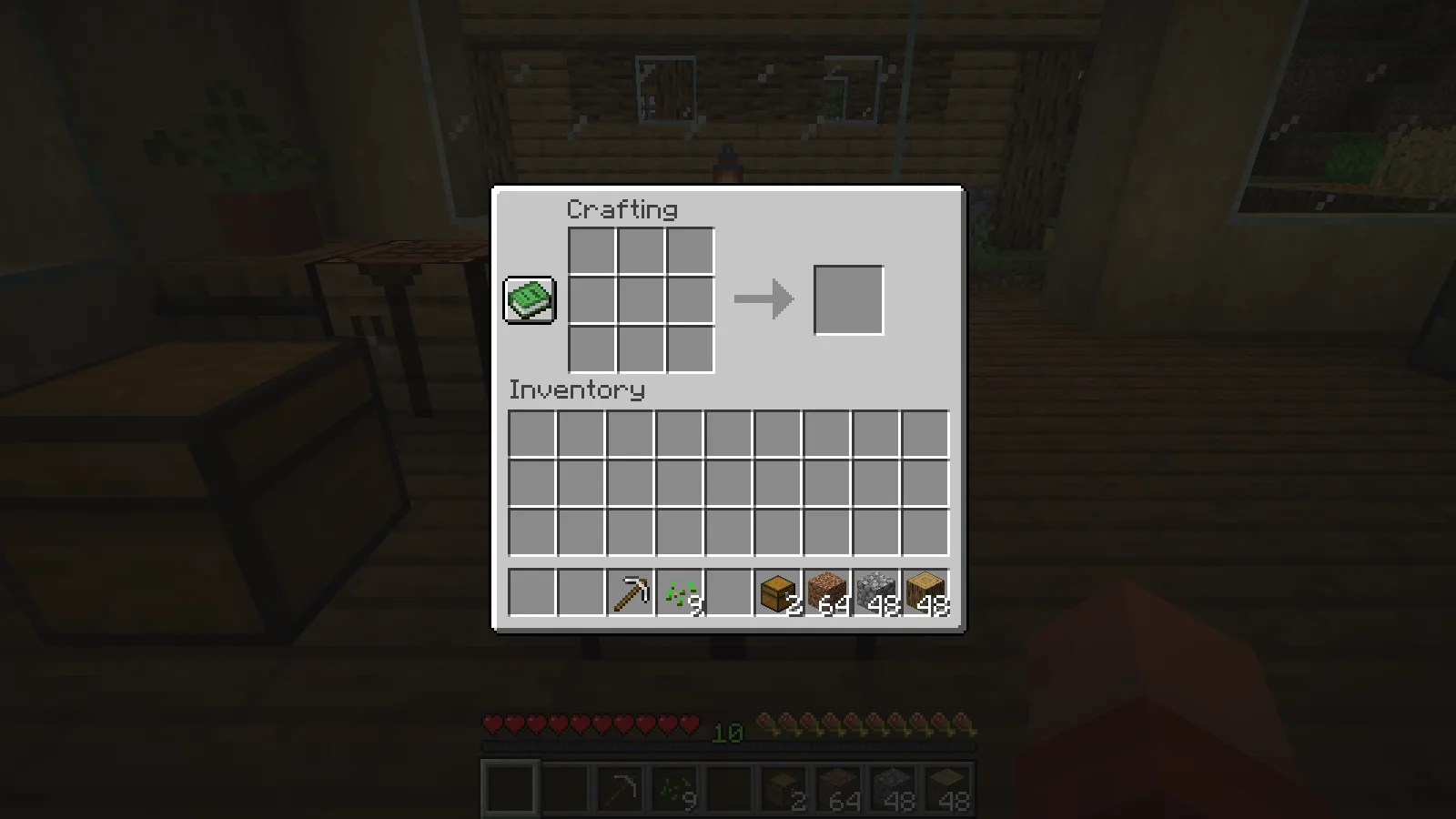
After Shift-clicking the output, two crafted chests appear in the hotbar.

This approach works well when you already know a small recipe and want to set up several repeats. Keep the carried stack count in mind; the drag cannot add materials you do not have.

Avoid overlapping wheel controls

The shown setup uses Mouse Tweaks 2.31 for Fabric and Minecraft Java 26.2, with Fabric API. Inventory Profiles Next was inactive for these wheel examples. If another inventory mod also handles scrolling, choose which mod should control that gesture and adjust its settings before relying on one-step transfers.

No ratings yet

Files

Filter files 1 fileAll release types
Show all files

Version 26.2-2.31-fabric

Stable

MouseTweaks-fabric-mc26.2-2.31.jar

Minecraft 26.2 Fabric Client only
1 required dependency
0 downloads
Download · 74.1 KB
Requirements & details

Fabric 26.2

  • Game version: 26.2 · Mod loader: Fabric · Installation: Client only · Game channel: Stable
Dependencies for this file
Requirements supplied by the author for this file.

Fabric API 0.161.0+26.2

Requirements & notes
Known issues
No claim that the earlier dual wheel handling with IPN is a confirmed bug. The recorded wheel behavior was isolated from IPN; simultaneous overlapping wheel controls are not recommended without configuration. No remote multiplayer or alternative mouse-device test.
Required loader version
>=0.19.3
Technical details
File details
Download type
Main
Mod ID
mousetweaks
Client, server & multiplayer behavior
Client only. The demonstrated session is single-player; no remote-server test is claimed.
File information

Archive structure and entry integrity checked · 37 entries · 0.1 MB unpacked.

Mod ID
mousetweaks
Mod version
2.31
Fabric environment
client
Requires fabricloader
>=0.19.3
Requires fabric-api
*
Requires minecraft
~26.2
Requires java
>=25

Manifest values describe the package. They do not prove that it works with every game version. This check is not an antivirus scan.

SHA-256: 4592eff38a2e7af3487688e888a637a8cbd4767b46662df94d993a889102effe

Release updates

Version 26.2-2.31-fabric

Stable

Mouse Tweaks for Minecraft Java 26.2 with Fabric adds wheel transfers and useful dragging gestures. Start with one inventory-control mod so overlapping wheel shortcuts do not interfere.

View files

Comments & questions

Share what worked, ask for help or reply to another player.

No comments yet. Share what worked for you.

Join the conversation

No account required. Confirm your email with a code before your first comment.

1Your name & email

Only a masked address appears with your name. Guest comments are reviewed before publication.

2Verify & post

Search Modonix

Search in