
Minecraft Java's revised requirements are a useful starting point for checking a PC, but they do not automatically mean an older machine has been blocked. Mojang's July 21 announcement says systems below the new minimum should still launch for now, with performance and visual quality no longer guaranteed. Future changes can alter that position.
Compare like with like
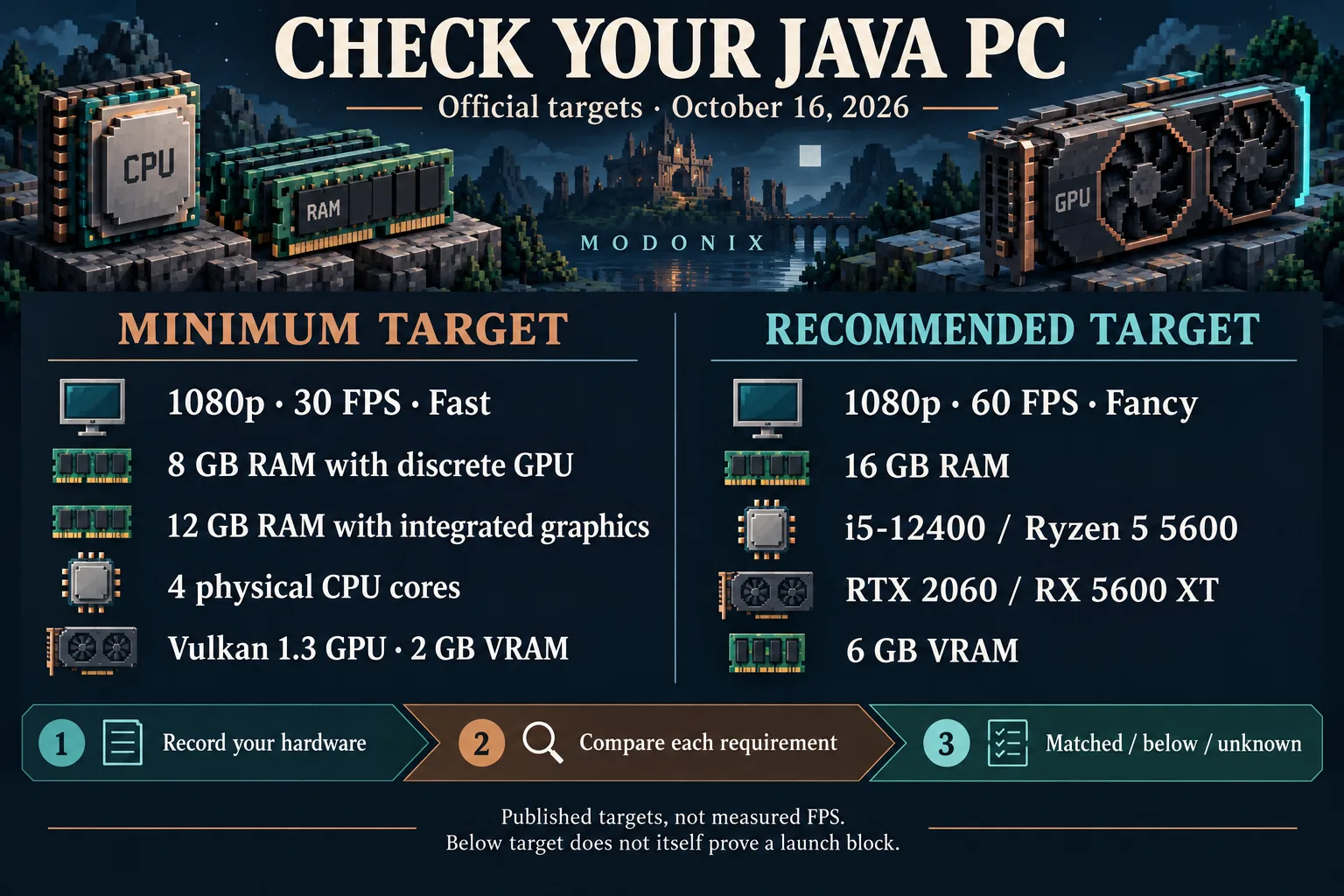
Checked October 16, 2026. The official table describes a minimum target of 1080p, 30 FPS, Fast and a recommended target of 1080p, 60 FPS, Fancy. Those are published targets, not a benchmark of your computer, a guarantee for every world or a promise for shaders and large modpacks.
The following is a compact Windows x64 comparison using examples from that table. Other supported platforms have their own listed examples.
| Check | Minimum target | Recommended target |
|---|---|---|
| Operating system | Windows 10, 64-bit | Windows 11, 64-bit |
| System RAM | 8 GB with discrete graphics; 12 GB with integrated graphics | 16 GB |
| CPU examples | Core i3-10100 or Ryzen 3 3100; at least four physical cores | Core i5-12400 or Ryzen 5 5600 |
| Graphics requirement | Vulkan 1.3-capable GPU, at least 2 GB VRAM | At least 6 GB VRAM; examples include RTX 2060 and RX 5600 XT |
Do not compare GPUs using memory alone. API support, the GPU model and its driver matter too. A model with a larger-looking number is not automatically an equivalent across brands or laptop and desktop families. Integrated graphics also changes the system-RAM baseline in the official table.
Fill in a short hardware note
Record OS and architecture; CPU model and physical cores; installed RAM; GPU model; driver version; graphics API support; Minecraft version. Mark each requirement as matched, below the listed target or still unknown. Use the GPU manufacturer's specification and driver documentation for API support; “I have 4 GB of graphics memory” does not answer that question.
Installed RAM is the memory in the computer. It is not an instruction to give that entire amount to Minecraft. Keep this comparison separate from launcher memory allocation, especially when other programs are running.
Does Vulkan 1.3 already decide whether the game opens?
The published hardware target and a particular release's renderer requirements are different things. Java 26.2 already introduced experimental Vulkan in Video Settings, with OpenGL fallback. Its release notes specify Vulkan 1.2 plus dynamic rendering and push descriptors for that experimental backend and warn that this requirement can change. Java 26.3 notes still discuss both renderers. Do not turn the table's Vulkan 1.3 target into a claim that every current Java launch rejects older hardware.
Changing a renderer does not install Vibrant Visuals or guarantee more FPS. For an error about the Java runtime itself, use the per-instance runtime guide; that is a different question from GPU capability.
If your PC falls below a target but the game opens, first decide whether the worlds you actually play remain comfortable at your chosen settings. If it does not open, identify the specific error before choosing hardware to replace. For modded play, keep a separate test world and evaluate that exact pack; the base-game targets do not cover every addition.
Comments 0
Share what worked, ask for help or reply to another player.
Use your Modonix account to join the discussion and manage your comments.
Sign in to commentNo comments yet. Share what worked for you.