MakeUp Ultra Fast: crisp tree shadows and a warm workshop at night

12 views 0 downloads

Compare the default MakeUp look across a cherry slope, reflective water and a lantern-lit interior.

MakeUp Ultra Fast offers a shader look built around effects you can adjust individually. The defaults shown here already give three ordinary locations distinct moods: strong tree shadows on a hillside, a reflective river and a warm wooden workshop after dark.

Follow the tree shadow

On the cherry slope, the shadow cuts clearly across the grass and flowers near the camera. The sunny upper steps and darker foreground make the shape of the path easy to see, while clouds and distant haze soften the valley beyond it.
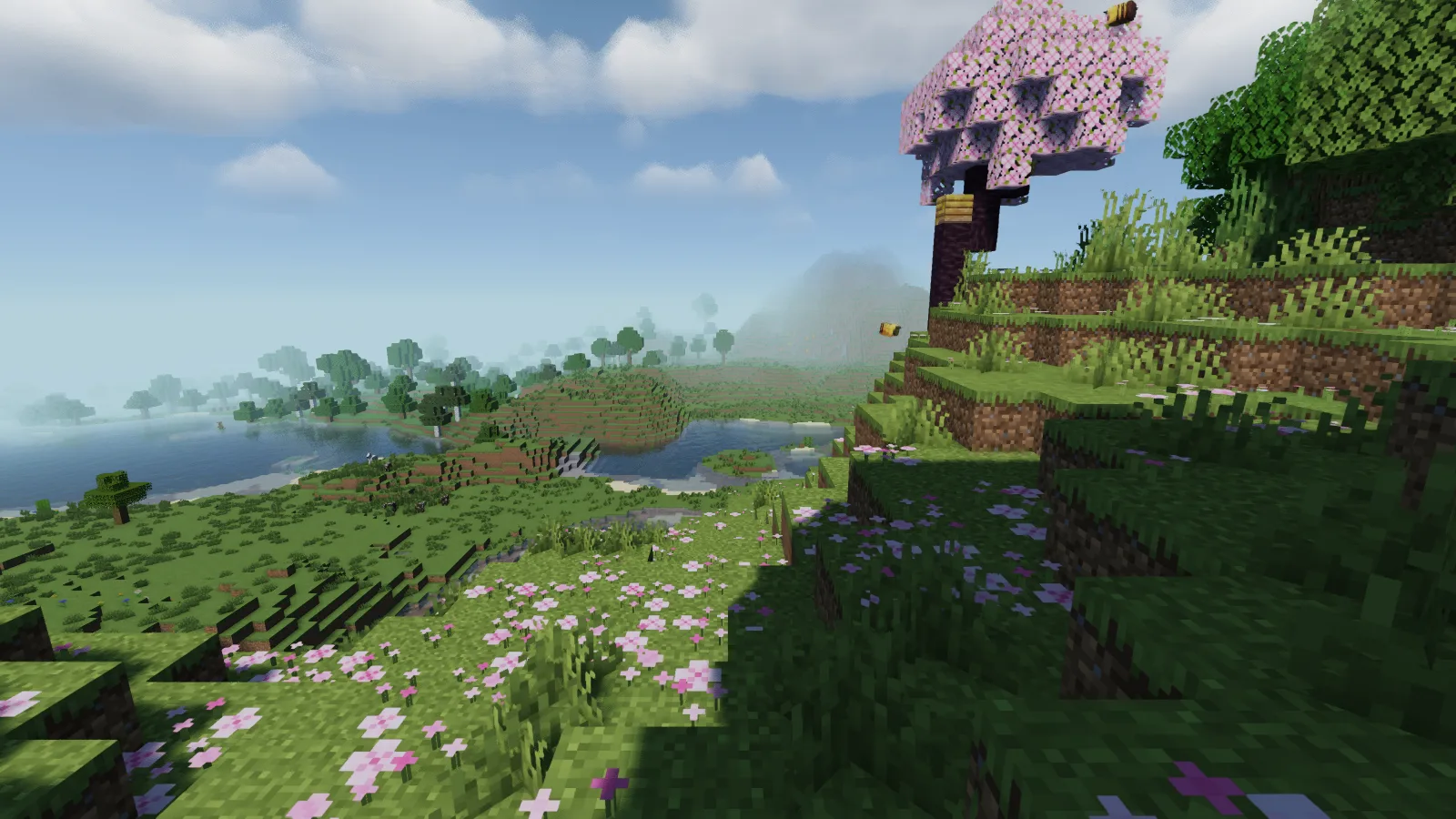
MakeUp casts distinct tree shadows across the cherry hillside and flowers.

Use a place with both open sky and trees when judging this look. An entirely sunny field will not show how the same blocks read beneath foliage, where you may spend much of a garden or forest build.

Compare water with the nearby bank

The river surface has a noticeable reflective texture, while shallow blocks remain visible near the edge. The bright grass and darker water give the bank a clear boundary.
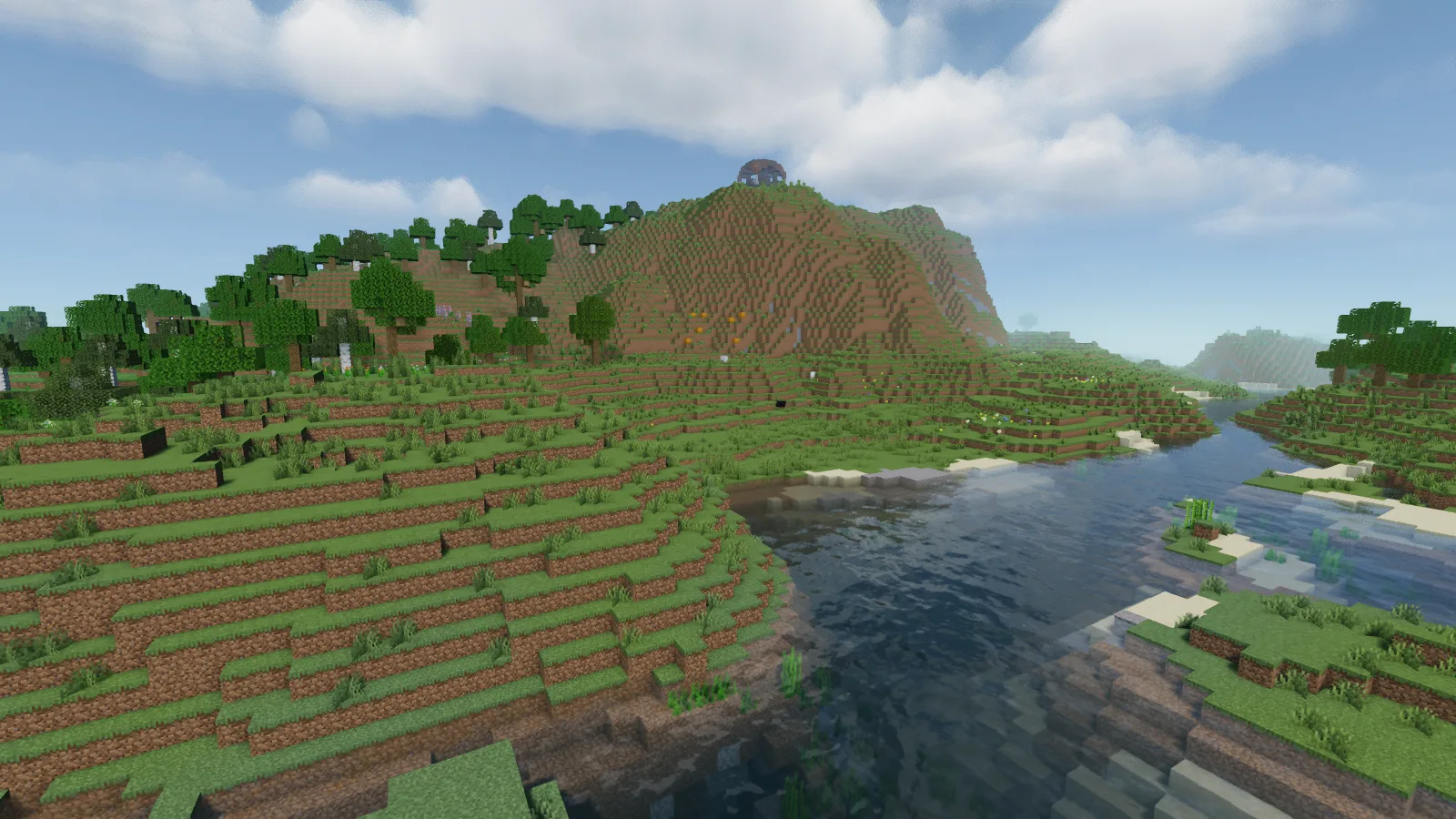
MakeUp adds visible surface reflections to the river beside the grassy bank.

Try the pack beside a bridge or shoreline path. Check the water at your normal walking angle as well as from above: the amount of reflection you see can change the character of the view even when the build itself stays the same.

Keep a night view in the comparison

The workshop has a warm, golden cast around its opening and across the wooden surfaces. Crafting tables and furnaces remain easy to identify, with darker areas toward the edges of the room.
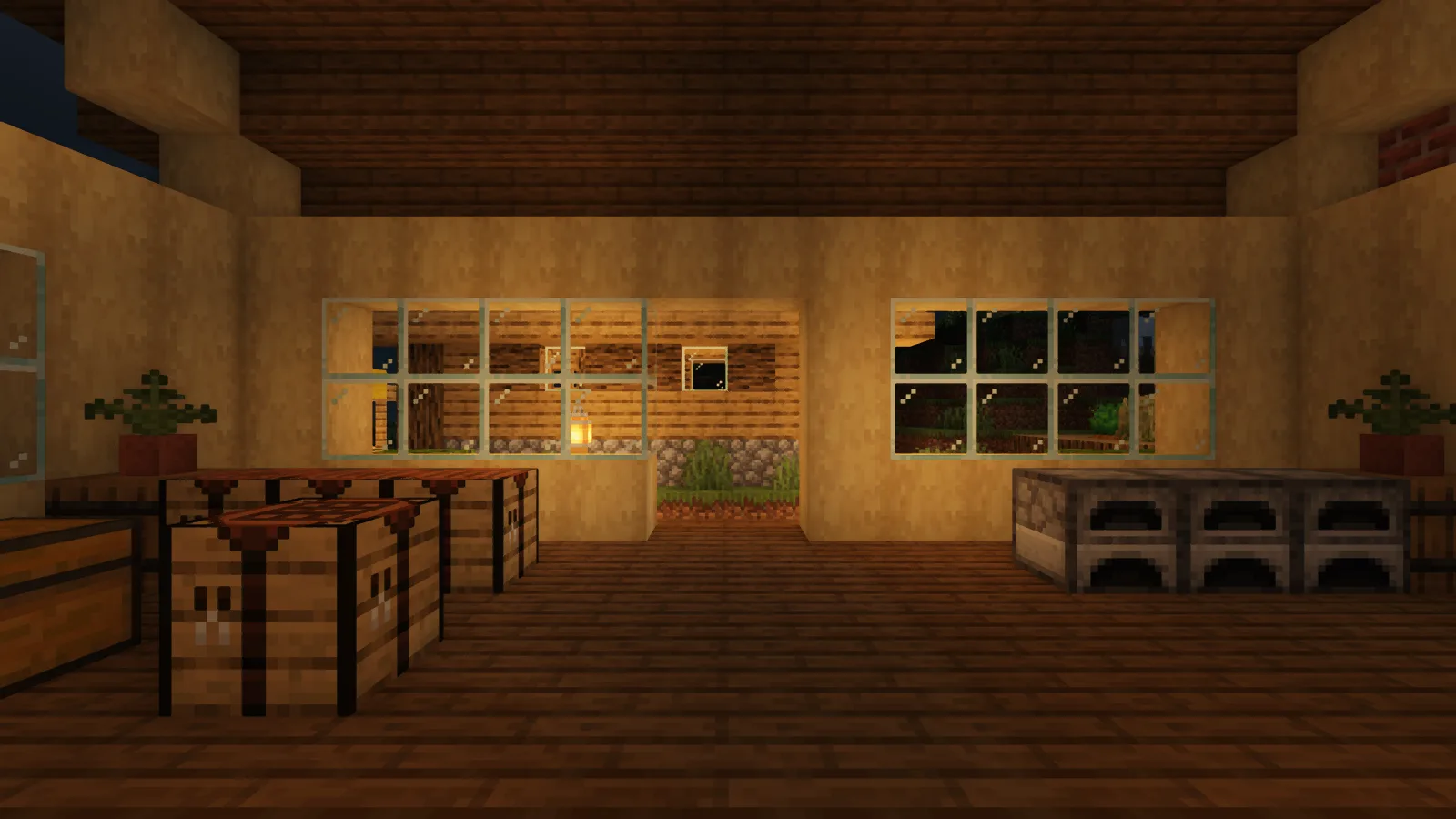
The workshop walls and floor take on warm light around the lantern-facing opening.

MakeUp's author documents optional shadows, bloom, depth of field and other effects. Start with the defaults and adjust one effect at a time in the shader's own options. Return to the same daylight and night locations after each change; that makes it easier to keep the parts of the look you prefer.

Add it to the active profile

Install Iris and its matching Sodium release for your Minecraft version. Open Video Settings, Shader Packs and the folder button, then place the MakeUp ZIP in shaderpacks without unpacking it. Select the pack and let it load before returning to the world. Keep the original ZIP available so you can return to a clean starting point when experimenting with settings.

No ratings yet

Files

Filter files 1 fileAll release types
Show all files

Version 9.5f

Stable

MakeUp-UltraFast-9.5f.zip

Iris Minecraft 26.2
2 required dependencies
0 downloads
Download · 394.2 KB
Requirements & details

Java 26.2 · Iris

  • Minecraft version: 26.2 · Shader loader: Iris
Dependencies for this file
  • Required: Iris ↗ · 1.11.4+26.2-fabric used
  • Required: Sodium ↗ · 0.9.2 used with Iris
Requirements supplied by the author for this file.

Iris 1.11.4+26.2-fabric used; Sodium 0.9.2 used with Iris

Requirements & notes
Known issues
This guide uses the listed Iris/Java profile and default settings. Other optional effects and profiles may look different. Performance varies by system; no frame-rate or low-end-hardware guarantee is implied.
Required shader loader version
Iris 1.11.4+26.2-fabric; Sodium 0.9.2 used
Technical details
File details
Download type
Main
Tested hardware & driver
NVIDIA GeForce GTX 1060 6 GB; 1600 × 900; Windows; original gameplay capture.
Performance observations
No FPS, frame-time or comparative performance benchmark was performed.
Available presets
Captured default: medium; zero changed options
File information

Archive structure and entry integrity checked · 358 entries · 0.7 MB unpacked.

No supported compatibility manifest was read. Review the author’s file requirements.

Manifest values describe the package. They do not prove that it works with every game version. This check is not an antivirus scan.

SHA-256: afbf622b983d29ffa5fe5f15197f321d3921915bd44584d85f14bc11b5e0e5e8

Release updates

Version 9.5f

Stable

MakeUp Ultra Fast 9.5f changes daylight, water and lamp-lit scenes. For this Minecraft Java 26.2 setup, install matching Iris and Sodium, then select the original ZIP from the shader menu.

View files

Comments & questions

Share what worked, ask for help or reply to another player.

No comments yet. Share what worked for you.

Join the conversation

No account required. Confirm your email with a code before your first comment.

1Your name & email

Only a masked address appears with your name. Guest comments are reviewed before publication.

2Verify & post

Search Modonix

Search in