Golden Days: give a modern workshop a classic Minecraft look

14 views 0 downloads

Layer Golden Days Base over Programmer Art, then compare familiar wood, glass and grassy hills in the older visual style.

Golden Days gives a modern world an older Minecraft appearance through its textures, colors and other visual details. An ordinary workshop is a useful first stop: wood, glass, stone and crops are close enough to compare without rebuilding anything.

Get the pack order right first

Golden Days Base needs the built-in Programmer Art pack underneath it. Put the downloaded ZIP in resourcepacks, open Options and Resource Packs, then arrange the selected side from top to bottom: Golden Days Base, Programmer Art, Vanilla. Choose Done and wait for the resources to reload.
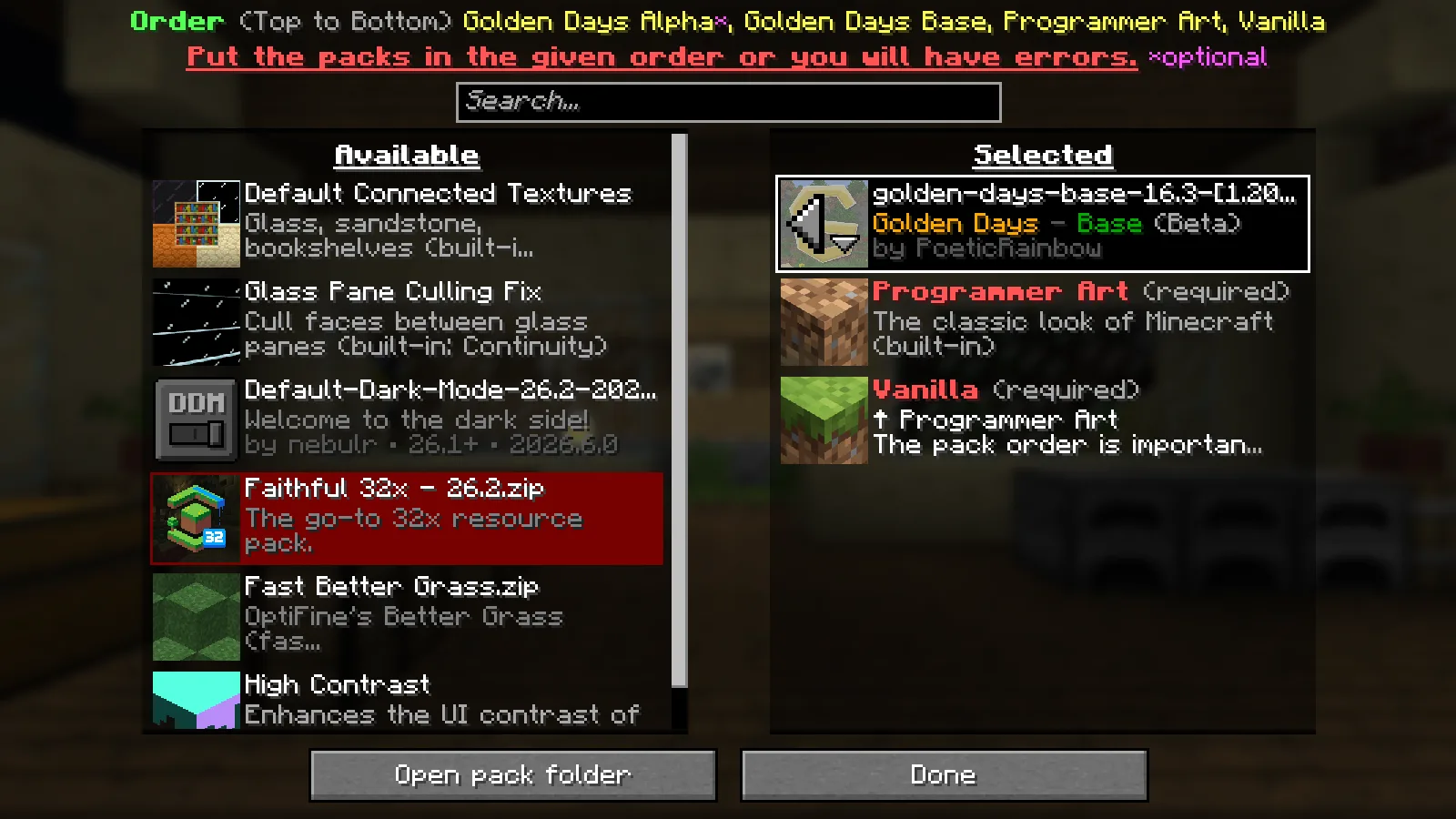
Golden Days Base is selected above Programmer Art and Vanilla in the resource-pack menu.

The order matters because the lower pack supplies part of the intended look. The setup shown here uses Base on its own above Programmer Art; the optional Alpha add-on is a separate choice.

Walk through an existing room

The workshop keeps the same crafting tables, floor and window openings. Their textures give the room a more classic appearance, particularly the strong pattern on the crafting tables, the wood grain and the glass marks across the view.
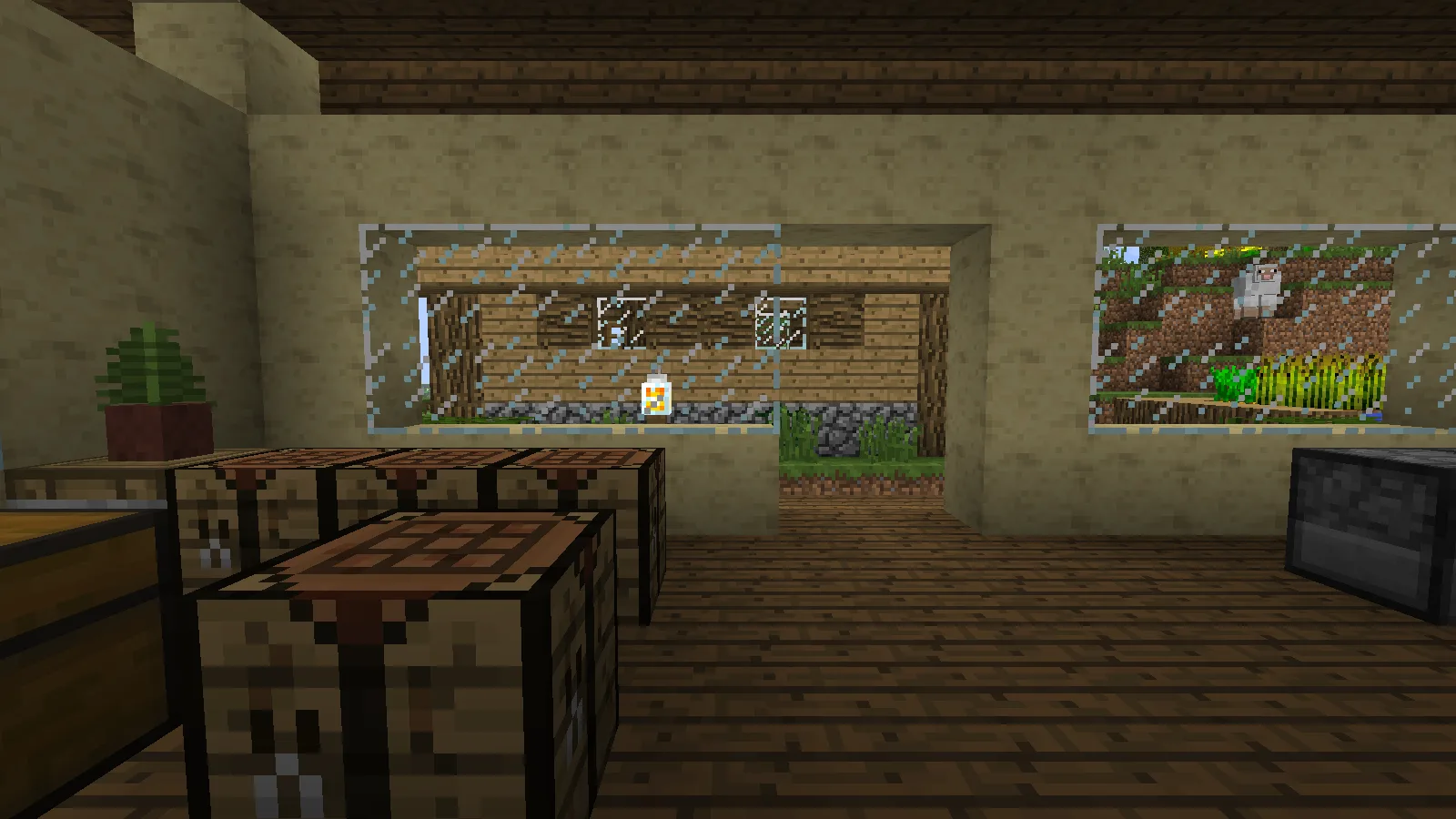
The workshop with Golden Days Base correctly layered over Programmer Art.

Try the pack where you already recognize the materials. That makes it easier to decide whether the older palette fits a finished build. The shown profile also has Continuity installed, which can handle connected textures supplied by a pack, so glass details may differ on an unmodified client.

Look beyond the walls

Outside, the nearby dirt and grass provide a clear foreground while the distant hillside takes on the pack's atmospheric look. Crops and wooden paths remain recognizable parts of the garden.
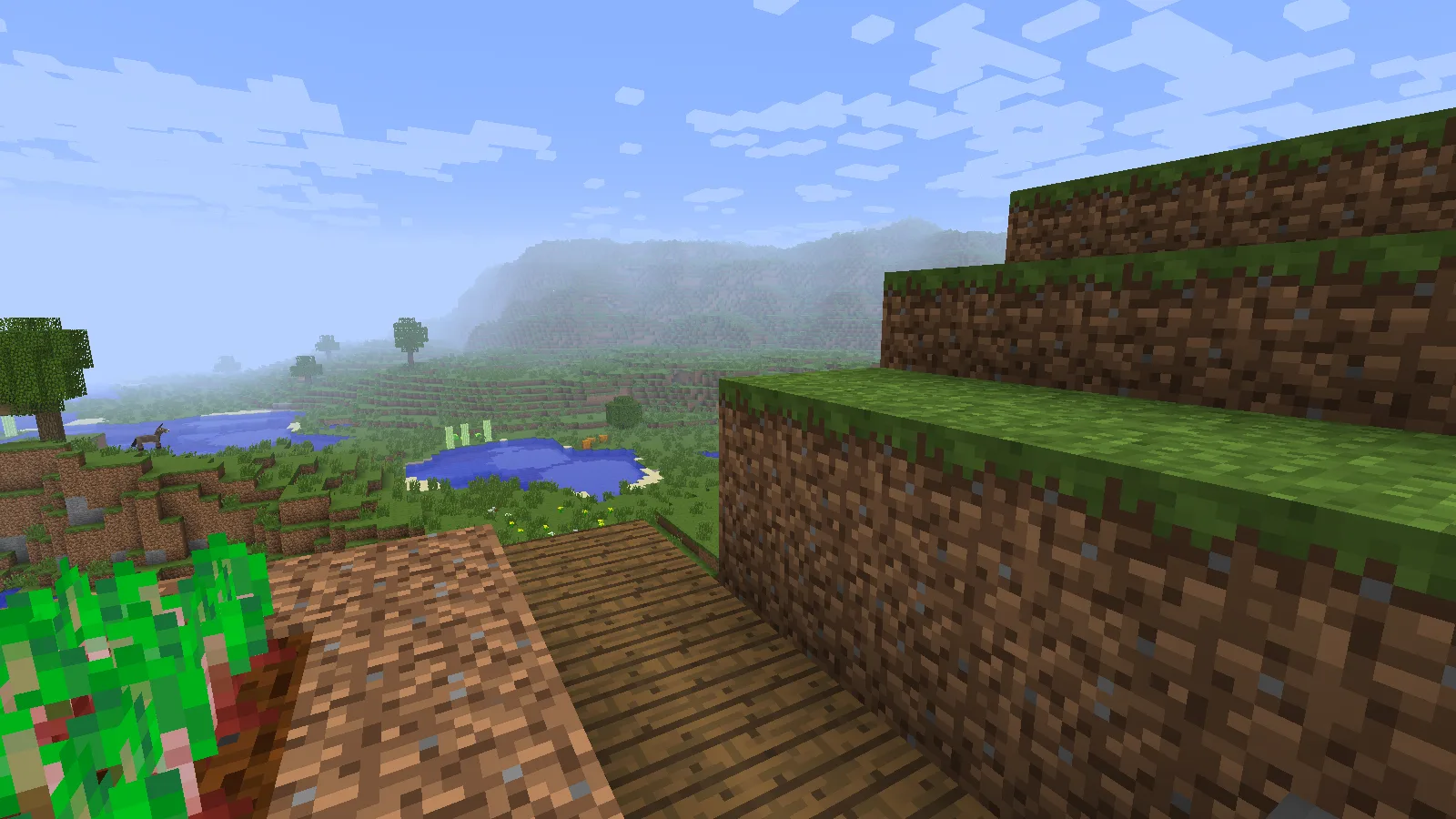
Golden Days gives the nearby grass, dirt and distant hillside a classic palette.

The wider grass-bank view is useful for judging how the style fits natural terrain. Check a slope, a path and your building together before deciding on the pack for the whole world.
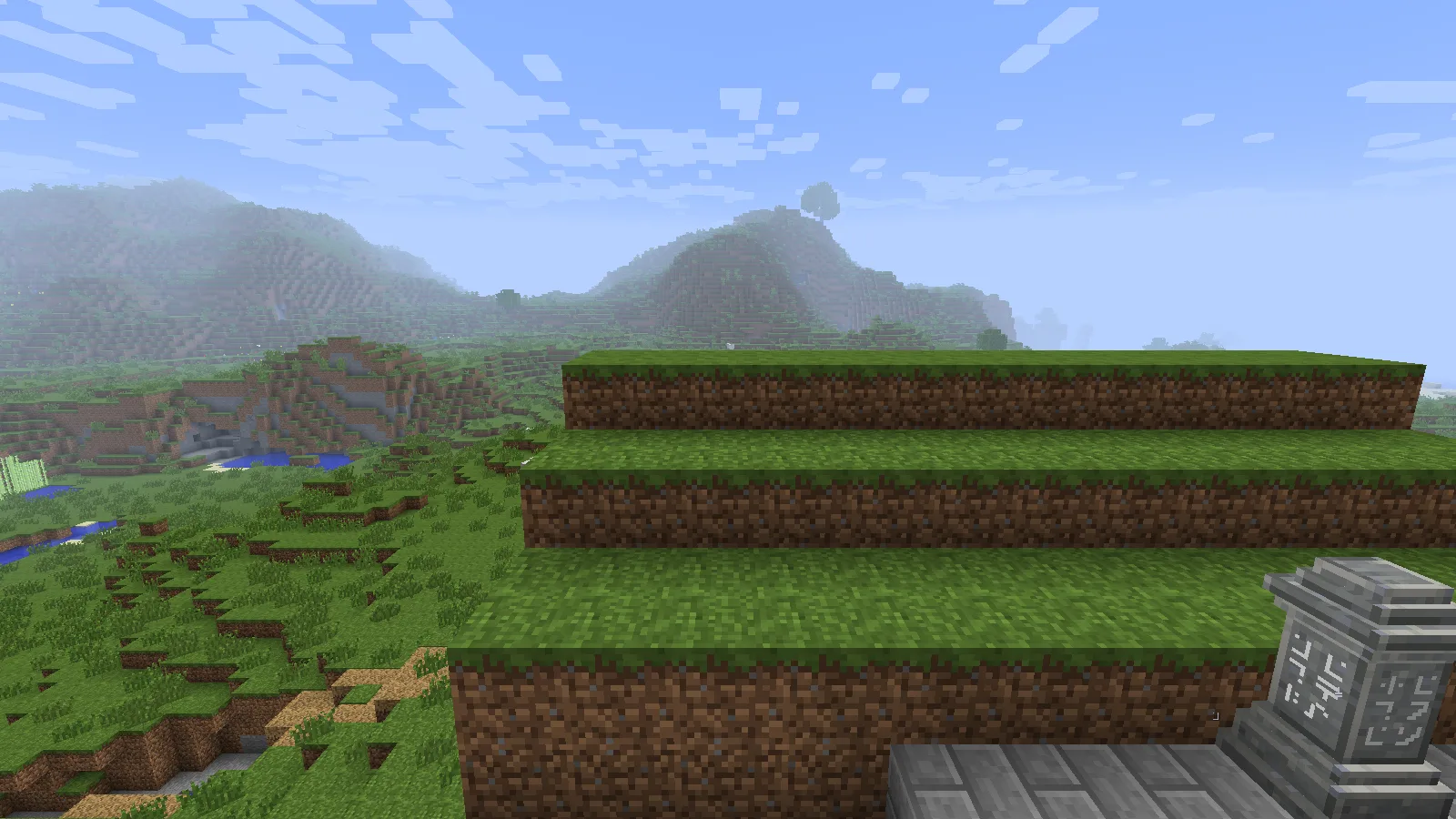
Stepped grass banks and the valley shown with the correctly layered Golden Days setup.

Start with the Base setup

These images use Golden Days Base 16.3 on Java 26.2 with the correct Programmer Art layer and shaders disabled. Keep the ZIP intact. Begin with this pack order before adding other texture overlays, so you can identify which pack changes a material. The author's optional add-ons and supporting mods extend the experience, but they are not needed to reproduce the basic layer order shown above.

4.0 / 51 rating

Files

Filter files 1 fileStable
Show all files

Version 16.3

Stable

golden-days-base-16.3-[1.20-to-26.3].zip

Minecraft 1.20 16x
Minecraft 1.20.1 16x
22 more setups in details
0 downloads
Download · 4.4 MB
Requirements & details

Golden Days Base · 16x

View 24 listed compatibility combinations
  • Game version: 1.20 · Resolution: 16x · File format: .zip
  • Game version: 1.20.1 · Resolution: 16x · File format: .zip
  • Game version: 1.20.2 · Resolution: 16x · File format: .zip
  • Game version: 1.20.3 · Resolution: 16x · File format: .zip
  • Game version: 1.20.4 · Resolution: 16x · File format: .zip
  • Game version: 1.20.5 · Resolution: 16x · File format: .zip
  • Game version: 1.20.6 · Resolution: 16x · File format: .zip
  • Game version: 1.21 · Resolution: 16x · File format: .zip
  • Game version: 1.21.1 · Resolution: 16x · File format: .zip
  • Game version: 1.21.2 · Resolution: 16x · File format: .zip
  • Game version: 1.21.3 · Resolution: 16x · File format: .zip
  • Game version: 1.21.4 · Resolution: 16x · File format: .zip
  • Game version: 1.21.5 · Resolution: 16x · File format: .zip
  • Game version: 1.21.6 · Resolution: 16x · File format: .zip
  • Game version: 1.21.7 · Resolution: 16x · File format: .zip
  • Game version: 1.21.8 · Resolution: 16x · File format: .zip
  • Game version: 1.21.9 · Resolution: 16x · File format: .zip
  • Game version: 1.21.10 · Resolution: 16x · File format: .zip
  • Game version: 1.21.11 · Resolution: 16x · File format: .zip
  • Game version: 26.1 · Resolution: 16x · File format: .zip
  • Game version: 26.1.1 · Resolution: 16x · File format: .zip
  • Game version: 26.1.2 · Resolution: 16x · File format: .zip
  • Game version: 26.2 · Resolution: 16x · File format: .zip
  • Game version: 26.3 · Resolution: 16x · File format: .zip

Example setup: Minecraft 26.2 with Fabric 0.19.5.

Enable the built-in Programmer Art pack beneath Golden Days Base, with Vanilla underneath. Optional companion mods add features beyond this basic pack order.

Requirements & notes
Known issues
Connected-glass details can differ without a supporting mod such as Continuity.
Feature requirements
Enable built-in Programmer Art beneath Golden Days Base. Optional PolyTone and Entity Model Features support additional pack features.
Technical details
File details
Download type
Main
Pack format range
pack_format 15; supported_formats [15,420]; min_format 15; max_format 420
Pack order & overlays
Top to bottom: Golden Days Base, Programmer Art, Vanilla. If you choose the optional Alpha add-on, place it above Base.
File information

Archive structure and entry integrity checked · 4,403 entries · 4.7 MB unpacked.

Pack pack_format
15
Pack supported_formats
15, 420
Pack min_format
15
Pack max_format
420
Overlay old_lightmaps
{"formats":[15,35]}
Overlay patch_20_2_no_torch_obj
{"formats":[18,420],"min_format":18,"max_format":420}
Overlay patch_20_3_bat_update
{"formats":[20,420],"min_format":20,"max_format":420}
Overlay patch_21_4_item_definitions
{"formats":[45,420],"min_format":45,"max_format":420}
Overlay patch_21_5_custom_names
{"formats":[55,420],"min_format":55,"max_format":420}
Overlay patch_21_4_chest_fat
{"formats":[45,420],"min_format":45,"max_format":420}
Overlay patch_21_6_no_rotation_snap
{"formats":[57,420],"min_format":57,"max_format":420}
Overlay patch_21_9
{"formats":[69,420],"min_format":69,"max_format":420}
Overlay patch_21_11
{"formats":[75,420],"min_format":75,"max_format":420}
Overlay patch_26_1
{"formats":[83,420],"min_format":83,"max_format":420}
Overlay patch_26_2
{"formats":[86,420],"min_format":86,"max_format":420}
Overlay shaders_core_21_9
{"formats":[69,90],"min_format":69,"max_format":90}
Overlay shaders_core_21_11
{"formats":[75,90],"min_format":75,"max_format":90}
Overlay shaders_core_26_2
{"formats":[88,90],"min_format":88,"max_format":90}
Overlay shaders_core_26_3
{"formats":[96,420],"min_format":96,"max_format":420}
Overlay shaders_light_21_9
{"formats":[69,75],"min_format":69,"max_format":75}
Overlay shaders_light_26_1
{"formats":[76,92],"min_format":76,"max_format":92}
Overlay shaders_light_26_3
{"formats":[93,420],"min_format":93,"max_format":420}
Overlay mod_polytone
{"formats":[0,0],"min_format":0,"max_format":0}
Overlay mod_continuity_option_overlay_ctm
{"formats":[0,0],"min_format":0,"max_format":0}
Overlay mod_continuity_option_no_grass_tint
{"formats":[0,0],"min_format":0,"max_format":0}
Overlay option_disable_flat_items
{"formats":[0,0],"min_format":0,"max_format":0}
Overlay mod_emf_option_chest_use_cem
{"formats":[0,0],"min_format":0,"max_format":0}
Overlay mod_emf_option_chest_fat_animated
{"formats":[0,0],"min_format":0,"max_format":0}
Overlay option_bamboo_planks_consistent
{"formats":[0,0],"min_format":0,"max_format":0}
Overlay option_bamboo_planks_smooth
{"formats":[0,0],"min_format":0,"max_format":0}
Overlay option_bricks_modern
{"formats":[0,0],"min_format":0,"max_format":0}
Overlay option_cobblestone_modern
{"formats":[0,0],"min_format":0,"max_format":0}
Overlay option_cobblestone_hybrid
{"formats":[0,0],"min_format":0,"max_format":0}
Overlay option_cuboid_bamboo
{"formats":[0,0],"min_format":0,"max_format":0}
Manifests read (1)
  • pack.mcmeta · JSON structure

Pack-format numbers and ranges are format identifiers, not Minecraft version numbers. They do not establish in-game compatibility.

Manifest values describe the package. They do not prove that it works with every game version. This check is not an antivirus scan.

SHA-256: 85b50926f3064050d64edd7daccb3ab7a28522071fe2b379ceba67119ed22611

Release updates

Version 16.3

Stable

Golden Days Base 16.3 gives the supported Java versions listed below a classic Minecraft look. Select Golden Days Base above Programmer Art, with Vanilla underneath. The pack menu name includes Beta.

View files

Comments & questions

Share what worked, ask for help or reply to another player.

No comments yet. Share what worked for you.

Join the conversation

No account required. Confirm your email with a code before your first comment.

1Your name & email

Only a masked address appears with your name. Guest comments are reviewed before publication.

2Verify & post

Search Modonix

Search in