Default Dark Mode: darken the chest and crafting screens

11 views 0 downloads

Keep familiar inventory layouts while giving their large panels a darker background.

Default Dark Mode changes the large interface panels you see while sorting supplies and crafting. The chest and crafting layouts remain familiar, but their light backgrounds become dark gray. It is a visual preference you can judge with the screens you open most often.

Start with a chest

Open a chest after selecting the pack. The panel, empty slots and inventory area use darker backgrounds, while the item icons and labels remain visible. In this example, the diamond and iron stacks stand out against the dark slots.
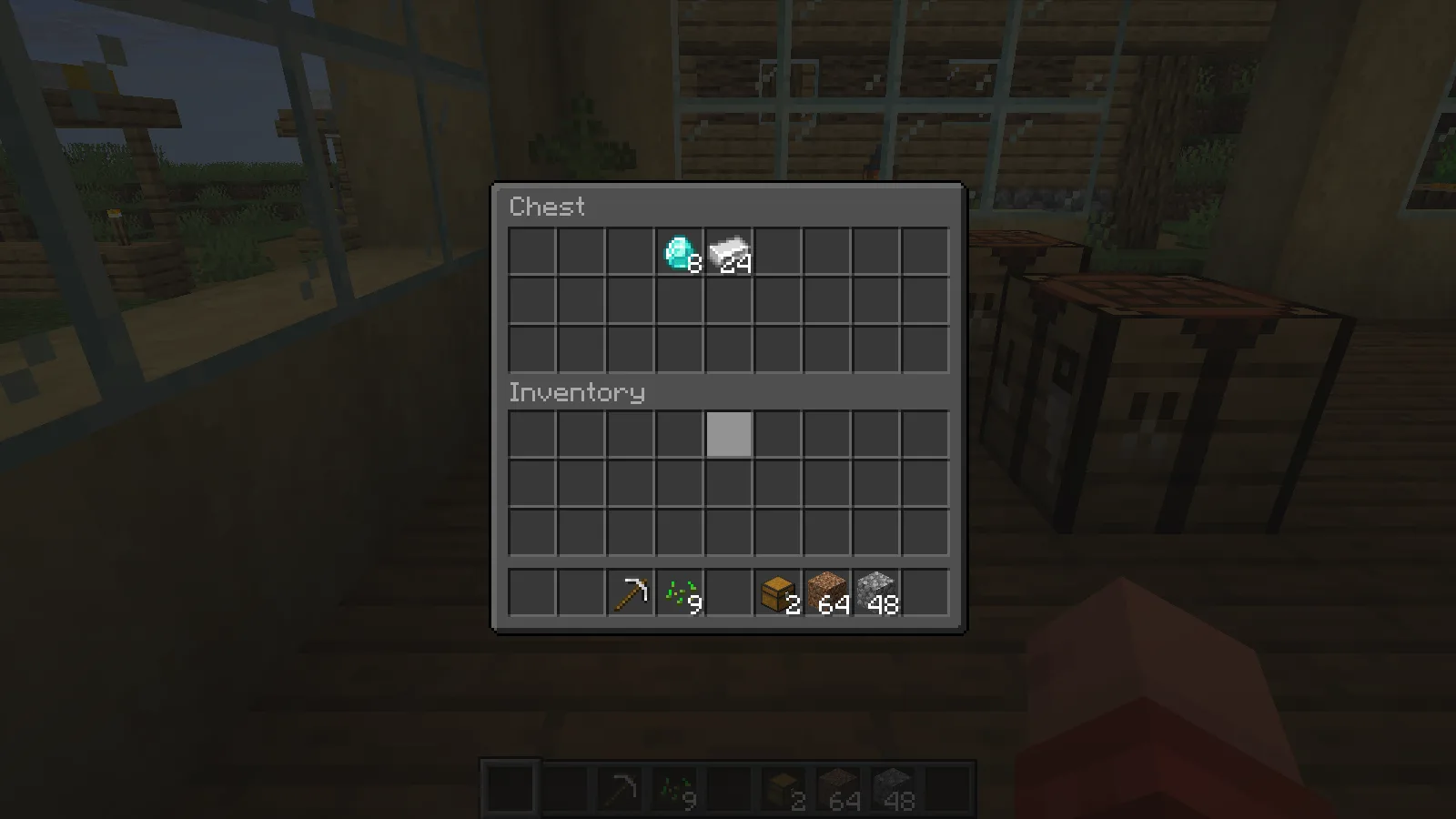
Default Dark Mode gives the chest panel and inventory slots dark backgrounds.

Move the pointer across a few items and check the highlighted slot and tooltip at your normal GUI scale. Those details matter more during everyday use than the appearance of an empty menu. If text or borders are difficult to distinguish on your display, choose the interface that is easiest for you to read.

Open the crafting table too

The crafting screen uses the same darker treatment. Its three-by-three grid, recipe-book button and output slot stay in their usual places, so learning a new arrangement is not part of the change.
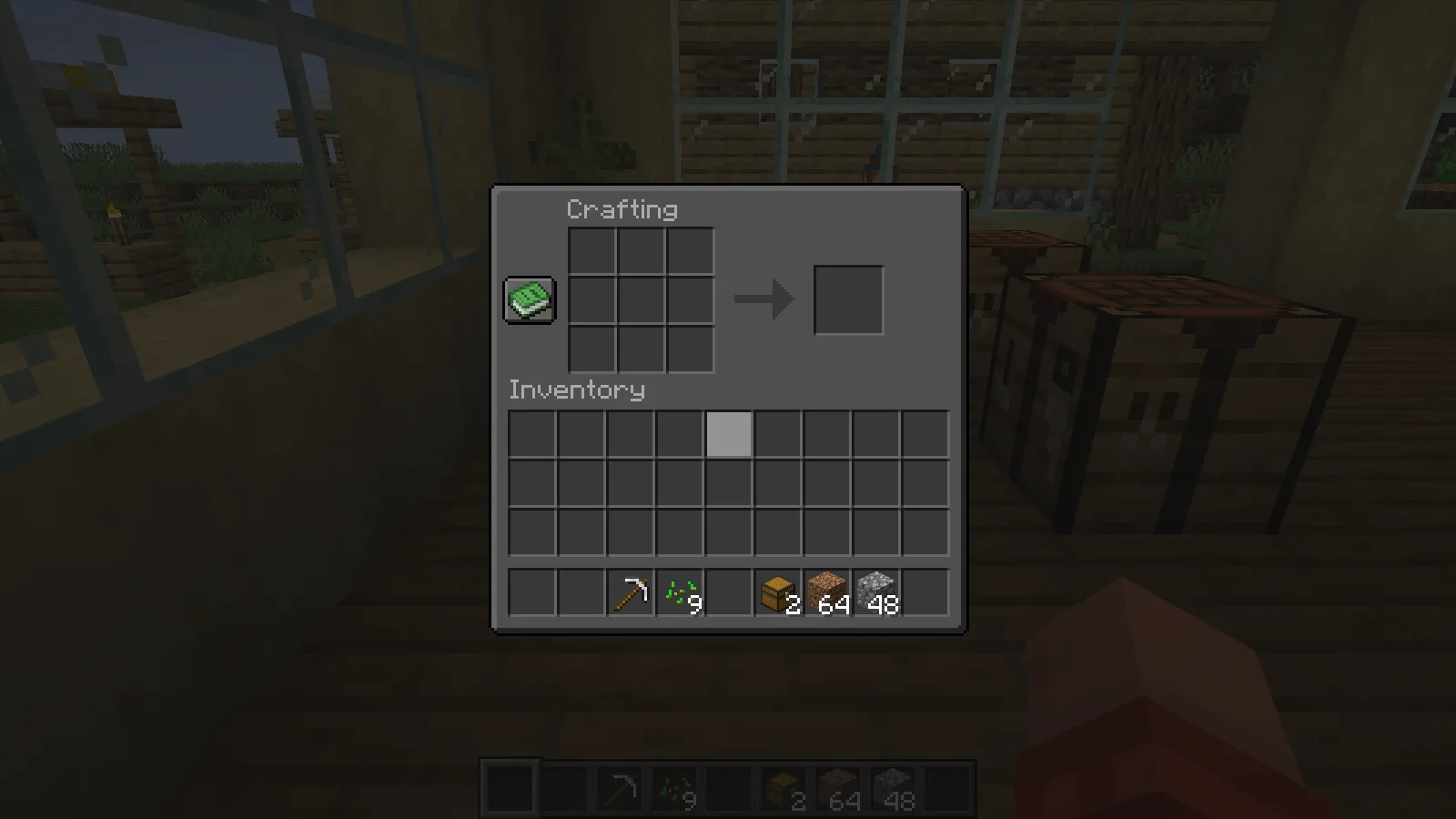
The crafting interface keeps its familiar grid and output layout with a dark panel.

This is useful when you want to change the menus without replacing the workshop's block palette. Check both storage and crafting before leaving the pack enabled, especially if you normally use a different GUI scale from the one shown here.

Select the matching pack

The illustrated ZIP is Default Dark Mode 2026.6.0 for Java 26.2. Put it in the resourcepacks folder, open Options and Resource Packs, move it to the selected side and choose Done. Keep it above another pack if you want its interface textures to take priority.

If a particular menu stays light, check for a higher-priority pack replacing that screen. Modded interfaces can use their own textures, so the appearance of these vanilla screens does not guarantee that every mod menu will change.

No ratings yet

Files

Filter files 1 fileStable
Show all files

Version 2026.6.0-26.2

Stable

Default-Dark-Mode-26.2-2026.6.0.zip

Minecraft 26.2 16x
0 downloads
Download · 743.5 KB
Requirements & details

Java 26.2

  • Game version: 26.2 · Resolution: 16x · File format: .zip
Requirements & notes
Known issues
No medical, eye-strain or accessibility improvement claim. Only the shown vanilla chest and crafting screens were visually checked; bundled mod-interface coverage was not tested. Private reference copy only. Public distribution: review-required. The pack is CC-BY-NC-SA-4.0 with bundled third-party notices. Public delivery must respect noncommercial/share-alike terms and those notices; future site usage has not been assessed. https://github.com/nebuIr/Default-Dark-Mode
Technical details
File details
Download type
Main
Pack format range
min_format [84]; max_format [88]
Pack order & overlays
Select this pack above the default resources.
File information

Archive structure and entry integrity checked · 982 entries · 0.9 MB unpacked.

No supported compatibility manifest was read. Review the author’s file requirements.

Manifest values describe the package. They do not prove that it works with every game version. This check is not an antivirus scan.

SHA-256: ffb038740fa375f195819160e30f7fc570b5060b142ff23aaf8f1538ac721d81

Release updates

Version 2026.6.0-26.2

Stable

Default Dark Mode 2026.6.0-26.2 darkens Minecraft Java 26.2 interface backgrounds. Place the ZIP in resourcepacks and activate it to compare familiar chest and crafting screens.

View files

Comments & questions

Share what worked, ask for help or reply to another player.

No comments yet. Share what worked for you.

Join the conversation

No account required. Confirm your email with a code before your first comment.

1Your name & email

Only a masked address appears with your name. Guest comments are reviewed before publication.

2Verify & post

Search Modonix

Search in