
Two shulker boxes can look equally ready for a trip while holding completely different supplies. Shulker Box Tooltip lets you inspect a box from your inventory, without placing it on the floor and opening it. A name or color identifies the kit; the preview tells you what is actually inside.
Check the compact preview
Hover over a shulker box and hold Shift. In the setup shown here, the compact preview displays the stored items and their counts beneath the box's name.
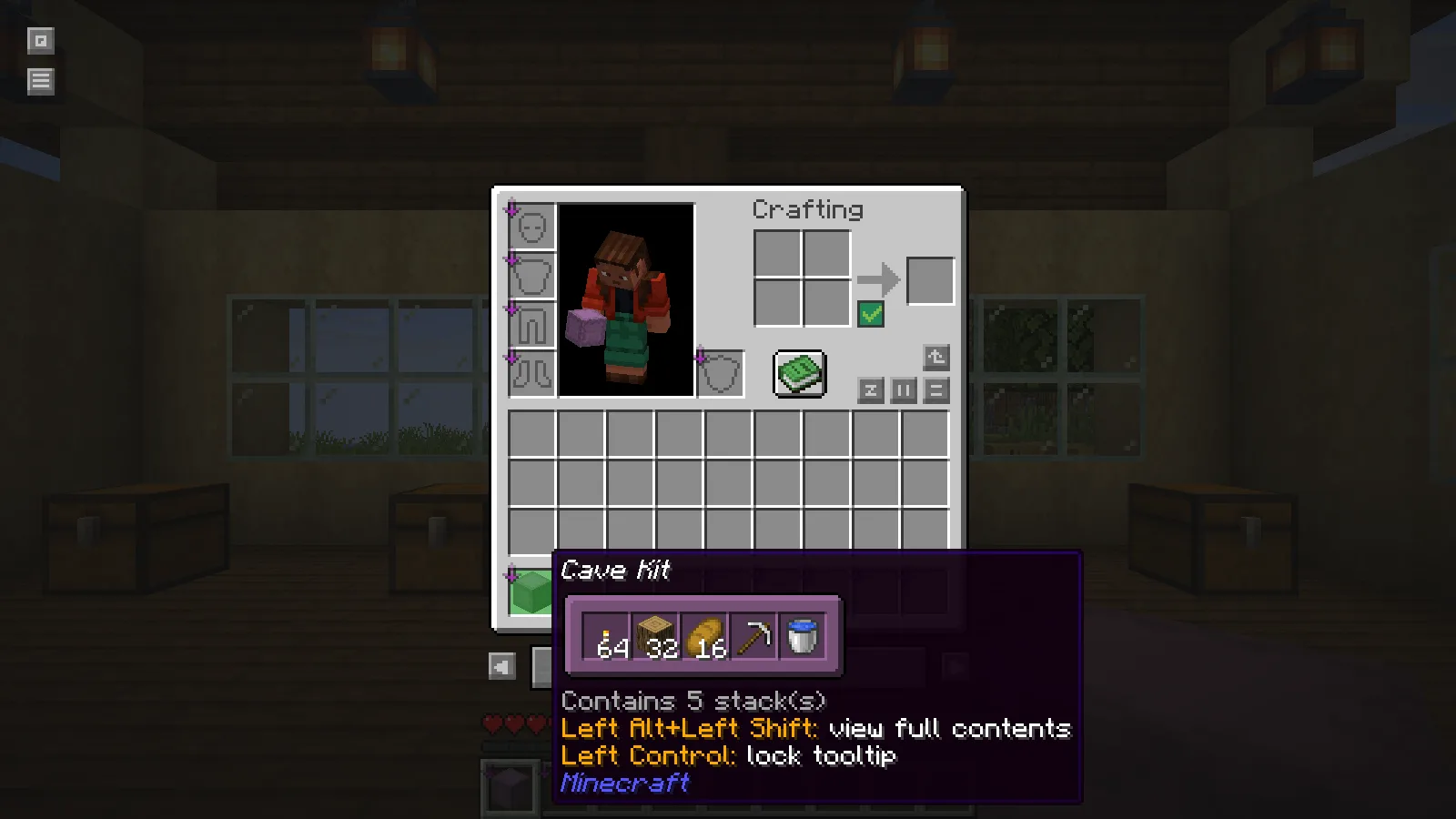
The Cave Kit contains 64 torches, 32 oak logs, 16 bread, an iron pickaxe and a water bucket. That is enough information to distinguish it from a construction kit before leaving the workshop. The five stored stacks are easy to check while the rest of your supplies are still nearby.
Move the pointer to the second box while holding the same key. The blue Workshop Kit contains spruce planks, spruce stairs, bricks, glass and lanterns. This makes a quick check practical even when several boxes share your hotbar.
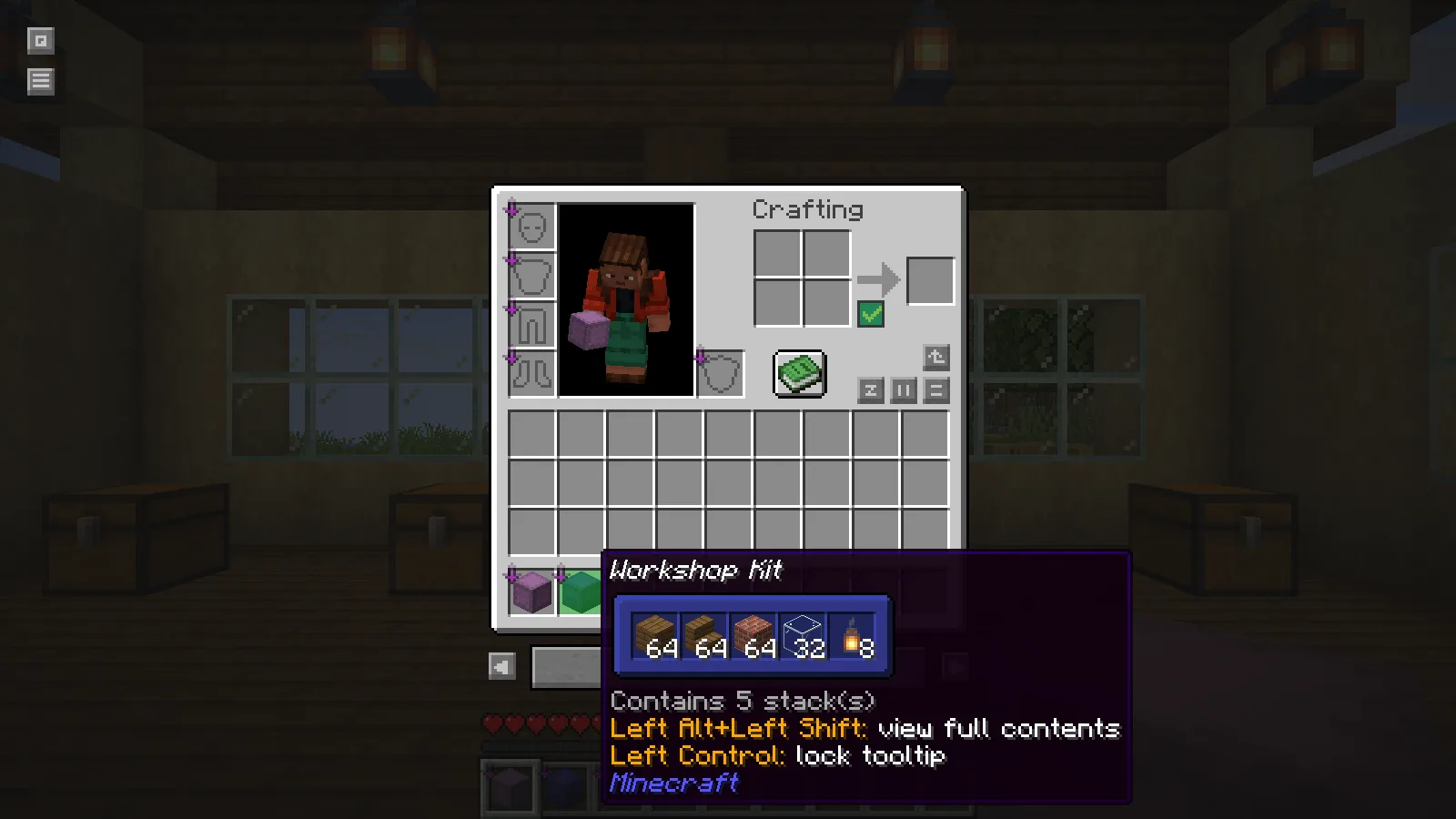
For a regular building project, keep one box assigned to the current job. Before traveling, inspect the materials you expect to use first: the roof blocks, the glass or the lights. The preview can reveal an omitted stack while storage is still within reach.
See the actual slot layout
Hold Alt and Shift over the box to expand the full grid. This view keeps the empty spaces and slot positions visible. In the Workshop Kit, the planks, stairs and glass occupy the first row, with lanterns and bricks below them.
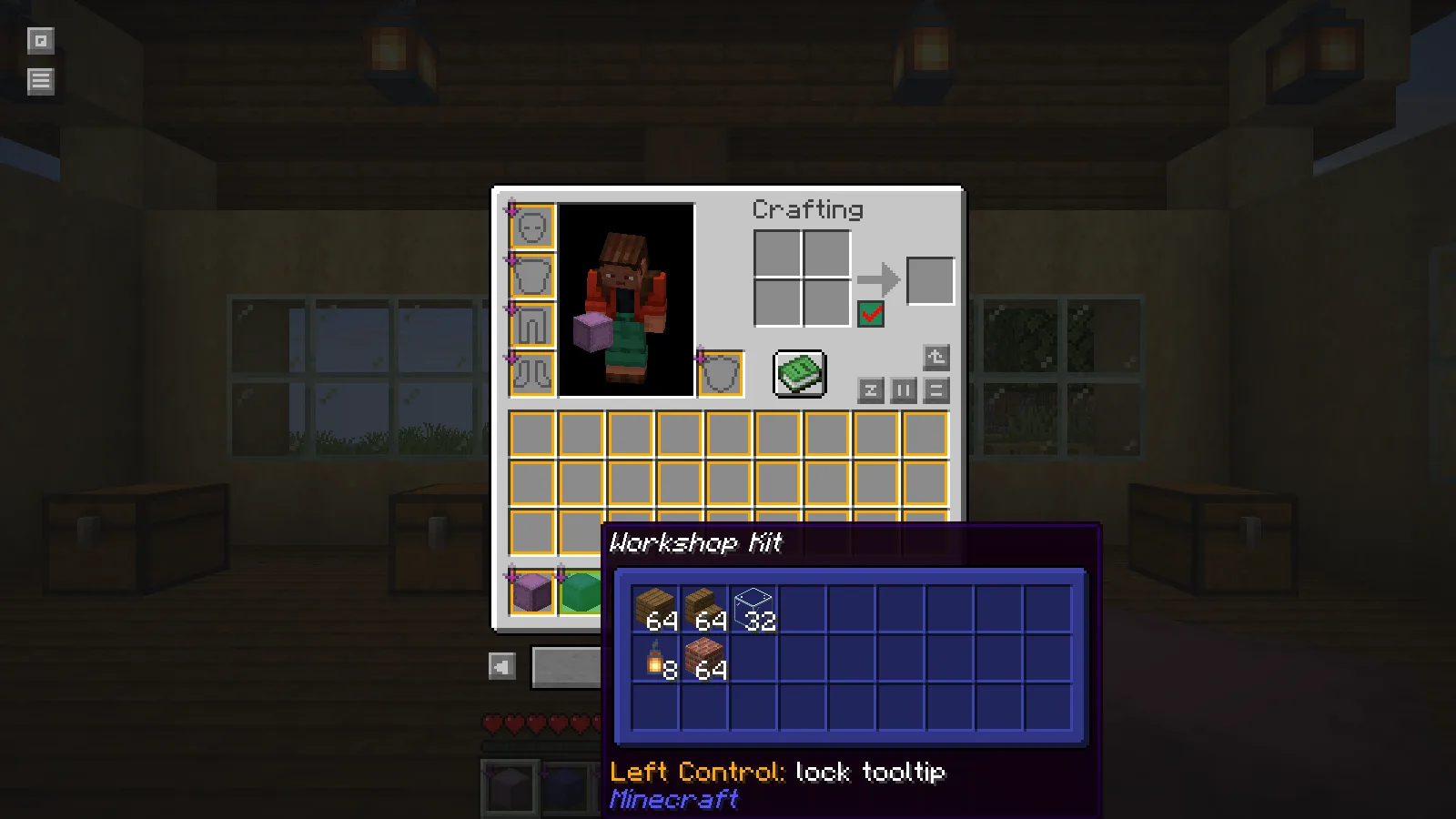
Use the compact view to identify the box quickly and the full view when its arrangement matters. Both are previews: move items by opening the container normally.
Install the matching build
These screenshots use Shulker Box Tooltip 5.4.1 for Minecraft Java 26.2 on Fabric. Put the matching mod file in that profile's mods folder. Its Fabric package requires Fabric's resource-loader module, supplied by Fabric API. Keep the game's normal inventory controls available and check for conflicting key bindings if a modifier key triggers another mod's overlay.
Comments & questions
Share what worked, ask for help or reply to another player.
No comments yet. Share what worked for you.