Shulker Box Tooltip: find the right kit without placing it

13 views 0 downloads

Use compact and full shulker previews to tell a cave kit from a building kit while both are still in your inventory.

Two shulker boxes can look equally ready for a trip while holding completely different supplies. Shulker Box Tooltip lets you inspect a box from your inventory, without placing it on the floor and opening it. A name or color identifies the kit; the preview tells you what is actually inside.

Check the compact preview

Hover over a shulker box and hold Shift. In the setup shown here, the compact preview displays the stored items and their counts beneath the box's name.
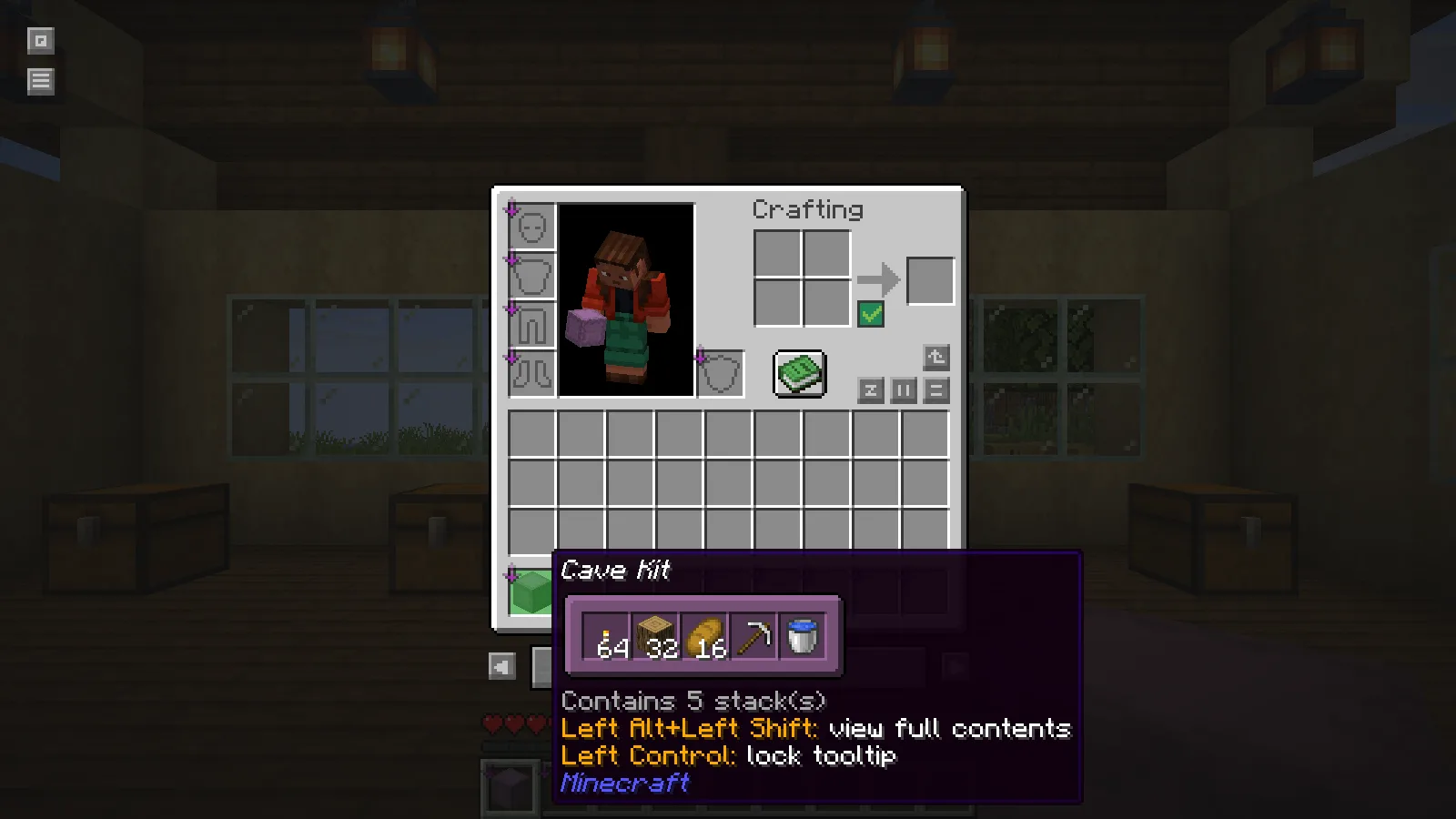
Compact Cave Kit preview with torches, logs, bread, a pickaxe and a water bucket.

The Cave Kit contains 64 torches, 32 oak logs, 16 bread, an iron pickaxe and a water bucket. That is enough information to distinguish it from a construction kit before leaving the workshop. The five stored stacks are easy to check while the rest of your supplies are still nearby.

Move the pointer to the second box while holding the same key. The blue Workshop Kit contains spruce planks, spruce stairs, bricks, glass and lanterns. This makes a quick check practical even when several boxes share your hotbar.
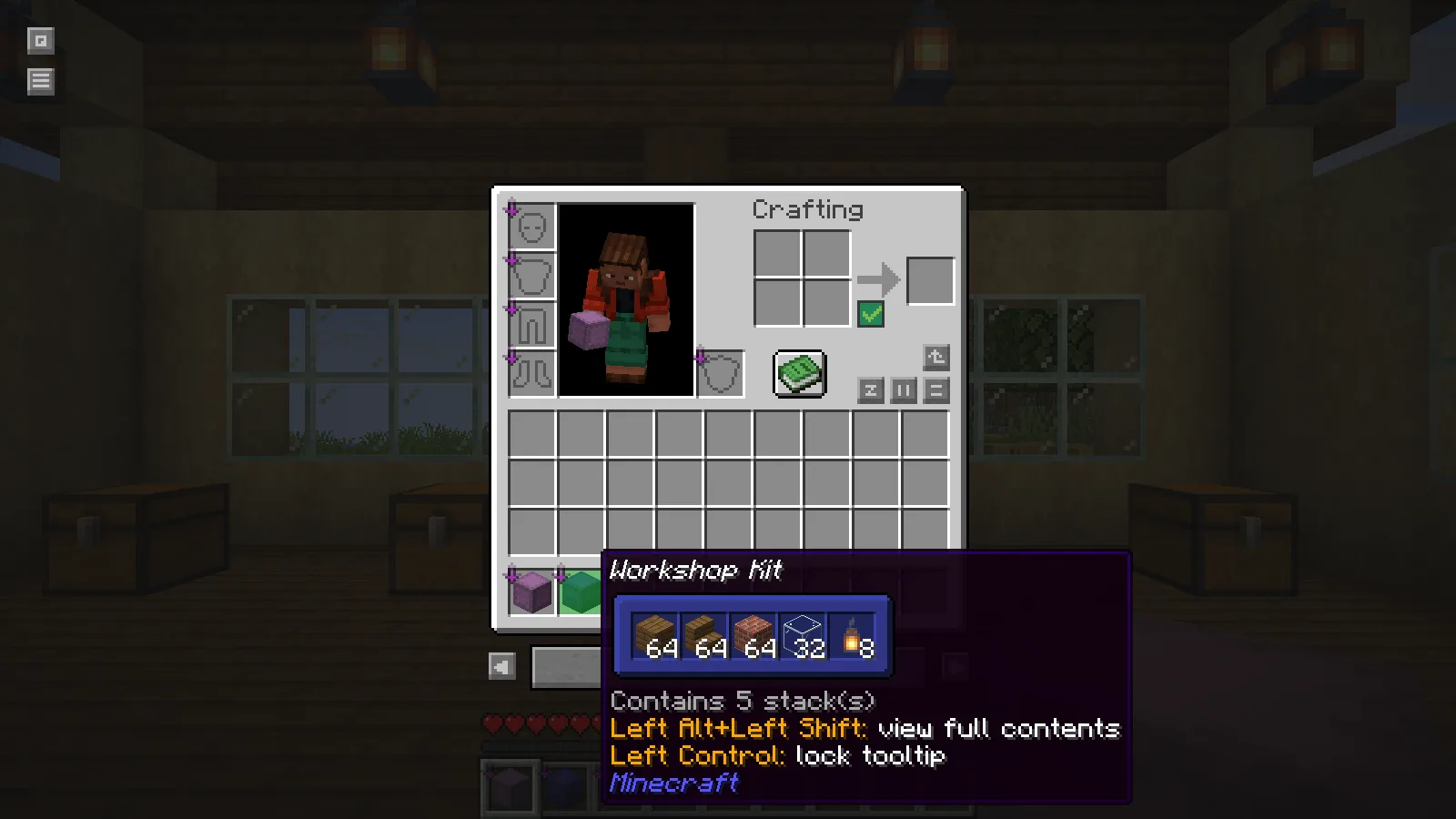
Compact Workshop Kit preview with building materials.

For a regular building project, keep one box assigned to the current job. Before traveling, inspect the materials you expect to use first: the roof blocks, the glass or the lights. The preview can reveal an omitted stack while storage is still within reach.

See the actual slot layout

Hold Alt and Shift over the box to expand the full grid. This view keeps the empty spaces and slot positions visible. In the Workshop Kit, the planks, stairs and glass occupy the first row, with lanterns and bricks below them.
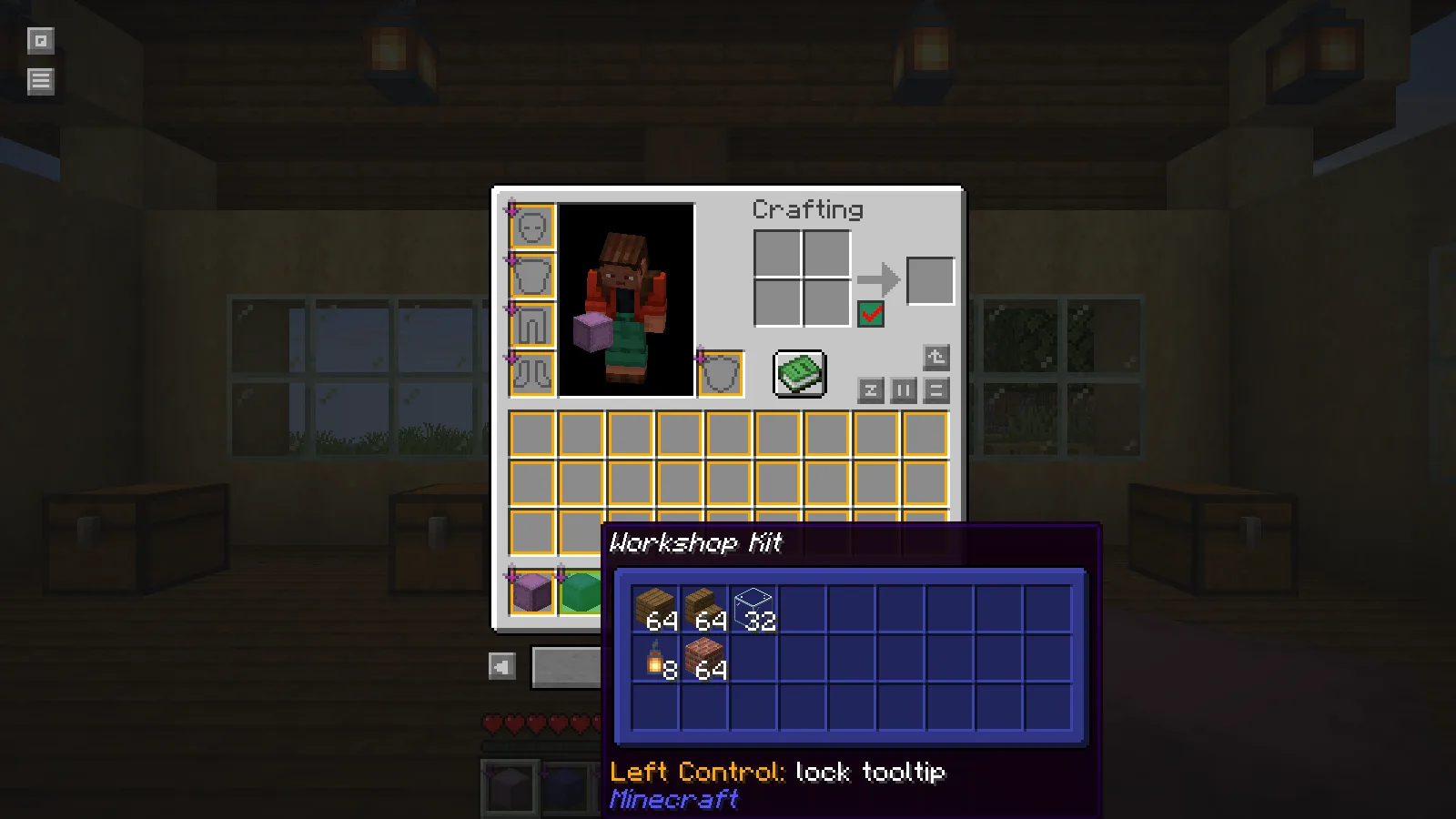
Alt and Shift reveal the Workshop Kit full slot layout.

Use the compact view to identify the box quickly and the full view when its arrangement matters. Both are previews: move items by opening the container normally.

Install the matching build

These screenshots use Shulker Box Tooltip 5.4.1 for Minecraft Java 26.2 on Fabric. Put the matching mod file in that profile's mods folder. Its Fabric package requires Fabric's resource-loader module, supplied by Fabric API. Keep the game's normal inventory controls available and check for conflicting key bindings if a modifier key triggers another mod's overlay.

No ratings yet

Files

Filter files 1 fileStable
Show all files

Version 5.4.1+26.2-fabric

Stable

shulkerboxtooltip-fabric-5.4.1+26.2.jar

Minecraft 26.2 Fabric Client only
1 required dependency
0 downloads
Download · 412.7 KB
Requirements & details

Fabric 26.2

  • Game version: 26.2 · Mod loader: Fabric · Installation: Client only · Game channel: Stable
Dependencies for this file
Requirements supplied by the author for this file.

Fabric API Matching 26.2 build

Requirements & notes
Known issues
Ctrl tooltip locking was not exercised. No remote server, nested-container or large-NBT stress test.
Required loader version
>=0.16.0
Technical details
File details
Download type
Main
Mod ID
shulkerboxtooltip
Client, server & multiplayer behavior
Client only. The demonstrated session is single-player; no remote-server test is claimed.
File information

Archive structure and entry integrity checked · 292 entries · 1.0 MB unpacked.

Mod ID
shulkerboxtooltip
Mod version
5.4.1+26.2
Fabric environment
*
Requires fabric-resource-loader-v1
*
Requires fabricloader
>=0.16.0
Requires minecraft
>=26.2

Manifest values describe the package. They do not prove that it works with every game version. This check is not an antivirus scan.

SHA-256: 042ae88c7f2f4129f6606e2e692e95d6608e0cc52cd8d9f4a5410dd09a28aa78

Release updates

Version 5.4.1+26.2-fabric

Stable

Original upstream release for Minecraft Java 26.2 and Fabric. Holding Shift displayed compact previews for Cave Kit and Workshop Kit; Alt+Shift displayed the full Workshop Kit slot grid.

View files

Comments & questions

Share what worked, ask for help or reply to another player.

No comments yet. Share what worked for you.

Join the conversation

No account required. Confirm your email with a code before your first comment.

1Your name & email

Only a masked address appears with your name. Guest comments are reviewed before publication.

2Verify & post

Search Modonix

Search in