
Make one item worth keeping. Living Relic attaches progress to the relic itself, so the tool you carry through a challenge becomes the tool that earns its awakened power.
Let one item earn its awakened power
Keep the relic in either hand while completing its objective. In the supplied version, eight qualifying hostile kills awaken it; its icon and lore change as that individual item progresses.
Before awakening, use gives brief Night Vision. Afterward, it activates a four-block ward for five seconds. The item keeps its own history when dropped or transferred, while a newly crafted relic starts fresh.
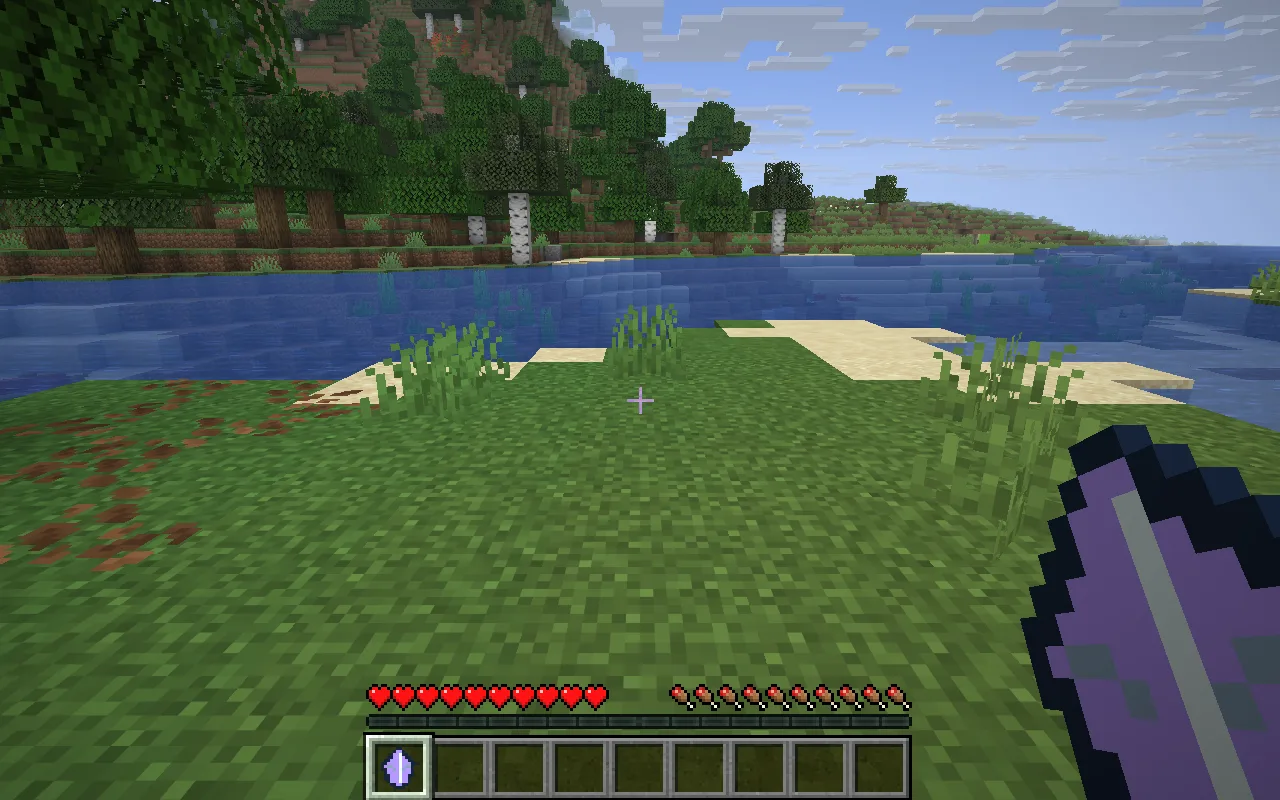
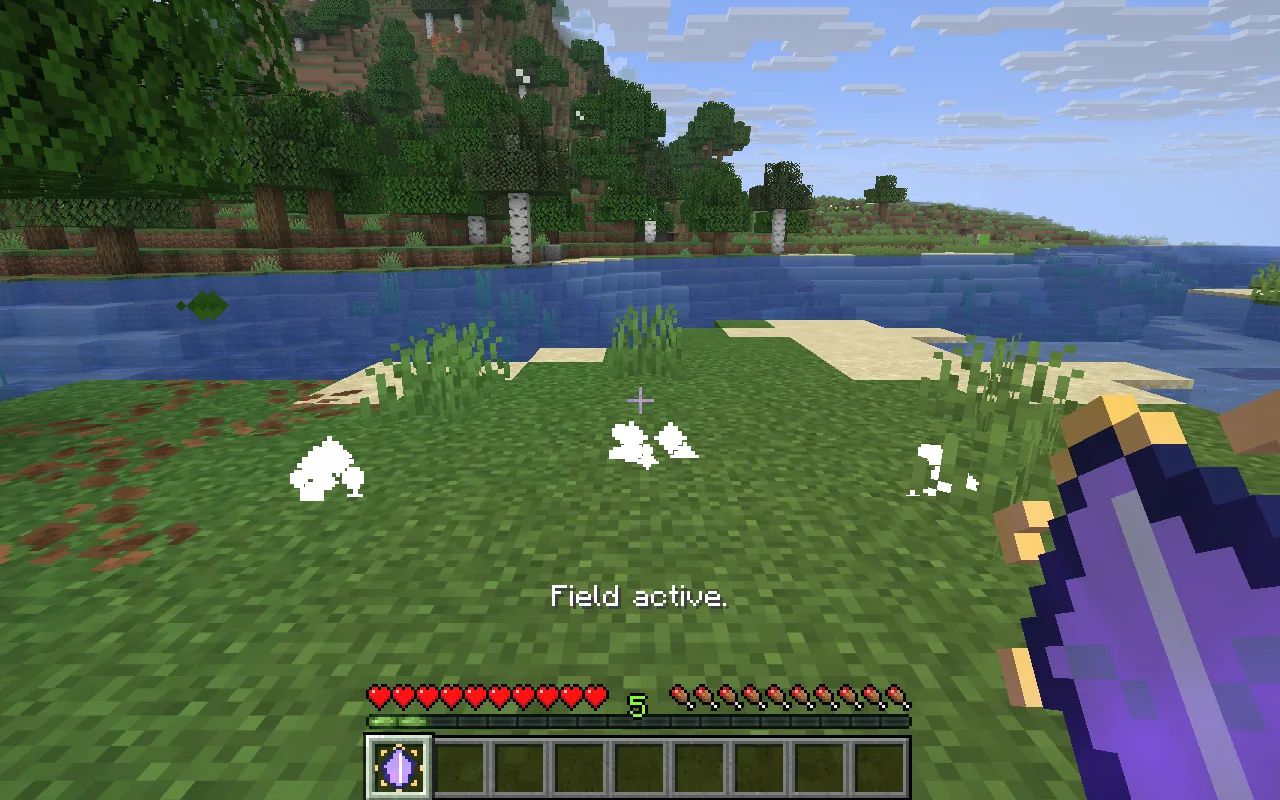
The dormant and awakened relics are shown in the same place so you can compare their appearance. The golden edge marks the awakened stage; the particles show its ward in use.
Craft the item you will keep
Place redstone at top centre, copper–amethyst–copper across the middle, and a stick at bottom centre of a crafting table. Keep the remaining slots empty. Choose this relic before starting the eight-kill objective; a second relic has its own progress.
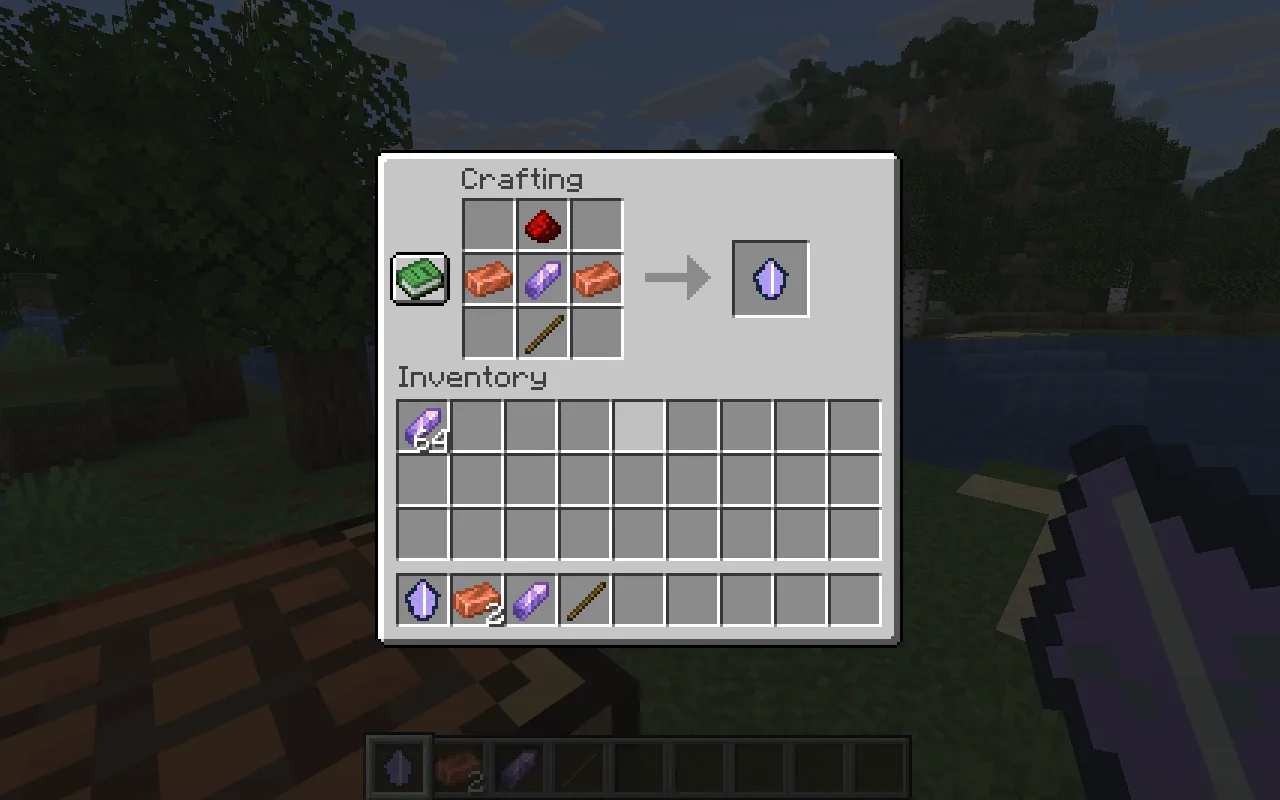
Each activation costs one amethyst shard in Survival, with a three-second cooldown. Creative use is free.
Progress travels with the relic
-
Keep the same relic through the objective. Dropping it or handing it to another player preserves its progress; crafting another does not copy that history.
-
Awakening unlocks one configured power. Its icon, glint and lore mark the change; the relic does not become a creature or a new worn model.
Give a mining trip its own objective
Choose the ore-mining objective instead of hostile kills for a mining-focused relic. Keep the goal modest while deciding which task suits your world.
Open Living Relic in the constructor to change the settings and build your own version. Save its editable project if you want to keep working later.
To add the relic to a world, install the matching Living Relic and Fabric API JARs from Files in that instance’s mods folder, then reopen the game.
Comments 0
Share what worked, ask for help or reply to another player.
Use your Modonix account to join the discussion and manage your comments.
Sign in to commentNo comments yet. Share what worked for you.