
A wide window can frame a good view while its repeated glass borders compete with everything outside. Continuity supports connected textures, including a built-in pack that joins suitable neighboring glass textures. The blocks stay in place; the surface becomes easier to look through.
Start with an existing window
The workshop window below uses ordinary adjacent glass blocks. Each block has its own border, leaving a grid across the view of the neighboring building. This gives a clear place to see the effect without rebuilding the wall.
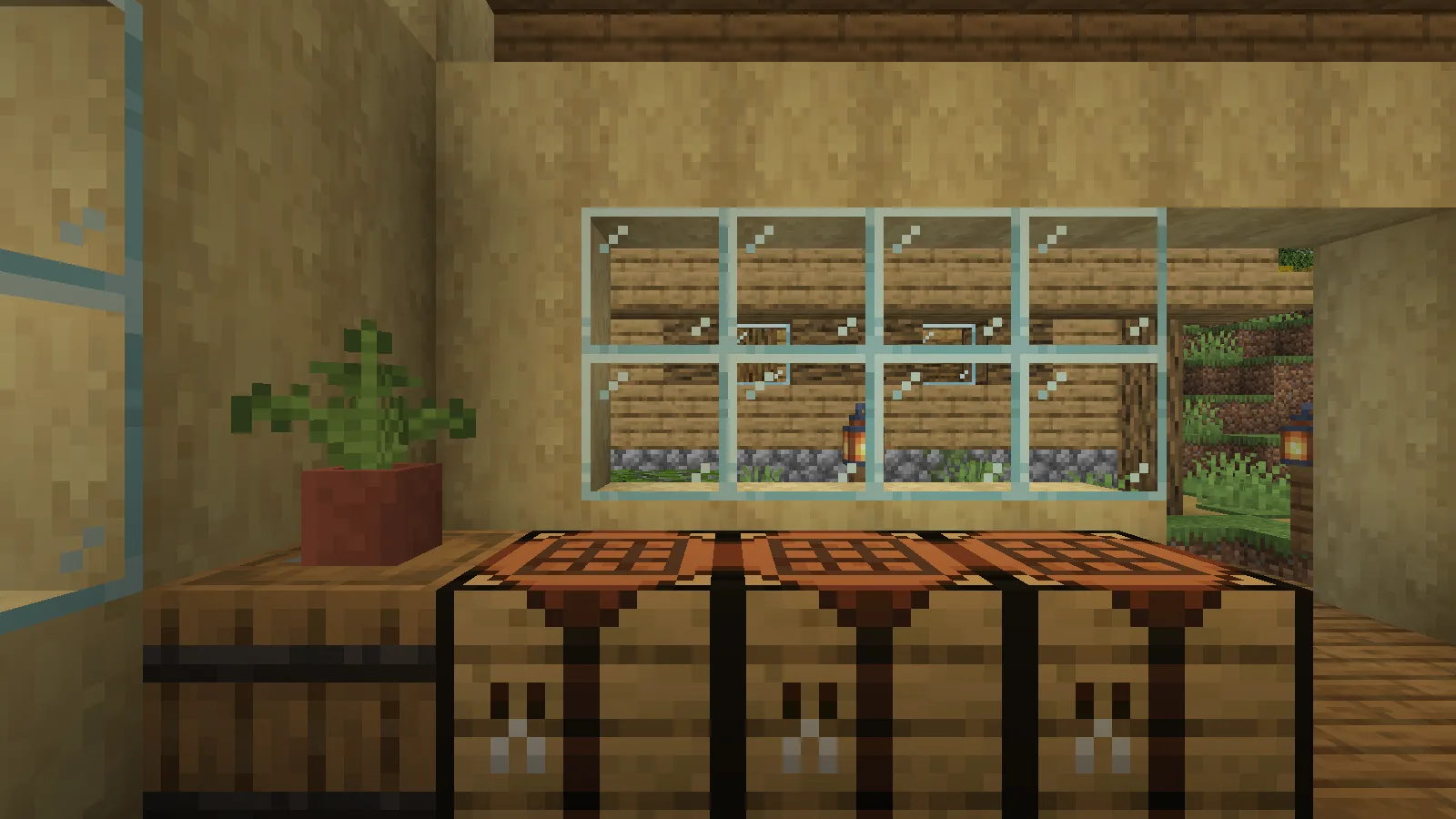
Install Continuity and Fabric API in your active Fabric profile, then enable the built-in resource packs described below.
From the game's Options menu, open Resource Packs. Move Default Connected Textures from the available side to the selected side. The captured setup also selects Glass Pane Culling Fix, a separate built-in pack for faces between glass panes. Keep them above the default pack, then choose Done and let the resources reload.
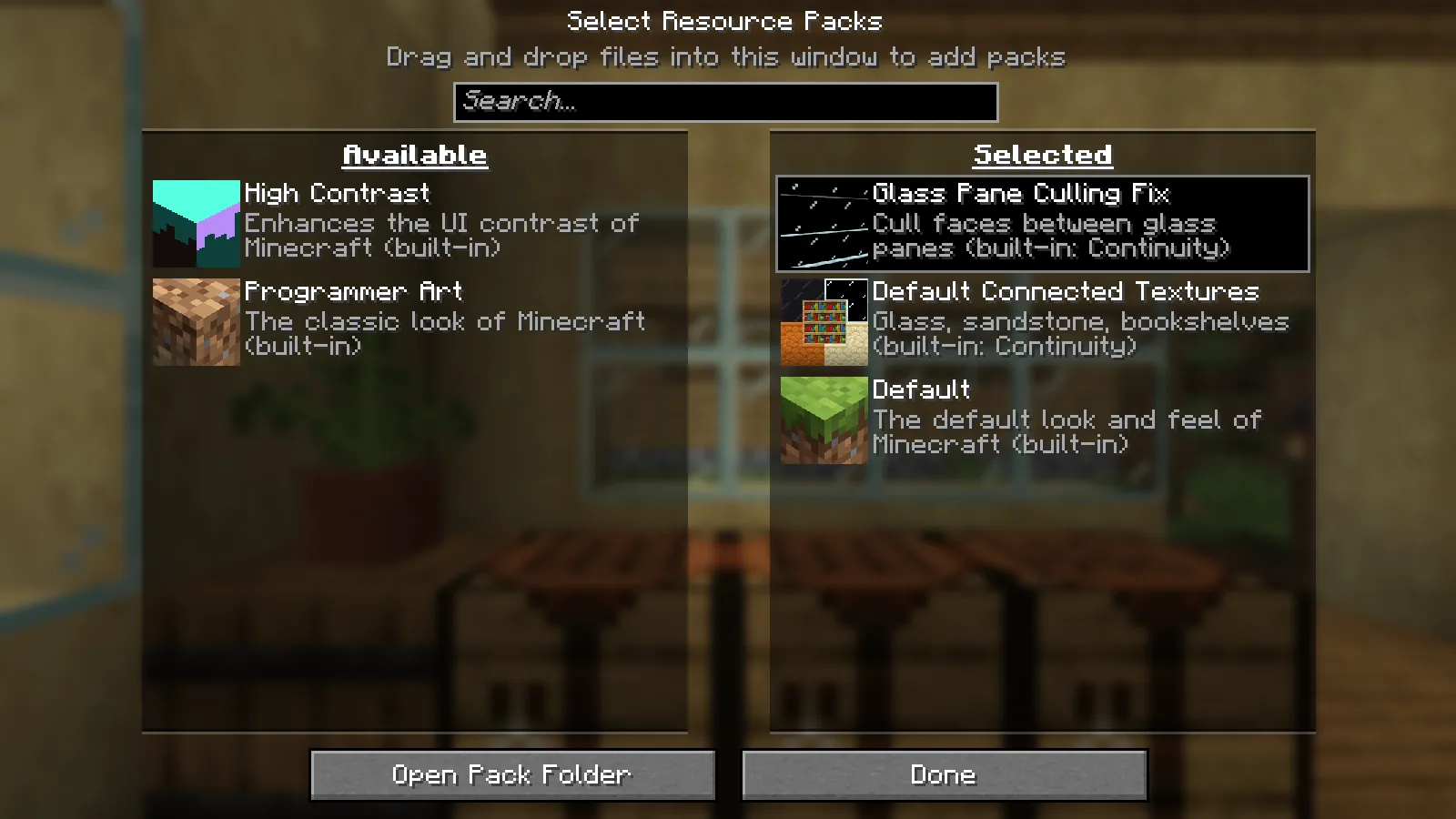
Look at the same view again
Return to the window. In this comparison, the camera position and direction stay the same. The interior borders between the glass blocks disappear, while the wall, furniture and view outside remain in place.
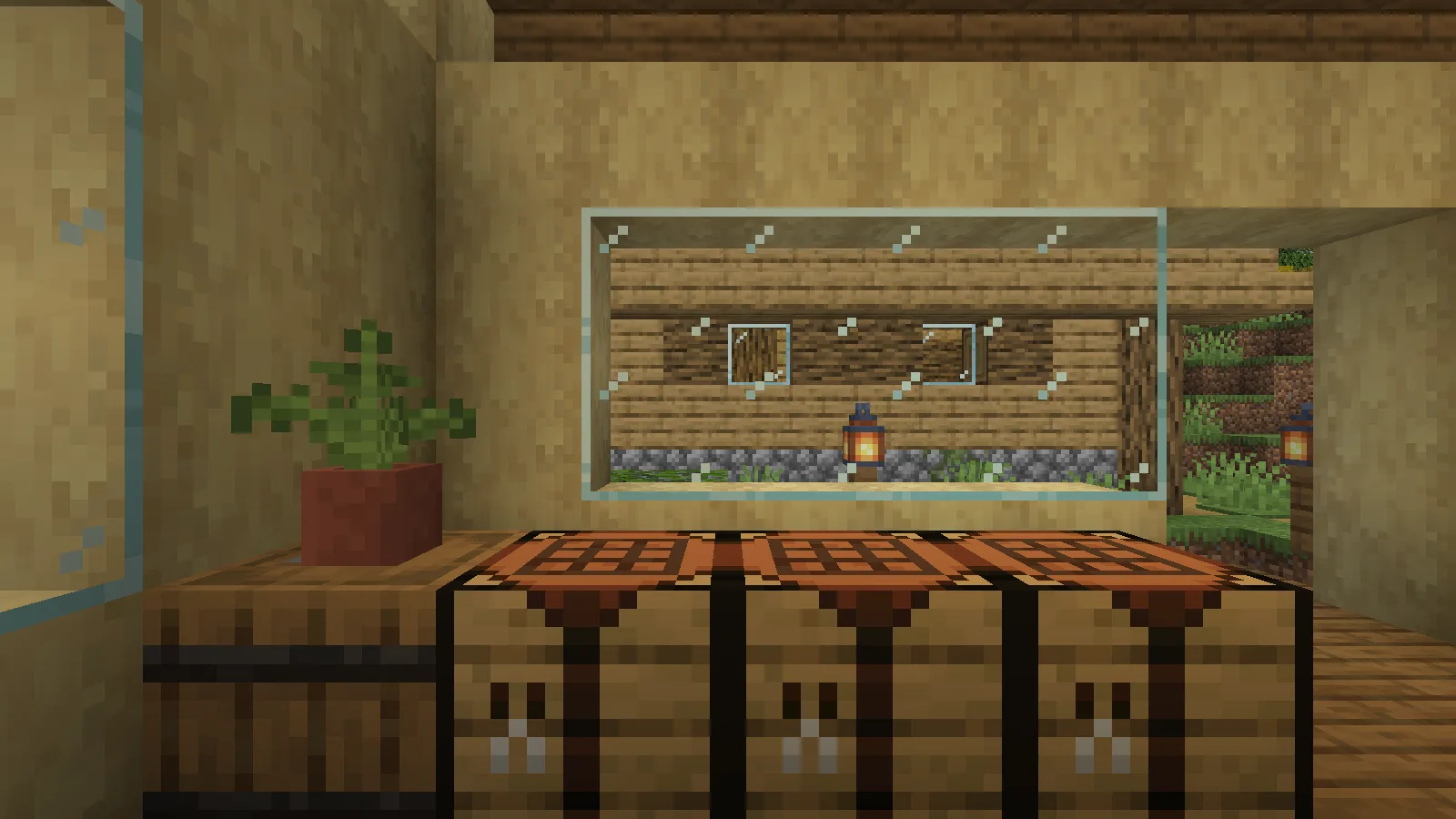
That change suits a greenhouse, a long workshop window or a viewing room where the landscape is the point. A deliberately framed window may already look right with its divisions, so judge the result beside the rest of the build rather than assuming every surface needs to connect.
If the grid is still visible
Check that Default Connected Textures is on the selected side of the resource-pack screen and that the reload completed. If you use additional resource packs, review their order and connected-texture support. Begin with the built-in pack and an ordinary glass window so you can identify which change affects the result.
Continuity is a client visual mod. This example changes the appearance of existing blocks; it does not add a new glass recipe or require rebuilding the window.
Comments 0
Share what worked, ask for help or reply to another player.
Use your Modonix account to join the discussion and manage your comments.
Sign in to commentNo comments yet. Share what worked for you.