Continuity: clear the grid from a workshop window

13 views 0 downloads

Enable Continuity’s built-in connected textures to turn adjacent glass blocks into a cleaner view.

A wide window can frame a good view while its repeated glass borders compete with everything outside. Continuity supports connected textures, including a built-in pack that joins suitable neighboring glass textures. The blocks stay in place; the surface becomes easier to look through.

Start with an existing window

The workshop window below uses ordinary adjacent glass blocks. Each block has its own border, leaving a grid across the view of the neighboring building. This gives a clear place to see the effect without rebuilding the wall.
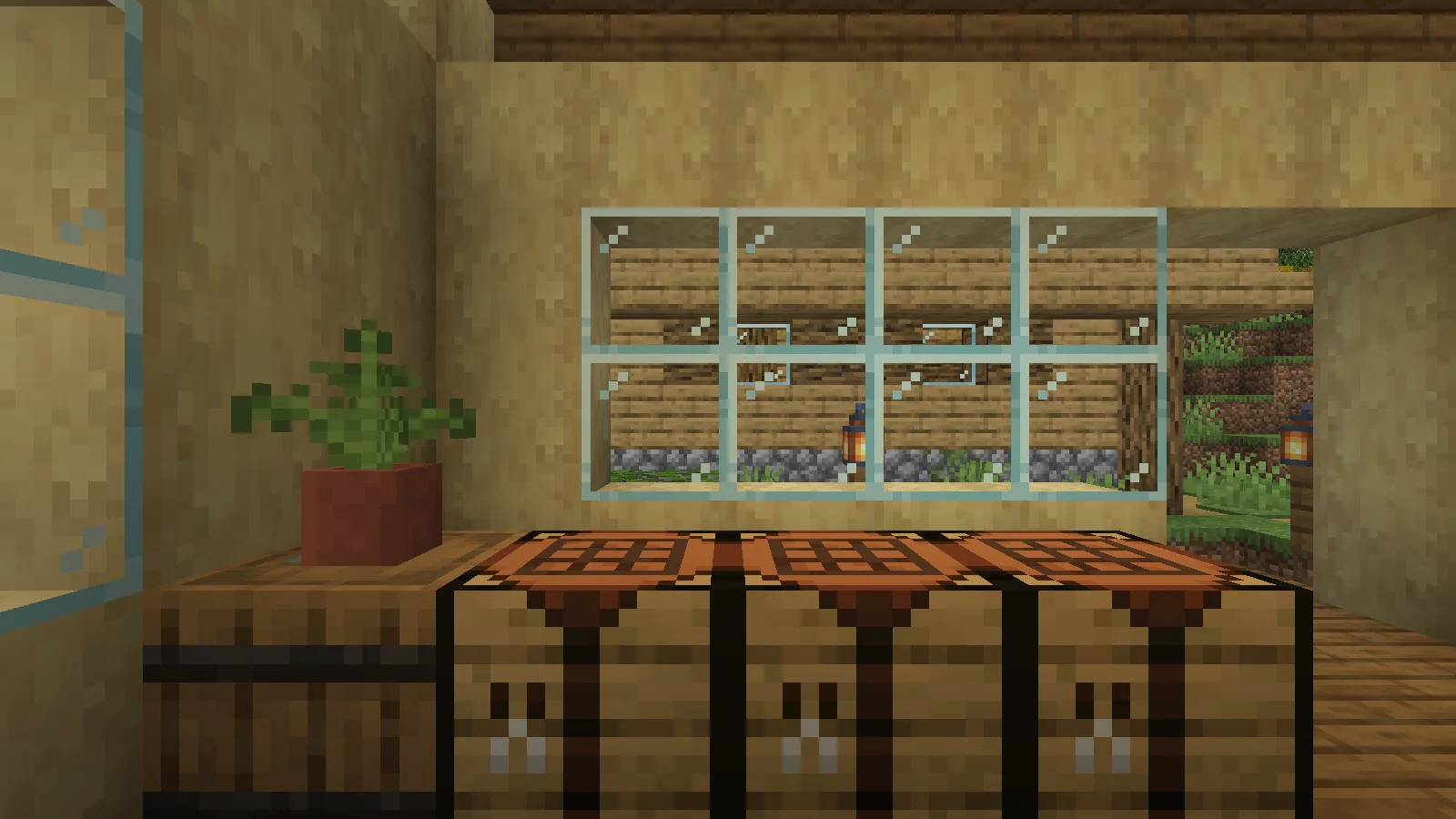
Before enabling the built-in textures, individual glass-block borders divide the workshop window.

Install the matching Continuity file and Fabric API in your Fabric profile. The example uses Continuity 3.0.1 for Minecraft Java 26.2.

From the game's Options menu, open Resource Packs. Move Default Connected Textures from the available side to the selected side. The captured setup also selects Glass Pane Culling Fix, a separate built-in pack for faces between glass panes. Keep them above the default pack, then choose Done and let the resources reload.
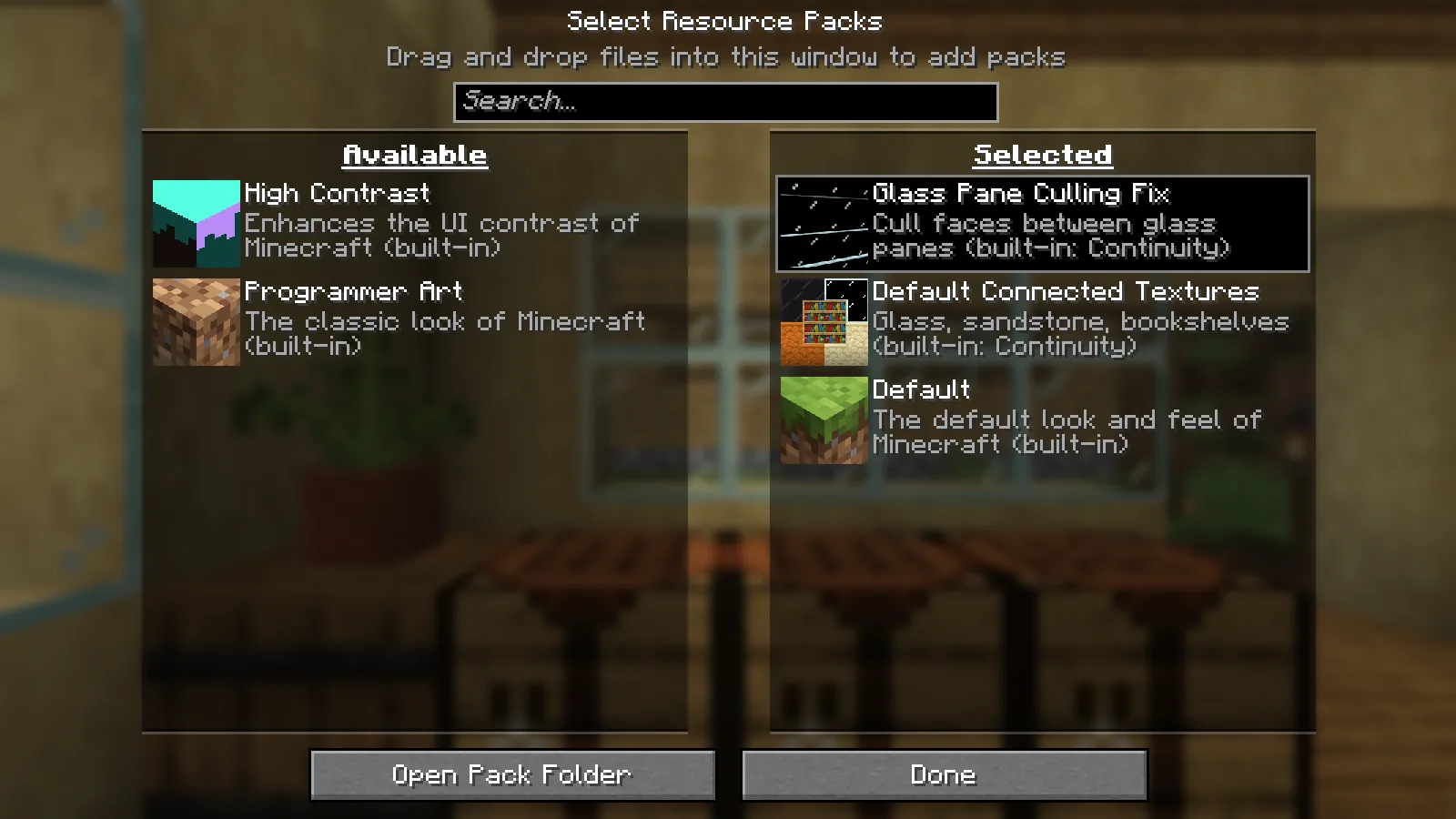
Continuity Default Connected Textures and Glass Pane Culling Fix selected in the resource-pack menu.

Look at the same view again

Return to the window. In this comparison, the camera position and direction stay the same. The interior borders between the glass blocks disappear, while the wall, furniture and view outside remain in place.
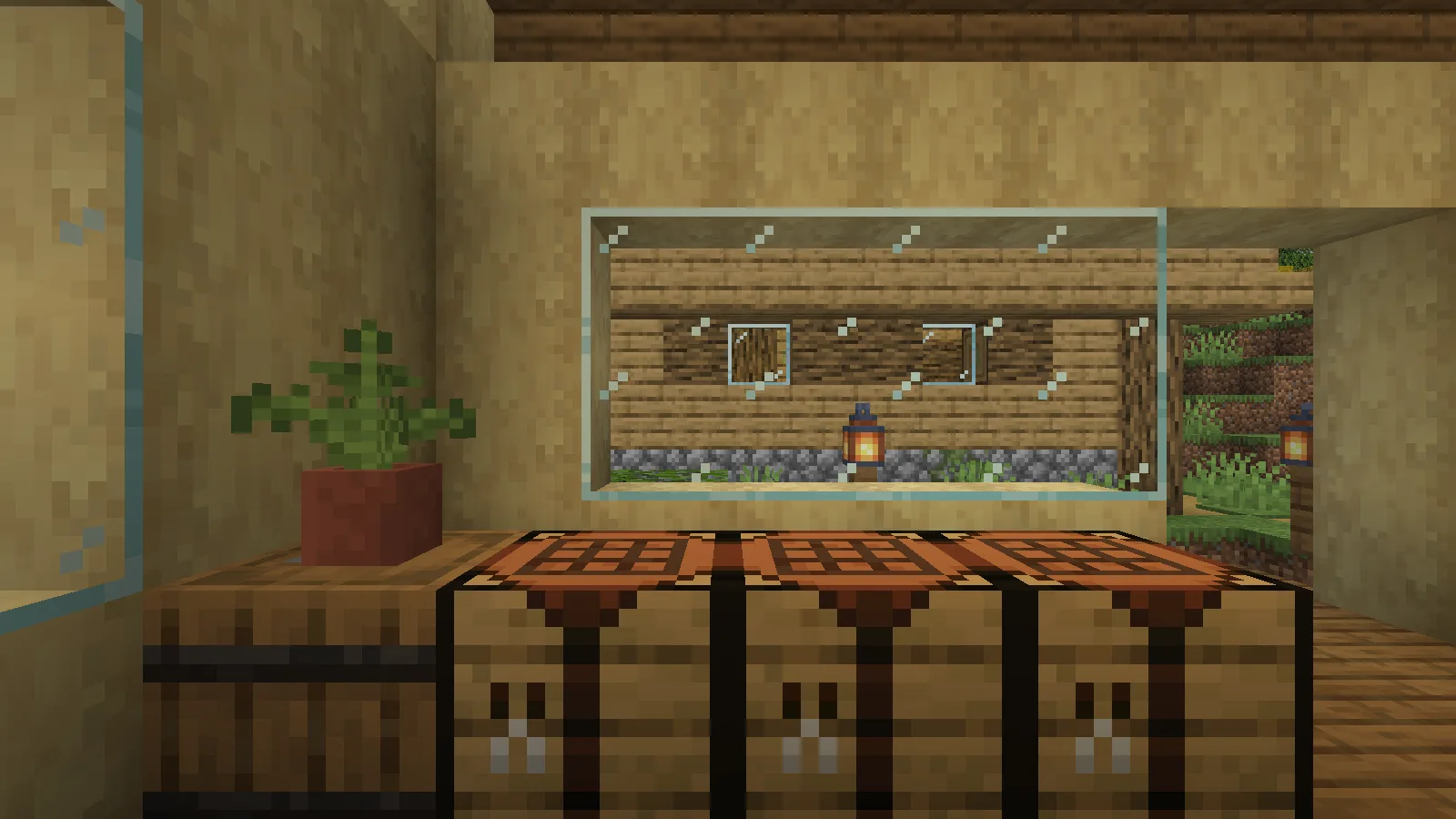
The same window and camera position after enabling Continuity connected textures.

That change suits a greenhouse, a long workshop window or a viewing room where the landscape is the point. A deliberately framed window may already look right with its divisions, so judge the result beside the rest of the build rather than assuming every surface needs to connect.

If the grid is still visible

Check that Default Connected Textures is on the selected side of the resource-pack screen and that the reload completed. If you use additional resource packs, review their order and connected-texture support. Begin with the built-in pack and an ordinary glass window so you can identify which change affects the result.

Continuity is a client visual mod. This example changes the appearance of existing blocks; it does not add a new glass recipe or require rebuilding the window.

No ratings yet

Files

Filter files 1 fileStable
Show all files

Version 3.0.1+26.2

Stable

continuity-3.0.1+26.2.jar

Minecraft 26.2 Fabric Client only
1 required dependency
0 downloads
Download · 1,015.6 KB
Requirements & details

Fabric 26.2

  • Game version: 26.2 · Mod loader: Fabric · Installation: Client only · Game channel: Stable

Example setup: Minecraft 26.2 with Fabric 0.19.5.

Dependencies for this file
Requirements supplied by the author for this file.

Fabric API 0.161.0+26.2

Technical details
File details
Download type
Main
Mod ID
continuity
Client, server & multiplayer behavior
Client only.
File information

Archive structure and entry integrity checked · 2,060 entries · 0.8 MB unpacked.

Mod ID
continuity
Mod version
3.0.1+26.2
Fabric environment
client
Requires minecraft
>=26.2
Requires fabric-api
*

Manifest values describe the package. They do not prove that it works with every game version. This check is not an antivirus scan.

SHA-256: 2094a52b98e247f664ef2ecdbb41d7dcad7779cc7a8fb87f0ed8a4f8196c0446

Release updates

Version 3.0.1+26.2

Stable

Original upstream release for Minecraft Java 26.2 and Fabric. The same workshop window was captured from the same player position, yaw and pitch before and after selecting Continuity Default Connected Textures and Glass Pane Culling Fix through the resource-pack GUI. The internal glass borders disappeared in the after capture.

View files

Comments & questions

Share what worked, ask for help or reply to another player.

No comments yet. Share what worked for you.

Join the conversation

No account required. Confirm your email with a code before your first comment.

1Your name & email

Only a masked address appears with your name. Guest comments are reviewed before publication.

2Verify & post

Search Modonix

Search in