Carry On: move a full chest across your workshop

13 views 0 downloads

Lift a chest with empty hands, place it in a better spot and keep its stored items together.

The chest was in the right place when the workshop was small. Now it blocks a better arrangement. Carry On lets you lift a supported container with empty hands and set it down elsewhere, keeping its contents together during the move.

Prepare the destination first

Choose the new spot before picking anything up. Leave a clear route, make sure the destination is free and keep room above a chest so it can open. For a first move, a single chest inside the same room keeps the task simple.
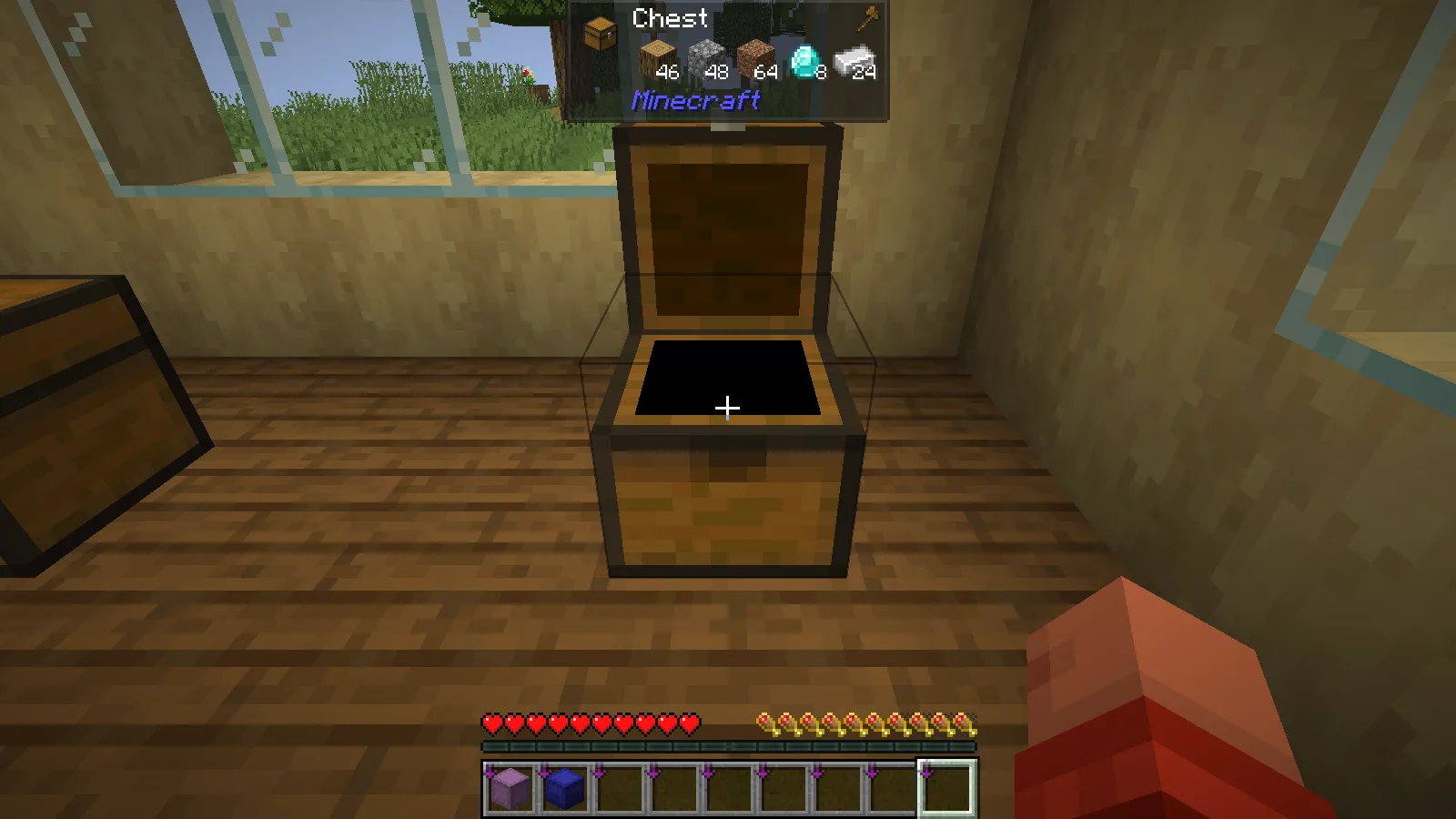
The full chest in its original workshop position before pickup.

Empty both hands, including the offhand. Aim at the chest, hold Shift and right-click with the default controls. The chest appears in front of the player as the carried block. If you have changed the mod's pickup key, use that binding instead.
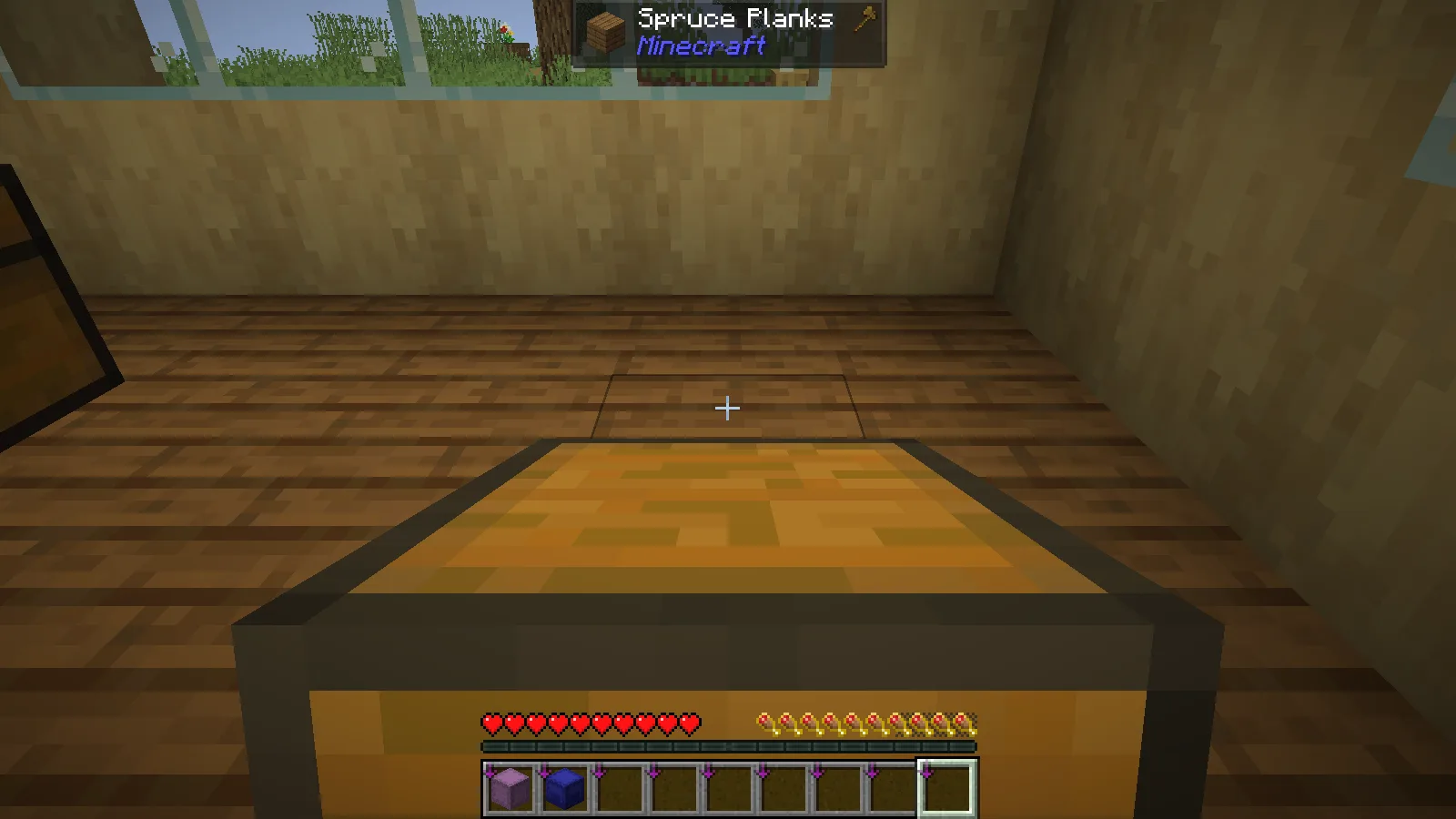
The chest is held in front of the player after Shift and right-click.

Move to the prepared spot, aim at the supporting surface and right-click to place the chest. Keep the route short while learning the interaction; the carried block takes up much of the view.
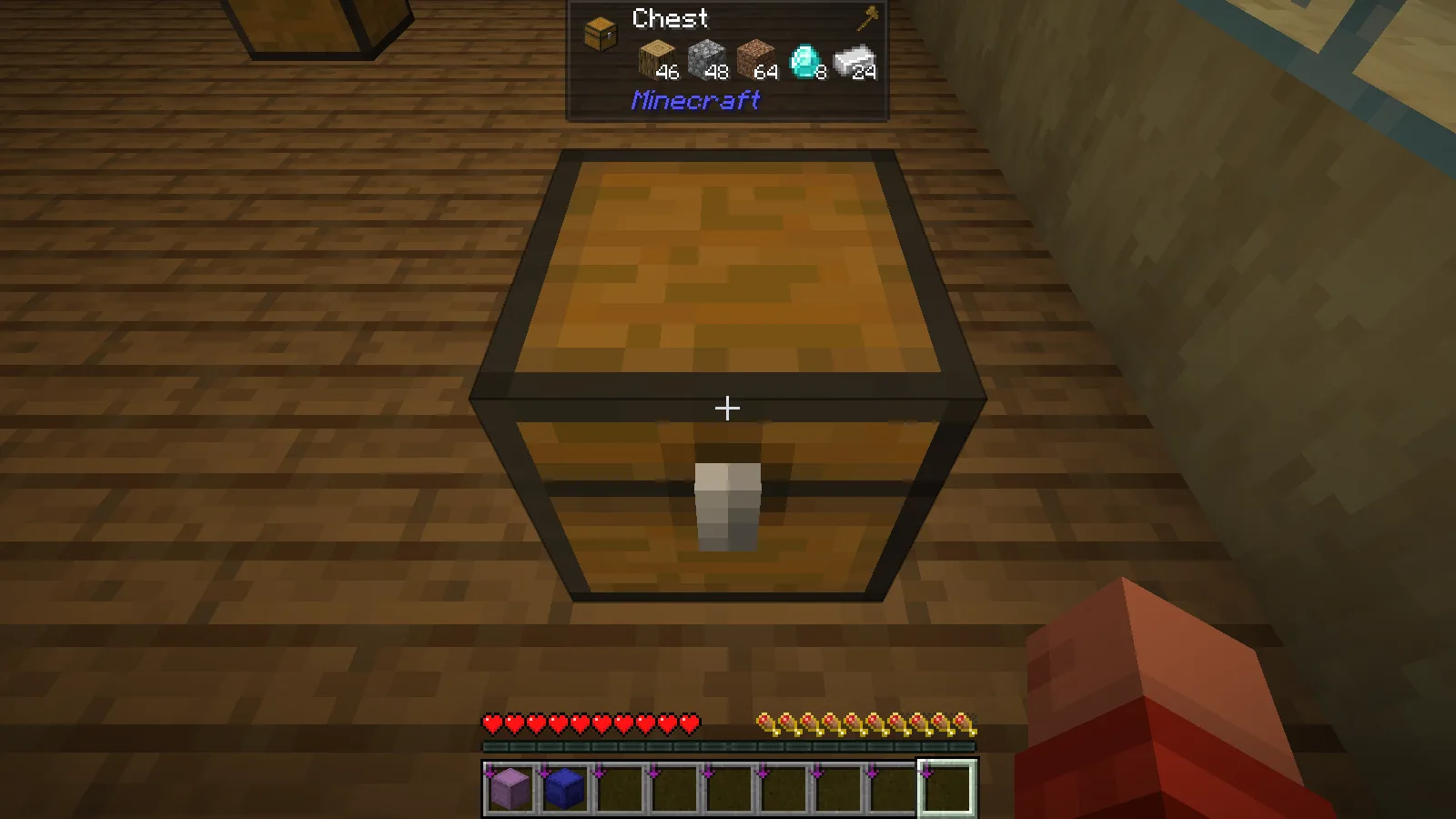
The chest placed four blocks farther across the workshop.

Open it after the move

In the workshop example, the chest moved four blocks along the room. It held 46 oak logs, 48 cobblestone, 64 dirt, 8 diamonds and 24 iron ingots before pickup. Those same five stacks remained after placement.
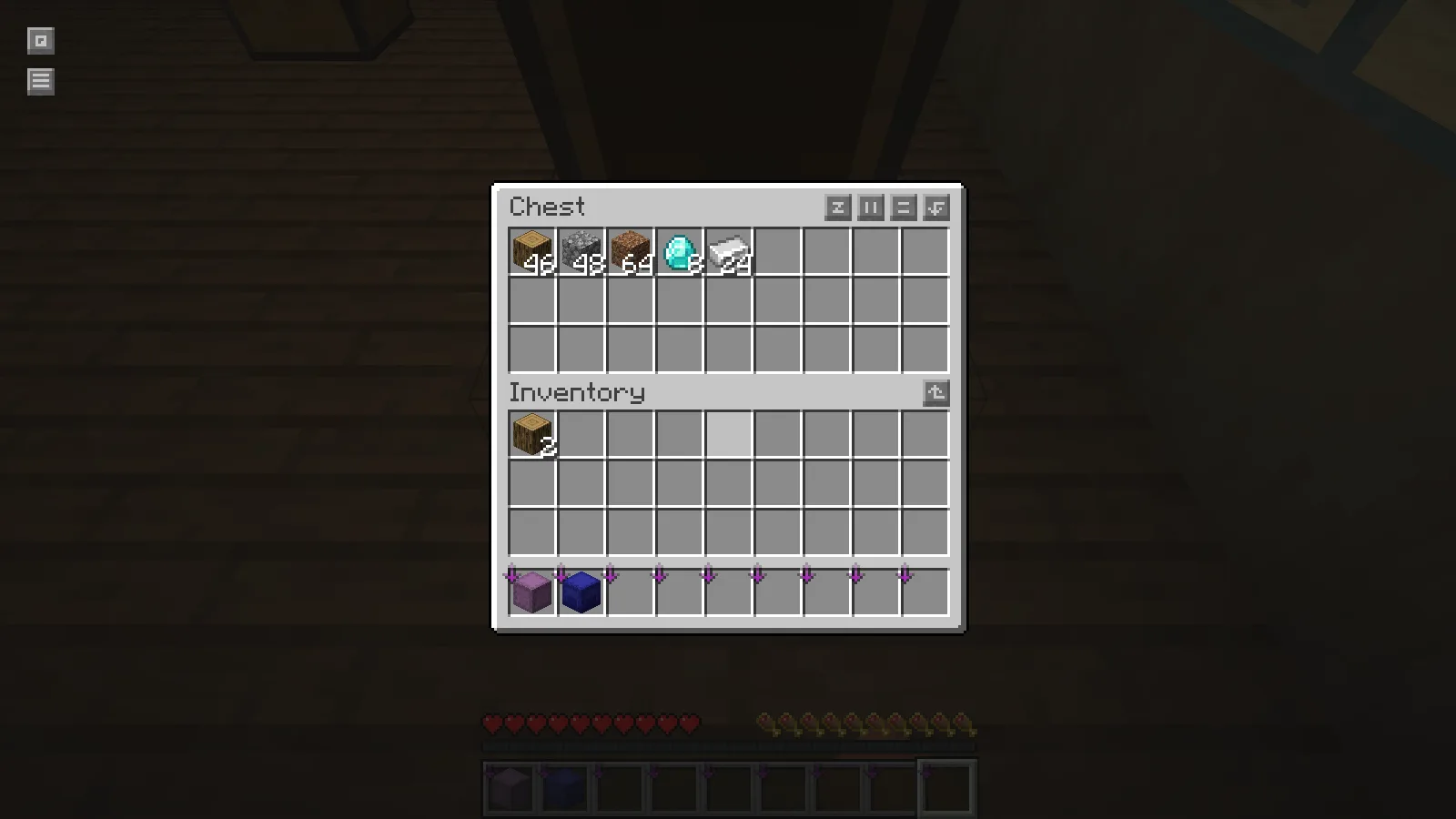
The relocated chest retains its five original item stacks.

That makes a small storage rearrangement much less awkward: the destination chest is ready to use without unpacking its supplies into your inventory first. Open it after placement and check the contents before moving the next container.

The example uses an ordinary single chest. Other blocks and entities can be affected by the mod's configuration and by server rules, so use the same cautious first move when trying a different type of container. Do not assume a machine has identical behavior just because a vanilla chest worked.

Match the game and loader

The accompanying build is Carry On 2.11.2 for Fabric and Minecraft Java 26.2. Install the matching Fabric API alongside the mod. Upstream marks this release for installation on both client and server. For a shared world, coordinate the installation with its administrator.

No ratings yet

Files

Filter files 1 fileAll release types
Show all files

Version 2.11.2

Stable

carryon-fabric-26.2-2.11.2.jar

Minecraft 26.2 Fabric Client & server
1 required dependency
0 downloads
Download · 371.0 KB
Requirements & details

Fabric 26.2

  • Game version: 26.2 · Mod loader: Fabric · Installation: Client & server · Game channel: Stable
Dependencies for this file
Requirements supplied by the author for this file.

Fabric API 0.161.0+26.2

Requirements & notes
Known issues
Only this vanilla single chest relocation was verified; machines, entities, double chests and remote servers were not tested. Two logs had been moved into player inventory before this Carry On test; the earlier IPN total of 48 is not its starting chest count.
Required loader version
>=0.19.3
Java runtime
>=25
Technical details
File details
Download type
Main
Mod ID
carryon
Client, server & multiplayer behavior
Client & server. The demonstrated session is single-player; no remote-server test is claimed.
File information

Archive structure and entry integrity checked · 163 entries · 0.6 MB unpacked.

Mod ID
carryon
Mod version
2.11.2
Fabric environment
*
Requires fabricloader
>=0.19.3
Requires fabric-api
*
Requires minecraft
>=26.2 <27
Requires java
>=25

Manifest values describe the package. They do not prove that it works with every game version. This check is not an antivirus scan.

SHA-256: 28e486fd70d5f5813294cf598c51b9f3466490155d1b8b18febcc948c150d8be

Release updates

Version 2.11.2

Stable

Carry On for Minecraft Java 26.2 with Fabric lets you pick up a chest and place it nearby with its contents. Keep a clear destination before moving a useful storage block.

View files

Comments & questions

Share what worked, ask for help or reply to another player.

No comments yet. Share what worked for you.

Join the conversation

No account required. Confirm your email with a code before your first comment.

1Your name & email

Only a masked address appears with your name. Guest comments are reviewed before publication.

2Verify & post

Search Modonix

Search in