Hammer: start a separate NeoForge setup with familiar Minecraft

11 views 0 downloads

A compact NeoForge foundation that keeps familiar Minecraft visuals and ordinary play at the center.

Hammer is a compact starting point for a NeoForge installation. Its focus is the rendering and game-logic foundation rather than new quests, buildings or a different art style. Choose it when you want to build around NeoForge mods while keeping the familiar Minecraft world. If you do not need NeoForge, the developer recommends Adrenaline instead.
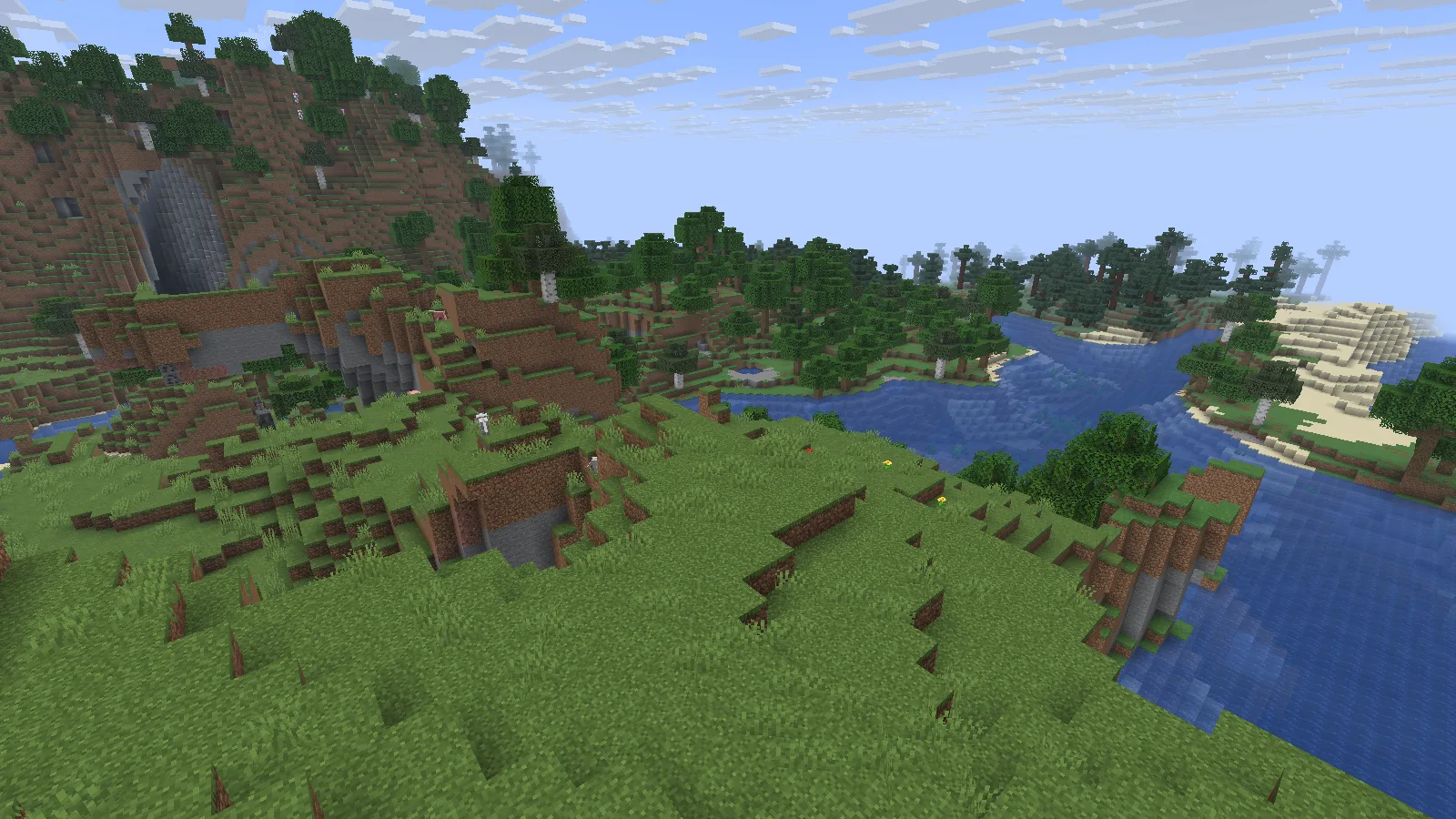
A naturally generated river valley in Hammer, with vanilla textures and no shader pack. Photographed in Spectator.

A naturally generated river valley in Hammer, with vanilla textures and no shader pack. Photographed in Spectator.

Import into its own Prism instance

  1. Download the original .mrpack from Files on this page. Keep the archive intact.
  2. In Prism Launcher, choose Add Instance → Import, browse to the file and confirm. Name the instance Hammer 26.2.
  3. Let Prism download the files specified by the release. Check Edit → Version for Minecraft 26.2 and NeoForge, then keep that combination together.
  4. Start a new world first. Use a separate backup copy when trying an existing save. Add further mods only when their Minecraft version and loader match.

The Prism Launcher guide explains the separate-instance workflow.

Check the game version and beta loader

Read the two version labels carefully. This example uses Hammer 1.20.1+26.2.neoforge on Minecraft Java 26.2. The pack number 1.20.1 does not mean Minecraft 1.20.1. Its NeoForge loader is 26.2.0.37-beta, and the title screen identifies that beta status. Treat this as a beta setup: try your intended mods in a disposable world before trusting it with a valued save.
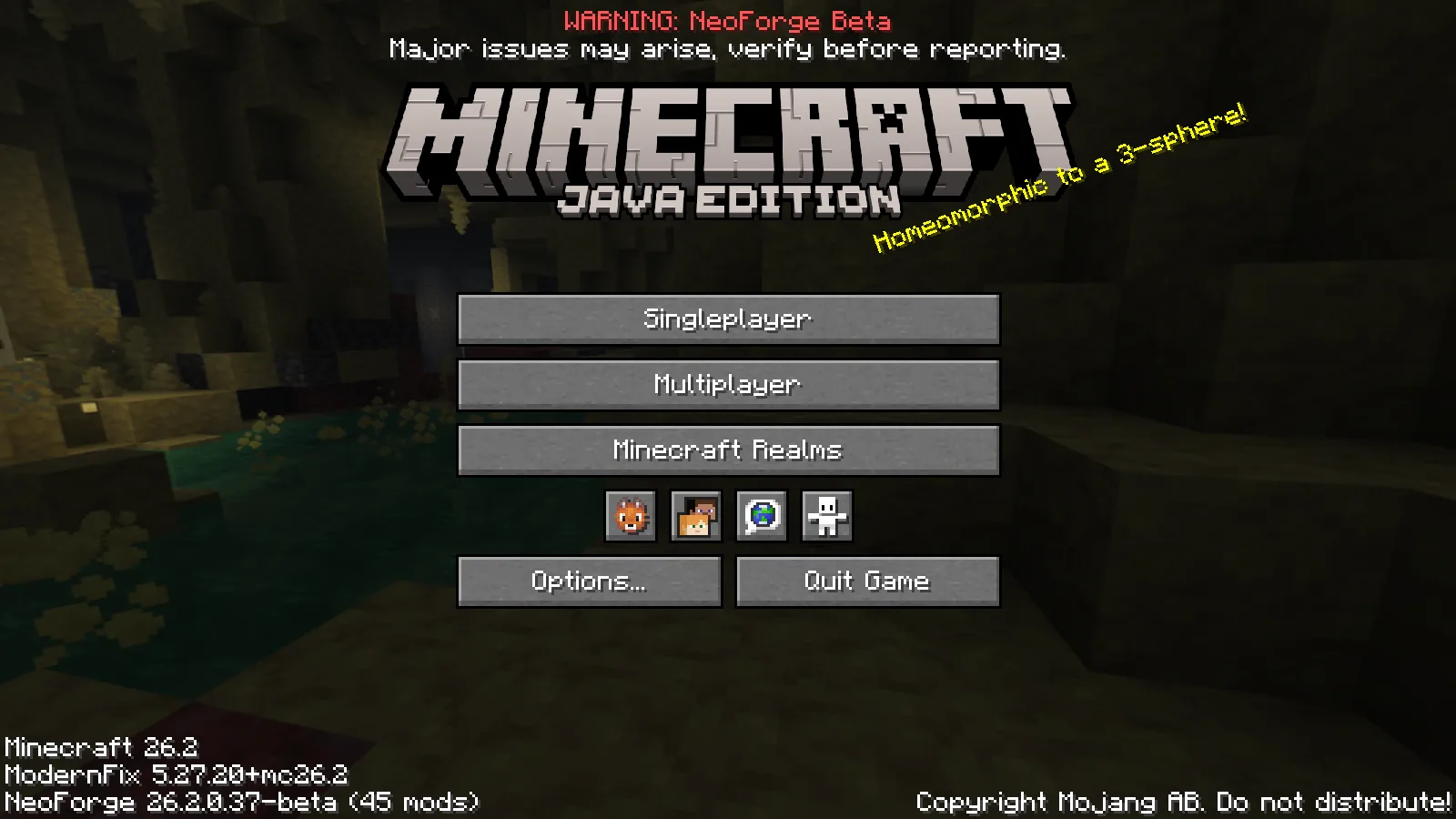
Hammer 1.20.1+26.2.neoforge runs on Minecraft 26.2; this release uses NeoForge 26.2.0.37-beta.

Hammer 1.20.1+26.2.neoforge runs on Minecraft 26.2; this release uses NeoForge 26.2.0.37-beta.

Try an ordinary task

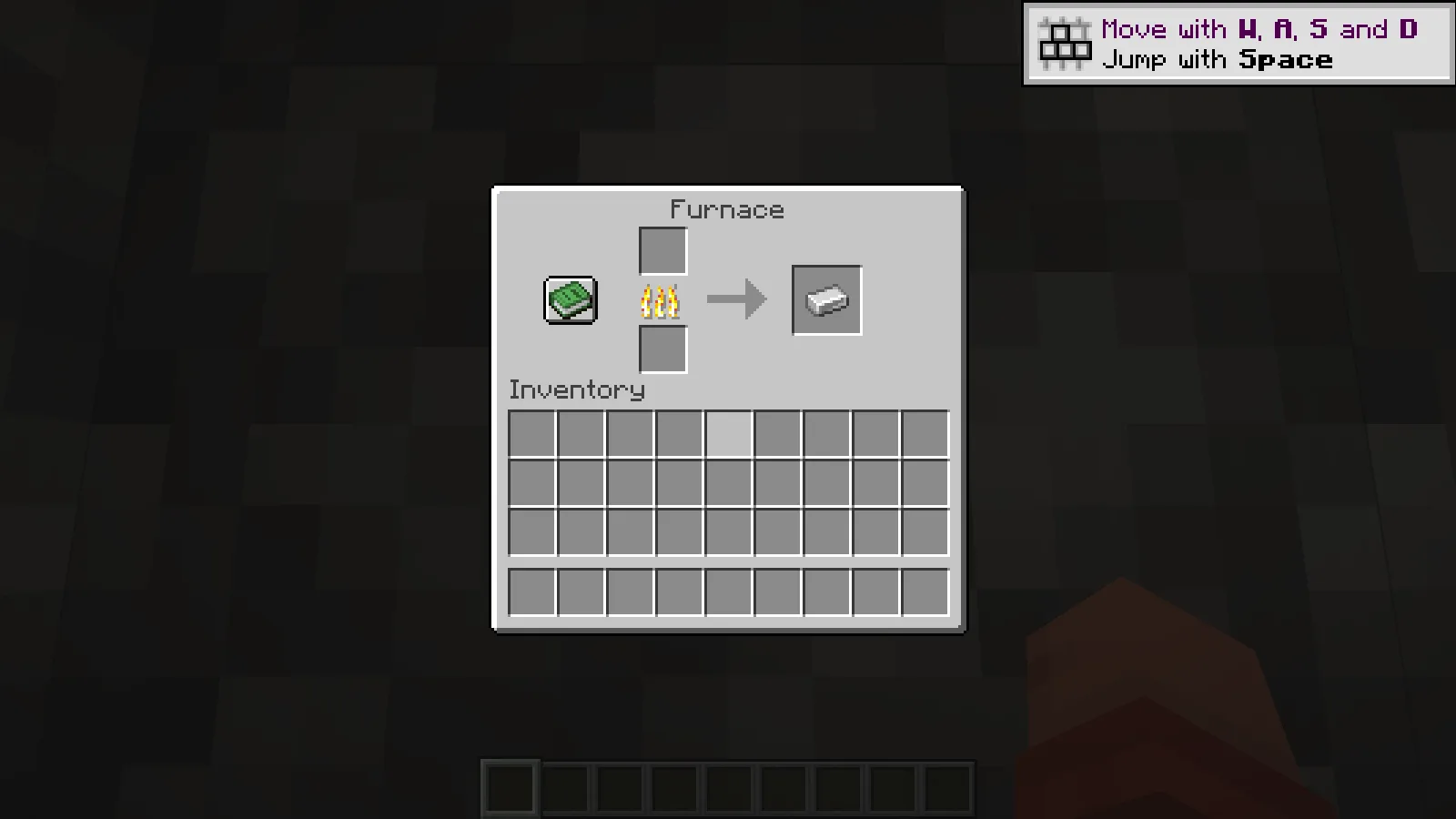
Start with a new world and an ordinary task before expanding the mod list. A village furnace offers a simple example: place raw iron in the upper slot and coal below, then wait for the ingot in the output. Our Creative example supplies one of each ingredient to a naturally generated furnace. The burning furnace completes that real smelting cycle, and the ingot remains in the saved world.
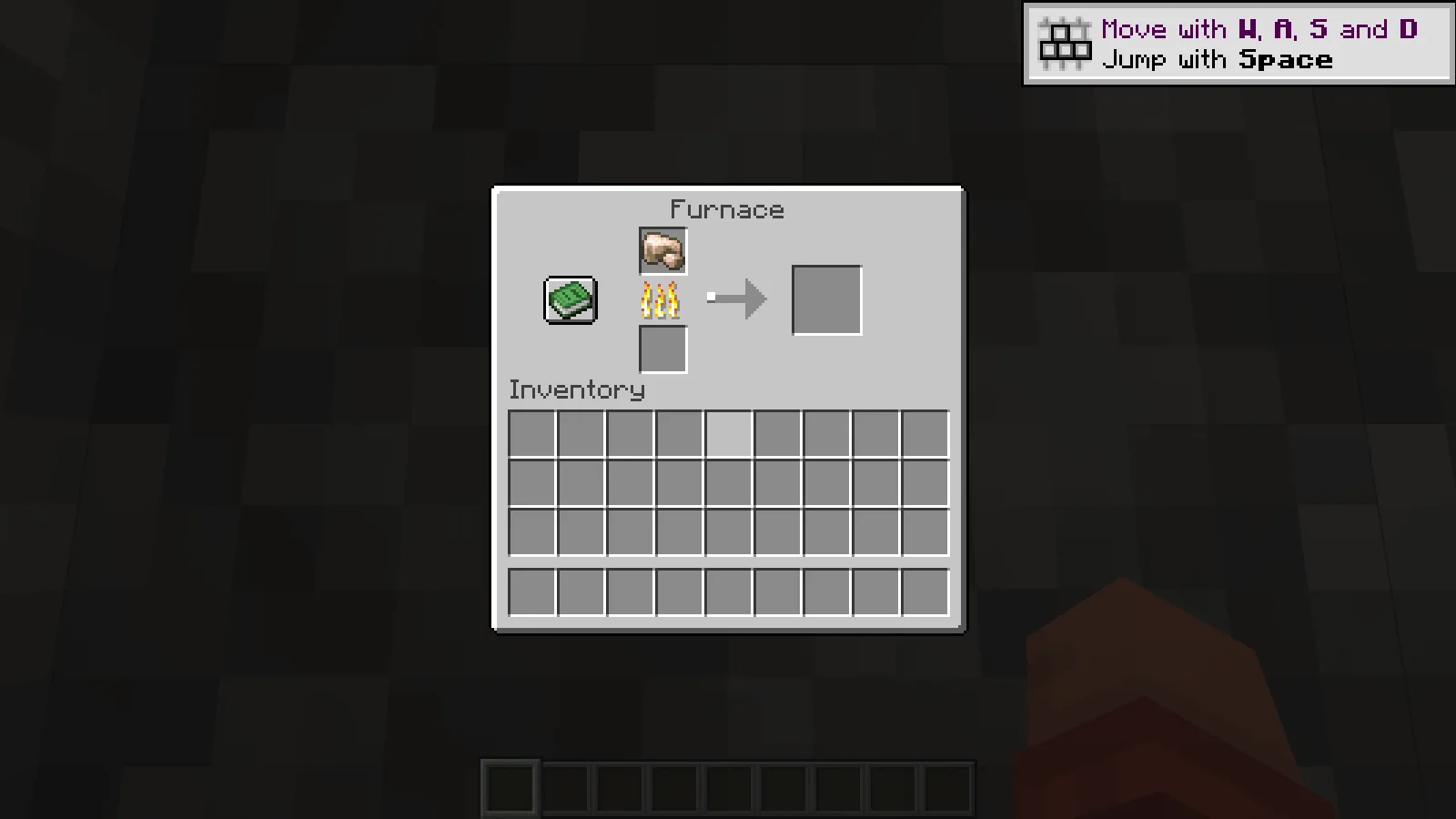
One staged raw iron begins smelting in a naturally generated village furnace. Creative demonstration.
One staged raw iron begins smelting in a naturally generated village furnace. Creative demonstration.

The real furnace produces one iron ingot; the output remains in the saved world.

The real furnace produces one iron ingot; the output remains in the saved world.

Add one change at a time
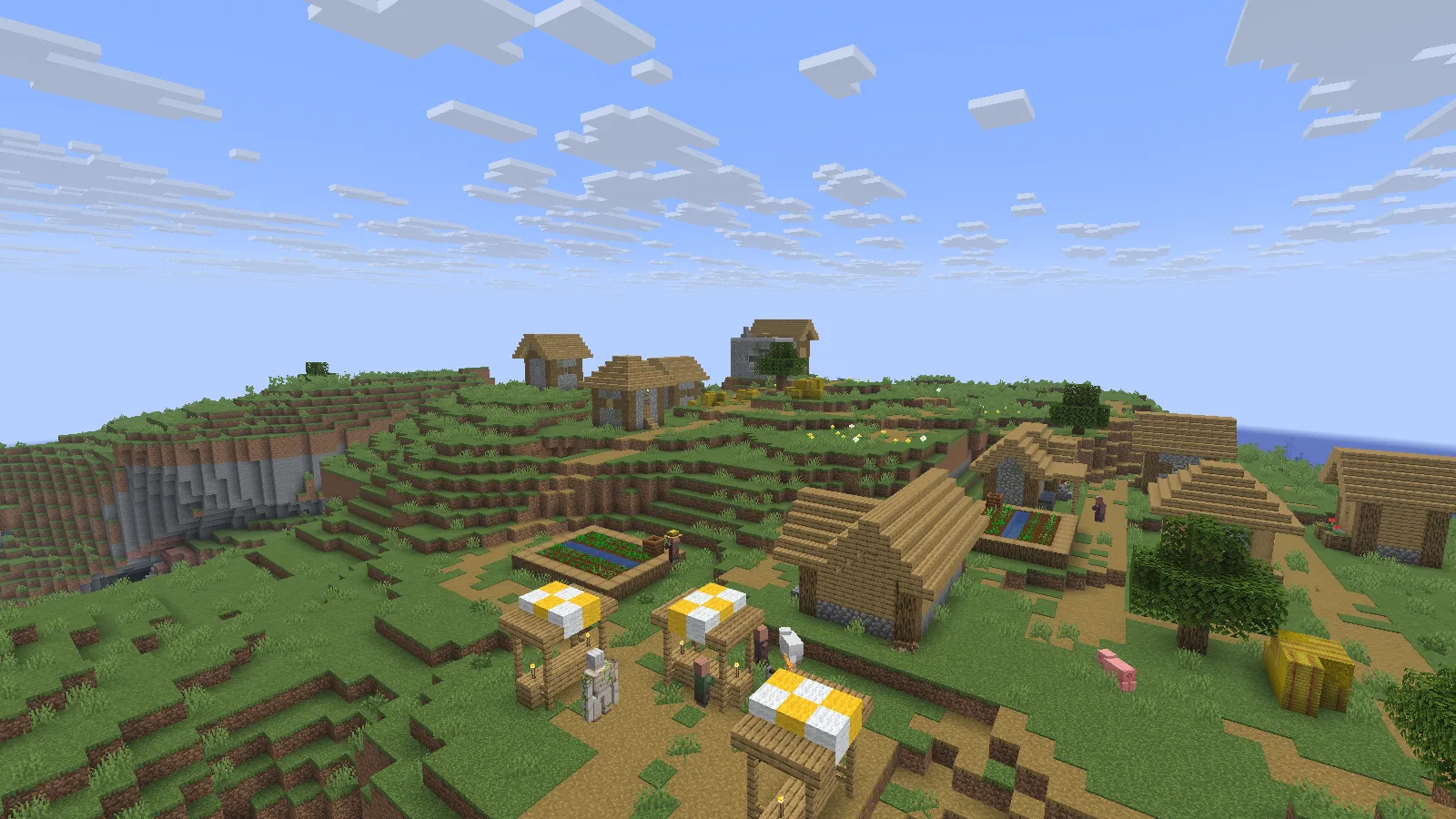
The same fresh world includes a naturally generated hillside village. Photographed in Spectator.

The same fresh world includes a naturally generated hillside village. Photographed in Spectator.

Explore a familiar route, open a container and adjust the view distance before adding another mod. Change one setting or addition at a time so you can trace any difference. These screenshots show ordinary rendering and a working furnace, not a measured speed increase. Compare performance on your own computer using the same world, camera and settings before deciding whether the pack improves your setup.

No ratings yet

Files

Filter files 1 fileStable
Show all files

Version 1.20.1+26.2.neoforge

Stable

Hammer-1.20.1+26.2.neoforge.mrpack

Minecraft 26.2 NeoForge
0 downloads
Download · 12.3 KB
Requirements & details

Java 26.2 · NeoForge · Launcher import

  • Game version: 26.2 · Mod loader: NeoForge · Server files: Included in manifest · Distribution format: Modrinth pack (.mrpack)

Download this unchanged .mrpack. In Prism Launcher choose Add Instance → Import and browse to the file. Let Prism resolve its manifest, then check Edit → Version for Minecraft 26.2 and NeoForge 26.2.0.37-beta. Start with a disposable world; use a backup copy for an existing save. Hammer 1.20.1+26.2.neoforge is the pack version, not Minecraft 1.20.1.

Requirements & notes
Known issues
The NeoForge loader build is beta. Use a separate instance and disposable world before adding important saves. Creative-mode ingredients are not a Survival gathering list. No performance or full compatibility guarantee is provided.
Java runtime
25
Technical details
File details
Download type
Client pack
Performance notes
No foreground frame-rate baseline, comparative speed measurement or remote-server benchmark was performed. The original author artifacts were kept; private capture instrumentation is excluded from the downloadable manifest.
Included mods
ConfigManager-neoforge-26.1_26.2-1.1.3.jar CrashAssistant-neoforge-26.2-1.11.11.jar ImmediatelyFast-NeoForge-1.16.2+26.2.jar Ixeris-4.6.0+26.2-neoforge.jar KotlinLangForge-2.12.2-k2.4.10-3.1+neoforge.jar ResourcefulConfig-5.0.0.jar ScalableLux-neoforge-0.3.0-alpha.0.16-all.jar asynclogger-2.2.1+26.1.2-neoforge.jar bbe-neoforge-1.3.8-beta.1+mc26.2.jar c2me-neoforge-mc26.2-0.4.2-alpha.0.94.jar cloth-config-26.2.155.jar dynamic-fps-3.11.9+minecraft-26.2.0-neoforge.jar ferritecore-9.0.0-neoforge.jar fzzy_config-0.7.6+26.2+neoforge.jar lithium-neoforge-0.25.3+mc26.2.jar modernfix-neoforge-5.27.20+mc26.2.jar particle_core-0.3.3+26.2+neoforge.jar servercore-neoforge-1.5.19+26.2.jar sodium-neoforge-0.9.1+mc26.2.jar structure_layout_optimizer-1.1.4+26.1-neoforge.jar zfastnoise-1.0.40+26.2+neoforge.jar
Server installation
This release includes client and server selections. The guide covers the client setup; consult the author’s documentation for the matching server installation.
Import or installation method
Download this unchanged .mrpack. In Prism Launcher choose Add Instance → Import and browse to the file. Let Prism resolve its manifest, then check Edit → Version for Minecraft 26.2 and NeoForge 26.2.0.37-beta. Start with a disposable world; use a backup copy for an existing save. Hammer 1.20.1+26.2.neoforge is the pack version, not Minecraft 1.20.1.
File information

Archive structure and entry integrity checked · 8 entries · 0.0 MB unpacked.

Pack version
1.20.1+26.2.neoforge
Requires minecraft
26.2
Requires neoforge
26.2.0.37-beta

Manifest values describe the package. They do not prove that it works with every game version. This check is not an antivirus scan.

SHA-256: a979ec748c6ad1fb7b015069e3a24224adaee0c7236ae0177704e9e4bc3f77cc

Release updates

Version 1.20.1+26.2.neoforge

Stable

Hammer 1.20.1+26.2.neoforge is a modpack for Minecraft Java 26.2. Import its MRPACK into a separate Prism Launcher instance; this release uses a beta NeoForge build, so keep your original world backed up.

View files

Comments & questions

Share what worked, ask for help or reply to another player.

No comments yet. Share what worked for you.

Join the conversation

No account required. Confirm your email with a code before your first comment.

1Your name & email

Only a masked address appears with your name. Guest comments are reviewed before publication.

2Verify & post

Search Modonix

Search in