
Your copied house lands beside the path instead of at its end. Moving closer and pasting again only makes another mess. The useful question is: where were you standing when you copied it? WorldEdit remembers that position relative to the selection. Your position at paste time becomes the matching reference point.
For a reliable fix, undo the misplaced paste, return to a recognizable point beside the original, and copy again. Then stand at the equivalent point beside the new foundation. Keep the height consistent too.
Why this house landed five blocks to the left
The emerald block marks the intended approach to the new front door. In this example, the house was copied while standing five blocks to the right of the gold marker outside the original door. Pasting from the emerald marker put the new door five blocks to its left.
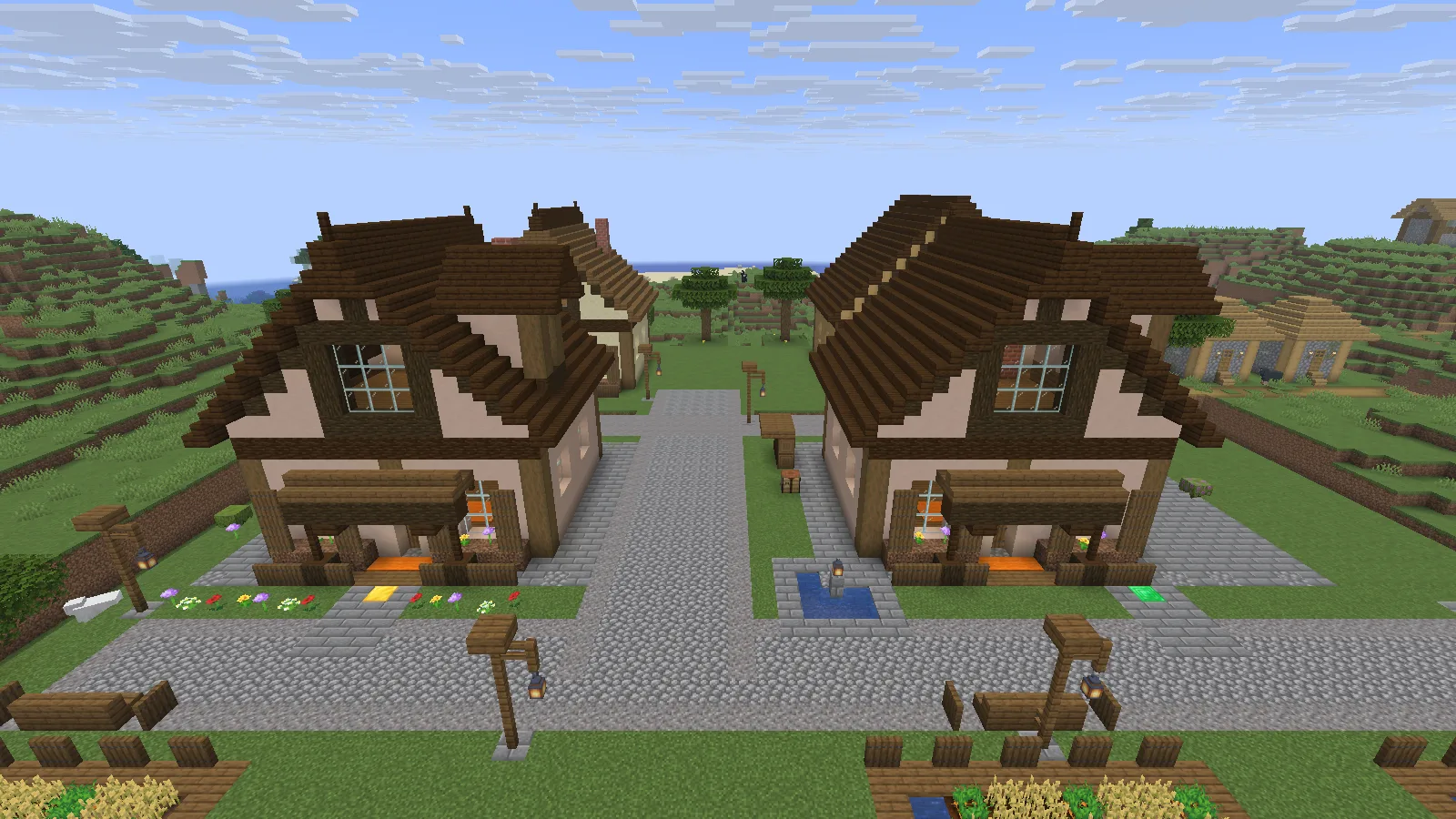
The selected box was correct. Changing its corners would not fix the remembered player position. That distinction matters: a clipped roof is a selection problem; a complete house that lands in the wrong place is often an origin problem.
If that misplaced paste is your most recent WorldEdit edit, use //undo once before trying again. Check that the target is clear. Avoid stacking more copies on top of the mistake, and keep a world backup before a large edit.
Use the doorway as your reference point
You do not need gold or emerald blocks. Any obvious marker will do. A doorway, bridge entrance or corner of a courtyard gives you a point you can find again without guessing.
- Select the whole original build, including its foundation, roof and anything projecting beyond the walls. If selection is unfamiliar, start with the WorldEdit basics guide.
- Stand on a marker just outside the front door. Use a full block so your height is easy to reproduce, then run
//copy. - Move to the matching marker at the destination. Stand at the same height relative to the new foundation.
- Run
//paste, then check the entrance and roof before making another edit.
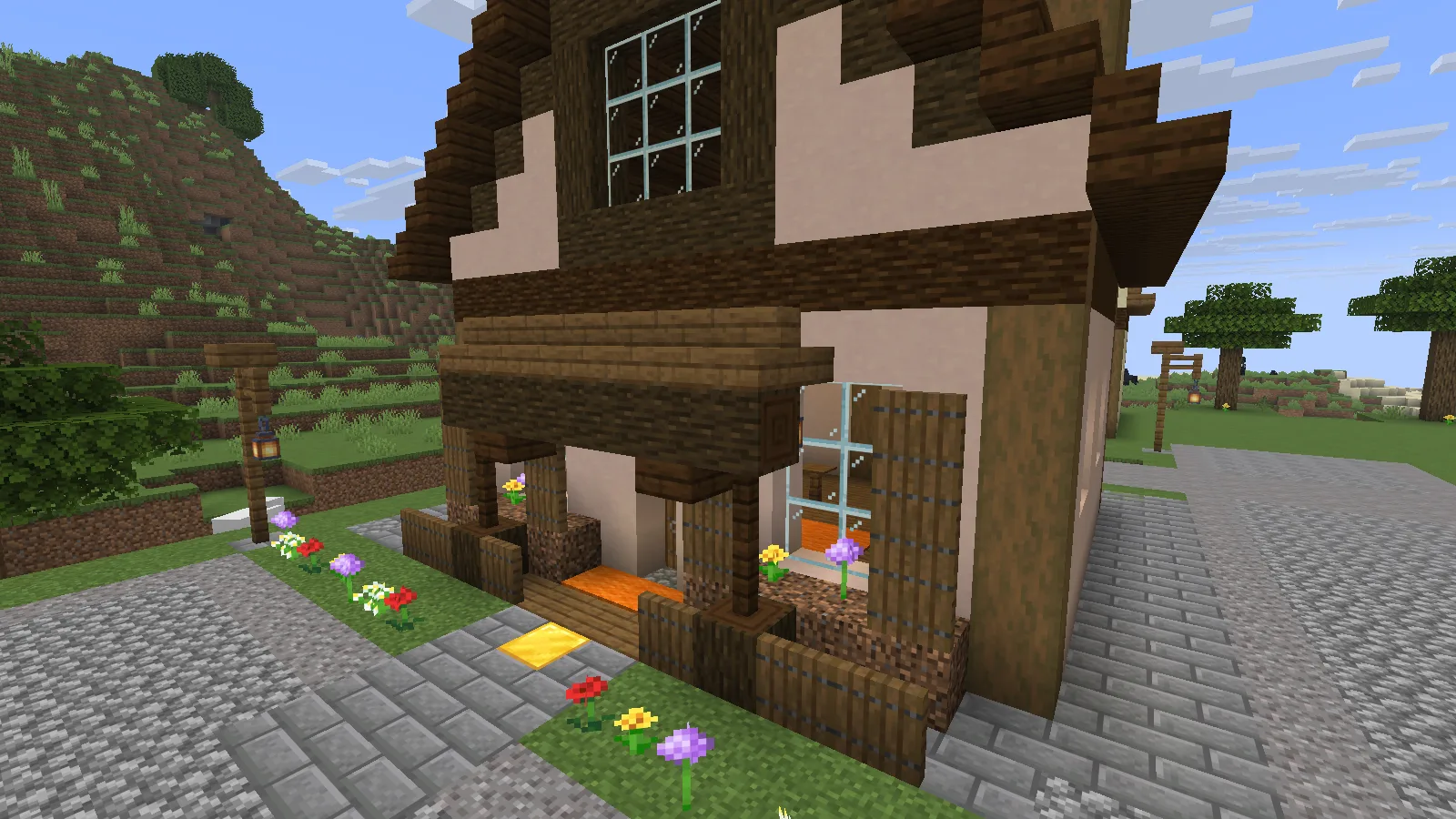
Here, the gold marker sits outside the original porch. Copying from that marker and pasting from the emerald marker puts the second porch exactly where its path ends. The marker is a reference point; it does not need to be part of the selection.
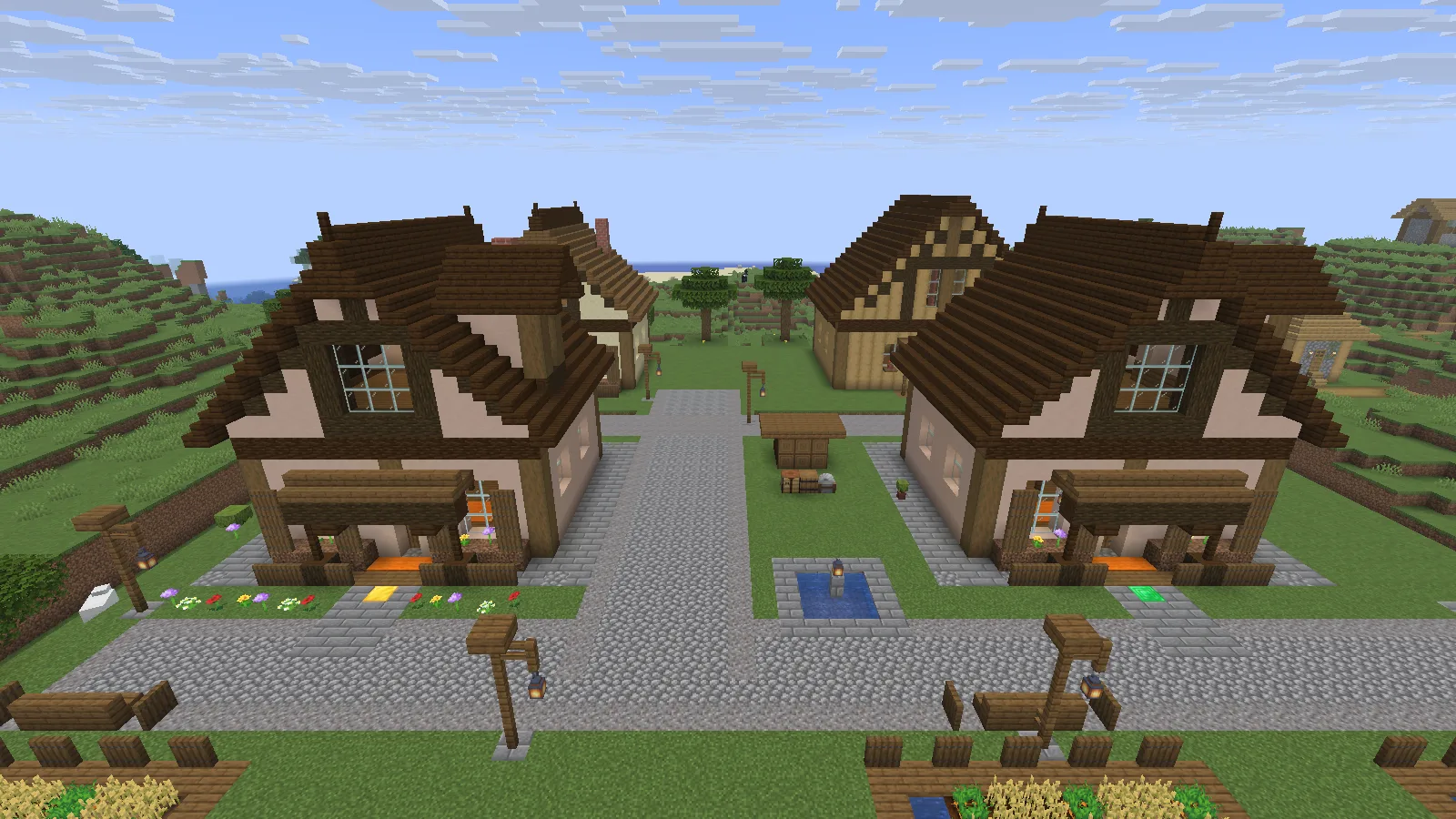
This is especially handy for a village street: decide where each entrance should meet the path, then place your markers there. For a bridge, use the start of the deck. For a room, pick the same floor corner each time. If a copy appears too high or sinks into the ground, check your copying and pasting heights before changing the build.
Keep the flowerpots: when to use //paste -a
A selection contains empty space as well as blocks. With an ordinary //paste, that copied air can clear things at the destination. The flowerpot beside this cottage disappeared because its position corresponded to air beside the original house.
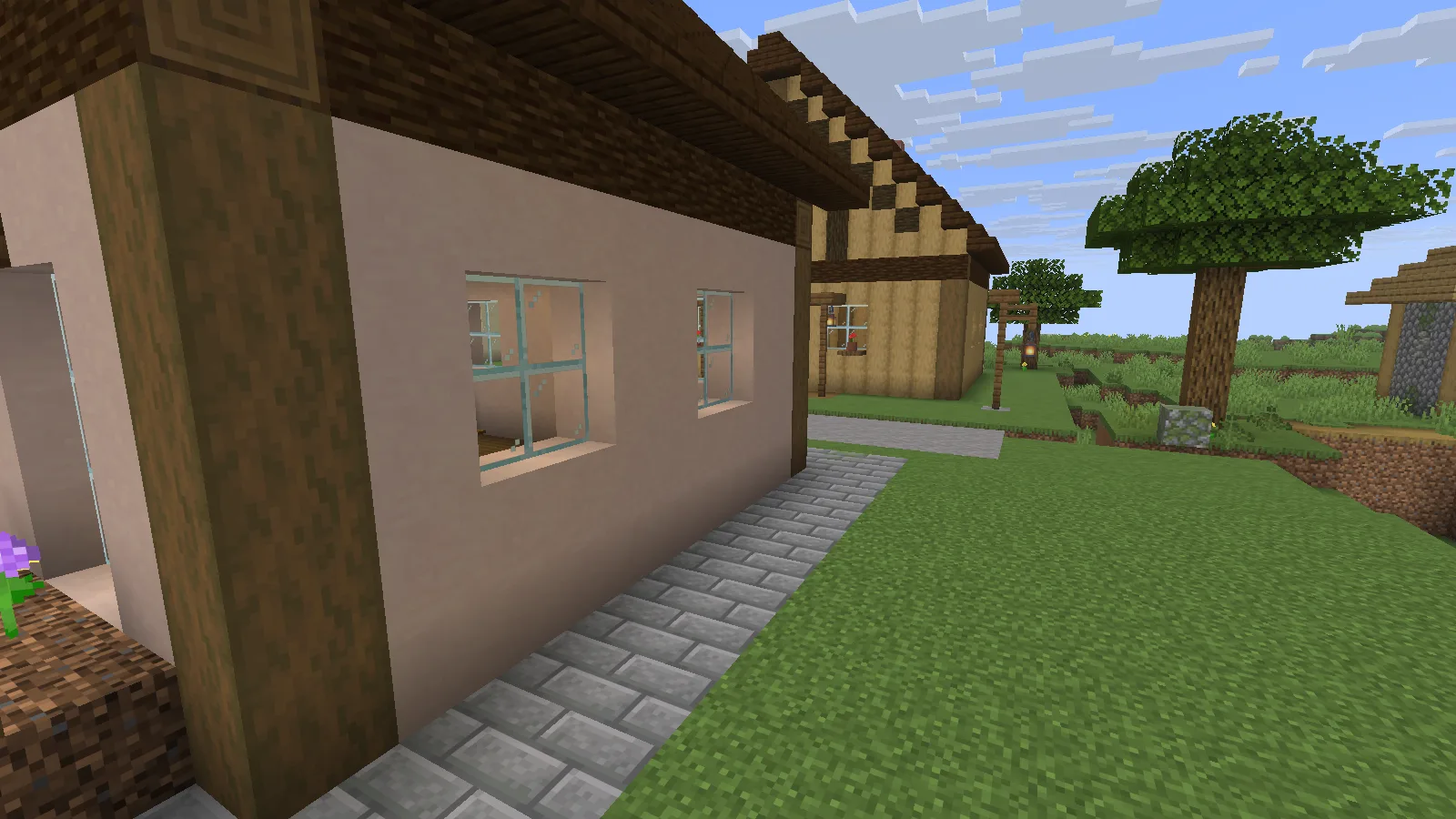
Undoing that paste restored the pot. Pasting again with //paste -a kept it: the house arrived, but the empty part of the copied selection left the existing plant alone.
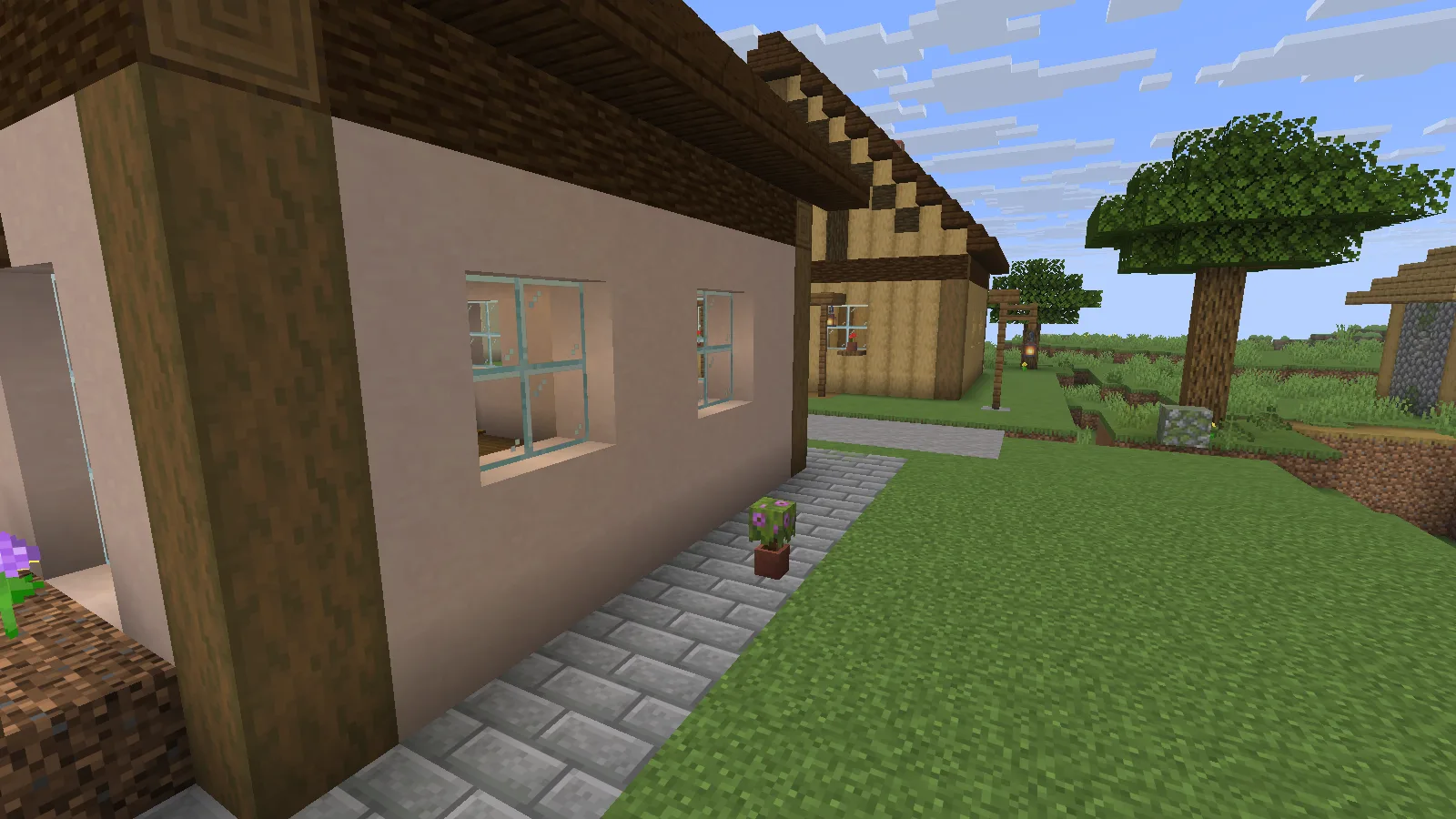
Choose the command for the result you want:
- Use
//pastewhen the copied empty space should replace what is already there, such as clearing the inside of a room. - Use
//paste -awhen you want to keep existing details wherever the copied selection has air.
The -a flag does not protect every existing block. A copied wall still replaces whatever occupies its position. In this scene, a solid block placed in the way of the house corner was replaced even with -a. Check the footprint first; skipping air is not a way to squeeze a building safely through a neighbor's wall.
Why //paste -o keeps returning to the old spot
The -o flag pastes at the original copied location. It does not move the house to a new foundation under your current position. Here, using it from the emerald marker restored a changed block in the original cottage while leaving the new doorway position empty.
For a second house beside the first, leave out -o. For restoring the clipboard to its original position, it is the relevant option.
Saved schematics remember the offset too
Saving and loading a schematic does not automatically center it on your feet. After saving this cottage, replacing the clipboard with a single block and loading the cottage again, its doorway still aligned with the emerald marker.
If you save with //schem save cottage, use the actual saved filename when loading, for example //schem load cottage.schem. Wait for the loaded confirmation before pasting. If the load command reports an error, the previous clipboard may still be there; do not assume the house replaced it.
For your own builds, record a simple note with the schematic: “copied standing outside the front door, at floor level.” That is much easier to reuse than a building saved from an unknown point above the roof.
Comments 0
Share what worked, ask for help or reply to another player.
Use your Modonix account to join the discussion and manage your comments.
Sign in to commentNo comments yet. Share what worked for you.