Explorify: follow a forest settlement and find a hillside farmstead

8 views 0 downloads

Pick out roofs beneath a dense forest canopy, then compare a small farmstead squeezed between grassy ledges, beehives and exposed rock.

Explorify adds places that reward a closer look at familiar terrain. In this pair of locations, the surroundings change how you approach the buildings: one settlement almost disappears beneath a forest canopy, while a small farmstead sits in the open on a steep grassy slope.

Look for roofs between the leaves

From above, the forest settlement is a group of dark wooden roofs tucked among broad tree canopies. Giant red mushrooms rise around the buildings. Short stretches of path are visible between the trunks, and a deep cut in the ground sits close to the settlement's edge.
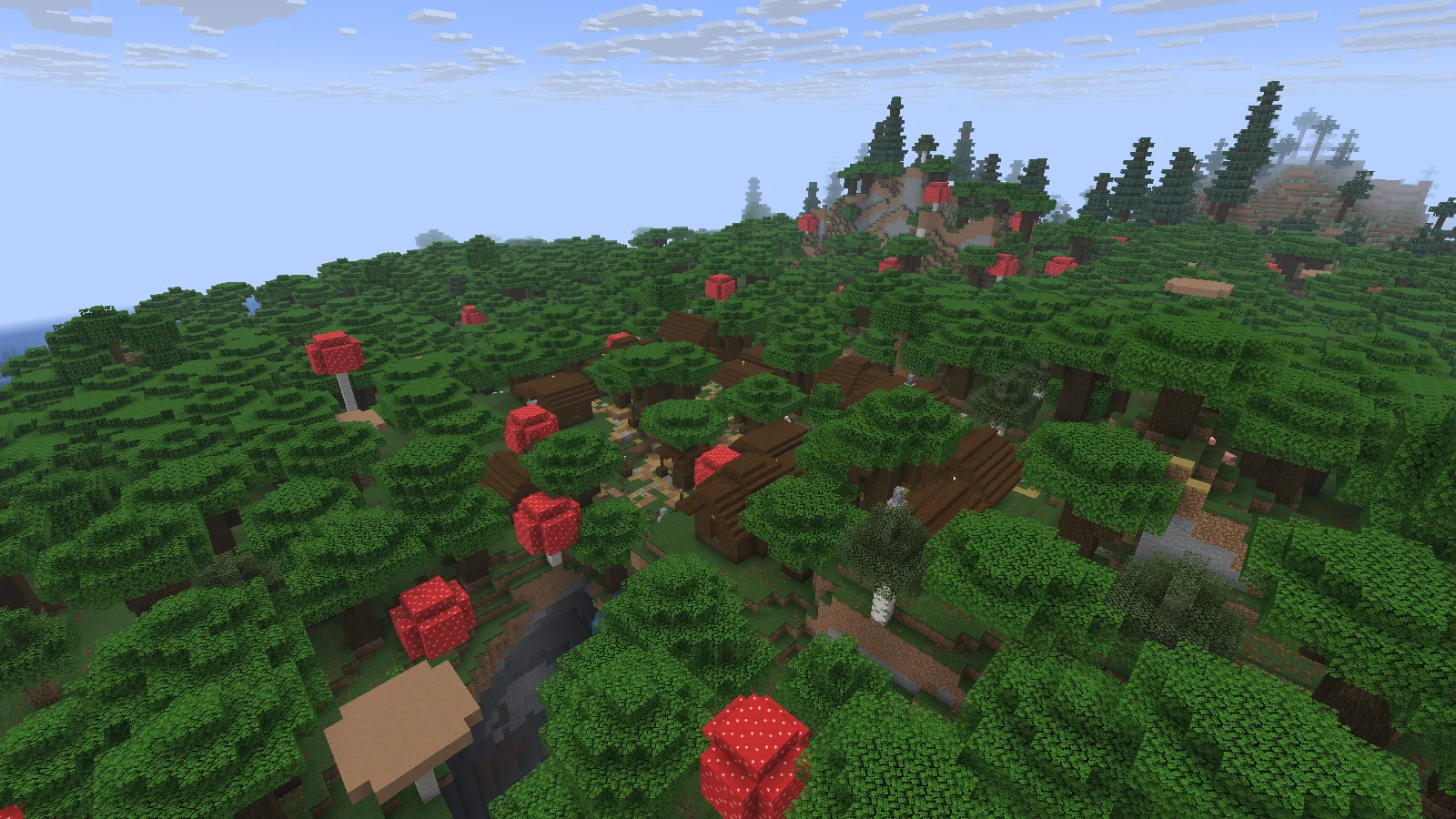
Dark wooden roofs and paths lie beneath a dense canopy, with giant red mushrooms and a nearby ravine.

The buildings blend into the woods more than they stand above them. When approaching a place like this on foot, a roofline can be harder to follow than a clear path junction. Choose one visible entrance to the settlement and note its coordinates before circling through the trees. The nearby ravine is a reason to watch the ground instead of heading straight toward the next roof.

At path level, a giant mushroom fills much of the view between two buildings. Leaves, logs and changes in height divide the space into small sections. You can see the next stretch without seeing the whole settlement at once.
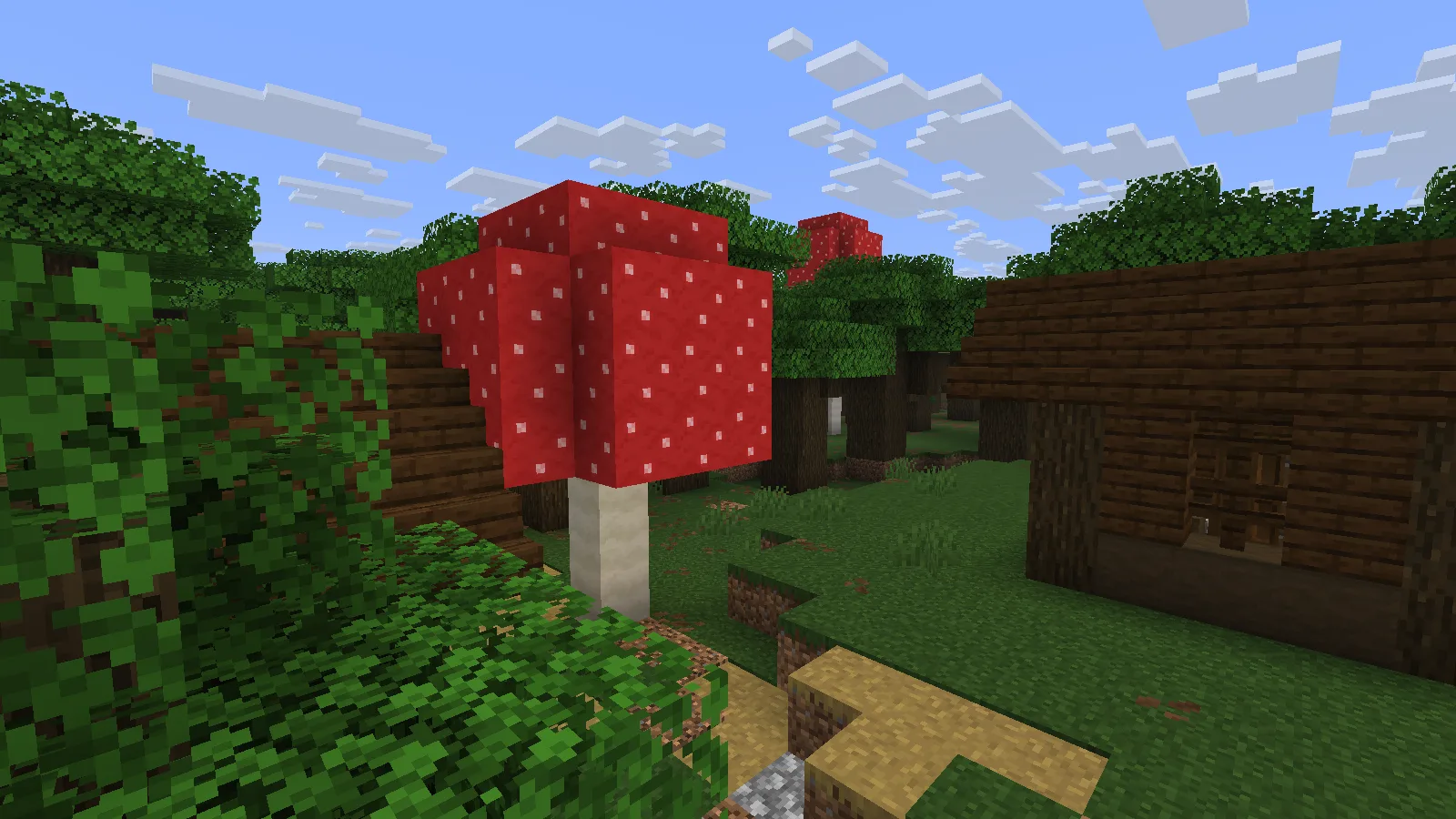
A giant red mushroom stands between wooden buildings beside an uneven forest path.

A useful first circuit would follow the existing paths and return to the same entrance. Bring lighting for the turns you want to recognize again, and keep a few blocks handy for awkward steps. If you later make this a regular stop, mark junctions rather than stripping a wide corridor through the trees. The close canopy is much of the location's character.

The farmstead is easier to see, harder to approach in a straight line

The second location has a very different outline. A small house with a pale wooden roof sits on a grassy shelf below a large hill. Exposed rock, cave openings and narrow cuts break up the slopes around it. There is open sky above the roof instead of a ceiling of leaves.
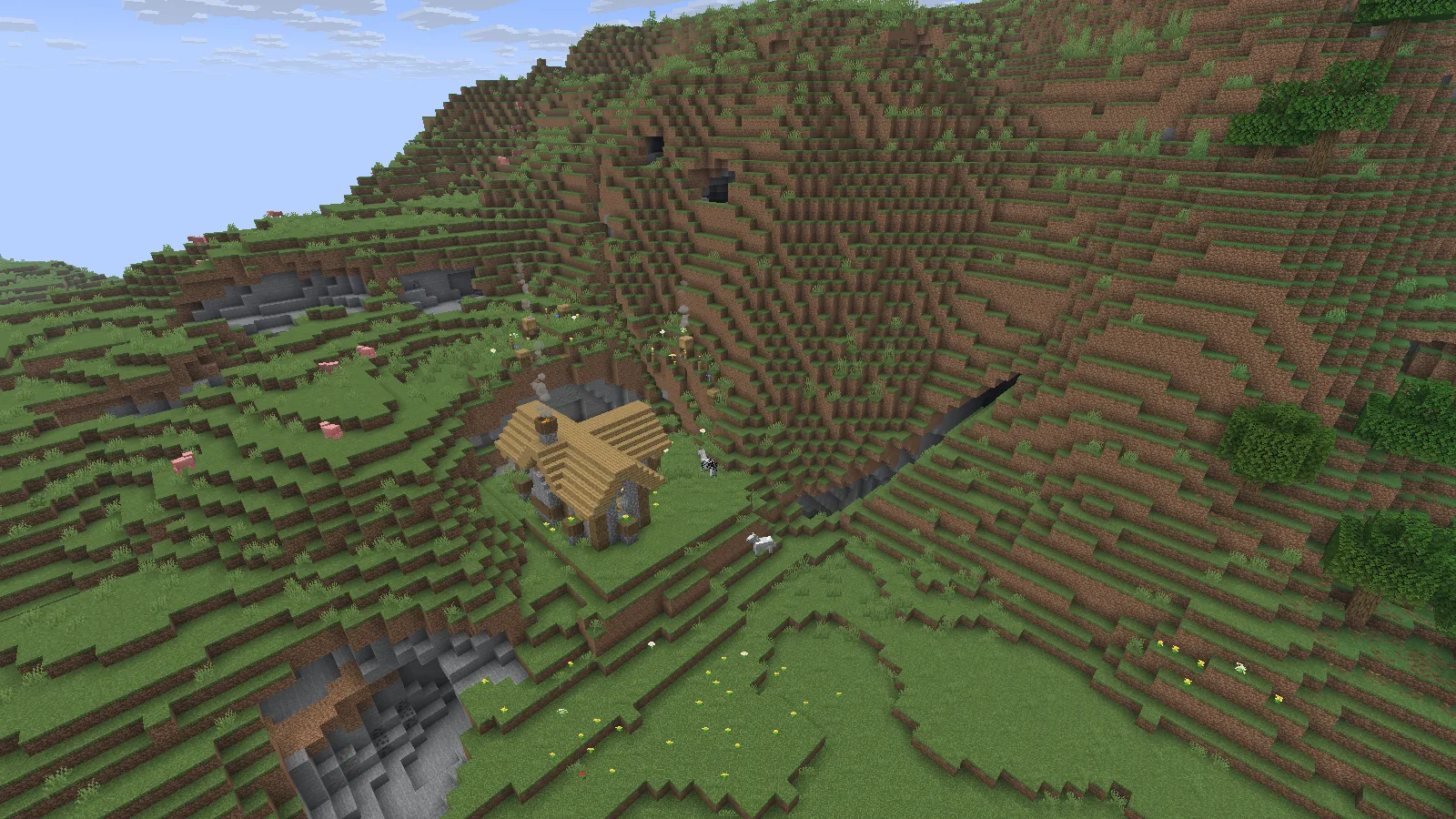
A small farmstead occupies a grassy shelf below a steep hillside, with exposed stone and deep cuts nearby.

The doorway's height matters more than the distance on the map. Look for a connected grassy ledge before dropping down from above or crossing the cut below the house. A slightly longer route around the slope may give you a clearer return path. Once you reach the building, take a moment to look back at the approach; the same ledges can be harder to distinguish from the other direction.

Follow the details up the slope

Closer to the house, flower boxes sit beneath tall windows. Cobblestone walls and vertical logs support the wooden roof. Smoke rises from several points, including near the beehives above the house, so the scene extends up the hill rather than stopping at the doorway.
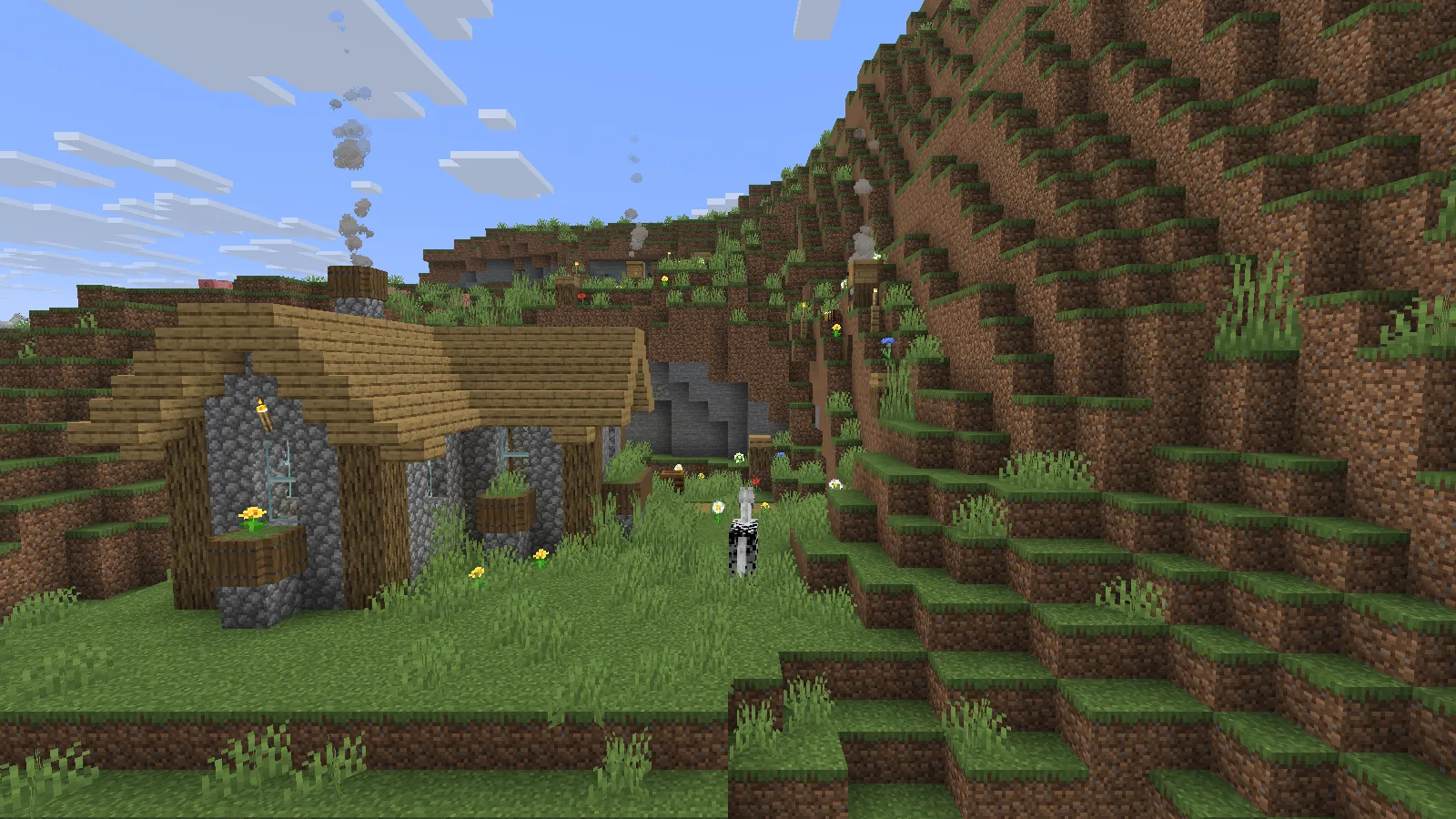
The farmstead has a pale wooden roof and flower boxes; smoke rises near beehives higher on the grassy slope.

If you want to use this place as a base, inspect the ground between the house and the higher shelves first. A short stair could connect those levels without turning the whole hill into a flat yard. Leave space to move along the wall and past the windows. A narrow strip crowded with storage would make an already tight approach more awkward.

The closer side view shows how little room separates the flower boxes, grassy ledge and rocky opening. It also makes the higher beehives easier to spot.
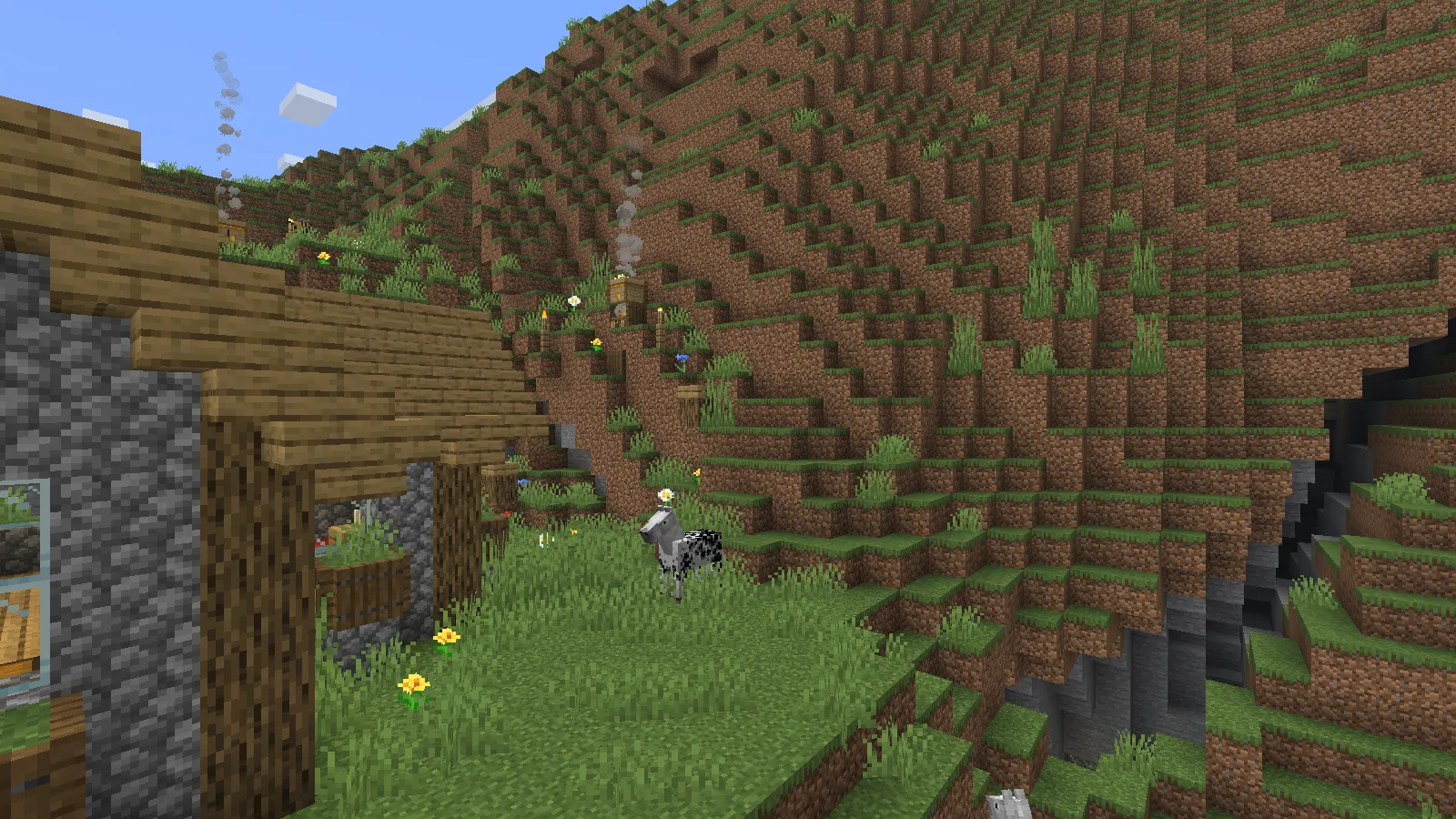
Flower boxes line the house windows beside a narrow grassy ledge and beehives on the hillside.

That is a good place to start small: improve one route from the door to the upper shelf before expanding the house. Keep any work area back from the edge. The slope gives the farmstead its shape, so the most useful change may be a few steps rather than another large building.

Add the datapack before generating the area

Choose the Data Pack ZIP for your Java version. In Create New World → More → Data Packs, add the intact ZIP, move it to Selected, choose Done and then create the world. This ZIP belongs to the world data packs, not the resource-pack or shader menu.

New structures generate with new chunks; the pack does not insert a settlement into land you already explored. Keep a full backup before changing an existing world's setup or upgrading the pack, since later releases can change its structures.

These locations use Explorify v1.6.5, Java 26.2 and seed 20260928100. The forest settlement is near X 3152, Z 1248 and the farmstead near X 1936, Z 32. Match those versions when searching for the same places.

No ratings yet

Files

Filter files 1 fileStable
Show all files

Version v1.6.5

Stable

Explorify v1.6.5.dp.zip

Minecraft 26.2
0 downloads
Download · 748.6 KB
Requirements & details

Java 26.2 · Data pack

  • Game version: 26.2 · Resource pack: Not required · World requirements: New chunks only

Use the intact Java 26.2 Data Pack ZIP. Add it through Create New World > More > Data Packs, move it to Selected and confirm Done before creating the world. Structure generation applies to newly generated chunks; back up an existing save before changes. The datapack file does not use the Fabric mod installation route.

Requirements & notes
Known issues
Two structures and their exterior setting only; no complete structure catalog, Survival journey, combat, loot inspection, harvesting or bee behavior was tested. No usable interior capture: all interior, underground, roof and PauseScreen attempts are excluded. The farm retry receipt records PauseScreen; its scout image is rejected even though capture returned success. The final-close recipe stopped at a failed native click after the last successful approved screenshot. The separate actions.jsonl exit response at epoch_ms 1790609324132 confirms normal game shutdown was requested. Fixture Windows performance-counter errors and generation lag warnings are retained; no performance or warning-free claim. A horse and pigs are visible in the environment, but no claim is made that Explorify spawned or supplies those animals. Private reference copy only. Public distribution: permission-required. The author declares All Rights Reserved. Original ZIP retained only for authorized private/local evaluation; no permission for an internet file mirror is established. https://modrinth.com/datapack/explorify
Technical details
File details
Download type
Main
Pack format range
pack_format 15; supported_formats [15,512]; min_format 15; max_format 512; original f15 and f41 overlays retained
Pack namespace
explorify
Activation & commands
Use the intact Java 26.2 Data Pack ZIP. Add it through Create New World > More > Data Packs, move it to Selected and confirm Done before creating the world. Structure generation applies to newly generated chunks; back up an existing save before changes. The datapack file does not use the Fabric mod installation route.
Companion resource pack
None required for this datapack; screenshots use default resources.
Multiplayer setup
The datapack belongs to the world/server. The captured client used Fabric API and Sodium for the editorial setup; those client mods are not datapack installation requirements.
File information

Archive structure and entry integrity checked · 654 entries · 0.8 MB unpacked.

No supported compatibility manifest was read. Review the author’s file requirements.

Manifest values describe the package. They do not prove that it works with every game version. This check is not an antivirus scan.

SHA-256: 09dea87923b8dc021a6694f7c6487725b1a666e255e122bce55fdd2dc3377d4f

Release updates

Version v1.6.5

Stable

Explorify 1.6.5 for Minecraft Java 26.2 adds structures to discover, including forest settlements and farmsteads. Add the datapack to a new world before creation, or back up an existing world before exploring new chunks.

View files

Comments & questions

Share what worked, ask for help or reply to another player.

No comments yet. Share what worked for you.

Join the conversation

No account required. Confirm your email with a code before your first comment.

1Your name & email

Only a masked address appears with your name. Guest comments are reviewed before publication.

2Verify & post

Search Modonix

Search in