
Casual by Ross Paffett gives the Classic Minecraft character a green shirt, brown shorts and dark shoes. Its restrained outfit is easy to read against a village or forest background, without armor, a costume or a different character model.
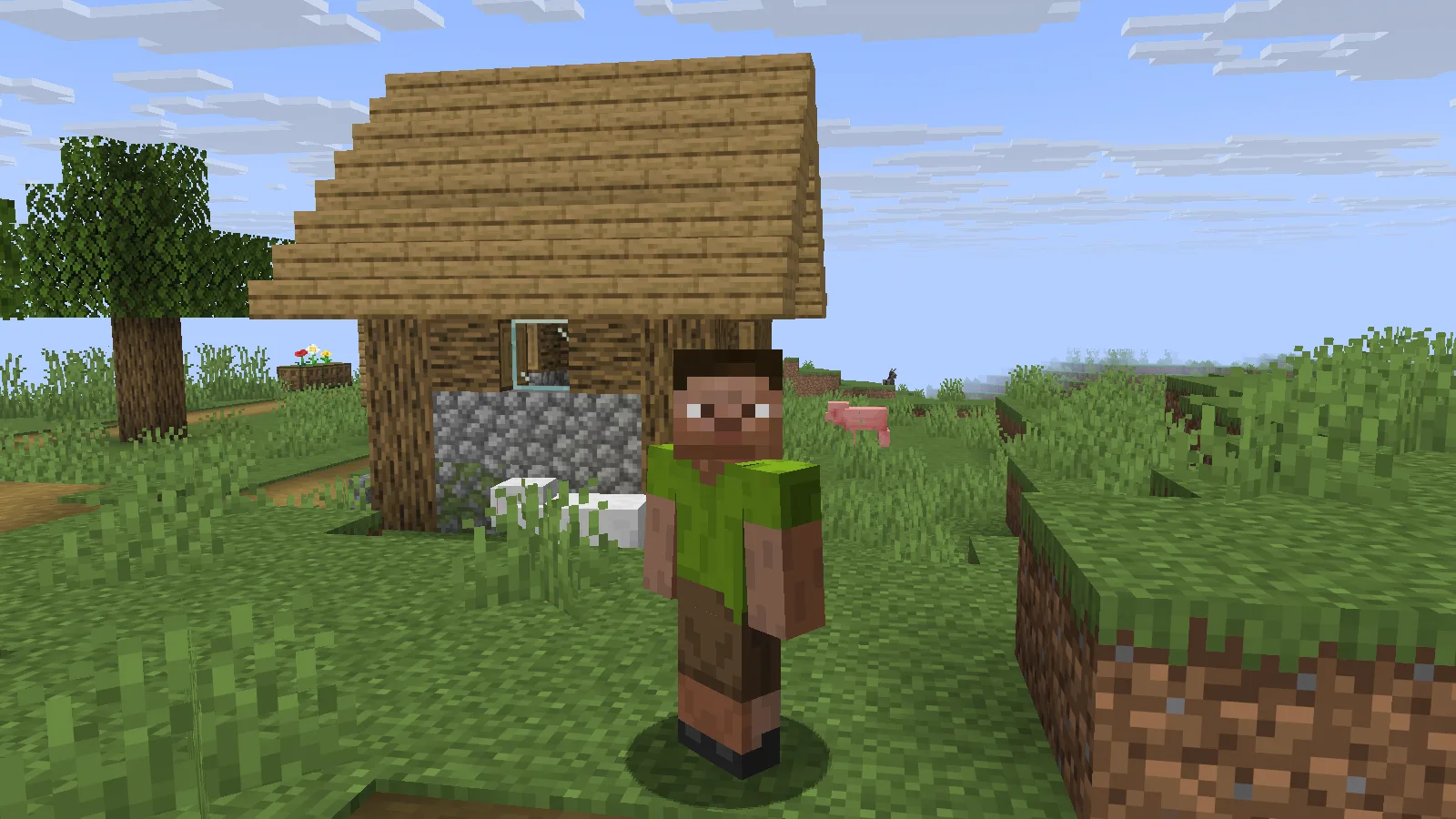
Ross Paffett’s original Casual skin on the Classic/Wide player model in Java 26.2.
Use the original Classic PNG
Download casual.png and keep it as a PNG. The author's file is 64×32, an older Minecraft skin layout, and uses the Classic/Wide model. Do not stretch the image to make it square or select Slim to change its arm shape.
In the official Minecraft Launcher, open Minecraft: Java Edition → Skins → New Skin. Give it a recognizable name, select Classic/Wide, browse to the original PNG and use the launcher's save-and-use option. Minecraft's official skin guide explains this import route and the difference between Classic and Slim.
Check more than the face
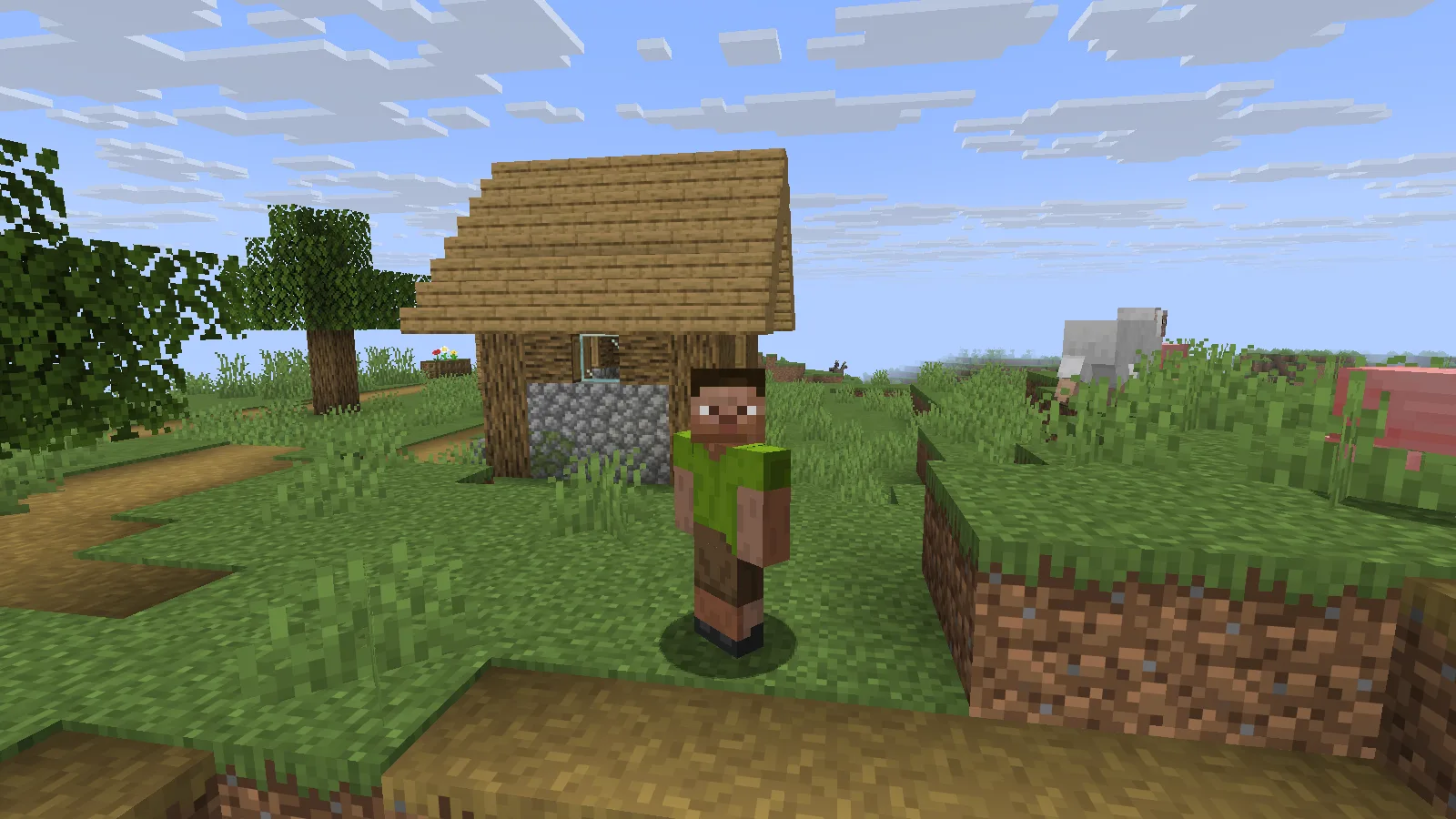
A full front view shows the green shirt, brown shorts and dark shoes on the original Classic model.
Look at the front, back and both arms. The images here show the original file on a Classic player in Java 26.2. The green shirt continues around the torso, while the shorts and shoes remain distinct in the rear view.
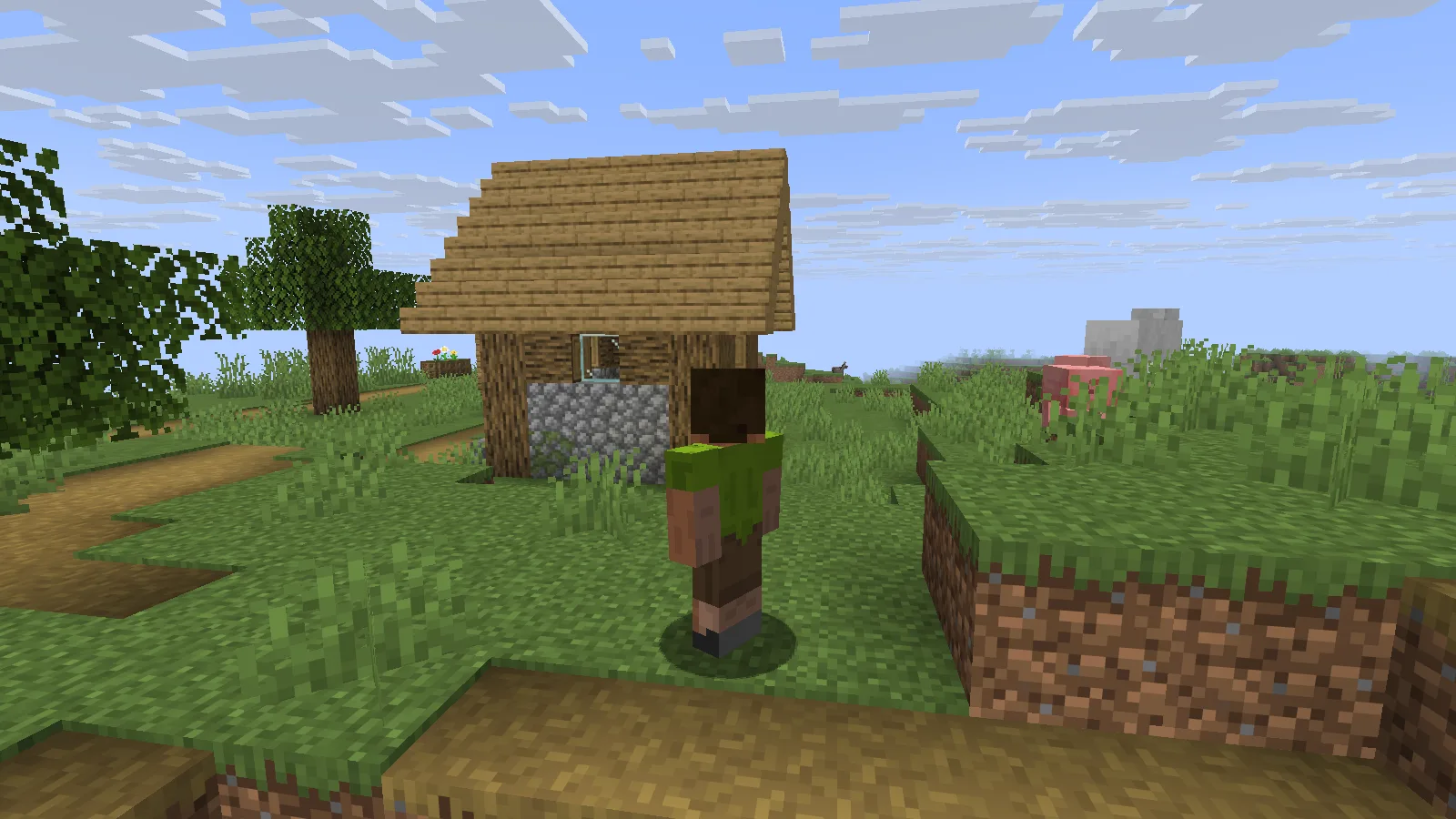
The same original skin viewed from behind in Java 26.2.
Keep an untouched copy before making personal edits. If you share the file or your own adaptation, retain Ross Paffett's credit and the MIT license notice supplied with the author's repository. The PNG changes appearance; it does not provide armor or gameplay abilities.
Comments & questions
Share what worked, ask for help or reply to another player.
No comments yet. Share what worked for you.