Hypixel is a Java multiplayer network where one server address leads to several very different evenings. You might want a short island fight, a team objective, or a longer progression game. Decide what your group feels like playing before you start hopping between lobbies.
Join from Java Edition
Use Minecraft: Java Edition with an account that owns the game. In Multiplayer → Add Server, give the entry a name such as Hypixel and enter mc.hypixel.net in Server Address. Save the entry, select it, and choose Join Server.
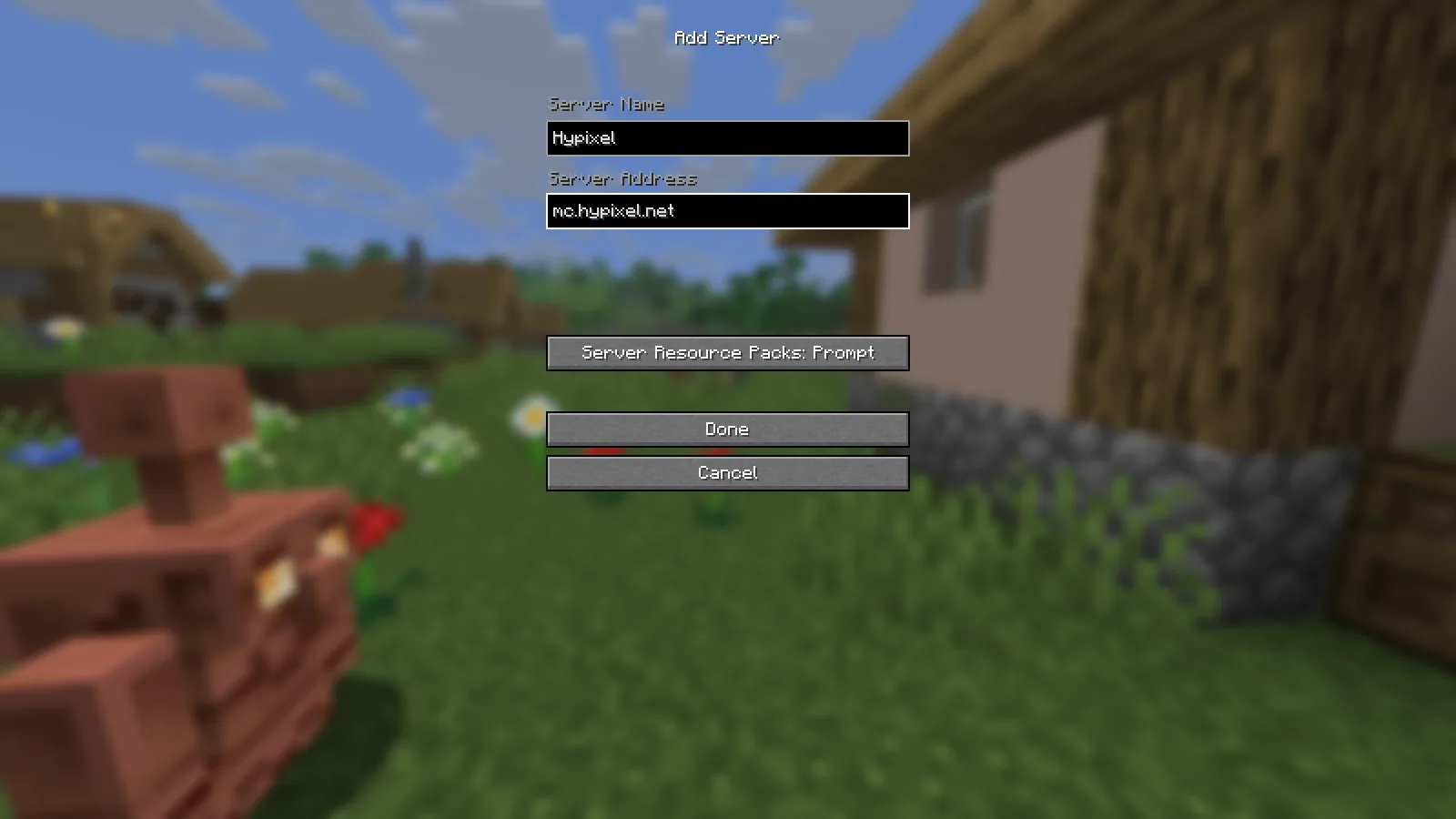
Java’s Add Server screen, with the address ready to save.
The address is a connection destination, not a website download. You do not need to install a Hypixel JAR or add-on to follow this route. If a connection message asks for a supported game version, change the launched Java installation and try again.
Bedrock for Windows is a separate edition, even though it runs on a PC. Phones and consoles also use the Bedrock route. For that edition, see our Hive guide.
Choose the kind of session first
Bed Wars centers on defending a bed while trying to remove other teams’ ability to respawn. It suits a group that enjoys dividing jobs: gathering, protecting the base and building a route outward. Before rushing away, agree who is staying near the bed.
SkyWars starts players on separate islands with limited time to prepare for combat. Look through your starting chests, equip useful armor, and check the route before bridging. Standing still at an exposed edge while sorting your inventory is an avoidable risk.
SkyBlock is the longer progression choice. Treat the first session as orientation: follow the introductory objectives, learn where the main services are, and keep track of what your next upgrade actually needs. It is a different rhythm from a short elimination match.
These are starting points for choosing a mode, not a fixed list of everything the network offers. Check the in-game selection when you join; modes, events and supported versions can change.
Find your way around the lobby
The lobby compass opens the game menu. Use the profile item for your own network information, and the lobby selector when you need to meet someone in a particular lobby. Entering the same network does not automatically place friends together.
For a group session, agree on the game and party up before queuing. A party is useful because the group leader can choose the activity together. Decide who is leading so that two people do not keep moving everyone to different queues.
Solve the connection problem you actually see
- You launched Bedrock: return to the launcher and start Java Edition. Changing the server name does not change the edition.
- Unknown host: check the address for spaces and typing mistakes. Use the exact address shown above.
- Authentication or session error: close the game and launch it again through the account that owns Java. Repeatedly adding another server entry will not refresh an expired login.
- Multiplayer is unavailable: check the account’s multiplayer permissions before troubleshooting the server address.
- A version-related refusal: use the version requested by the server’s current message. An old guide or screenshot is not a live supported-version list.
Hypixel operates the network and sets its rules. Modonix provides this connection and first-session guide; the operator’s profile keeps its official links together.
Join the server
Java Edition
Address: mc.hypixel.net · Port: 25565
Accepted versions: Not listed
Check the server entry in Minecraft for current availability.
Comments & questions
Share what worked, ask for help or reply to another player.
No comments yet. Share what worked for you.