
Spruce beams, strips of blue ice and snow-covered ledges give this mine a clear identity before you reach its first junction. YUNG's Better Mineshafts turns abandoned mines into places with changes of height, side rooms and recognizable details along the way. The example here is one naturally generated snowy mineshaft photographed in Java 26.1.2.
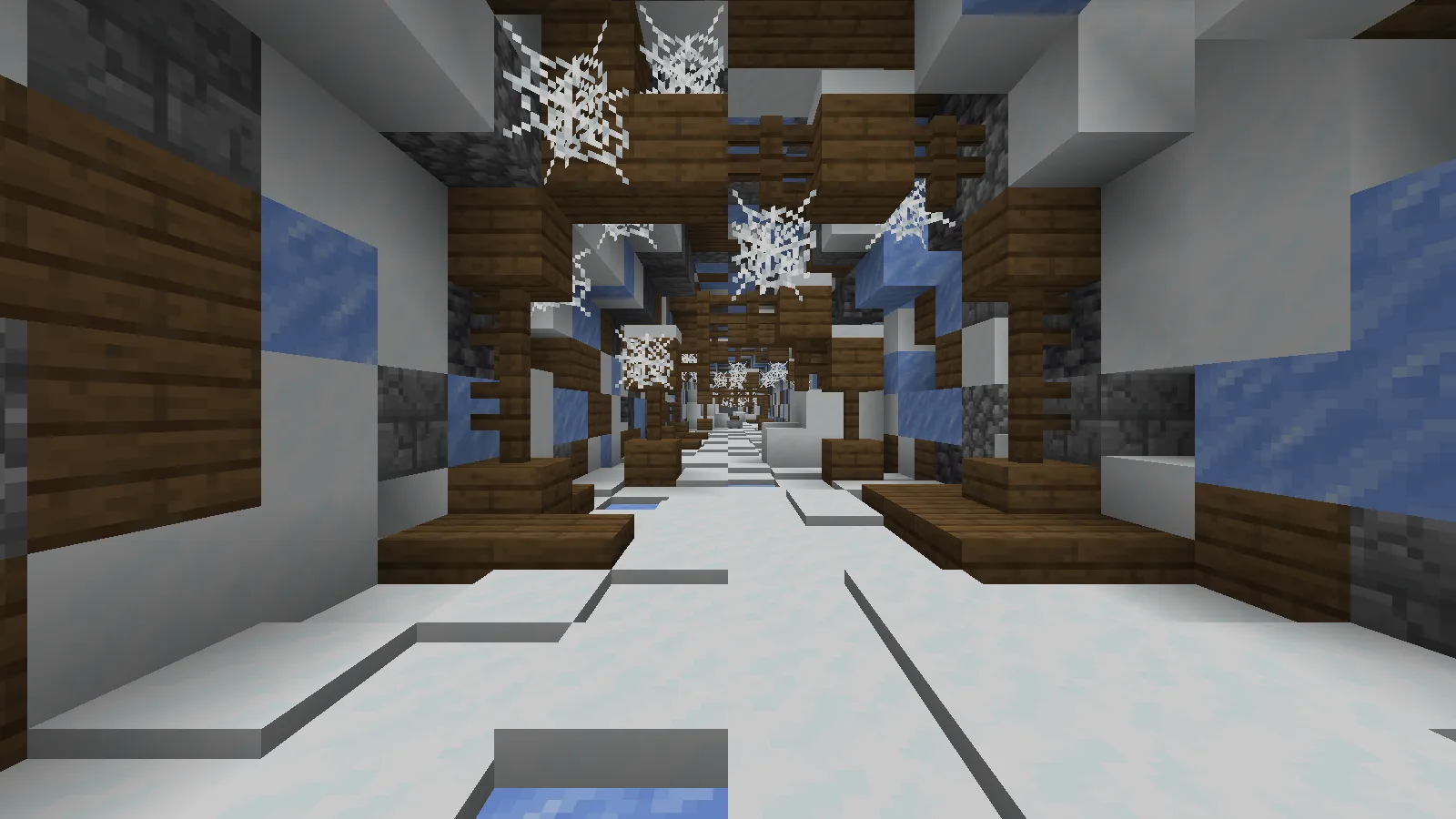
Spruce supports, ice and snow give this generated mineshaft a distinct snowy palette. Captured in Minecraft Java 26.1.2 with Better Mineshafts 6.1.1; Spectator mode and Night Vision were used for visibility.
The long passage is useful for getting your bearings. Its repeating supports draw your eye ahead, while webs hang between the beams and snow changes the shape of the floor. Before following a side passage, look back at the direction you entered. A route that seems obvious on the way in can look different when you approach the same junction from below.
Treat the surface opening as an entrance to plan
This mine has an opening through the snowy ground. Timber platforms and supports continue down beside exposed stone, with daylight still visible above. It is a drop beside the structure, so inspect the depth and choose a return route before descending.
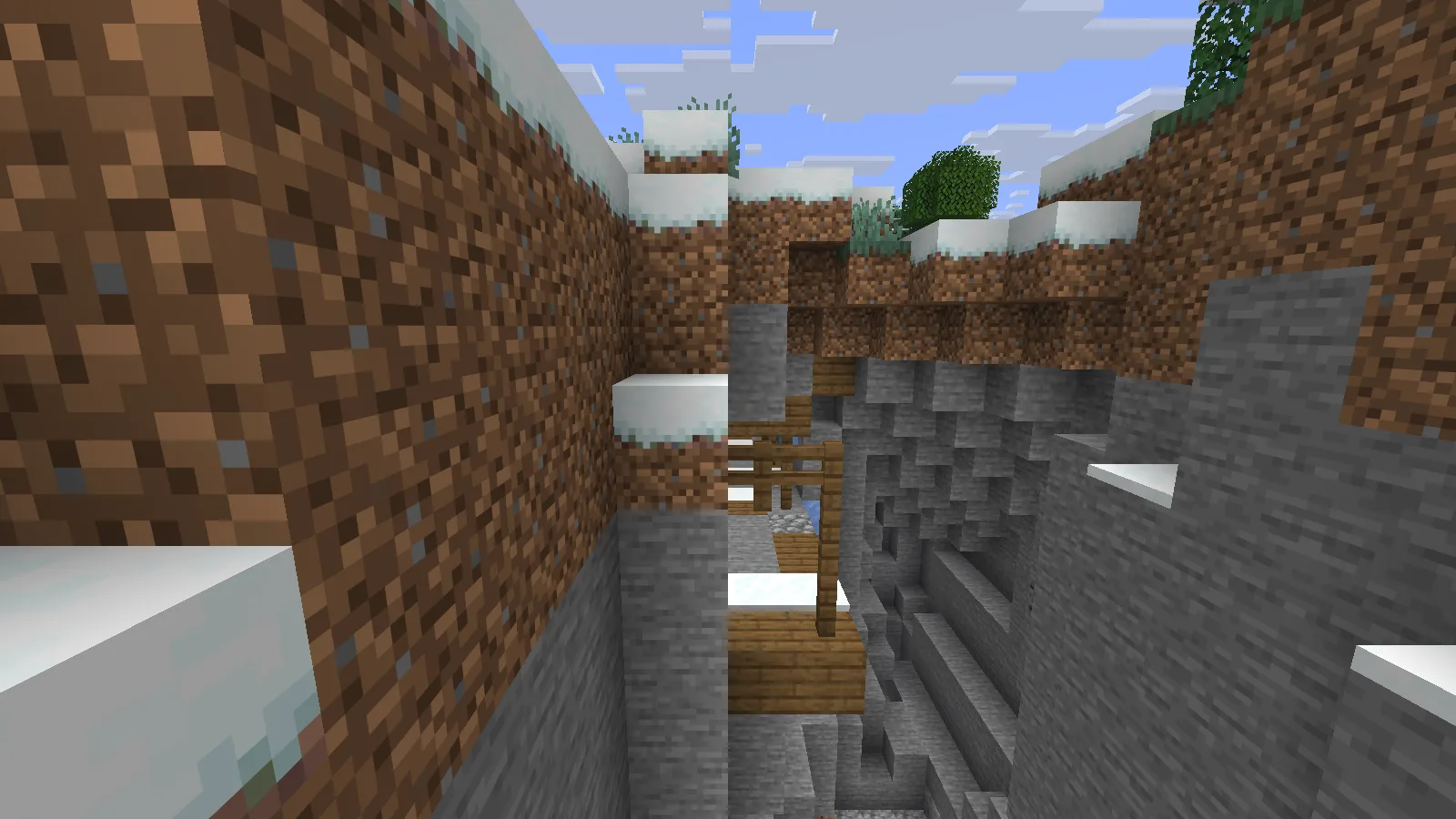
Snowy ground opens onto timber supports at this mineshaft entrance. This is one naturally generated opening in seed 20260928100, viewed in Java 26.1.2 with Night Vision for visibility.
For a Survival visit, mark the rim with something you can recognize from outside and keep the entrance coordinates. Bring blocks or ladders for a route you can climb back up, along with food, lighting and spare tools. Avoid relying on the snowy edge as your only landmark; a marker above ground is easier to spot on the next visit. Surface openings are a possible discovery, not a feature to expect at every mine.
Read the junction before choosing a branch
The next view shows rails reaching a compact junction with a ladder at its center. Passages run beside the timber frame, while the ladder makes height part of the route choice. Looking only along the rails would miss that vertical connection.
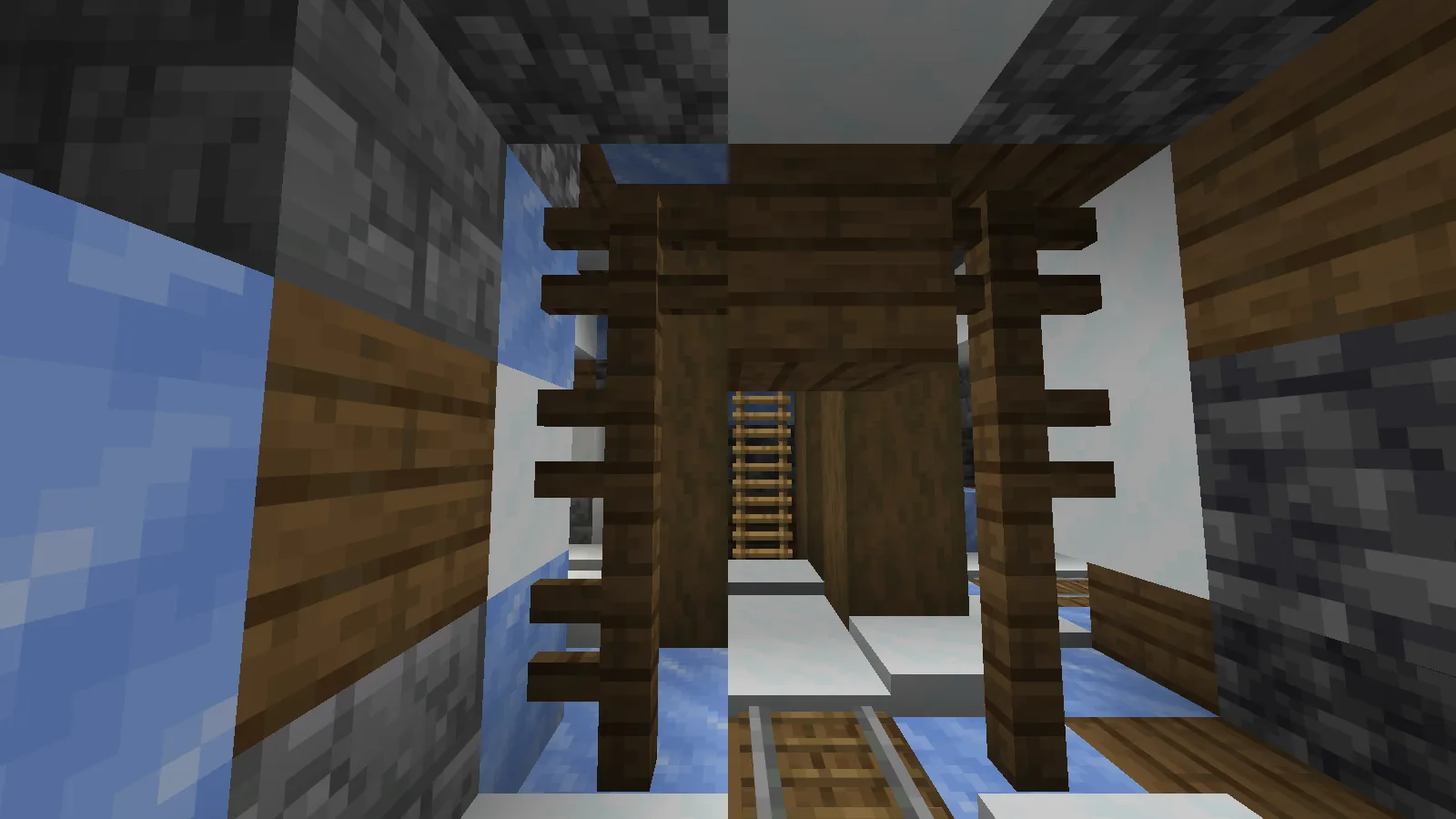
Rails meet a ladder at a compact junction, showing how this mineshaft links passages vertically as well as horizontally.
Pick one branch at a time and mark the junction before following it. A consistent marker on the return side works better than scattered blocks whose meaning changes at every turn. When a ladder takes you to another level, mark where you arrived as well. Keep the junction clear so you can recognize its shape when you come back with a full inventory.
Look around the workstation, including its floor
The side room changes the pace. Mossy stone bricks enclose a crafting table and furnaces, with snow carried into the room and a wooden trapdoor in the floor. This compact room is a useful landmark among the repeating beams outside.
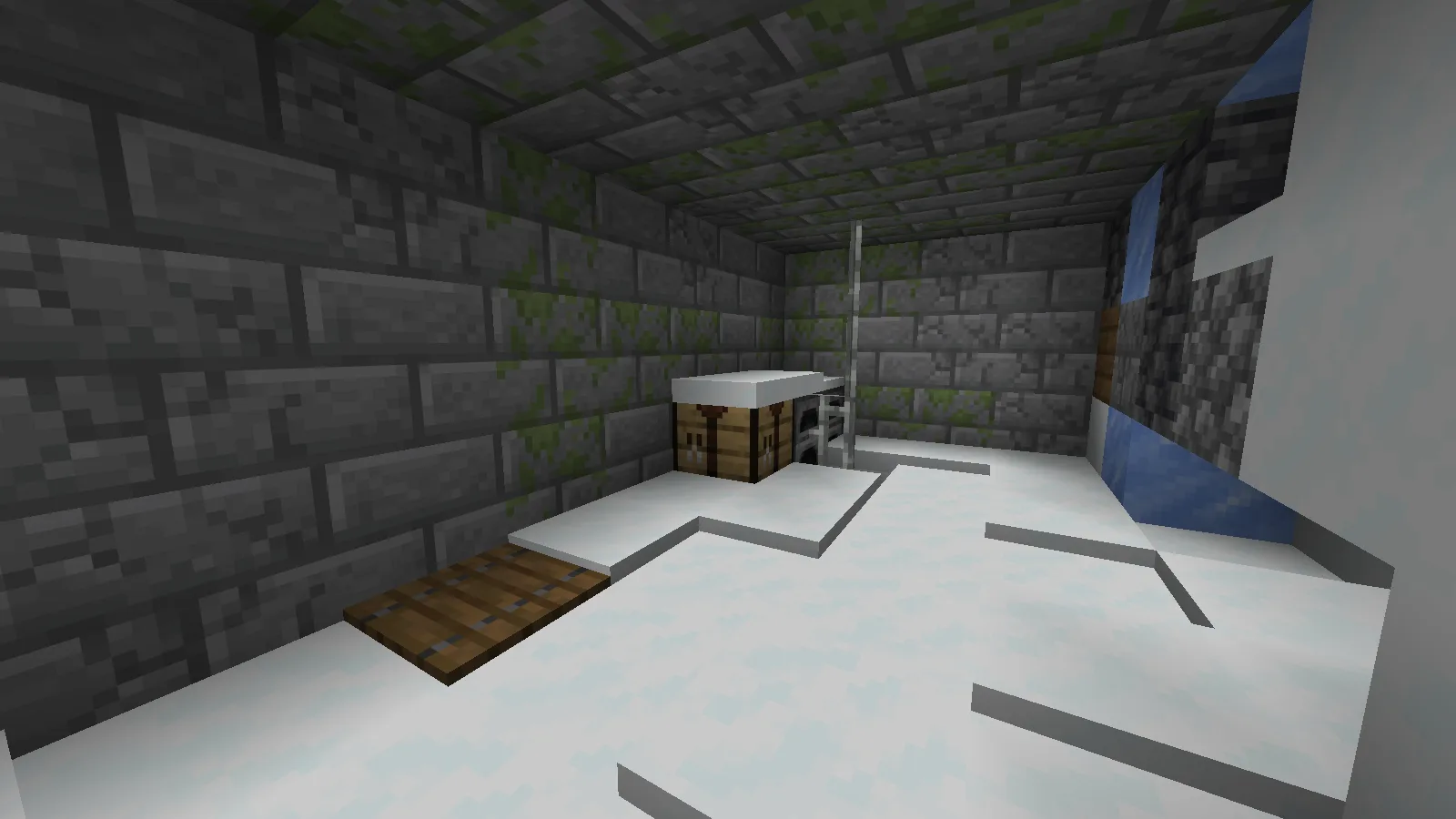
A side workstation contains a crafting table, furnaces and a floor trapdoor; the surrounding snow and masonry are part of the generated structure.
Take in the room before treating it as a convenient stopping place. Check the floor hatch, nearby openings and the route back to the main passage. If you later make a supply stop here, keep that hatch visible and leave enough room to reach it without shifting your storage. The room's shape is more useful as a landmark when its entrances remain easy to read.
A small room can have another space below
Beneath the workstation, the cellar contains dense cobwebs around a cave-spider spawner. Stone-brick walls and a chest at the edge make it feel like a separate room rather than another stretch of corridor.
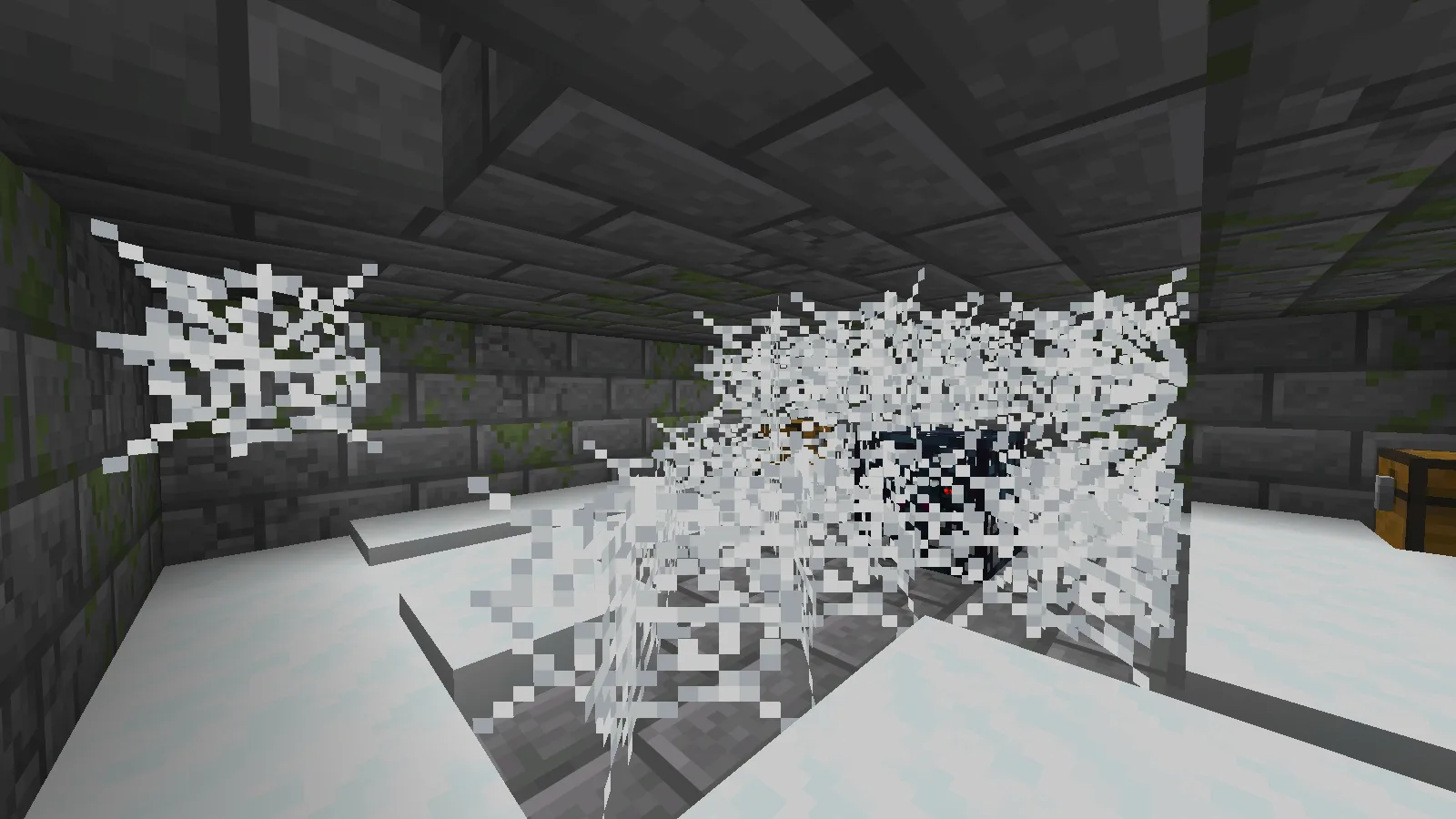
A web-filled cellar beneath a workstation contains a cave-spider spawner. Viewed in Peaceful difficulty.
The connection is the detail to notice: a quiet-looking work area can have a second space beneath it. For your own expedition, inspect the access point and leave yourself room to retreat before committing to the web-filled floor. Decide whether to investigate that room now or mark it for another visit with more supplies.
Install the matching Fabric release
- In Files, choose the Minecraft 26.1.2 / Fabric release used for these pictures. Keep it in a separate Java instance with a matching Fabric Loader.
- Put the Better Mineshafts JAR and matching Fabric API, YUNG's API and Cloth Config JARs in that instance's mods folder. Keep the JARs intact; check the file requirements for the exact dependency versions.
- Launch that instance and create a new test world after installing the mods. Keep a complete backup before changing the mod setup of an existing save.
Start with a modest goal: find the entrance, identify one junction and inspect one side room. That gives you a route you can understand before extending the trip into another branch.
Comments & questions
Share what worked, ask for help or reply to another player.
No comments yet. Share what worked for you.