
Supplementaries gives a Minecraft home things to do: a jar can hold snacks, a faucet can move water, a planter can grow wheat on a porch, and bellows can help a furnace work faster. We built a small workshop among the spruce trees and tried five blocks that make a useful first project with the mod.
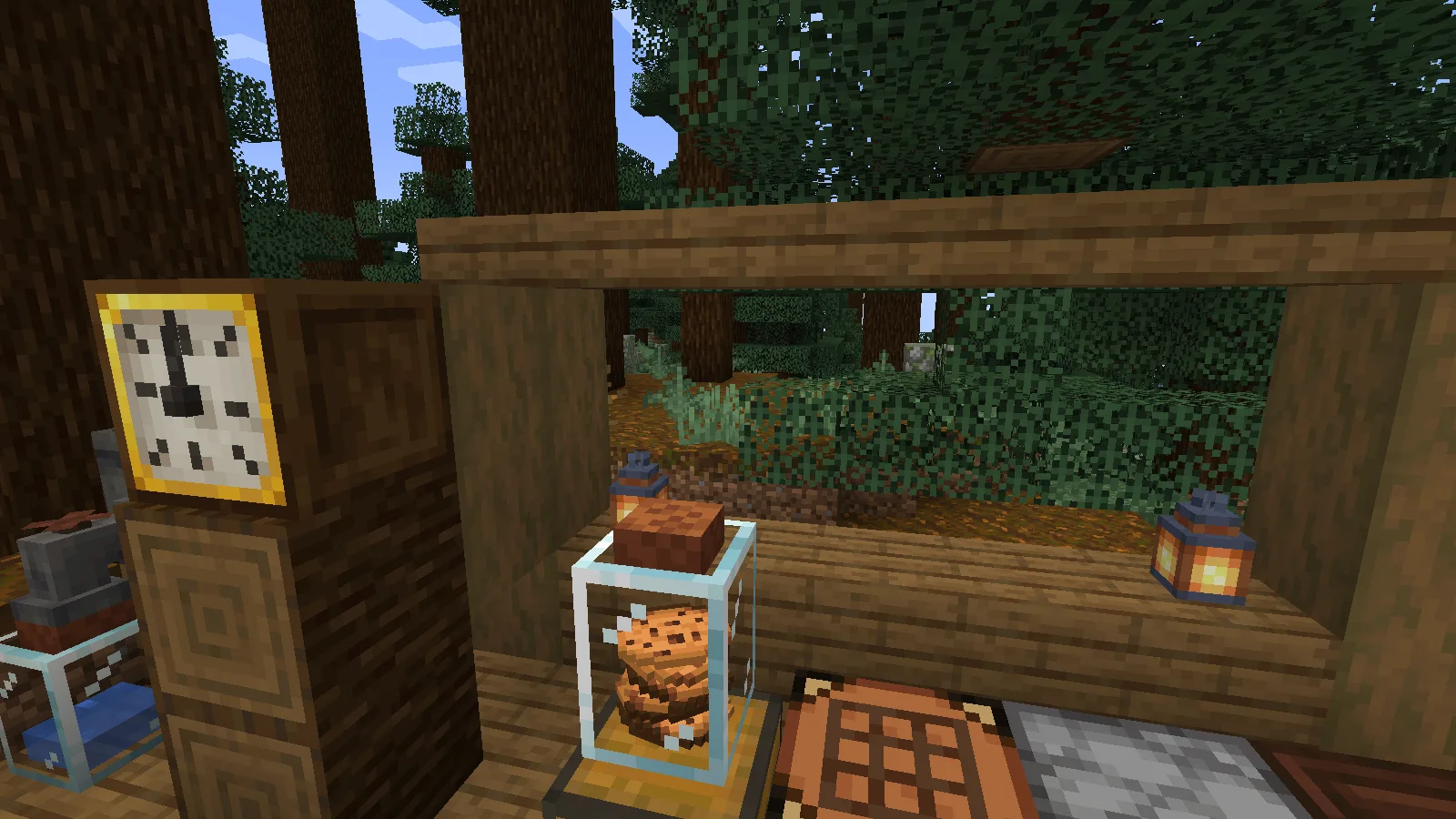
Start with the part your base needs: a snack jar, a small water feature, a planter, a furnace upgrade or a readable wall clock. You do not have to build the entire workshop at once.
1. Keep snacks in a visible jar
Craft a Jar with seven glass blocks and a wooden slab. Leave the middle square empty and place the slab at the top, as shown on the actual crafting table below. We used a spruce slab.
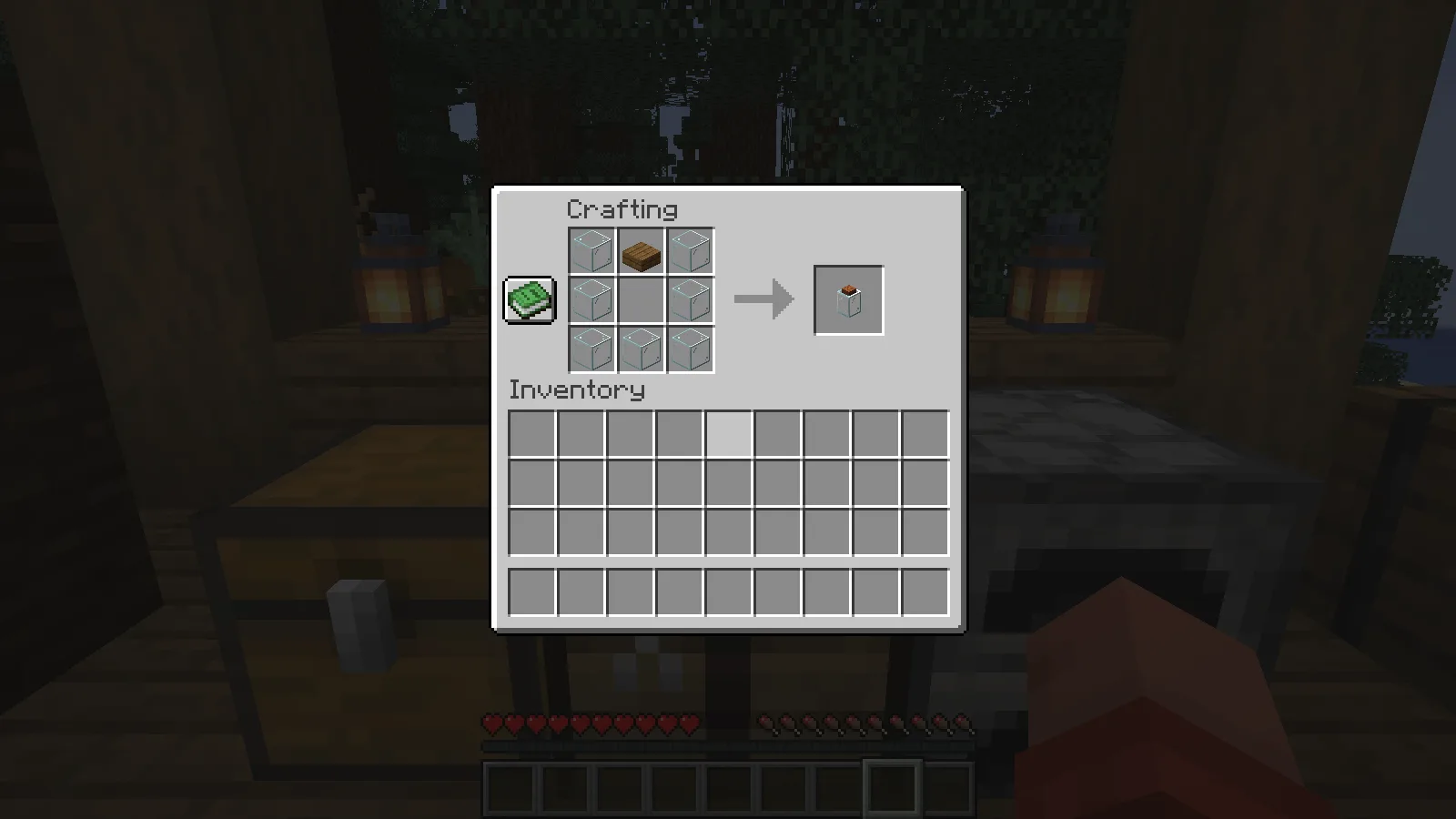
To put the jar down, hold sneak while using it on a surface. This matters: our ordinary placement clicks did nothing until we crouched. Then hold cookies and use the placed jar to add them. Our eight clicks stored eight cookies, which became visible through the glass. Using the jar with an empty hand returned one cookie to the inventory and left seven inside.
That makes the jar a handy snack stop beside a crafting table or entrance. It is also easy to see whether anyone has taken something. A second, empty jar is useful for the water setup below; keep food and liquid examples separate.
2. Pour water with a faucet
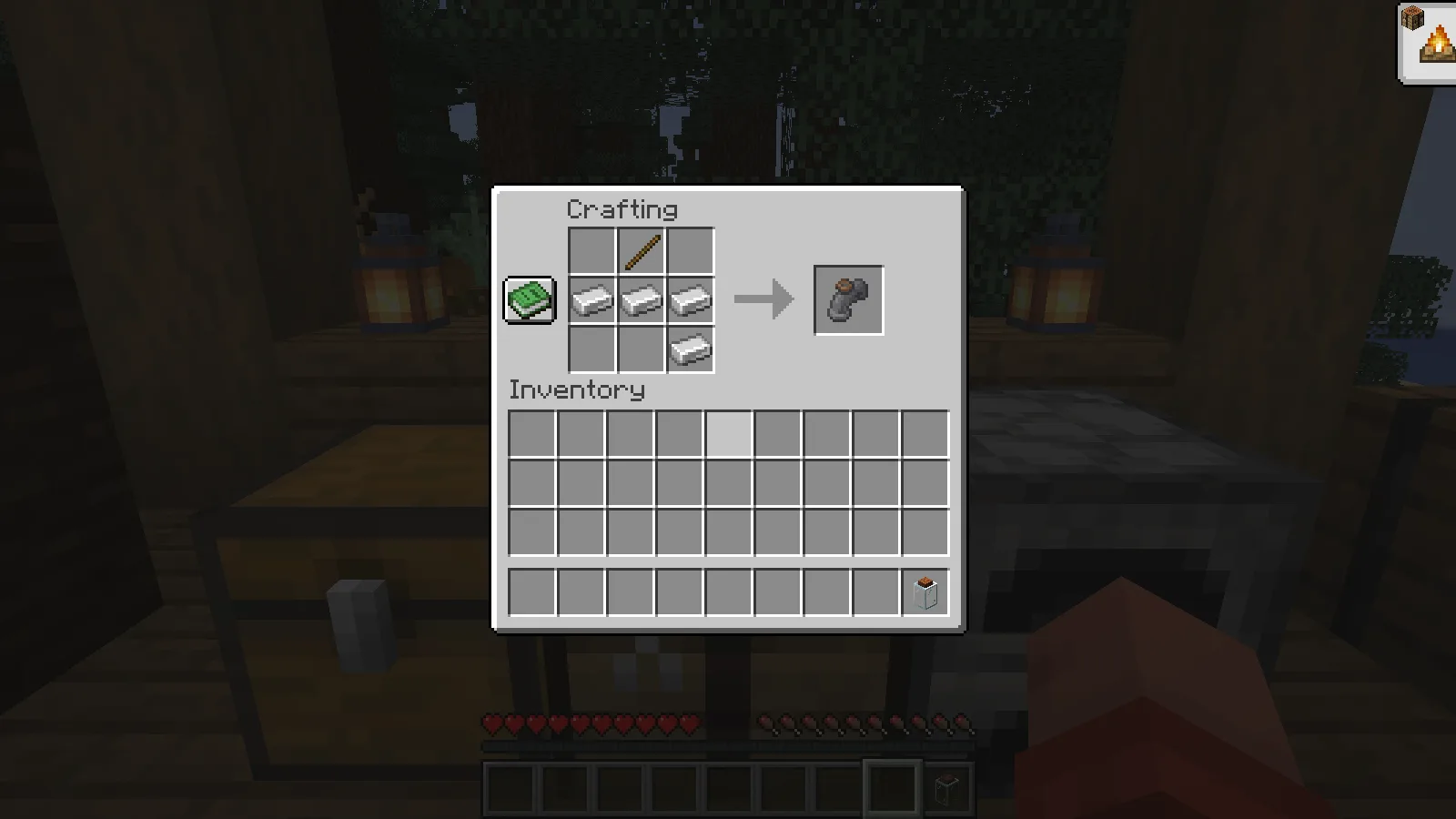
The Faucet recipe uses four iron ingots and one stick. The screenshot shows the arrangement: the stick sits above the middle ingot, with the fourth ingot at the lower right.
Place a water-filled cauldron on a raised support. Attach the faucet to its side, facing outwards, and put an empty jar directly beneath the spout. Use the handle with an empty hand to switch the faucet on. In our test, water moved out of the full cauldron and appeared as a blue layer inside the jar; the cauldron became empty.
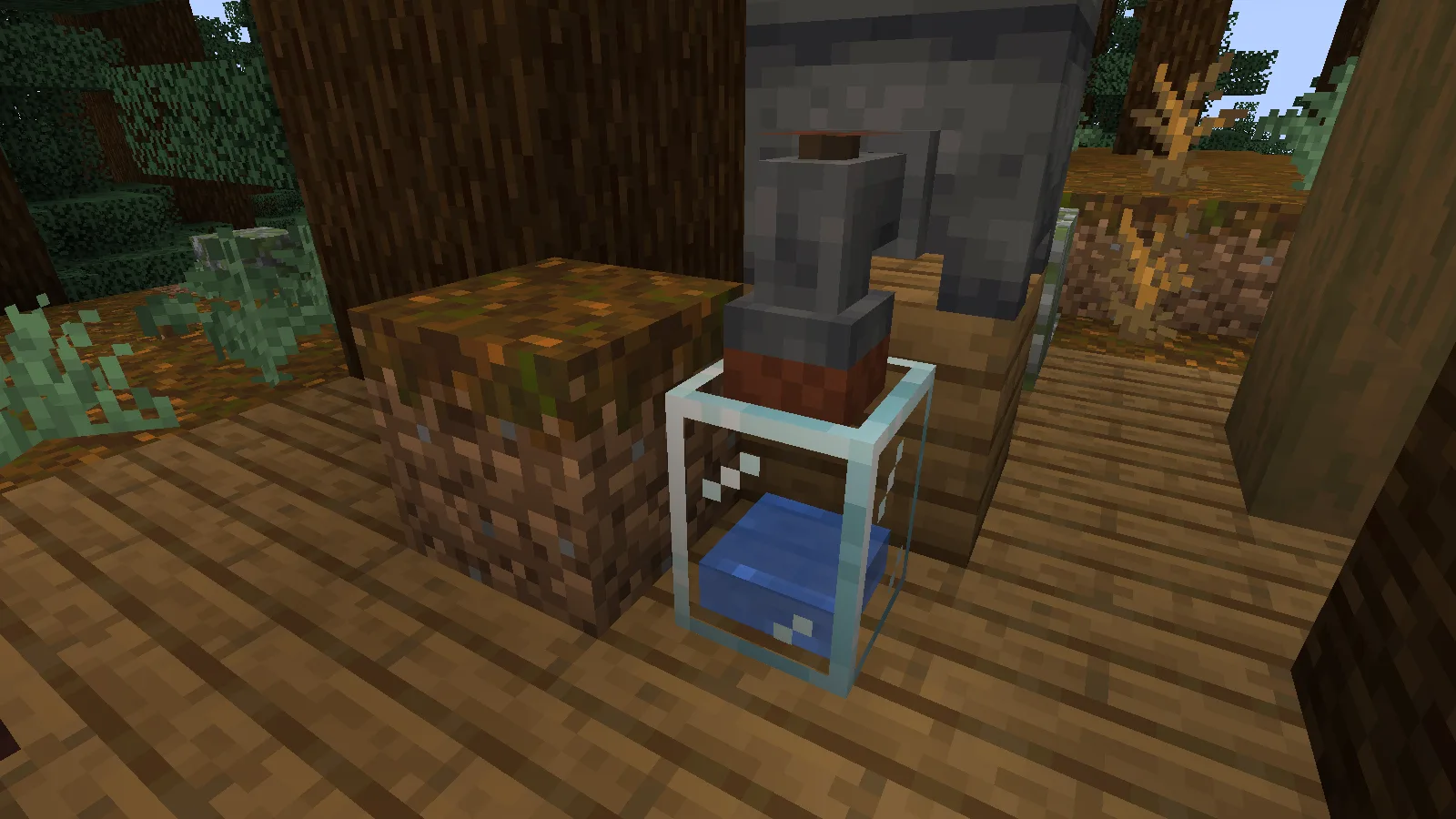
This is a compact way to give a wash area or outdoor kitchen an interaction. Check the arrangement from the side if nothing transfers: the source belongs behind the faucet and the receiving jar below it. An empty source cannot keep pouring. We checked this cauldron-to-jar setup, rather than assuming every modded tank or liquid behaves identically.
3. Grow wheat on the porch
For a Planter, combine seven bricks, one dirt block and one bone meal in the pattern below. These are individual bricks, not brick blocks. The dirt goes in the centre and the bone meal above it.
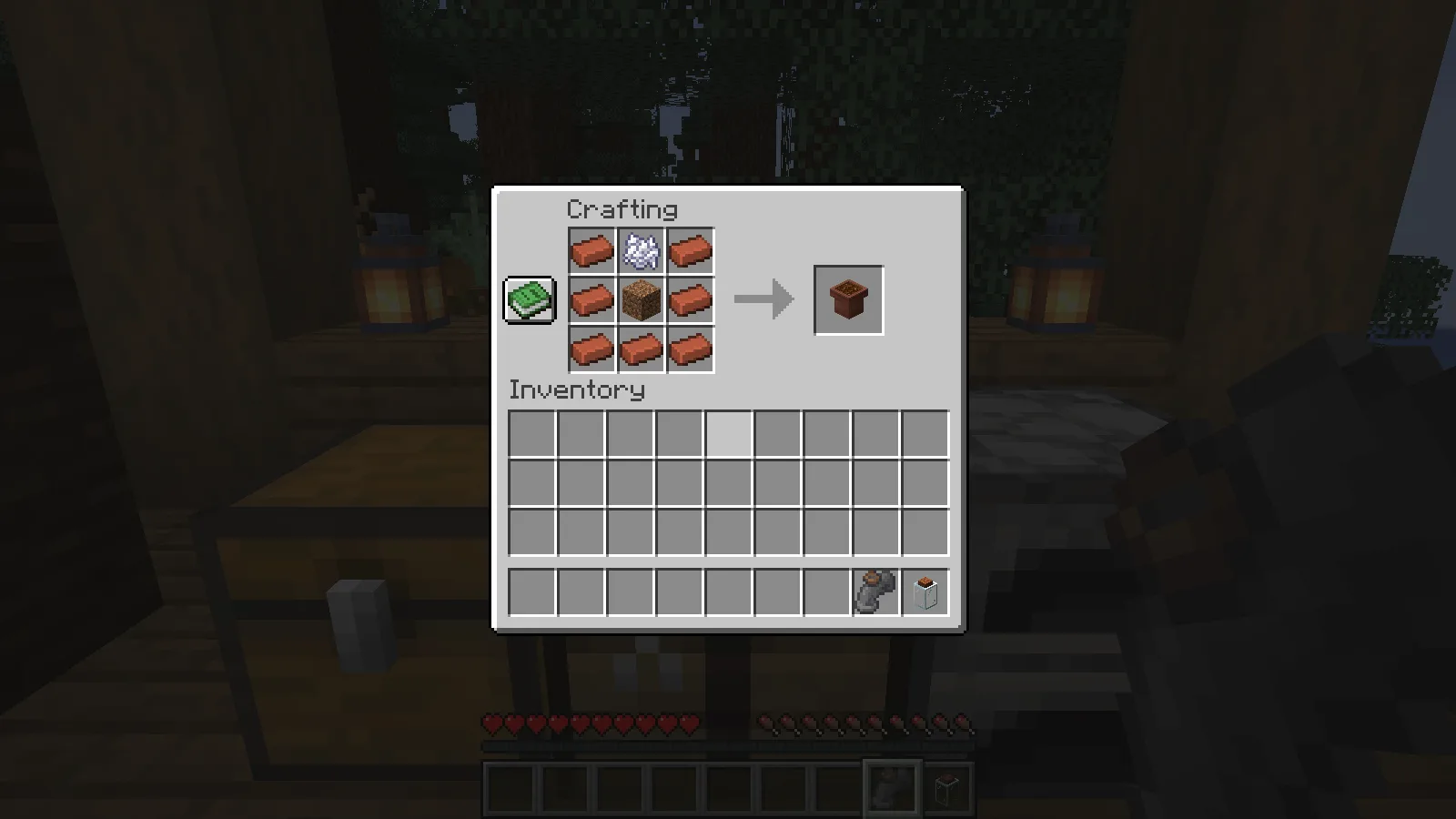
Put the planter down, then use wheat seeds on its top. We planted a seed in Survival and used bone meal on the crop until it was ripe. There was no water beside this planter, and it stood on the edge of the wooden porch rather than on a tilled field.
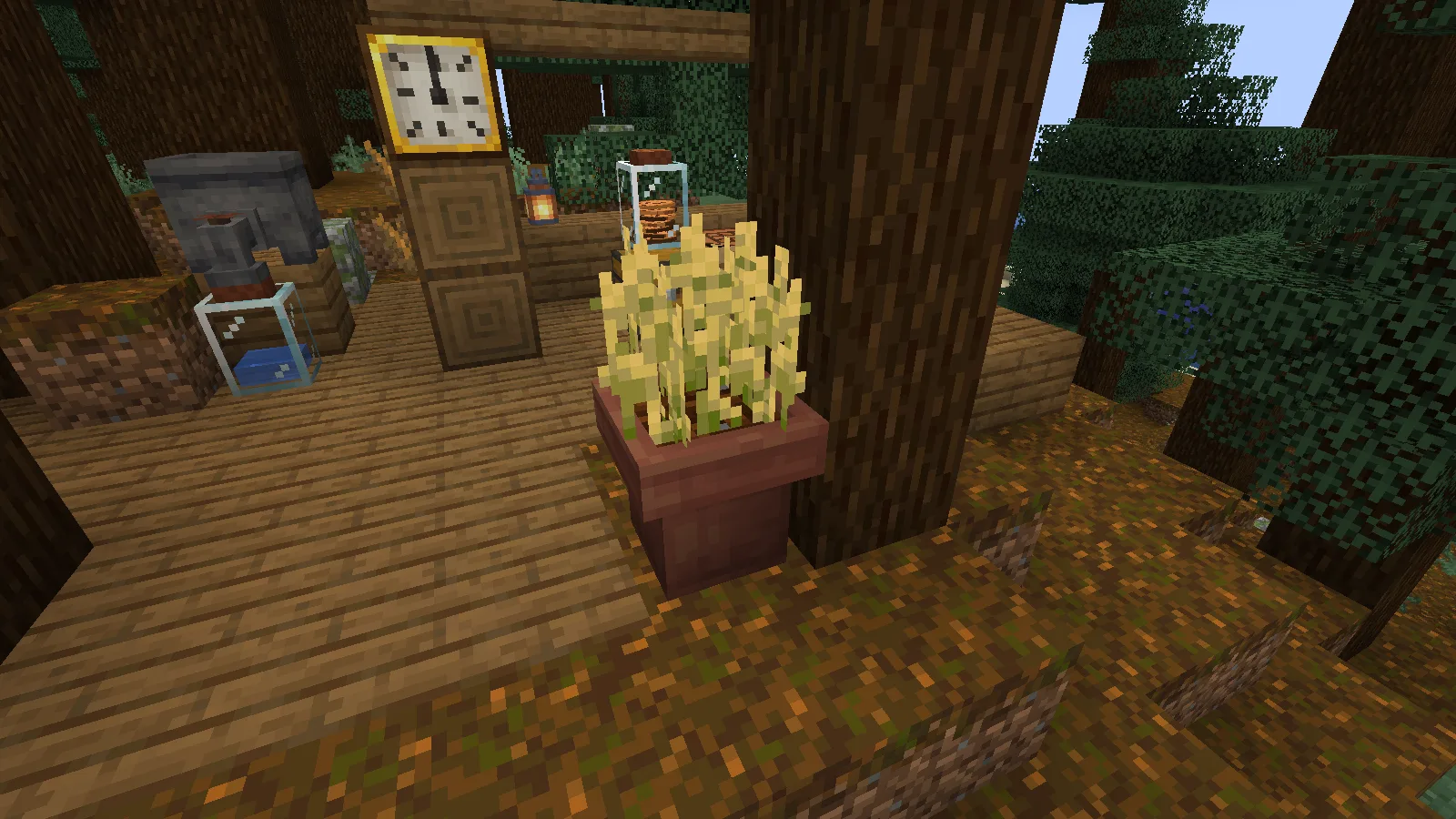
It is a useful choice when you want a small kitchen garden without cutting irrigation channels through a balcony or courtyard. Our example demonstrates planting and bone-meal growth. It is not a timed comparison of natural crop growth, so do not read the ripe wheat as a promise of instant unattended farming.
4. Give a furnace a bellows
Craft Bellows with six wooden slabs and two leather. The top and bottom rows are slabs; leather goes at the sides of the middle row.
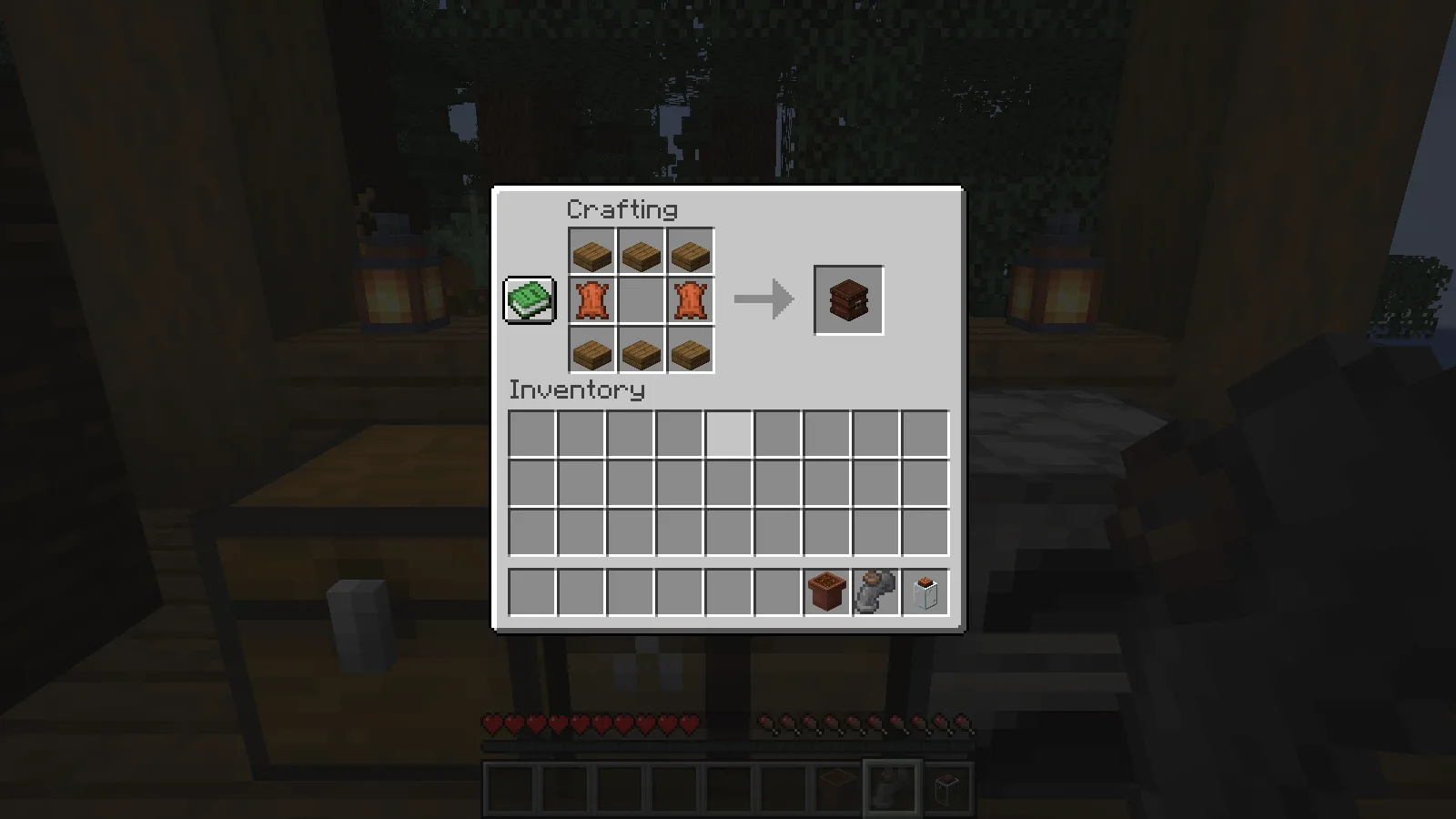
Place the bellows beside a furnace with its nozzle pointing towards that furnace. Power it with redstone; our setup uses a lever on the floor in front. The furnace on the other side was a comparison furnace, not a second target for the same nozzle.
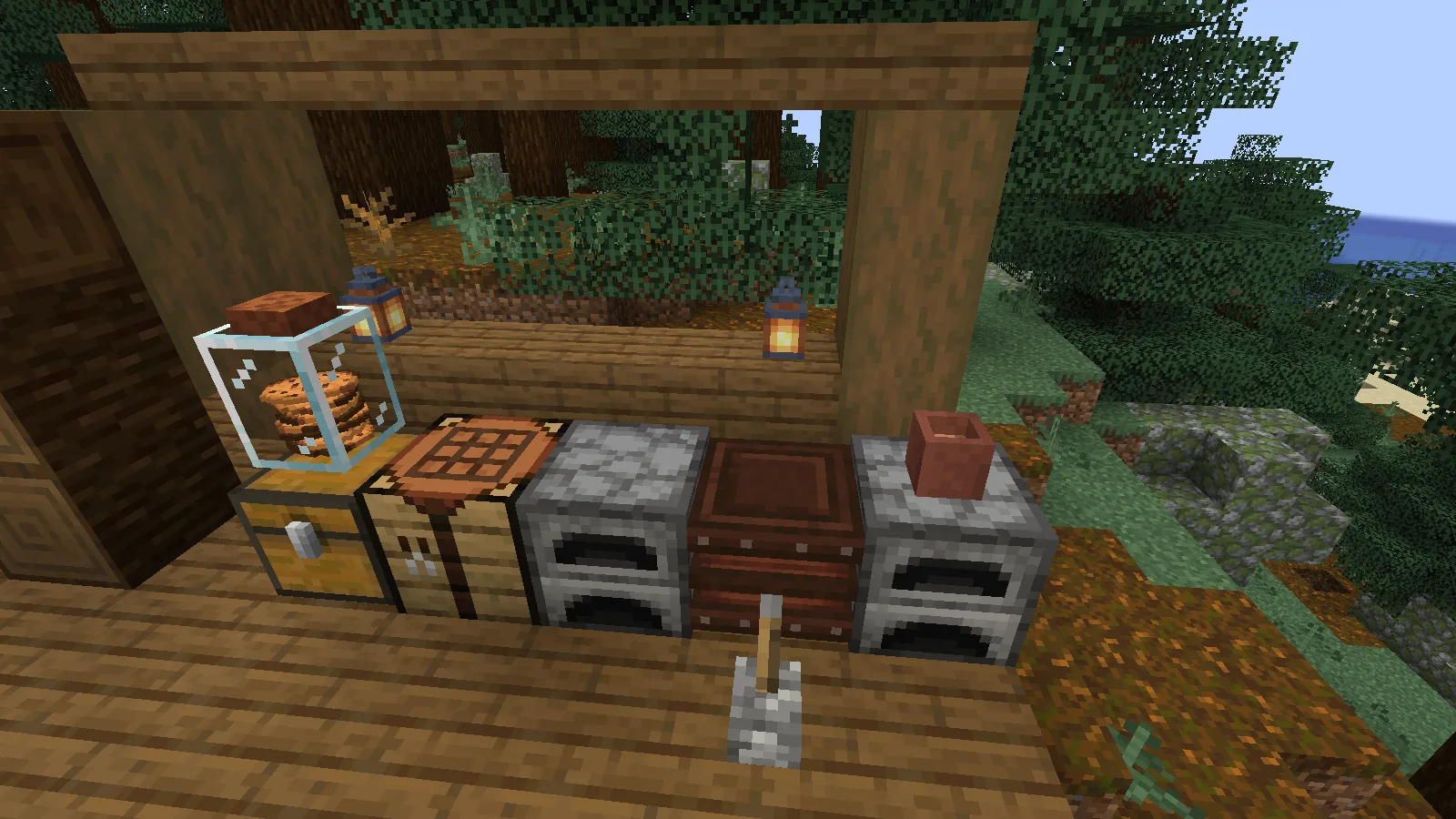
Both furnaces received 16 raw iron and one coal through their normal inventory screens. Over the same 600 game ticks, the furnace facing the powered bellows produced four iron ingots, while the comparison furnace produced three. The bellows-assisted furnace also used more of its coal's remaining burn time. This is a speed improvement in the tested setup, not free fuel or a universal speed claim for every machine in a modpack.
If the bellows moves but your furnace does not benefit, check which way its nozzle points. Our first placement faced the wrong way; turning the setup towards the furnace was necessary for the comparison.
5. Read the time from a wall clock
Surround an ordinary clock with eight wooden planks to craft the Clock Block. We used spruce planks in the recipe.
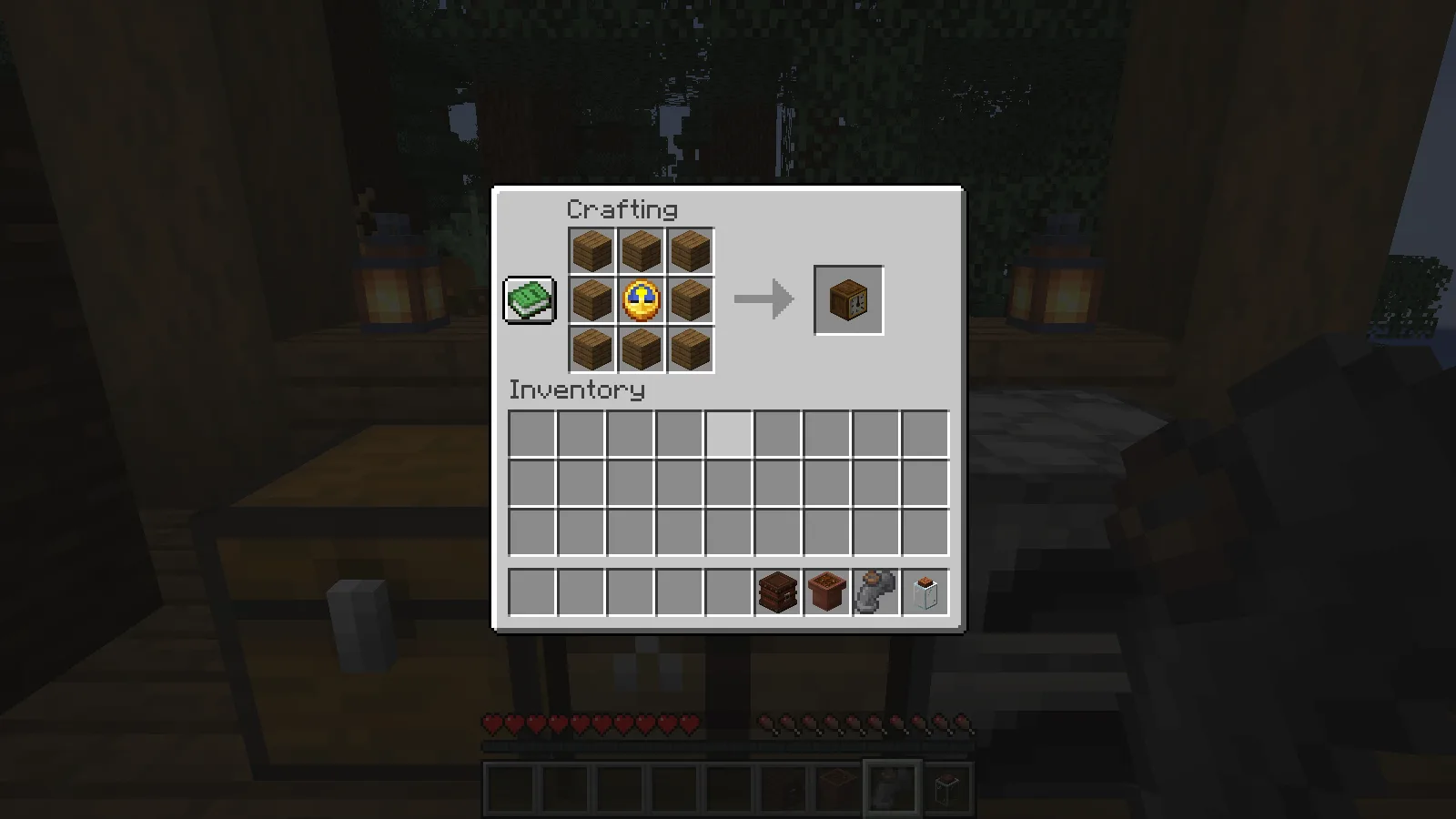
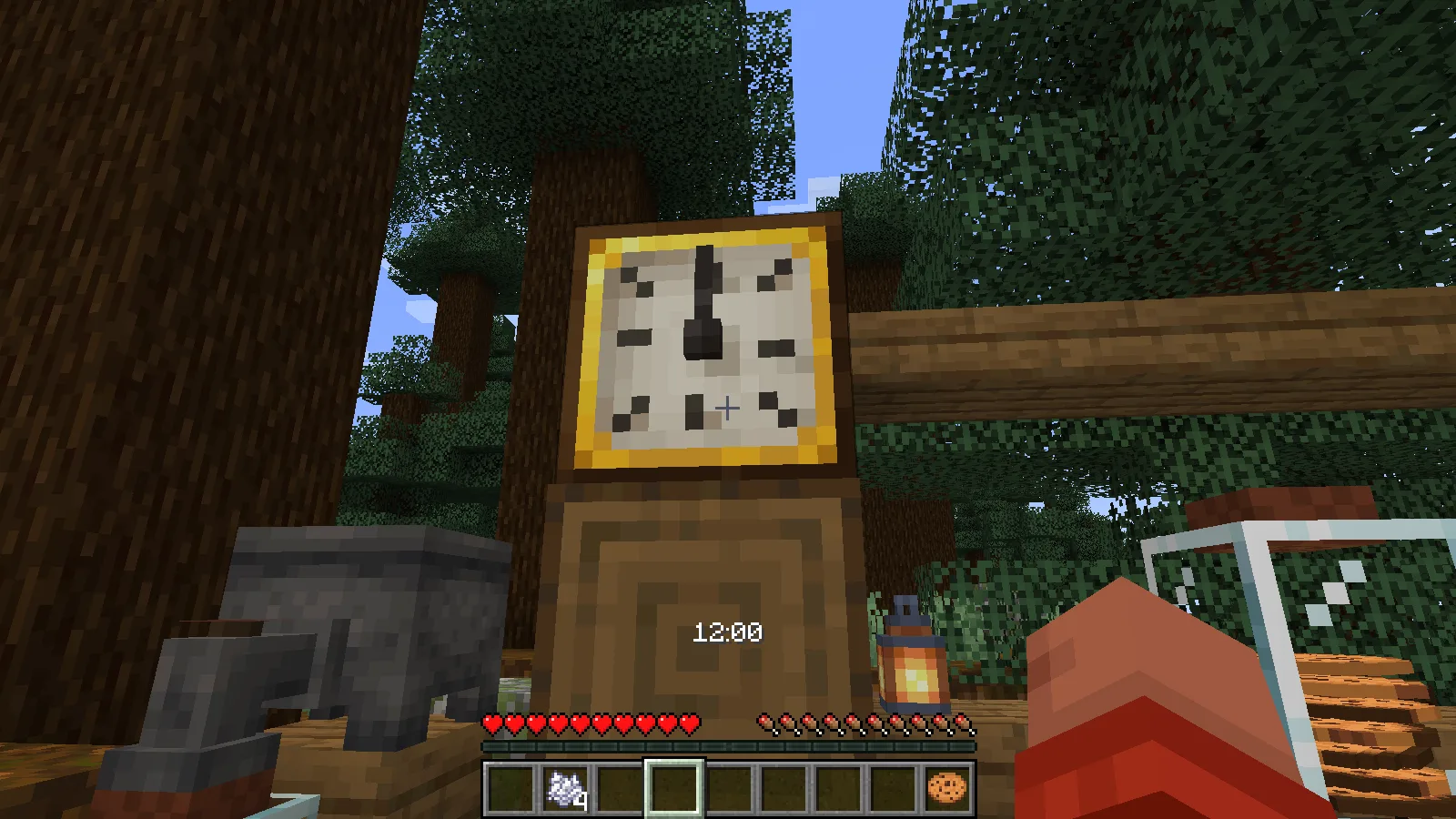
Place it where you can see the dial from the work area, then use it to read the time. Our clock displayed 12:00 above the hotbar at the workshop's fixed midday. It is an easy detail to add beside an entrance or storage area, with a readable time display as well as the dial.
Install the matching files
Install Supplementaries and its required Moonlight Lib together in the active instance's mods folder, using the matching files in Files. For multiplayer, clients and server need matching files. The official dependency resource is in the creator block.
Comments 0
Share what worked, ask for help or reply to another player.
Use your Modonix account to join the discussion and manage your comments.
Sign in to commentNo comments yet. Share what worked for you.