
A mine entrance and its sorting area can be close enough to walk between yet far enough to become tedious. Rift Relay connects two chosen positions without becoming a cross-dimension portal network.
Connect two places you keep walking between
Sneak-use on a safe floor to mark your first anchor, then do the same at a second spot within 96 blocks. A mine entrance and a nearby sorting area are a useful pair.
Stand at either anchor for two seconds to travel. Step away to cancel the countdown. The supplied route is owner-only and stays in one dimension; look up into empty sky and sneak-use to clear your pair when you want a new route. Looking at a reachable floor sets an anchor instead.
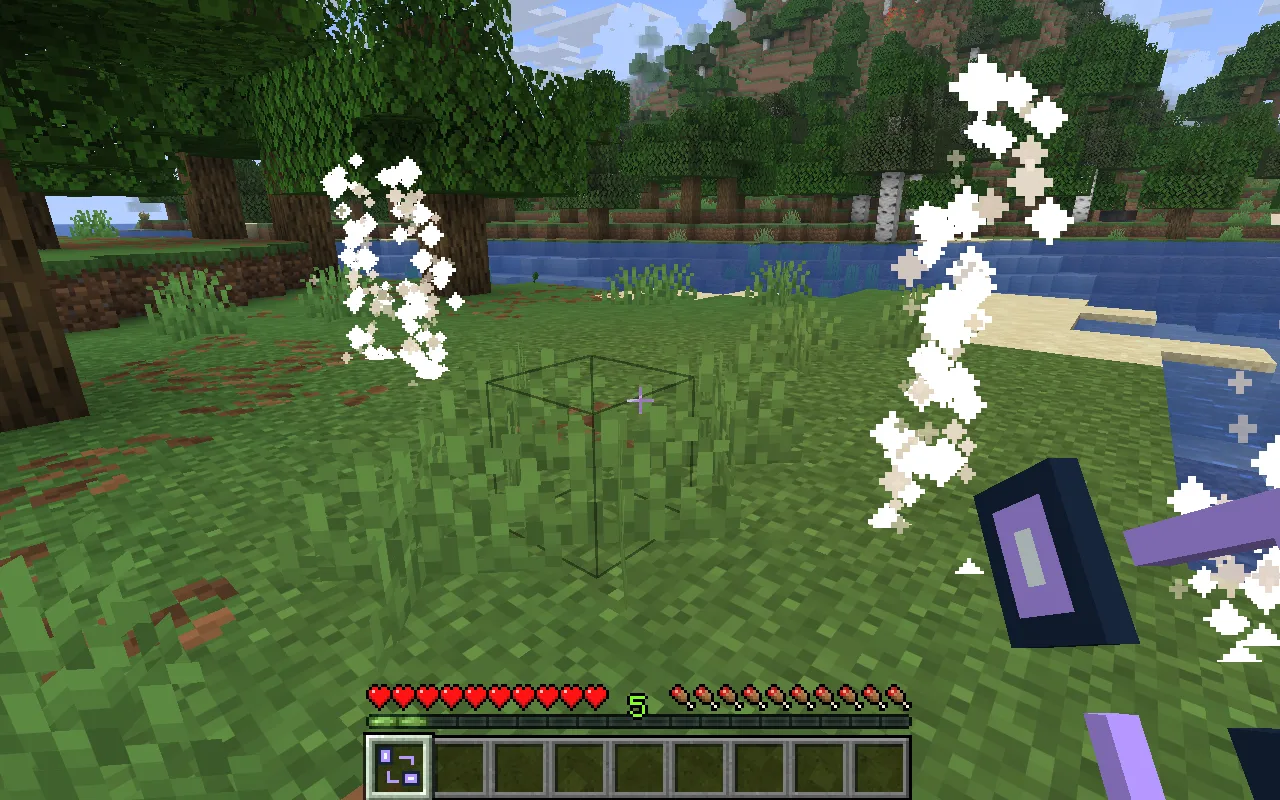
The two particle markers show the ends of a short route. Stand inside one to begin the two-second journey. Step off the destination marker when you arrive if you want to stay there.
Keep both ends usable
- Both anchors must be in the same loaded dimension. The destination is checked again before travel.
- There is no seamless portal view or cross-dimension transport.
- Links belong to the owner and artifact. Each successful trip pays the configured amethyst cost in Survival.
Each activation costs one amethyst shard in Survival, with a three-second cooldown. Creative use is free.
Link a compact workshop
Reduce Maximum link distance to 32 for a compact workshop. Shared access is an explicit choice for an agreed shared world; the supplied project keeps travel private.
Open Rift Relay in the constructor to change the settings and build your own version. Save its editable project if you want to keep working later.
Craft a relay for the work route
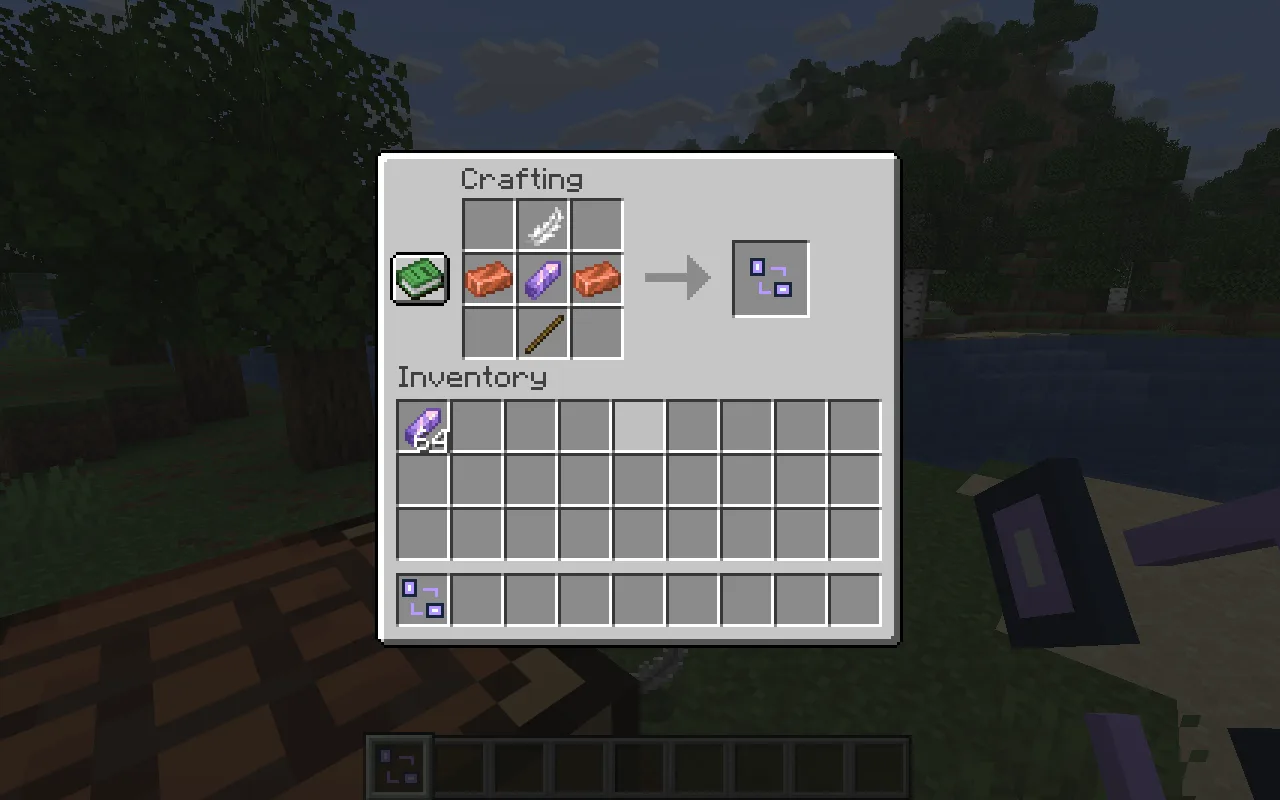
At the crafting table, place a feather at top centre, copper–amethyst–copper across the middle, and a stick at bottom centre. Leave the other slots empty. Take extra amethyst for successful trips between the anchors.
Add Rift Relay and Fabric API to the active instance’s mods folder while Minecraft is closed, then relaunch. The matching downloads are in Files.
Comments 0
Share what worked, ask for help or reply to another player.
Use your Modonix account to join the discussion and manage your comments.
Sign in to commentNo comments yet. Share what worked for you.