
Seeing a vein does not tell you how much one action will remove. Resonant Chisel separates preview from confirmation, then uses your real pickaxe to mine the chosen group.
See the vein before you take it
Hold the chisel in your main hand and a suitable pickaxe in your offhand. Use on an ore to preview its connected group; use the same ore again when you are ready to mine it.
The supplied limit is 16 face-connected blocks, so diagonal neighbors do not join automatically. Mining uses your actual pickaxe, including its enchantments and durability. Sneak-use cancels a preview without taking the ore.
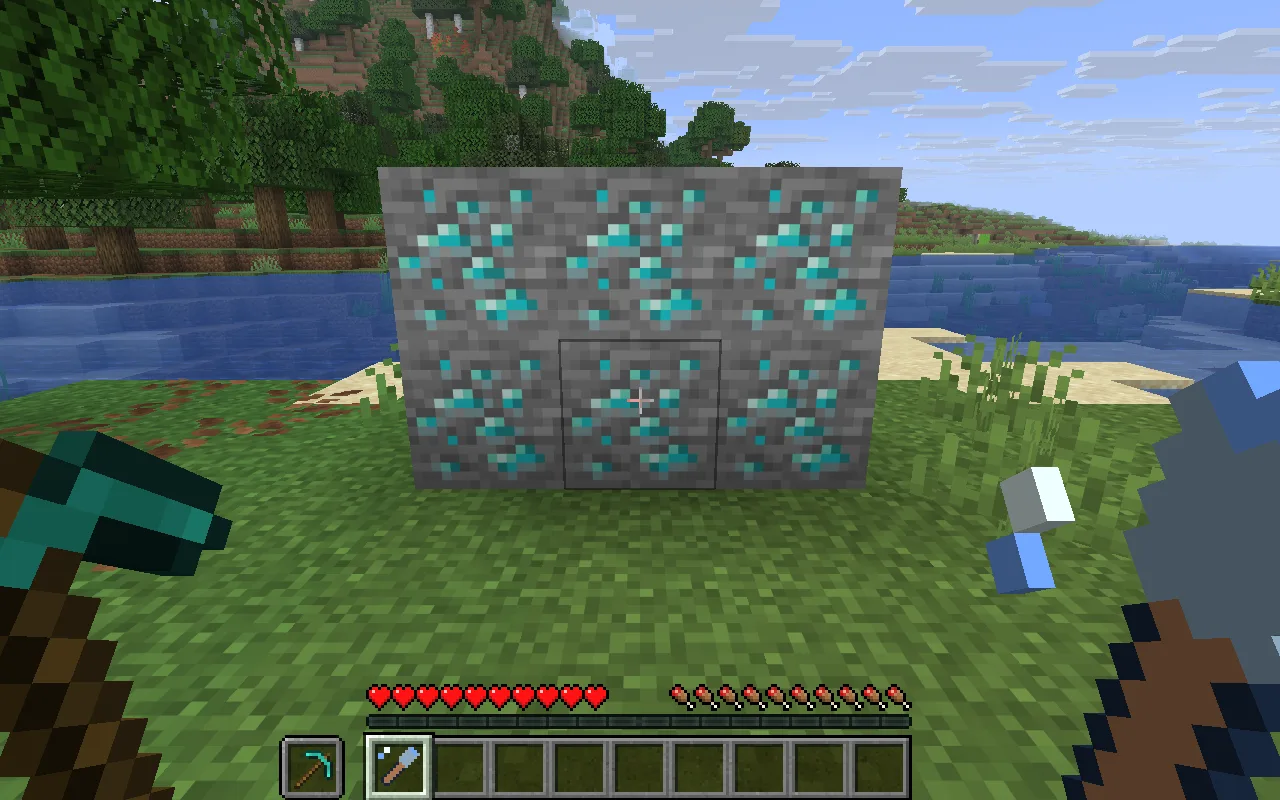
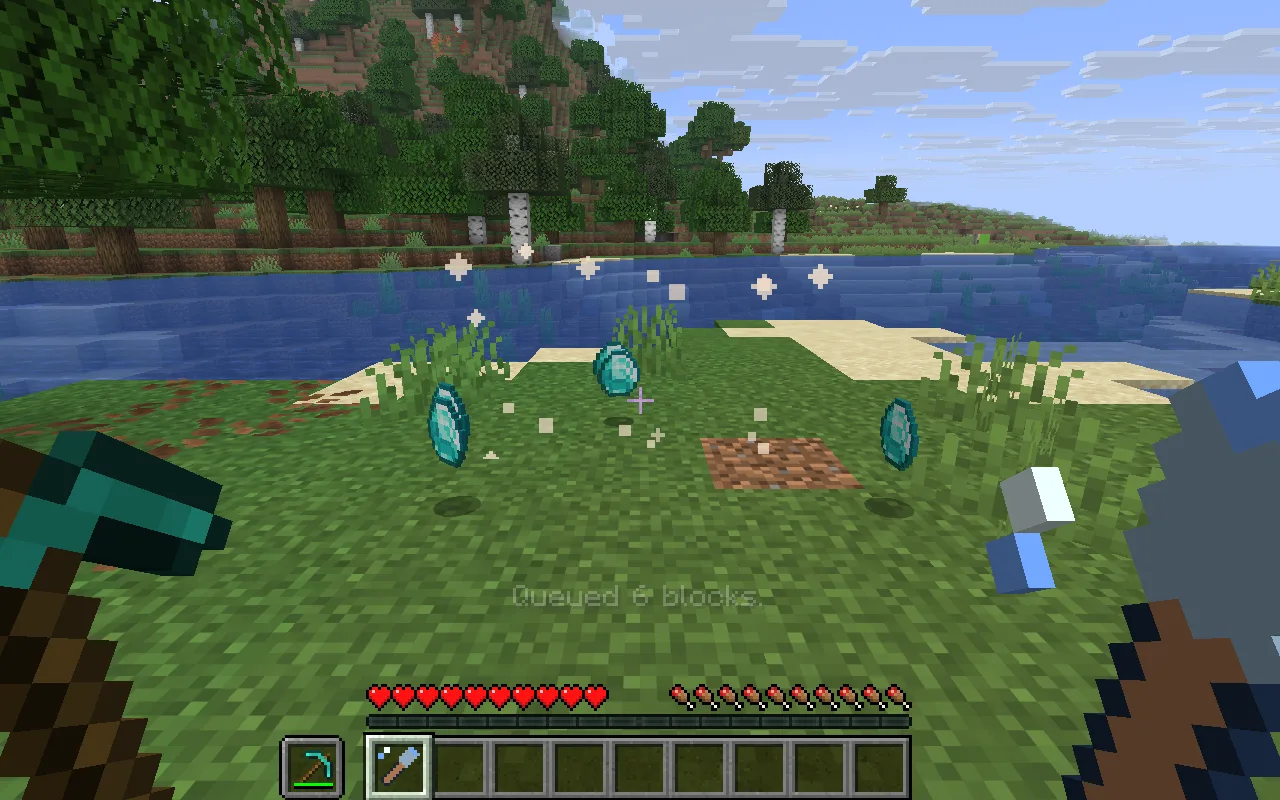
This six-block demonstration vein makes the result easy to compare. The pickaxe belongs in your offhand: the chisel uses that real tool when you confirm the group.
Check drops, access and tool wear
- Only selected ores are followed. The chisel does not determine whether an ore was naturally generated; use it in your own world or with permission.
- Only loaded, permitted ore blocks are affected. A missing or unsuitable pickaxe is not replaced with a free tool.
- Item drops respect the pickaxe and its enchantments. This version does not award mining experience; inventory overflow remains dropped items.
Each activation costs one amethyst shard in Survival, with a three-second cooldown. Creative use is free.
Craft the chisel and bring a pickaxe
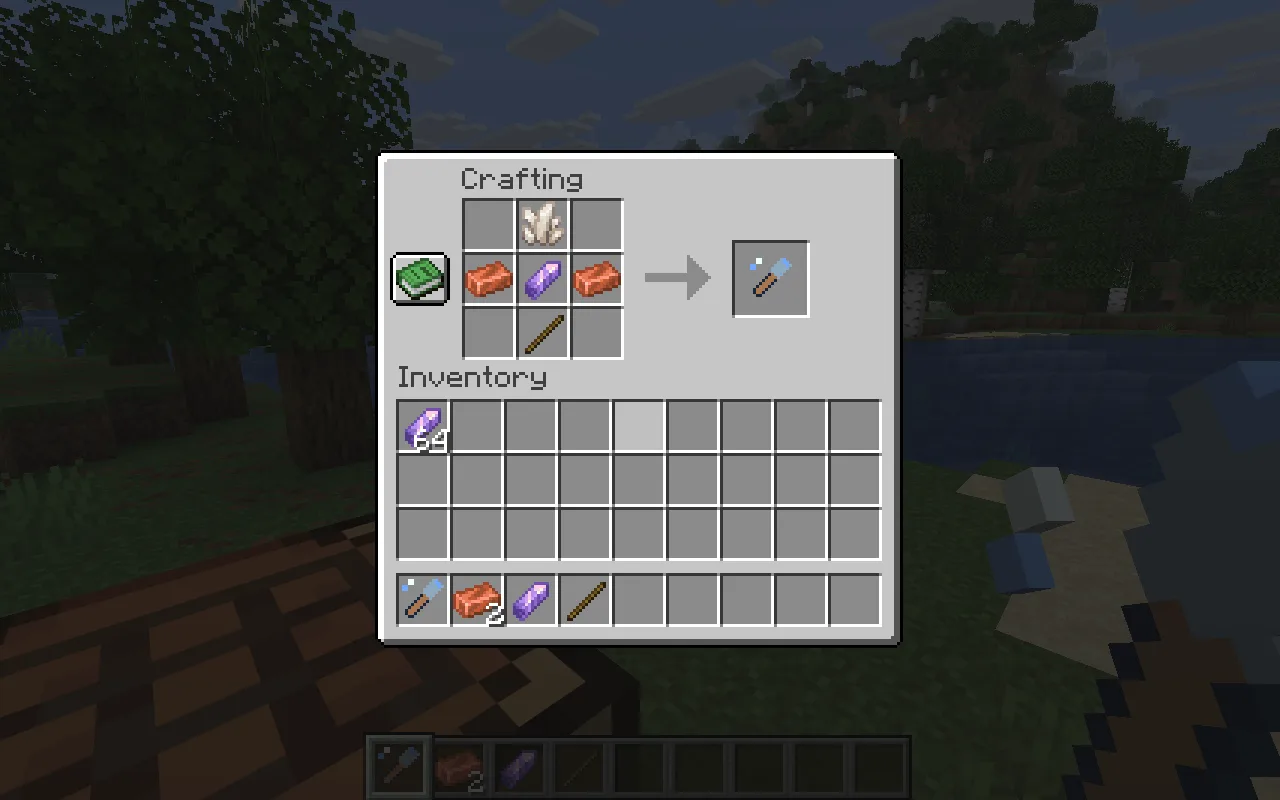
Put quartz at top centre, copper–amethyst–copper across the middle, and a stick at bottom centre of the crafting grid. The remaining slots stay empty. The recipe does not supply the pickaxe: bring one suitable for the ore you plan to mine.
Limit a vein to a smaller group
Set Maximum vein blocks to eight for a smaller operation, then select only the ore types you want it to follow.
Open Resonant Chisel in the constructor to change the settings and build your own version. Save its editable project if you want to keep working later.
Use the matching Resonant Chisel and Fabric API downloads in Files. Put both in your instance’s mods folder while the game is closed, then reopen it.
Comments 0
Share what worked, ask for help or reply to another player.
Use your Modonix account to join the discussion and manage your comments.
Sign in to commentNo comments yet. Share what worked for you.