
Sometimes the useful move is making enough room to leave. Pulse Ward creates a short defensive opening in front of you rather than promising protection from every attack.
Make room to get out
Face approaching zombies, skeletons, creepers or spiders and activate the ward. Its four-block forward area gives selected visible enemies an outward push, creating a brief chance to reposition.
The ward lasts four seconds and stops eligible hostile ordinary or spectral arrows. Keep moving and use cover: melee attacks and other projectiles still matter, and there is no protection behind you.
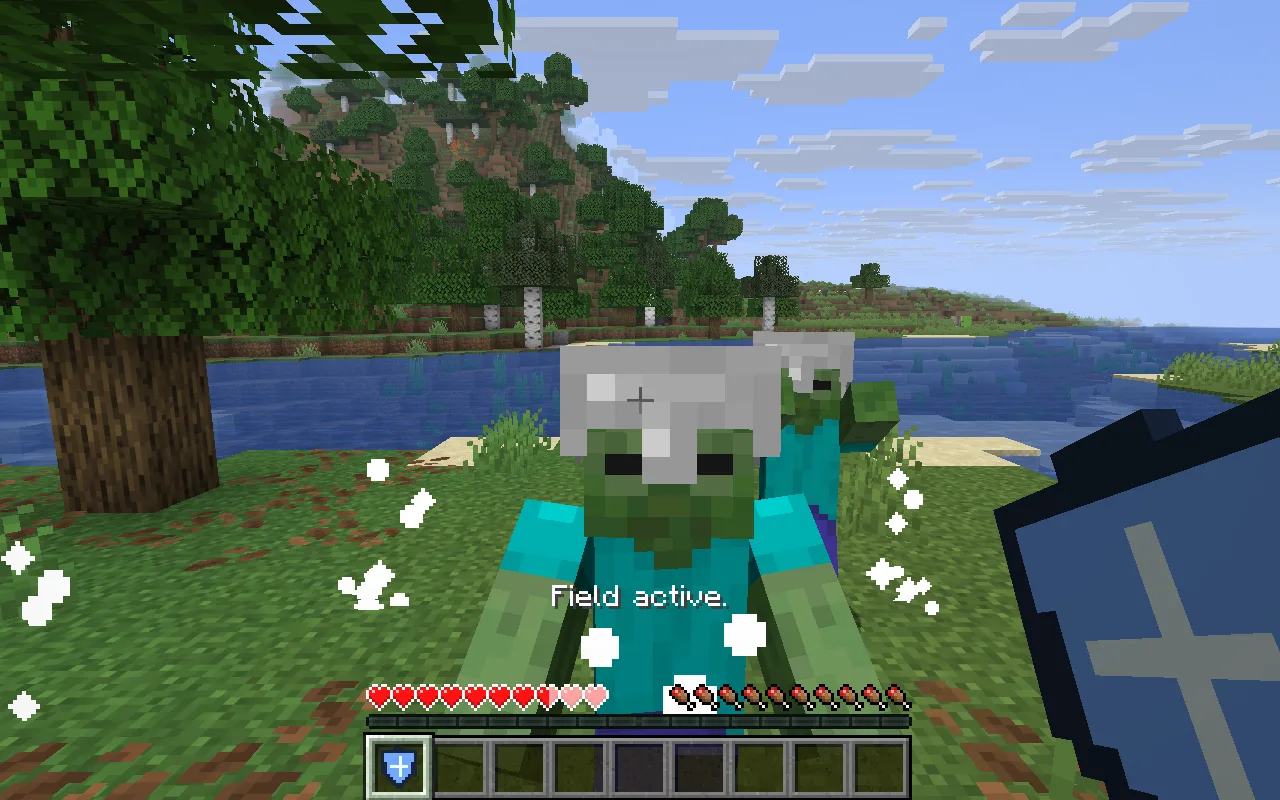
The ward opens a gap in front of you. Keep facing the threat and use that gap to move away; the hearts in this encounter also show why you still need to avoid attacks.
Each activation costs one amethyst shard in Survival, with a three-second cooldown. Creative use is free.
Arrows and enemies the ward leaves alone
- Eligible ordinary and spectral arrows from non-player shooters are stopped, not reflected or copied. Player-fired arrows are preserved.
- Other players are not pushed; unlisted mobs are not included automatically.
- The effect faces forward. It is not an all-purpose invulnerability bubble.
Build a skeleton-focused version
Keep only Skeletons in Affected mobs for a narrower tool. Lower Duration to two seconds to make the timing of each use matter more.
Open Pulse Ward in the constructor to change the settings and build your own version. Save its editable project if you want to keep working later.
Craft a ward and leave room to retreat
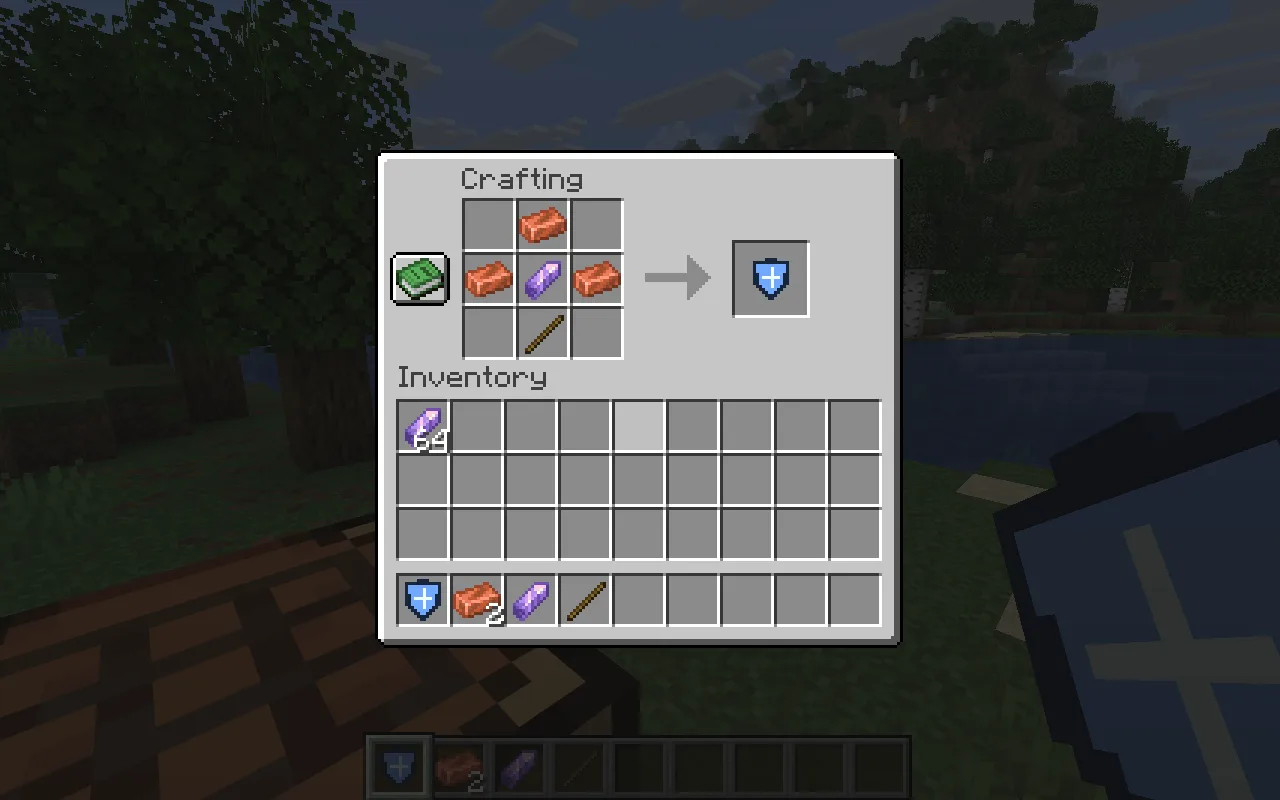
Put a copper ingot at top centre, copper–amethyst–copper across the middle, and a stick at bottom centre. Leave the other slots empty. That uses three copper ingots, one amethyst shard and one stick. Keep more amethyst for the ward itself.
Close the game and put Pulse Ward with its required Fabric API in the instance’s mods folder. Choose the matching files in Files, then relaunch before crafting.
Comments 0
Share what worked, ask for help or reply to another player.
Use your Modonix account to join the discussion and manage your comments.
Sign in to commentNo comments yet. Share what worked for you.