A farm visit often starts with two small questions: which row is ready, and what is already in the storage chest? Jade adds information about the block under your crosshair, so you can answer both while moving through the work area.
Read the crop before breaking it
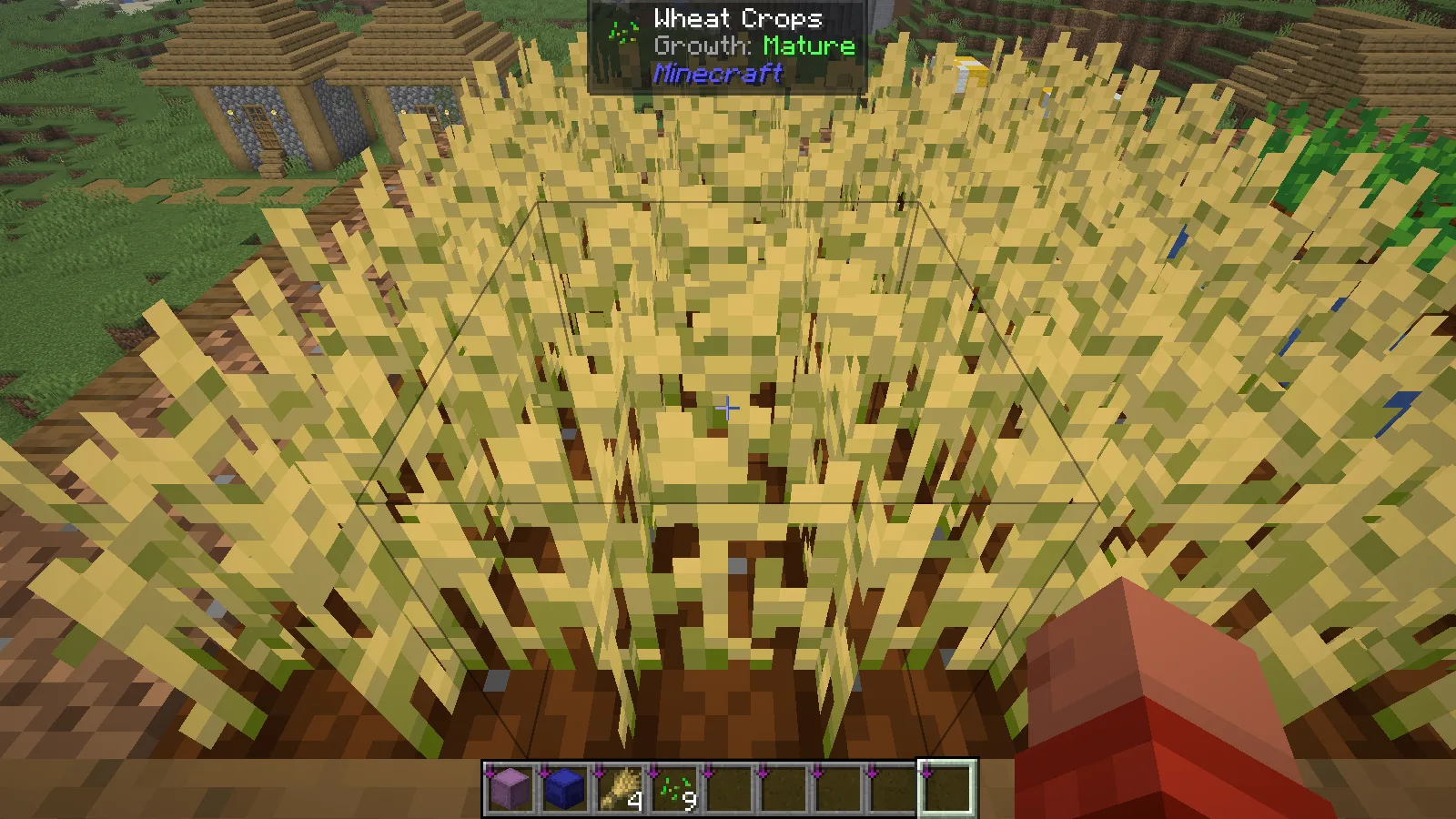
Point at the wheat you are considering harvesting. In the garden shown here, Jade names the block and labels its growth as Mature. Move along the row and keep the crosshair on the crop itself rather than the farmland beneath it.
The neighboring carrots are still growing. Their overlay reads 43%, giving a clear reason to leave that plant alone while harvesting the finished wheat. The percentage describes its current growth stage; use it as a readiness check, not a countdown to the next harvest.
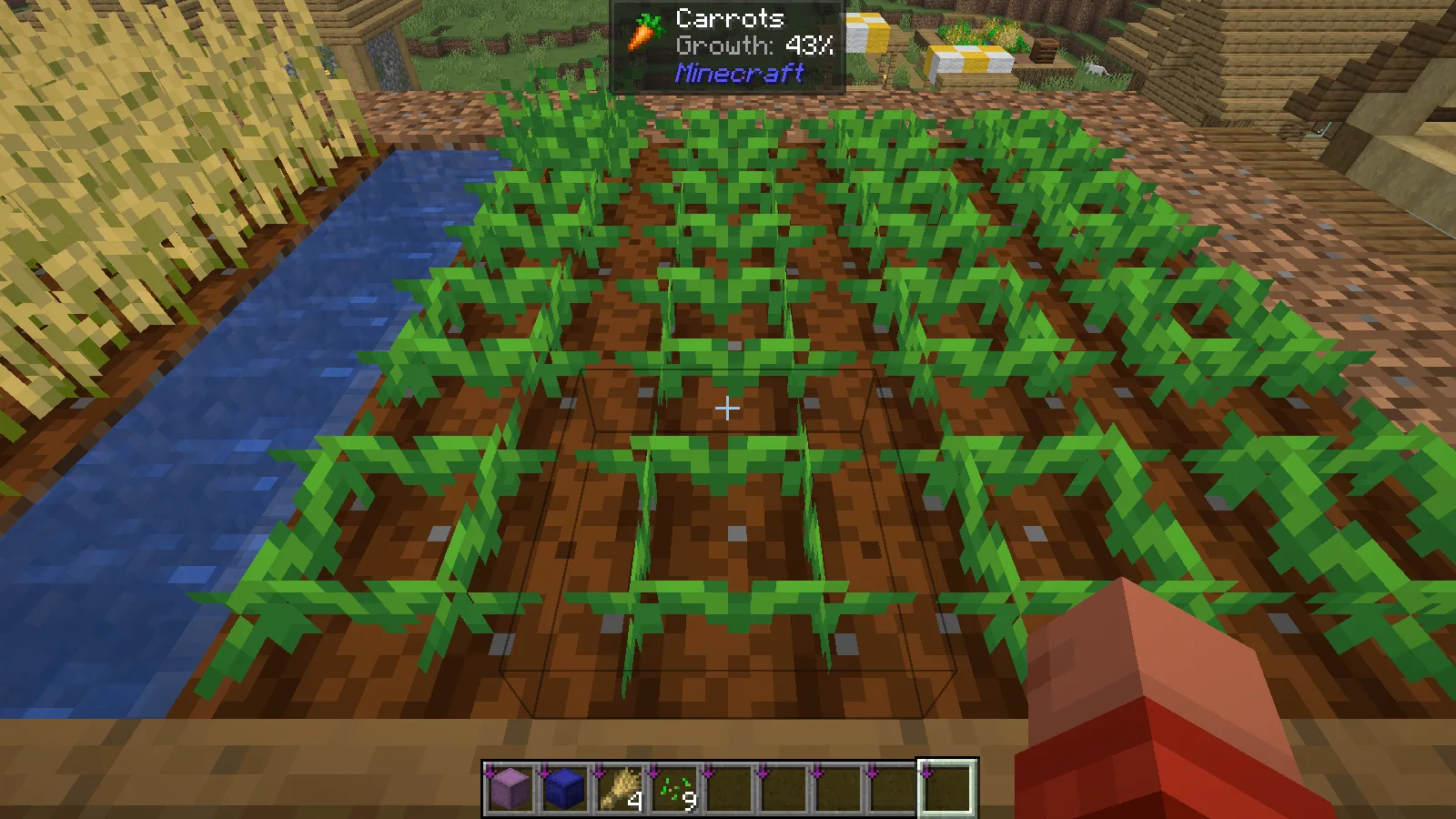
This is useful when different crops share a compact garden. A quick pass can separate the finished plants from the rows that need more time, without relying only on small differences in their textures.
Check the chest from outside
Back at the workshop, aim at the supply chest. With the necessary server support present, Jade can display stored items in the same overlay. The example shows 46 oak logs, 48 cobblestone, 64 dirt, 8 diamonds and 24 iron ingots while the chest remains closed.
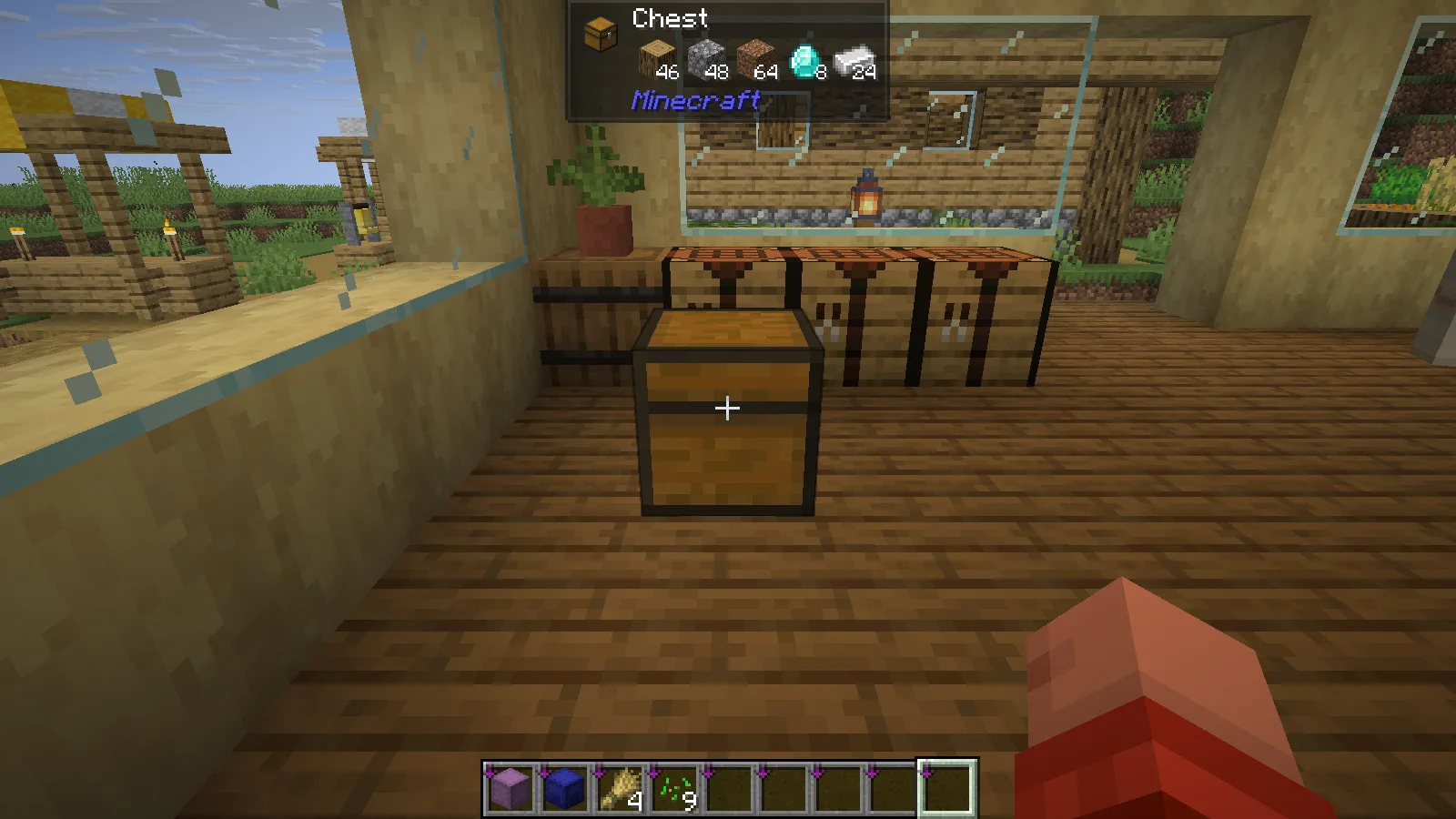
Use that preview to identify the right chest or spot a low supply. Open the container normally when you need to take items out or arrange them. The overlay is especially helpful when several nearby chests look alike, but it does not replace labels for a large storage room.
Install for the information you want
These images use Jade 26.2.11 for Fabric and Minecraft Java 26.2, with Fabric API. Match the game's version and loader when choosing the file.
Jade can provide some information with only the client mod, but richer features such as storage contents require server-side support. The shown world uses a local integrated server. On a multiplayer server, check its setup before expecting the same chest preview; a working block-name overlay alone does not mean all of the storage information is available.
Comments & questions
Share what worked, ask for help or reply to another player.
No comments yet. Share what worked for you.