Inventory Profiles Next: turn a scattered chest into five stacks

15 views 0 downloads

Use the chest sorting button to combine partial stacks and make a small supply chest easier to read.

A small chest can become awkward to read long before it runs out of space. Partial stacks end up in different rows, and the next trip adds another handful of the same material. Inventory Profiles Next adds sorting controls that can bring those supplies together with a click.

Start with the chest button

Open a supply chest and look for the sorting controls beside its title. Use the control for the chest you want to rearrange; the player inventory has its own controls below.
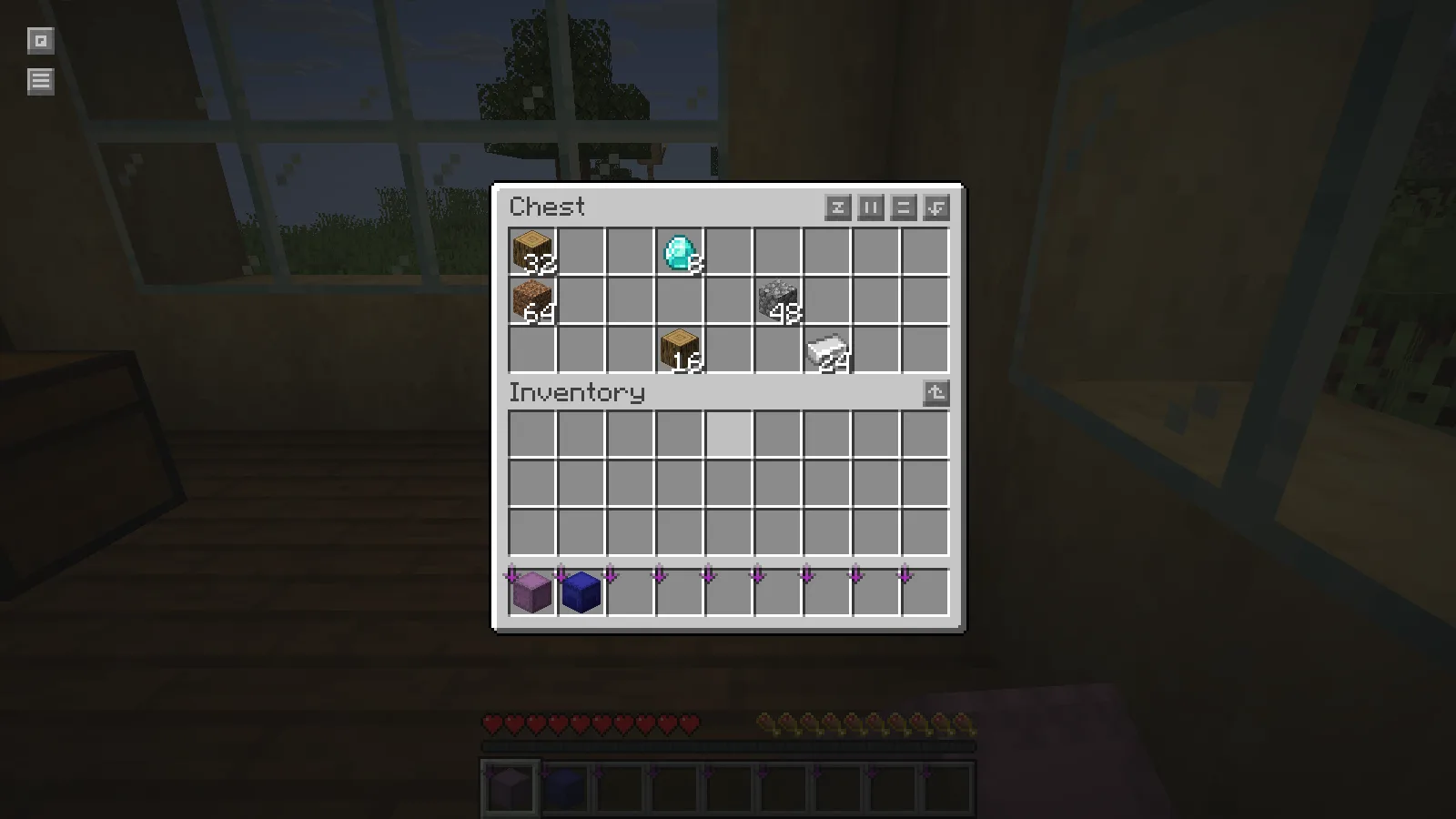
Before sorting: two oak-log stacks and four other materials are scattered across a chest.

The example begins with six occupied slots. Oak logs are split into stacks of 32 and 16. The other materials are 48 cobblestone, 64 dirt, 8 diamonds and 24 iron ingots. They are deliberately spread across the chest so the result is easy to see.

Hover over the Sort Inventory button before clicking it. The tooltip identifies the active order. Here it is Default (Creative Menu), so the resulting arrangement should be read as that setting's order, rather than an alphabetical list.
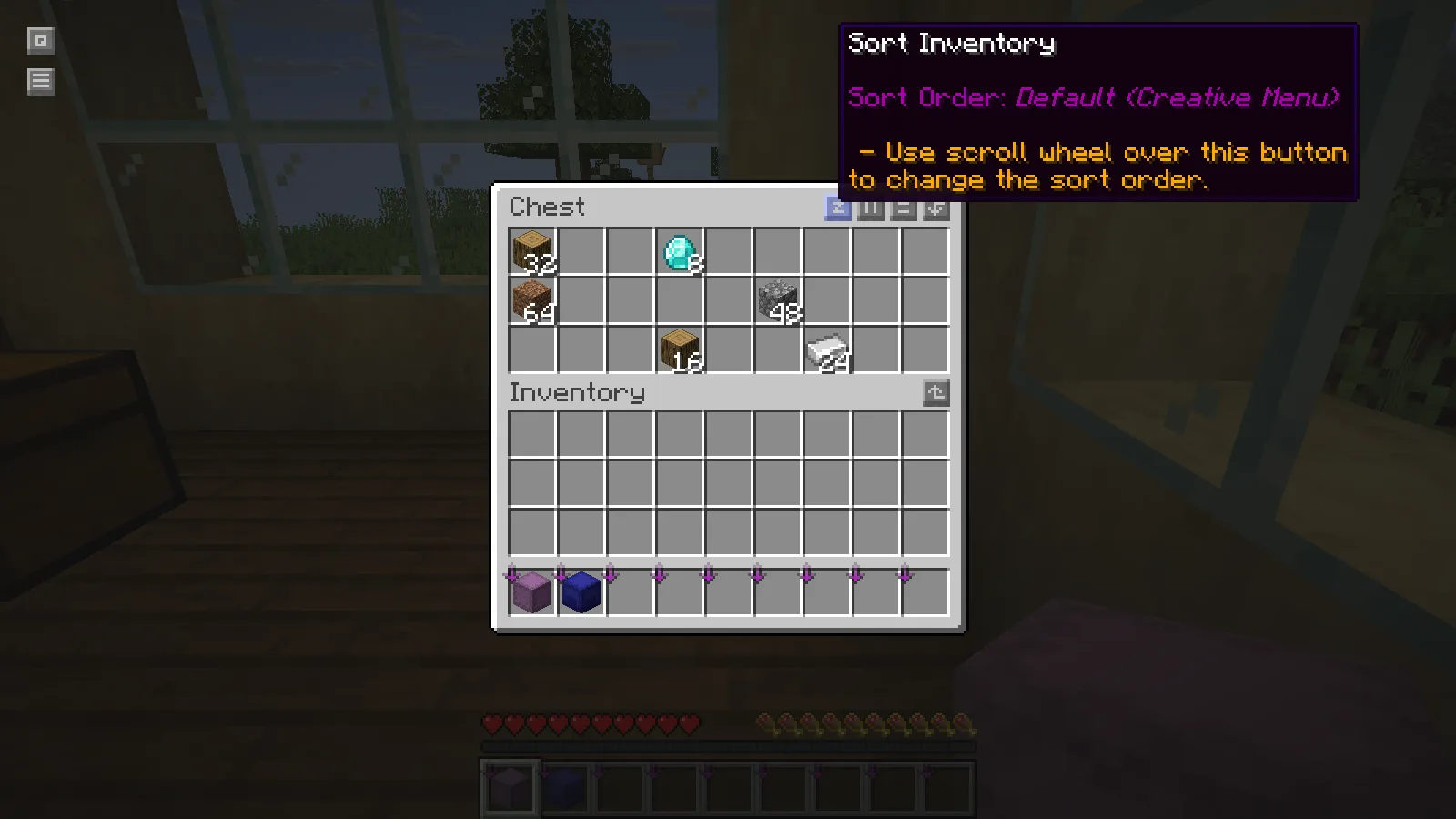
The chest Sort Inventory button shows Default Creative Menu order.

Click the button once. The two oak-log stacks combine into a stack of 48, and the materials move into five adjacent slots. The cobblestone, dirt, diamonds and iron retain their original counts.
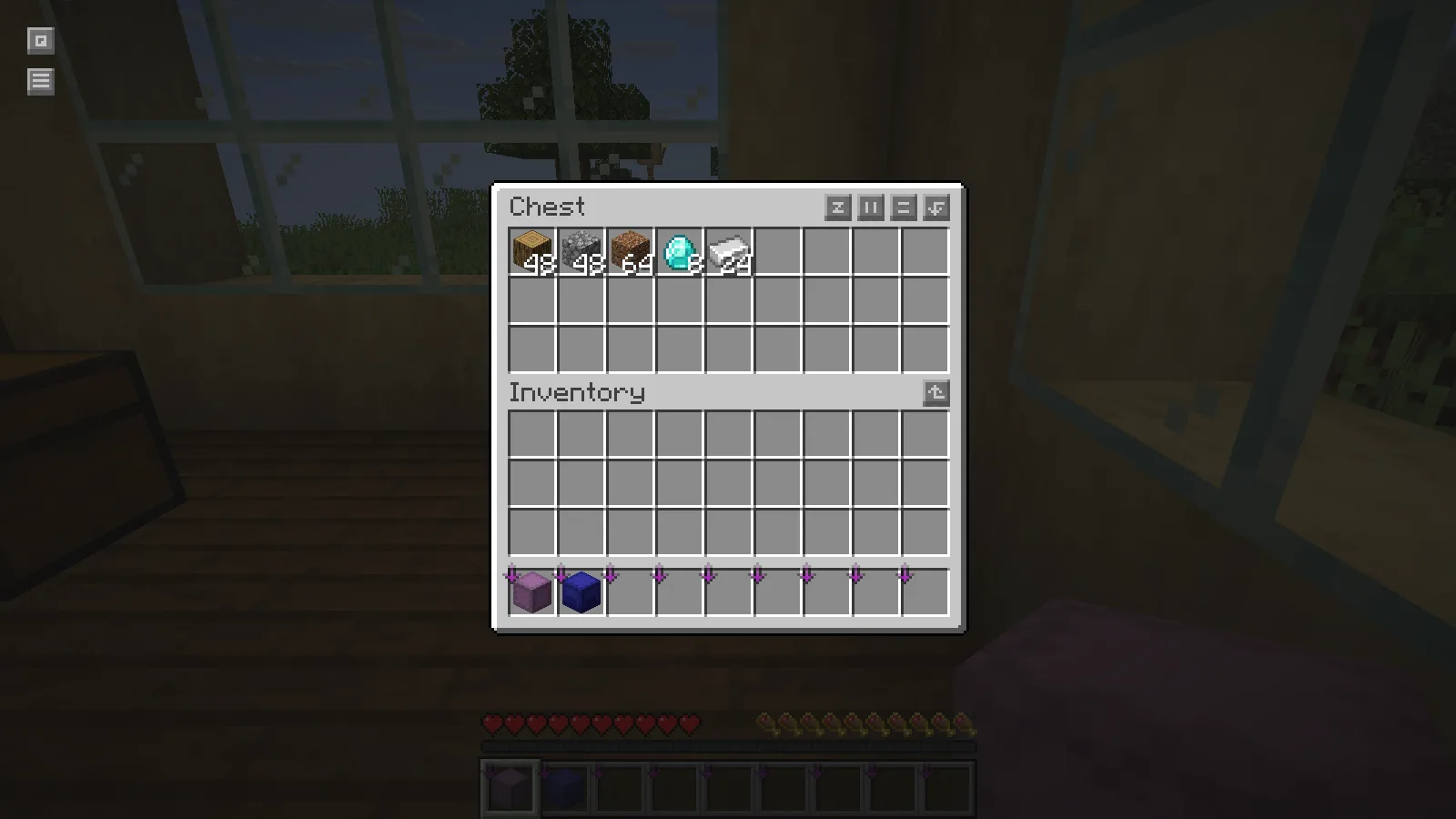
After sorting: 48 logs, 48 cobblestone, 64 dirt, 8 diamonds and 24 iron ingots occupy five slots.

This is particularly useful for a shared building chest: the next person can see what remains without scanning three scattered rows. It also makes an ordinary restocking check easier. If a stack is almost gone, the gap is visible before another trip to the worksite.

Keep a deliberate layout when it matters

Some chests use empty columns or separated rows as labels. Sorting changes that arrangement. Start with a general supply chest, and decide whether automatic order suits the way that chest is used before applying it to storage with a custom layout.

Install the matching dependencies

The illustrated file is Inventory Profiles Next 2.3.8 for Fabric and Minecraft Java 26.2. Install it with Fabric API, Fabric Language Kotlin and libIPN for the same game version. Keep those dependencies in the same profile as the mod, then open a chest to find its sorting controls.

No ratings yet

Files

Filter files 1 fileAll release types
Show all files

Version fabric-26.2-2.3.8

Stable

InventoryProfilesNext-fabric-26.2-2.3.8.jar

Minecraft 26.2 Fabric Client only
3 required dependencies
0 downloads
Download · 1.4 MB
Requirements & details

Fabric 26.2

  • Game version: 26.2 · Mod loader: Fabric · Installation: Client only · Game channel: Stable

Example setup: Minecraft 26.2 with Fabric 0.19.5.

Dependencies for this file
Requirements supplied by the author for this file.

Fabric API 0.161.0+26.2; Fabric Language Kotlin 1.14.1+kotlin.2.4.20; libIPN fabric-26.2-6.9.0

Technical details
File details
Download type
Main
Mod ID
inventoryprofilesnext
Client, server & multiplayer behavior
Client only.
File information

Archive structure and entry integrity checked · 802 entries · 3.8 MB unpacked.

Mod ID
inventoryprofilesnext
Mod version
2.3.8
Fabric environment
client
Requires minecraft
>=26.2 <26.3
Requires libipn
>=6.9.0 <6.10
Requires fabric-language-kotlin
>=1.13.10+kotlin.2.3.20

Manifest values describe the package. They do not prove that it works with every game version. This check is not an antivirus scan.

SHA-256: 142616bee5efefb89d1d6908d1c31aecff2da7f055da918573005ed84f027afb

Release updates

Version fabric-26.2-2.3.8

Stable

Inventory Profiles Next for Minecraft Java 26.2 with Fabric provides inventory sorting and stack combining. Install matching Fabric API, Fabric Language Kotlin and libIPN alongside it.

View files

Comments & questions

Share what worked, ask for help or reply to another player.

No comments yet. Share what worked for you.

Join the conversation

No account required. Confirm your email with a code before your first comment.

1Your name & email

Only a masked address appears with your name. Guest comments are reviewed before publication.

2Verify & post

Search Modonix

Search in