
Handcrafted adds furniture that helps turn an empty Minecraft room into a place to sit, store supplies and spend time between trips. For this review, we furnished a small forest house with a spruce dining corner, green seating and cupboards, then checked what the furniture actually does in Survival.
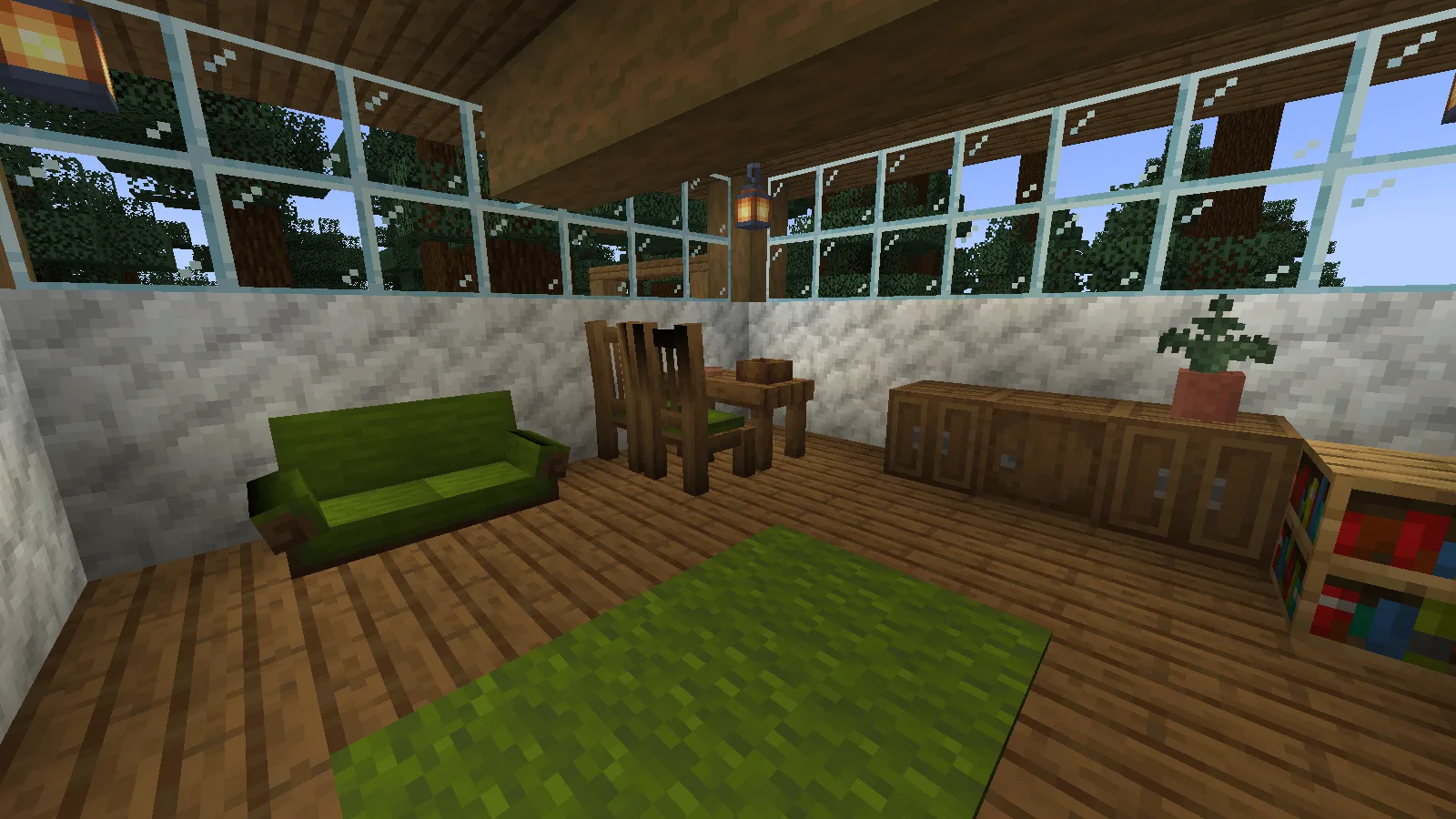
The pictured house is a furnishing example; Handcrafted supplies the furniture, not a generated house.
Start with a room and a clear route through it
Here is the same room before the furniture was placed. We left space between the entrance, seating and cupboards so the room remains usable rather than filling every block. Light walls and windows make the spruce furniture easier to distinguish; the green upholstery connects the room to the trees outside.
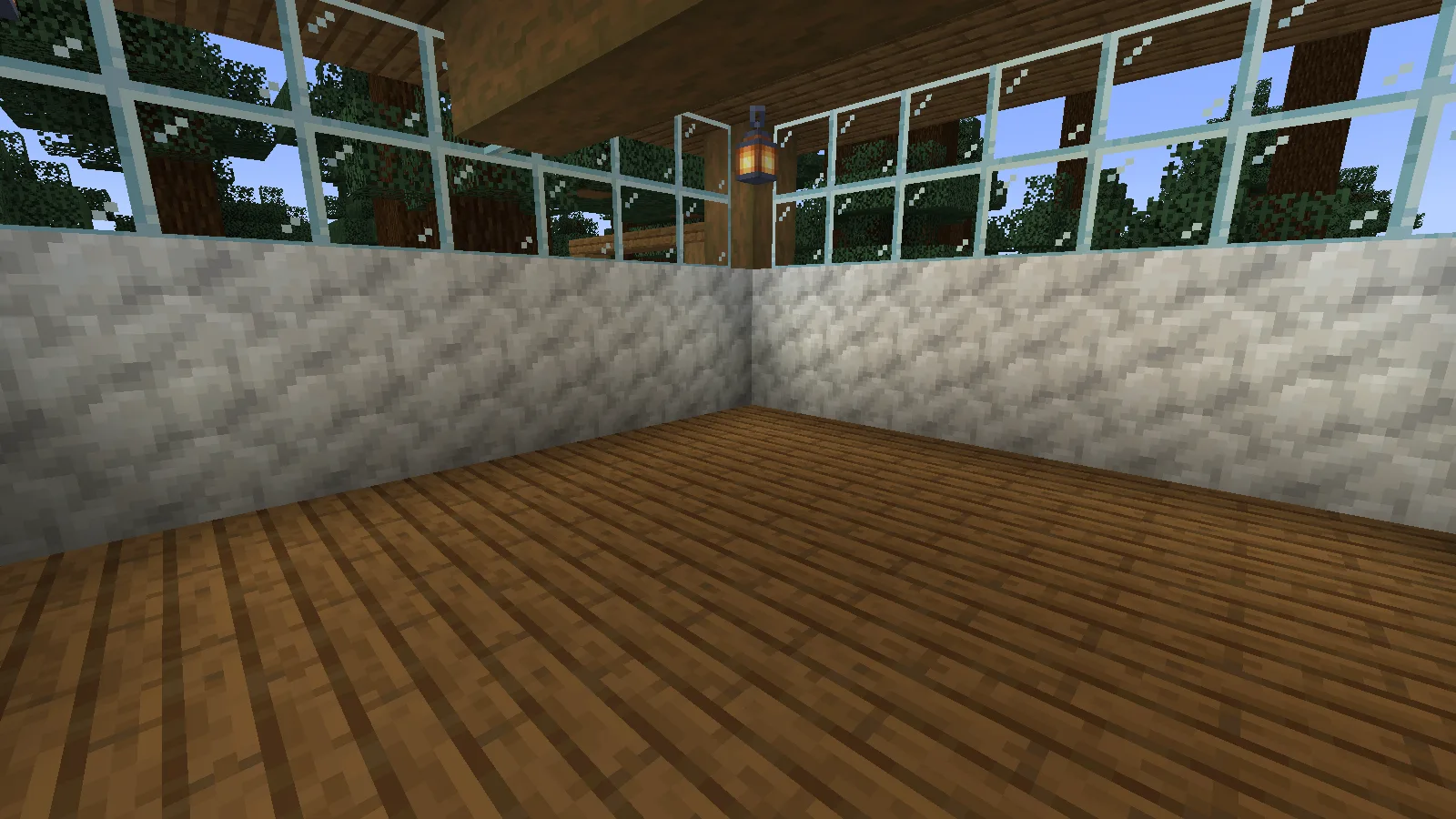
You can follow the same idea in an existing home. Pick one wood family first, make a small set of furniture, and add colour afterwards. Our main set was crafted at an ordinary crafting table; no special furniture workbench was needed for these recipes.
Craft a table and chairs
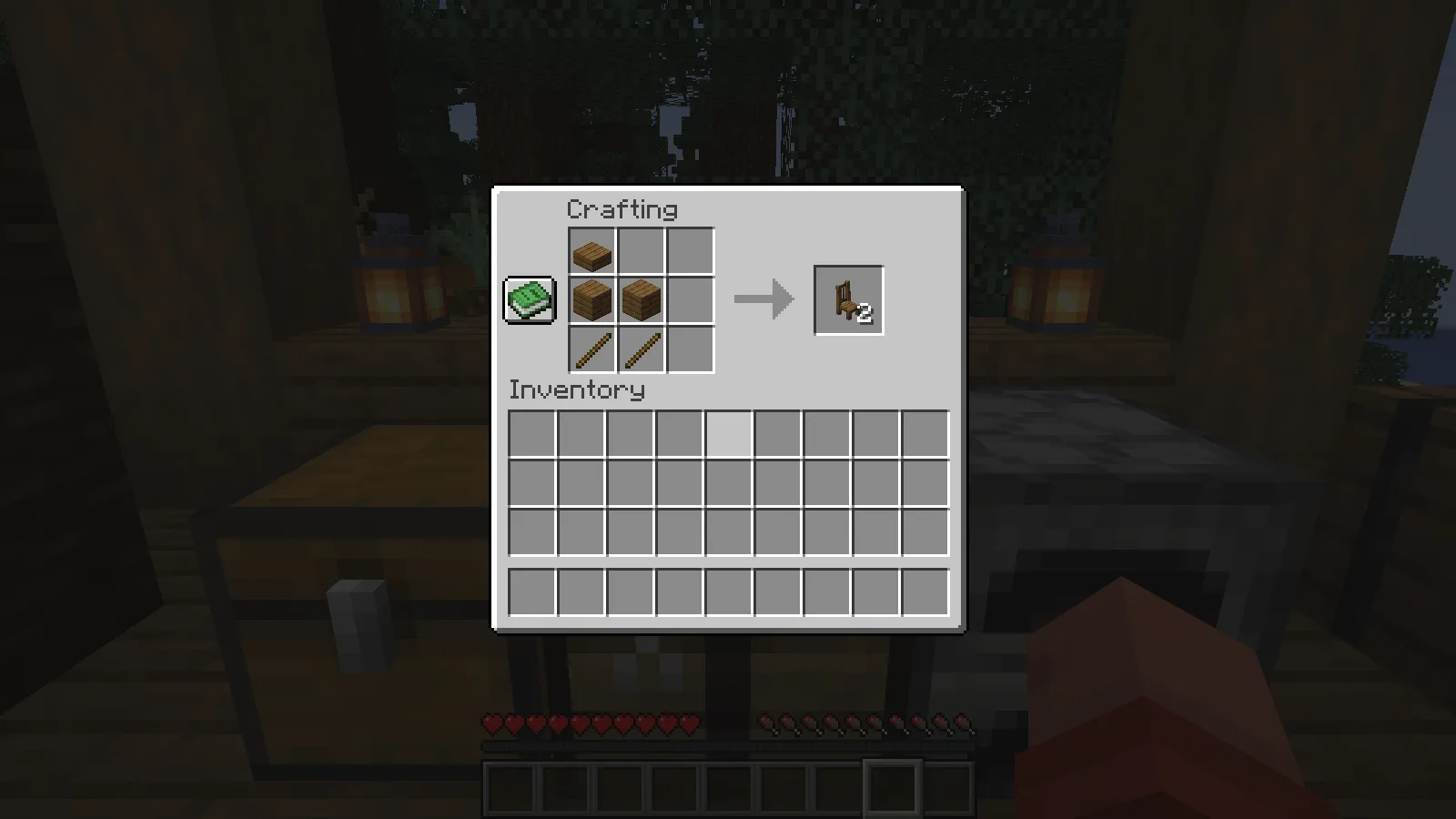
The Spruce Chair recipe produces two chairs from one spruce slab, two spruce planks and two sticks. Use the arrangement in the screenshot: the backrest slab is at the top left, with the planks and sticks below it.
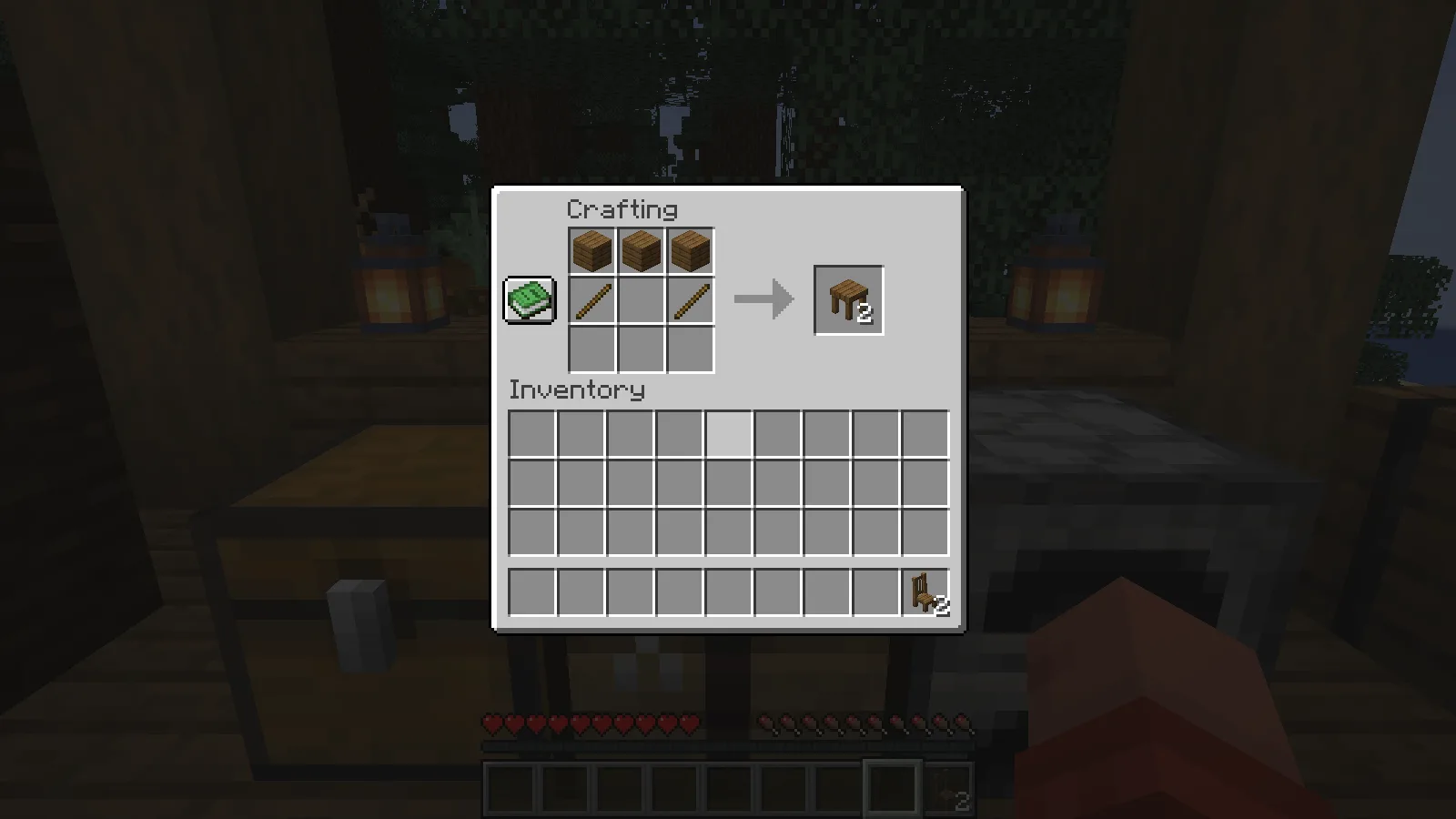
For two Spruce Tables, place three spruce planks across one row and sticks below the outer two planks. We put the two resulting table pieces beside each other to make the dining surface.
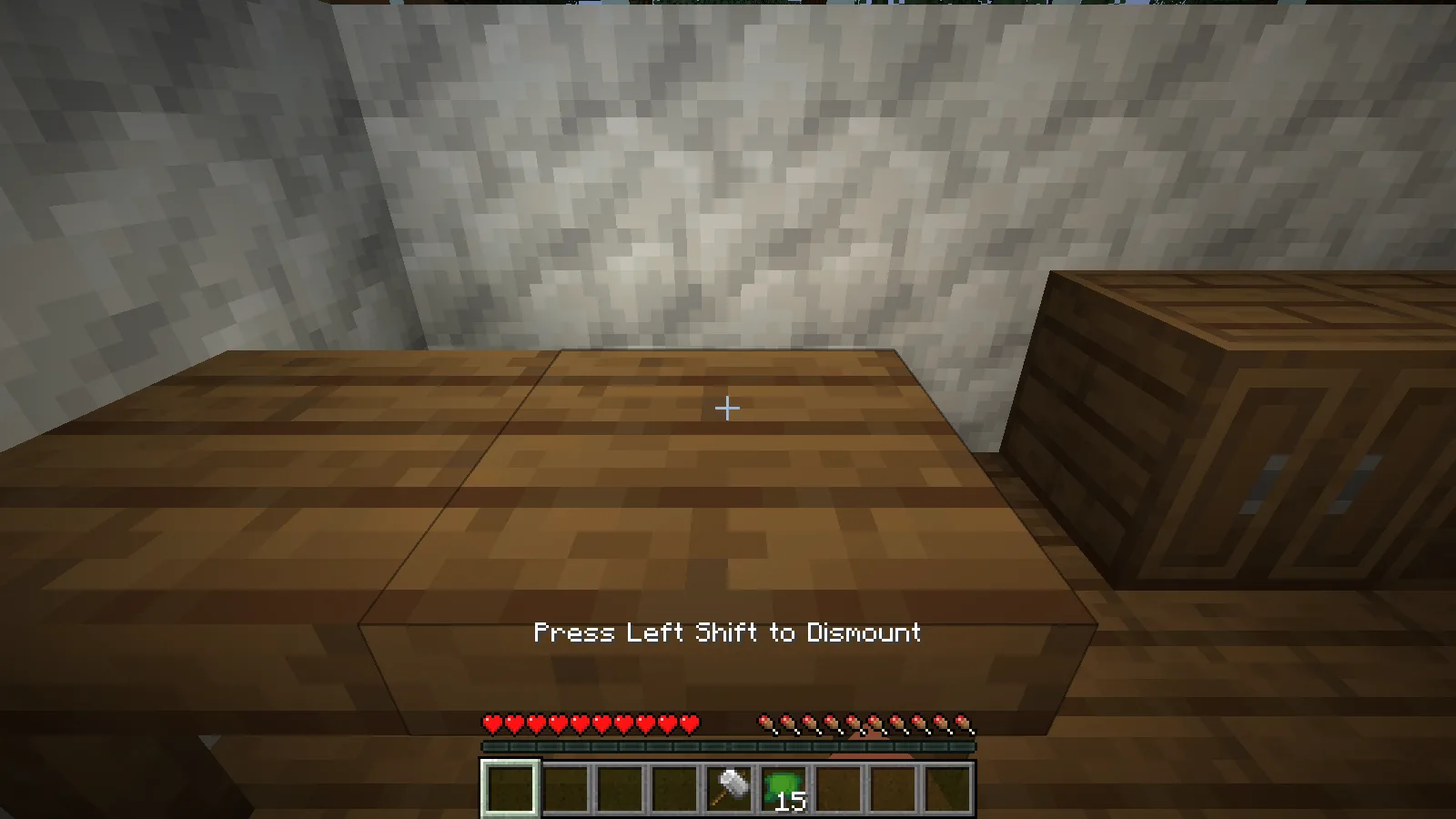
Leave room beside the chairs to approach them. With an empty hand, use a chair to sit. The game shows Press Left Shift to Dismount with our default keyboard controls; press your sneak key to stand again. We tested sitting and getting up from the chair, rather than treating its shape alone as proof that it is usable.
Add matching cushions and a couch
For 16 Green Cushions, place six green wool blocks in the top and bottom rows with three feathers between them. The output is a batch of cushions, enough to give several pieces of furniture the same colour.
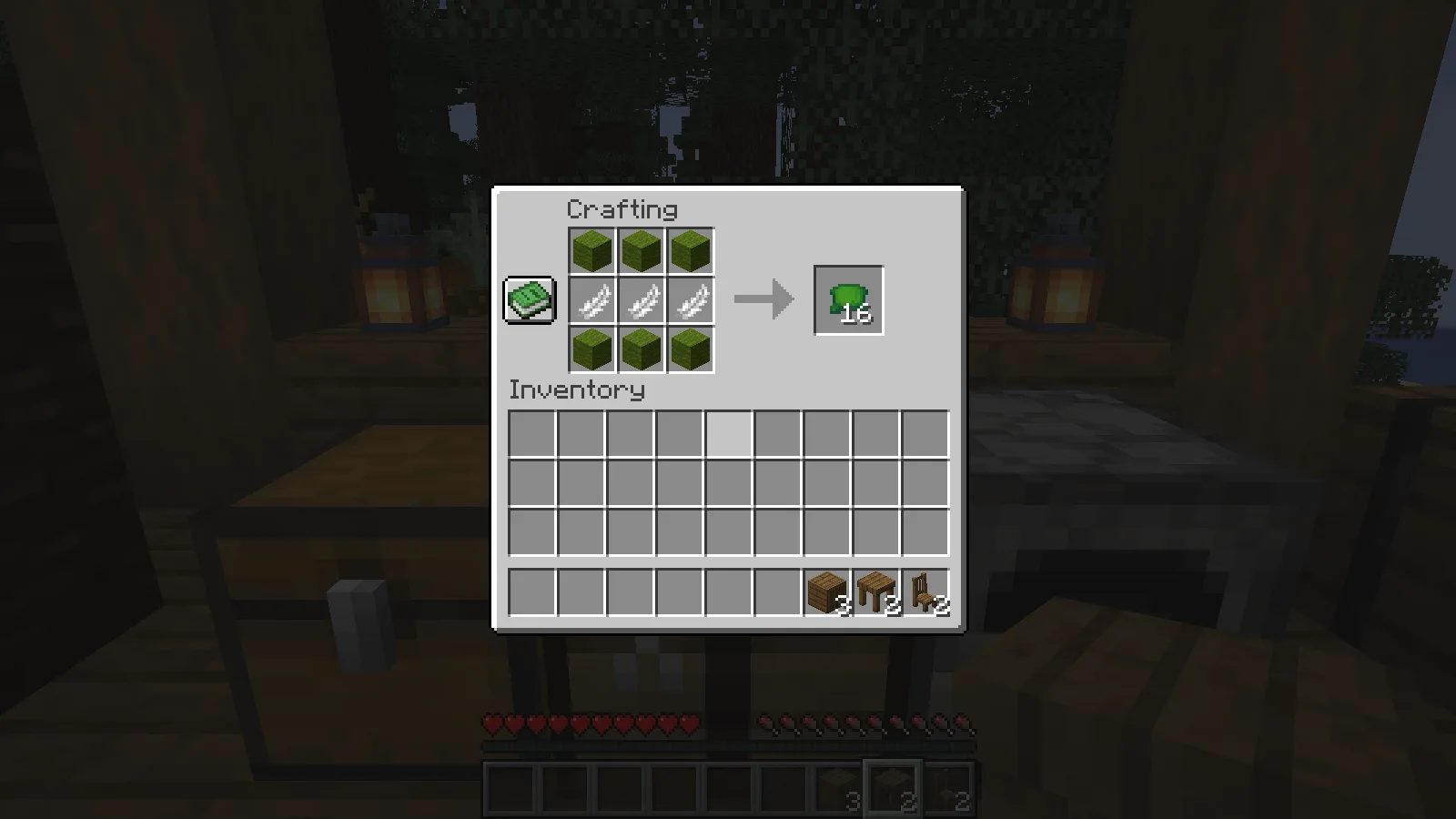
Hold a cushion and use it on a placed chair to change the upholstery. We applied green cushions to both dining chairs and to the couch pieces. The cushion count went down as they were applied, so bring extras when decorating more than one seat.
The Spruce Couch recipe below produces two couch pieces from three spruce planks, two wool blocks and a cushion. Our crafting example used white wool and a green cushion, but the crafted output was white: we applied green cushions to the placed couch afterwards. Do not rely on the ingredient cushion to set the final colour by itself.
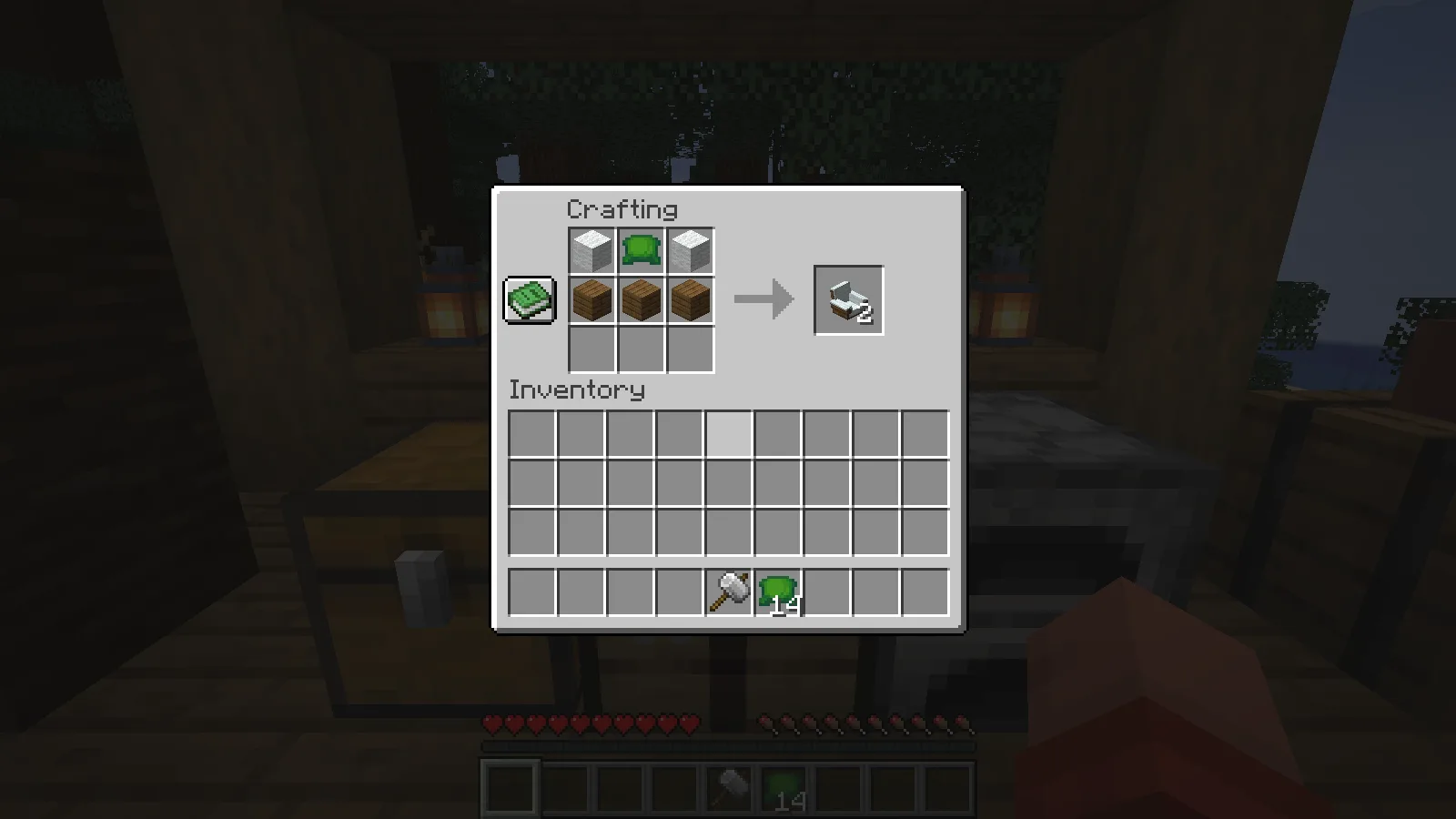
Place the couch pieces next to each other with the same facing to make a longer seat. In our room they formed the green sofa beside the dining area. The couch also accepted an ordinary use interaction to sit, and the sneak key let us get up again.
Use cupboards for real storage
Surround a chest with eight spruce planks to make three Spruce Cupboards. The recipe shown here used an ordinary chest.
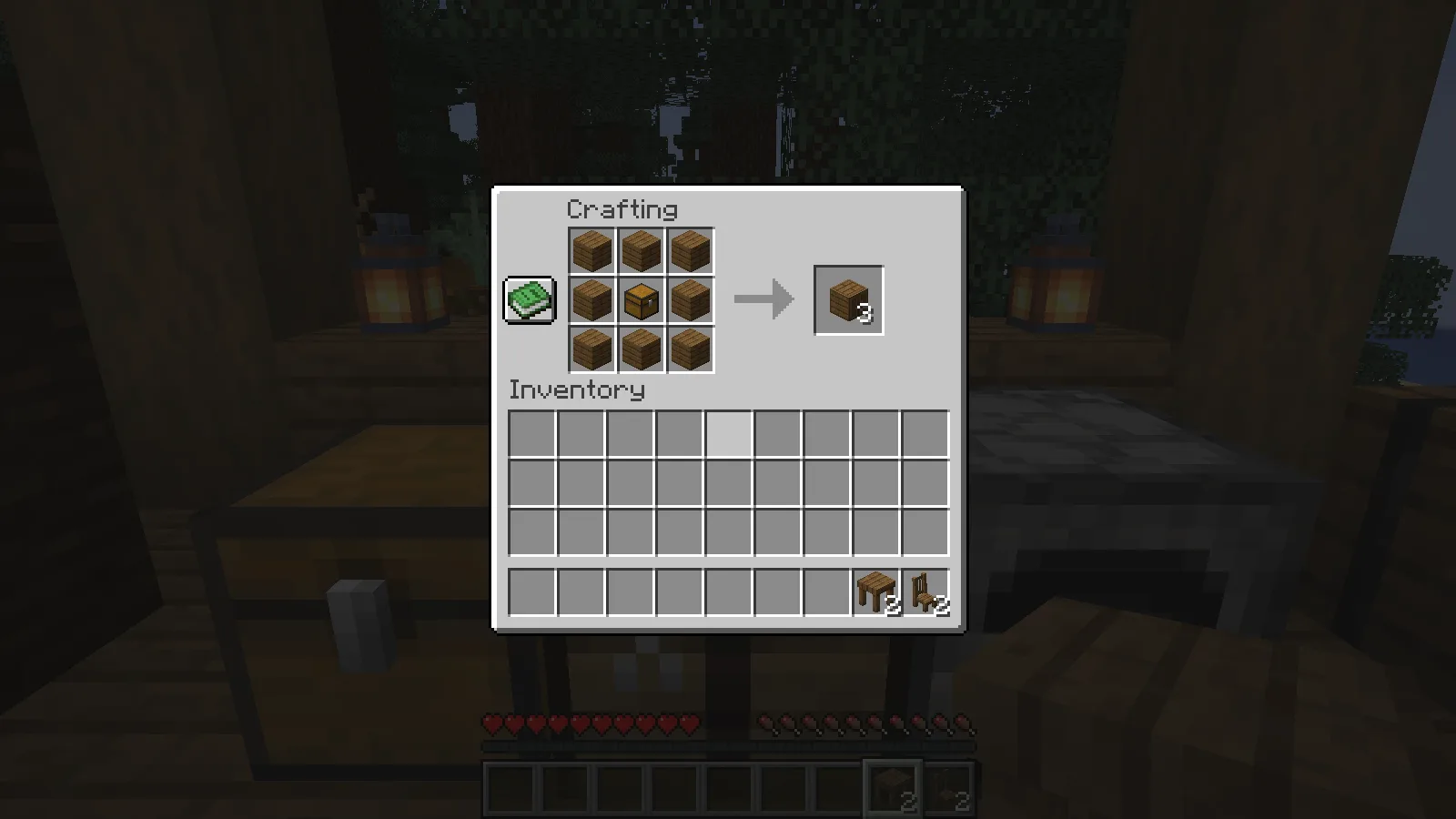
Use a placed cupboard to open its inventory. The tested cupboard had 27 storage slots, separate from the player's inventory. We put eight bread, four apples and one golden apple inside, then withdrew the bread and returned it through the normal inventory screen.
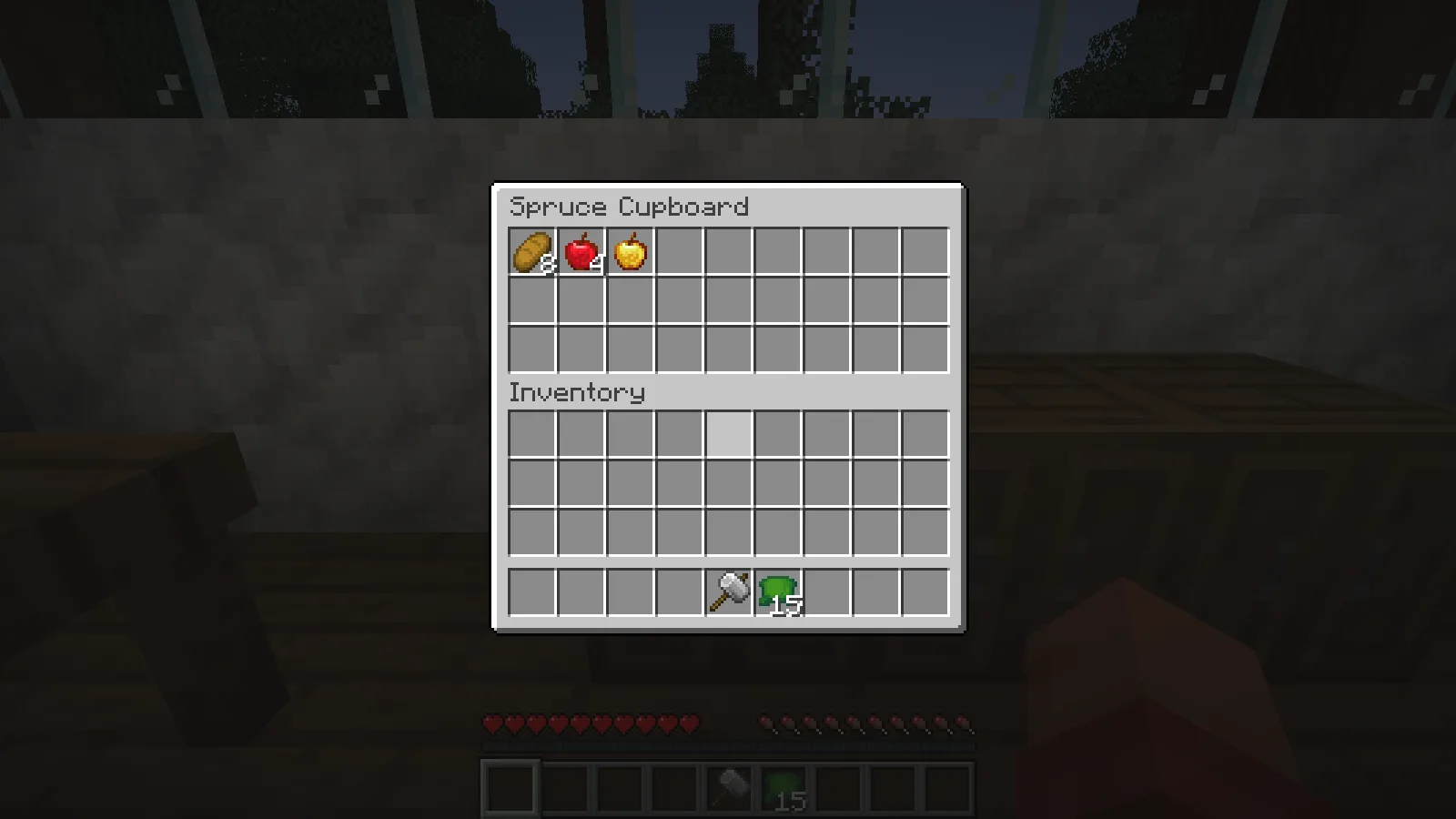
That makes the cupboard a practical pantry or supply cabinet as well as a decorative block. Our cupboards were separate containers; placing several next to each other should not be read as a demonstration of one combined storage network.
Change the cupboard's appearance with the hammer
Craft the Hammer with two iron ingots and two sticks in the pictured arrangement. This is Handcrafted's furniture tool.
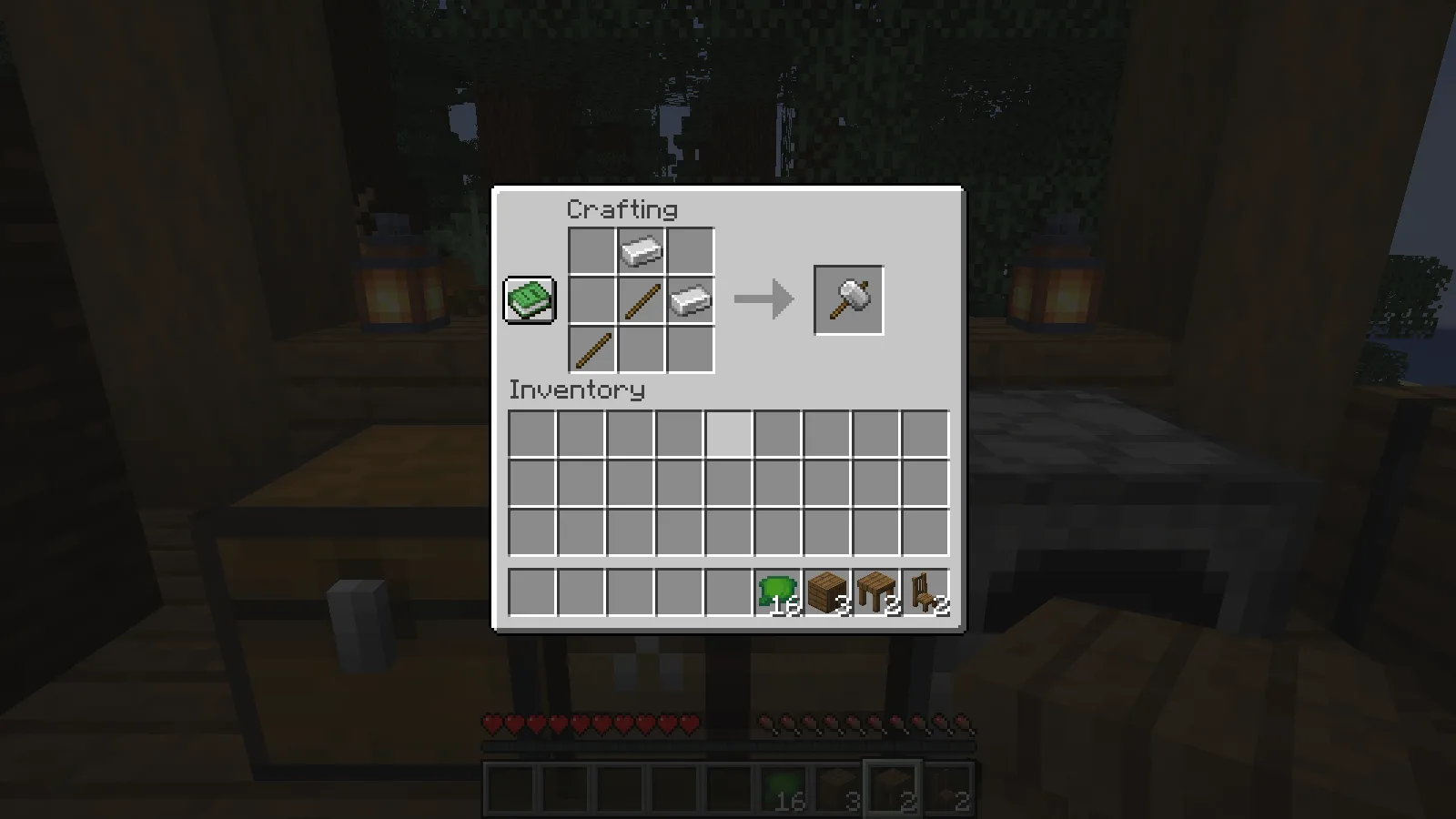
Hold it and use it on a cupboard to change that block's look. In our test, one use changed the centre cupboard to its other front design, while the neighbouring cupboards kept the first design. The eight bread, four apples and golden apple stayed inside. We reopened the inventory after the change and verified the contents again.
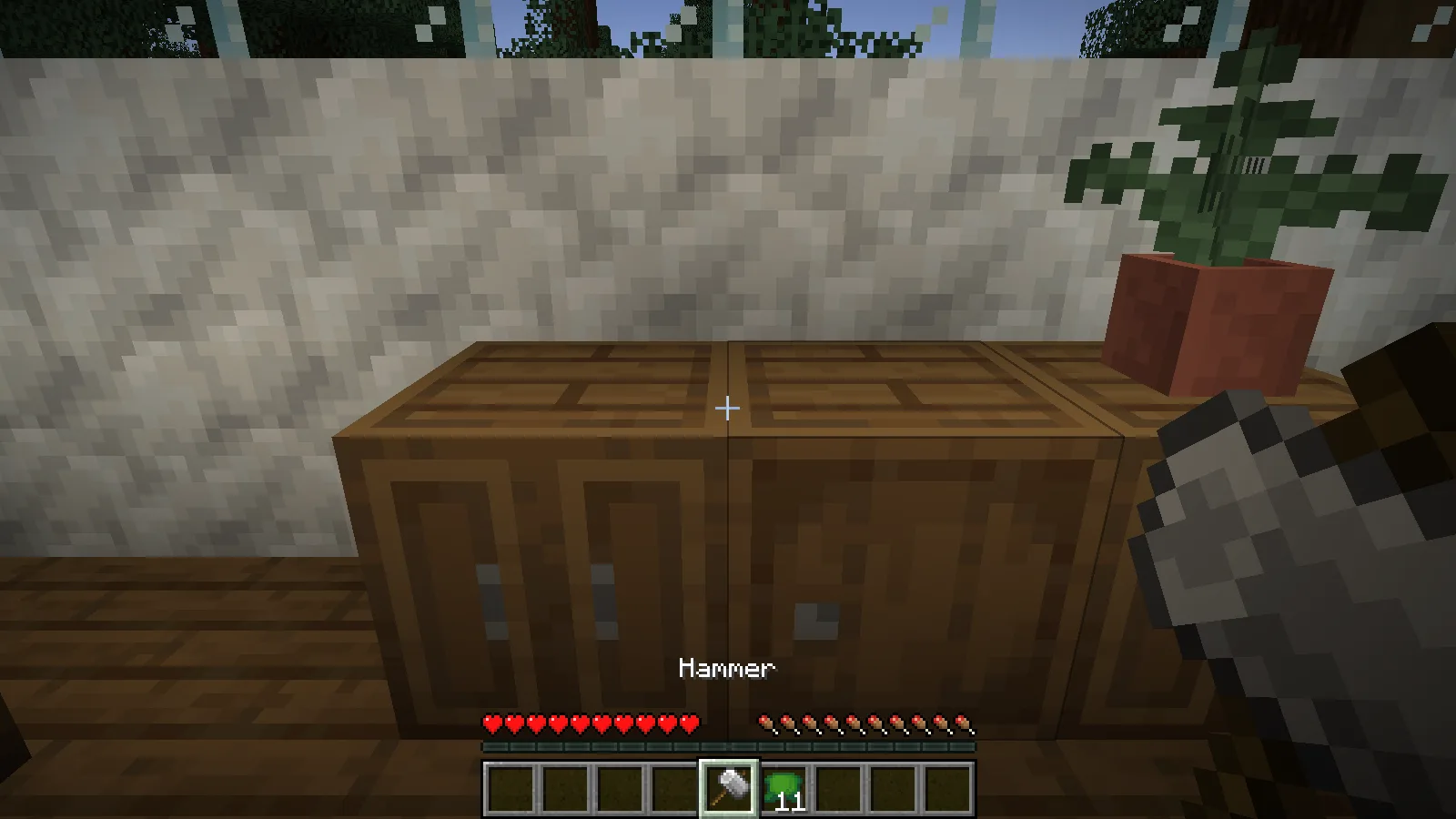
The hammer is useful when adjacent cabinets look too repetitive. This check covers the cupboard's two designs; it does not mean that every decorative block has the same number of variants or the same interaction.
Finish the room without hiding its function
For a coordinated room, pair the seating and cupboards with a green carpet, bookshelf and potted fern. The plate, bowl, desk and book in the pictures are decorative examples; their recipes and further interactions are outside this walkthrough.
The cupboards keep their contents and chosen fronts between sessions, and the seating keeps its upholstery. You can furnish the room a little at a time without repeating those choices.
Install Handcrafted for this setup
Install Handcrafted and its required Resourceful Lib together in the instance's mods folder, using the matching files in Files. Relaunch before crafting furniture. For shared play, clients and server need matching files; the official dependency resource is in the creator block.
Comments 0
Share what worked, ask for help or reply to another player.
Use your Modonix account to join the discussion and manage your comments.
Sign in to commentNo comments yet. Share what worked for you.