
Farmer’s Delight turns your harvest into a reason to build a kitchen. Grow vegetables beside the house, prepare ingredients on a cutting board and cook a meal over a campfire. A small garden and a few kitchen tools are enough to try the core loop.
This walkthrough follows cabbage from planting to vegetable soup in a small forest kitchen. The pot, cutting board and garden each have a job in the same meal.
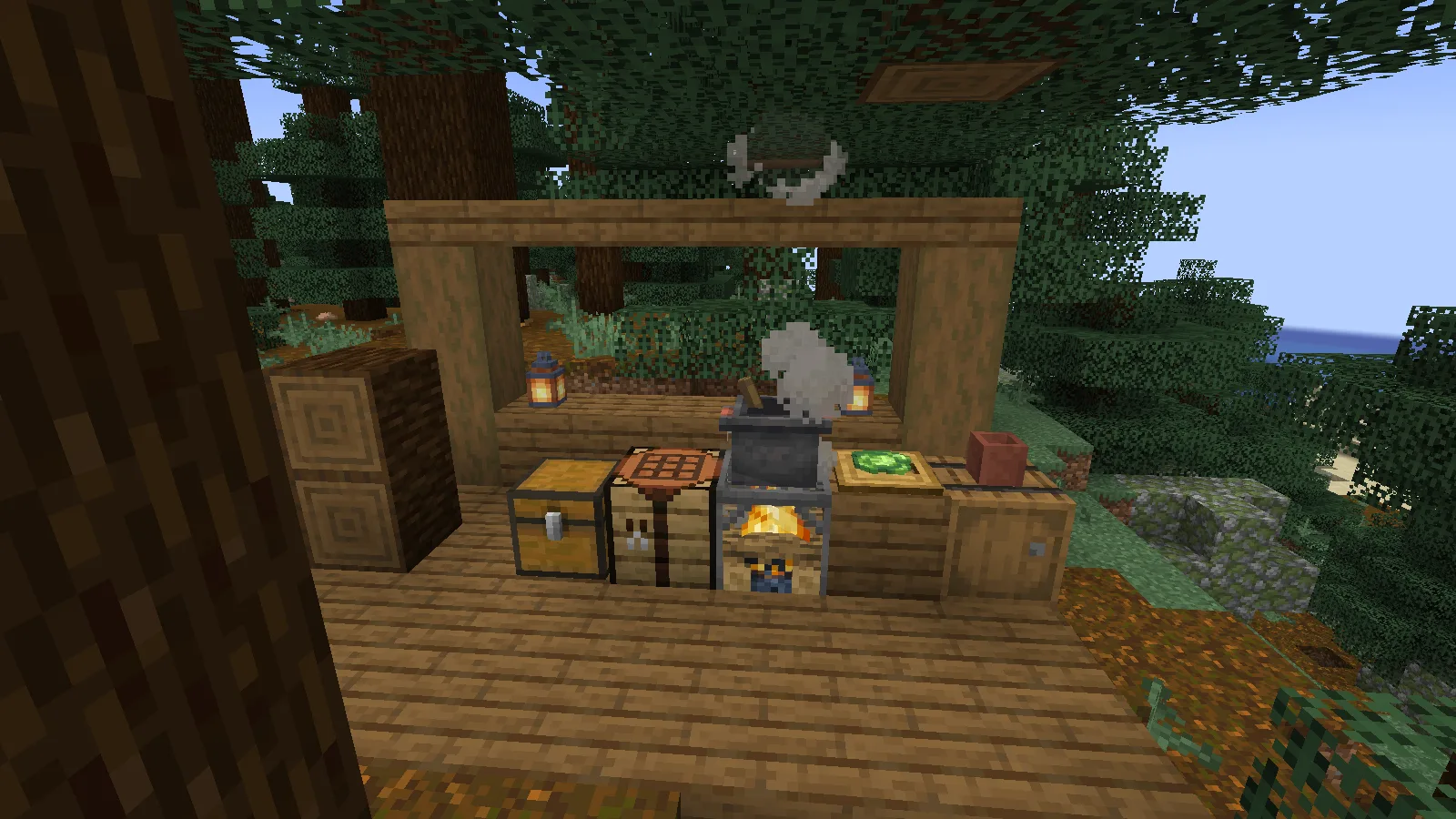
Start with a knife and a cutting board
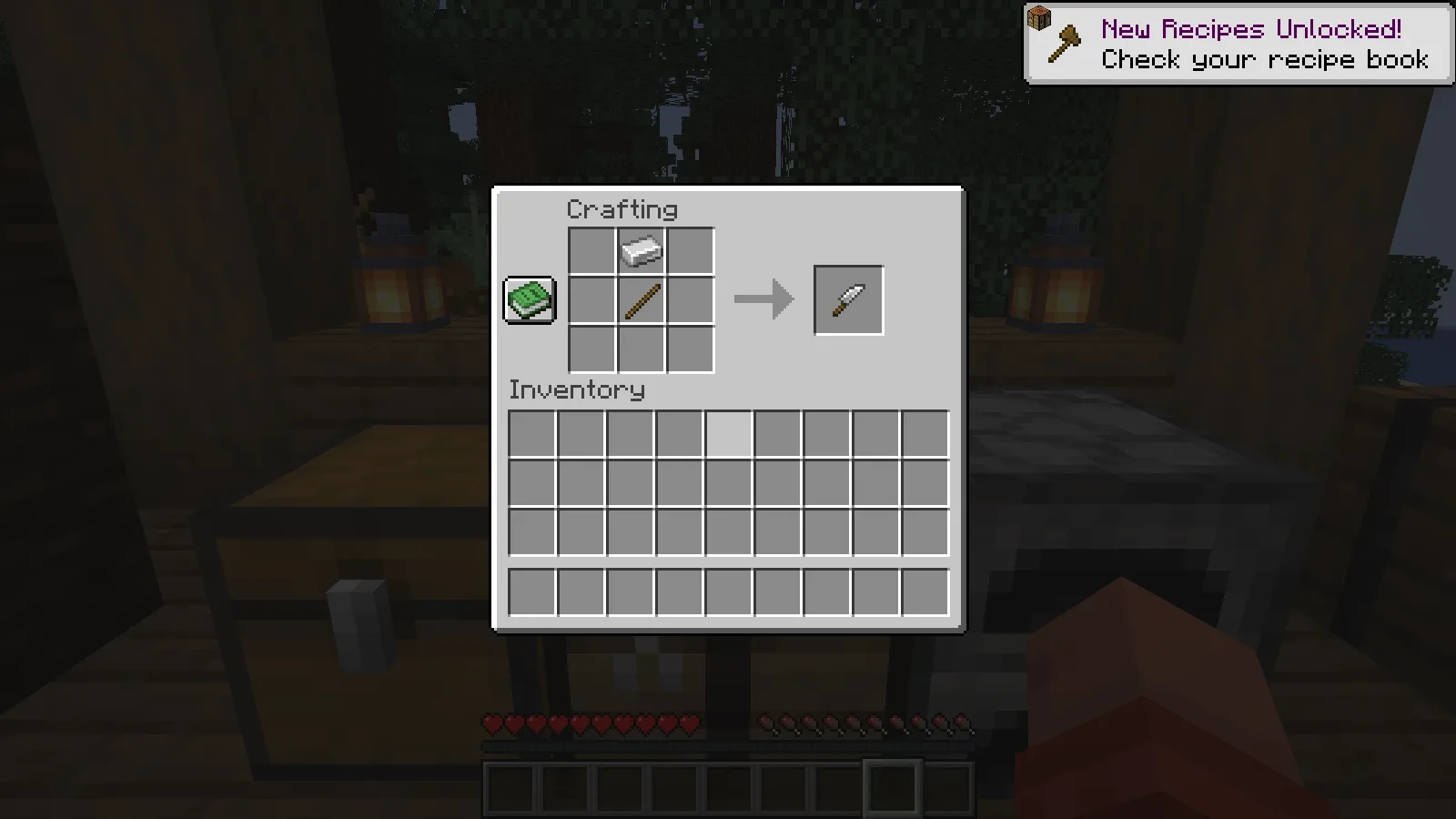
Our iron knife uses one iron ingot above one stick. Craft it at a crafting table, following the arrangement below. You do not need a diamond tool for this cabbage recipe.
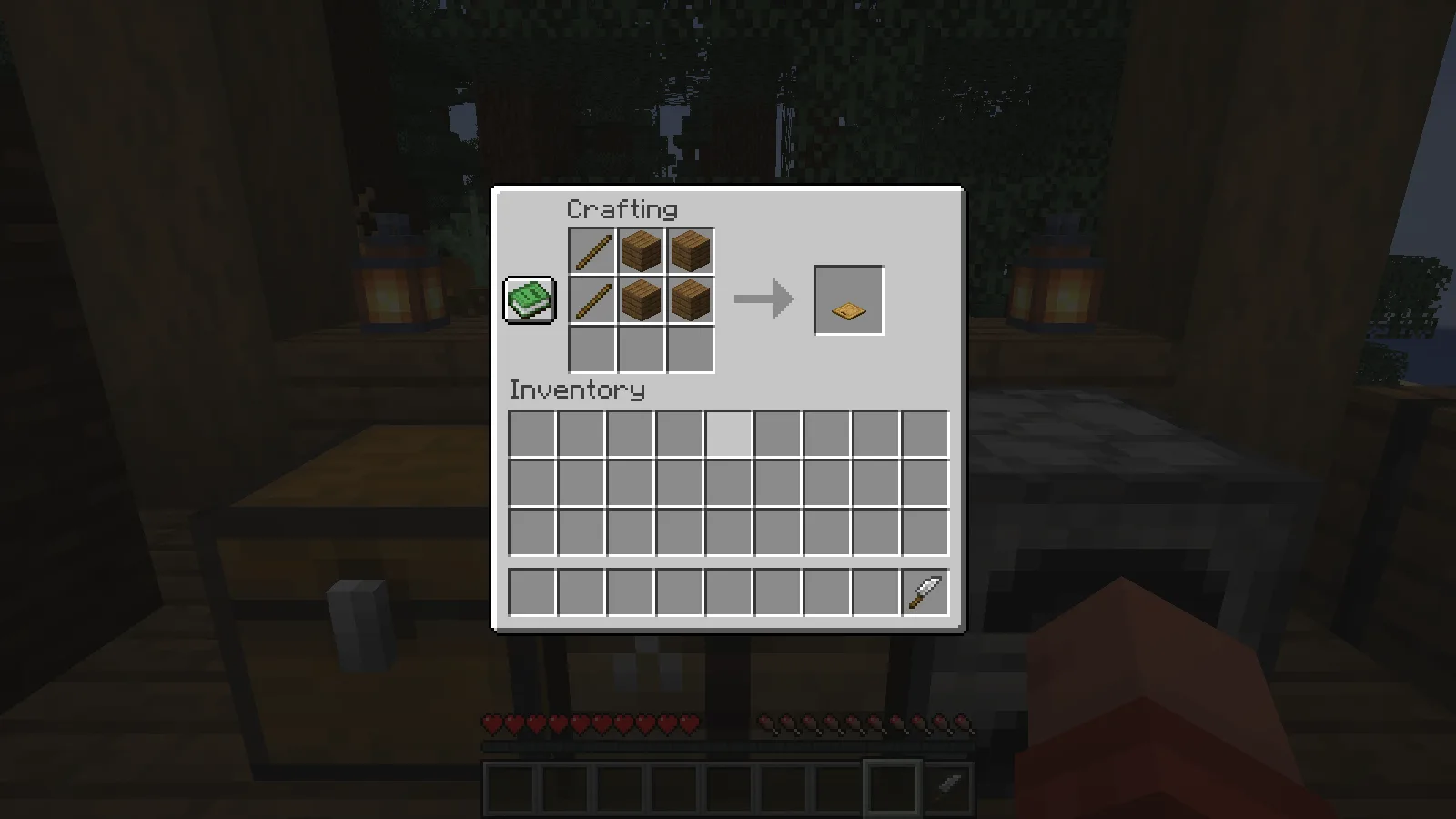
Next, make a Cutting Board from four planks and two sticks. The screenshot shows the two sticks down the left side of the recipe, with the planks beside them. Place the finished board on top of a counter where you can reach it.
Keep the knife in your hotbar. You will first use an ingredient on the board, then use the knife on that same board. Putting a cabbage and a knife into the ordinary crafting grid is not the step shown in this guide.
Grow and harvest cabbage
Plant Cabbage Seeds on farmland. We planted eight seeds beside a water source and used bone meal until all eight plants were fully grown. The full heads below are ready to harvest; the small seedlings look noticeably different.
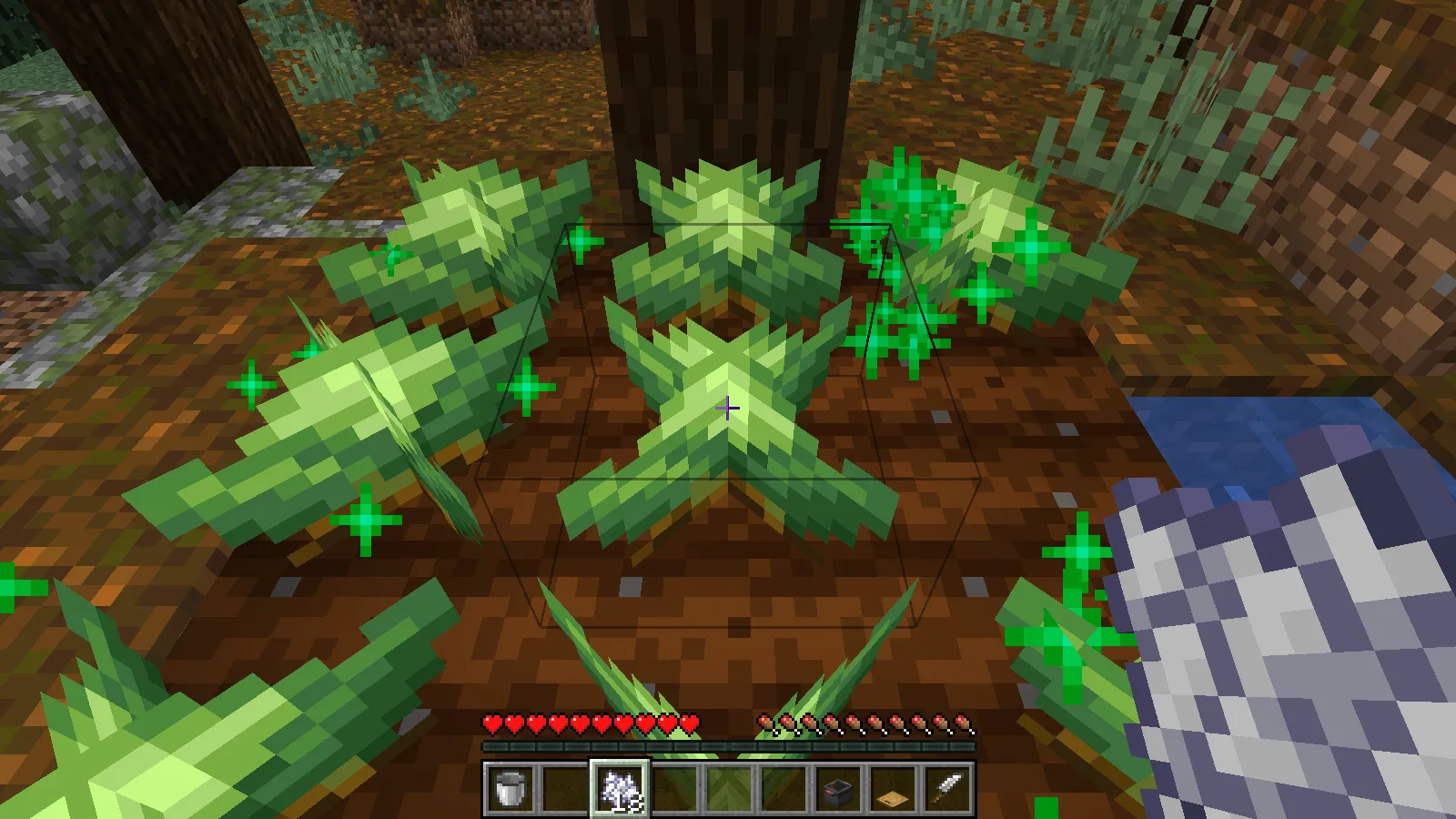
Break a mature plant and collect its drops. Our first harvested plant supplied the cabbage used in the cooking test. A second harvest also returned seeds for replanting. Keep some seeds aside so that using your vegetables in the kitchen does not leave the garden empty.
This garden demonstrates planting, growth and harvest. Wild-crop distribution is outside this walkthrough.
Turn one cabbage into two leaves
Hold the harvested cabbage and right-click the empty cutting board. The cabbage appears on its surface. Switch to the iron knife and right-click the board again, then collect the resulting leaves.
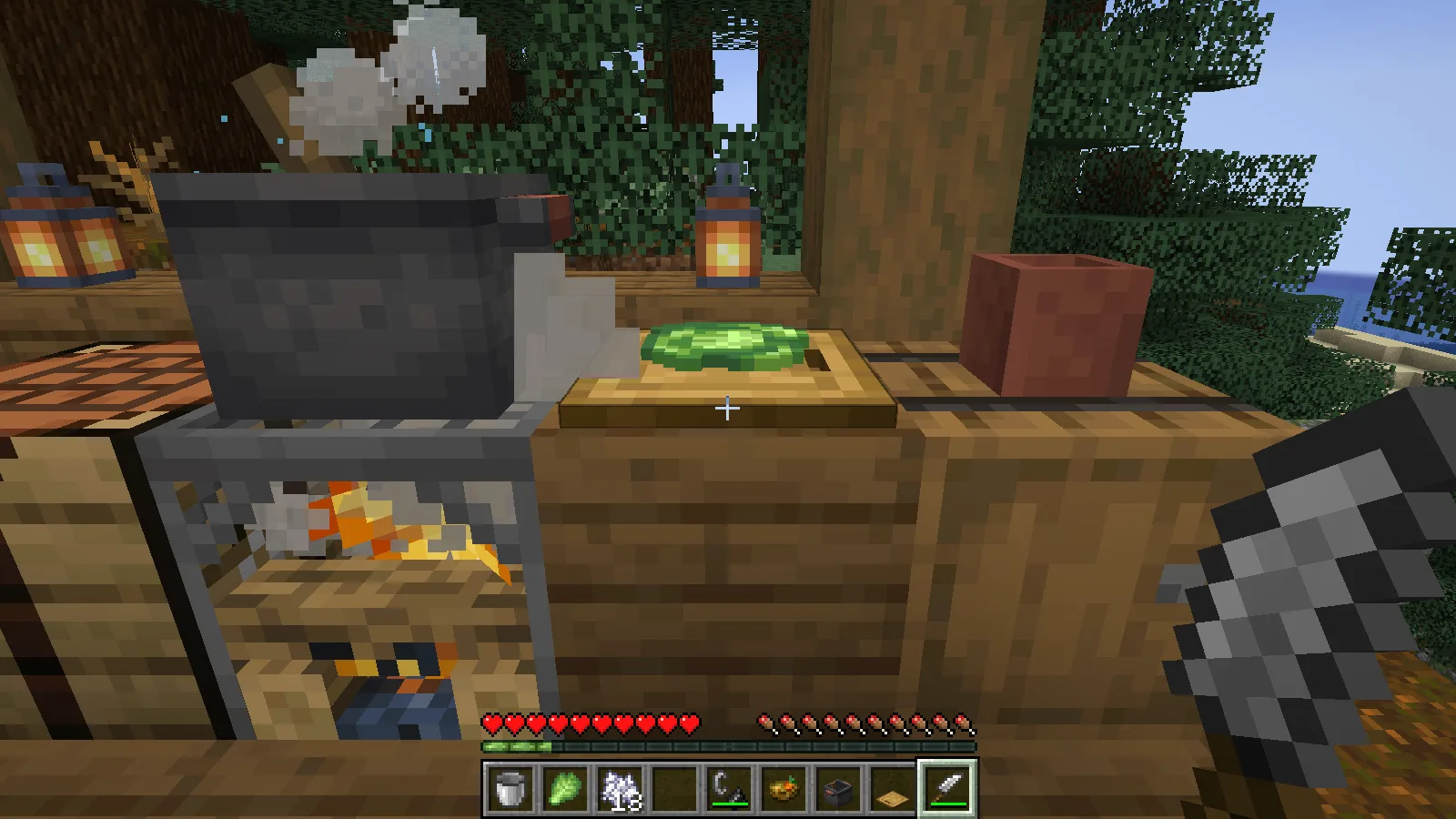
In our check, one cabbage produced two Cabbage Leaves. One leaf went into the soup and the other remained in the inventory. This small preparation step lets you use the crop in a different form, rather than spending the whole head on this meal.
Craft a Cooking Pot
The recipe in the reviewed release uses five iron ingots, two individual bricks, a wooden shovel and a water bucket. Use the actual arrangement below: the shovel sits between the bricks, with the bucket in the middle. The empty bucket returns after crafting.
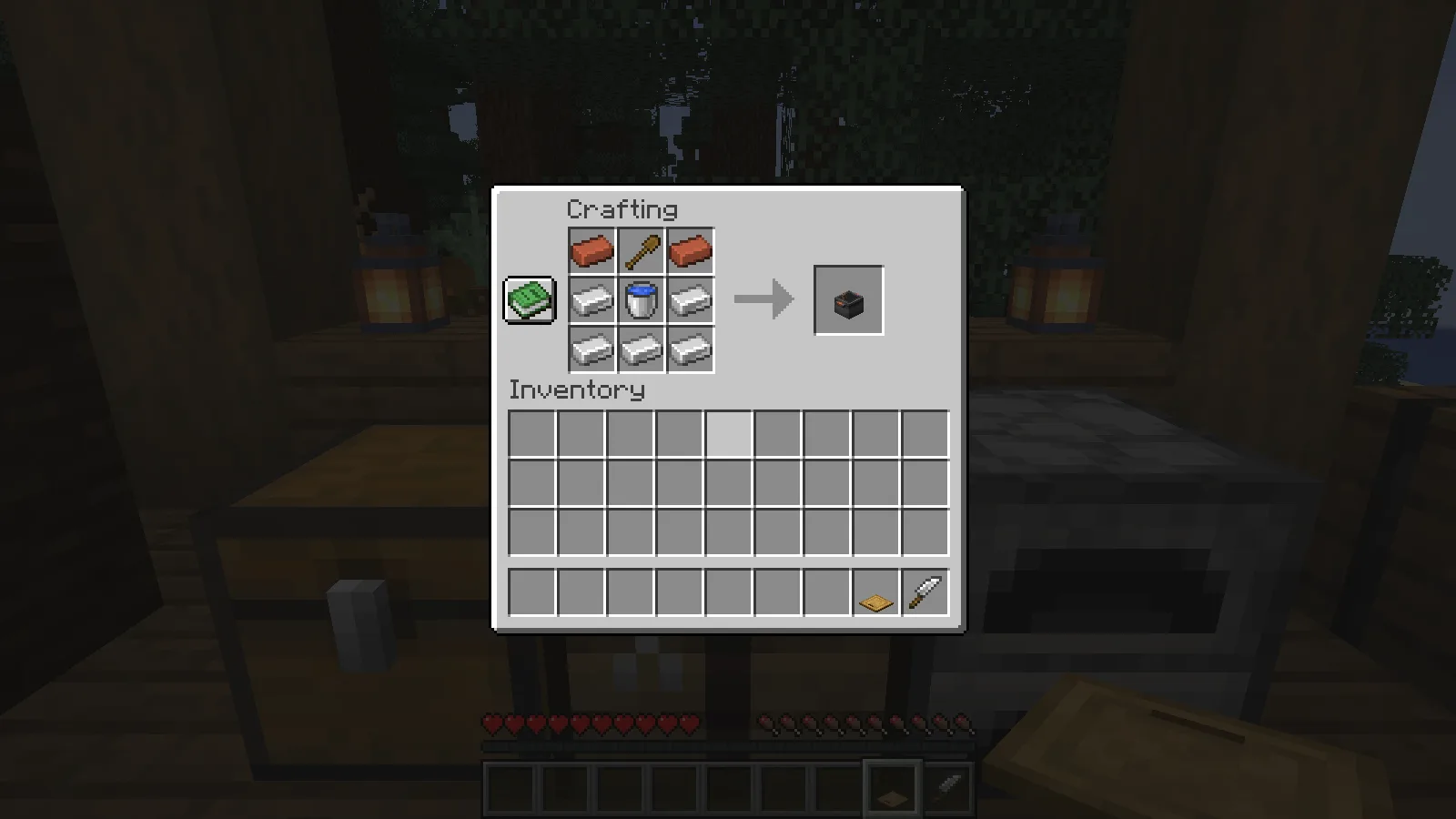
Place the pot directly over a campfire. Our kitchen uses a normal campfire underneath the pot; the wooden counter beside it holds the cutting board. You do not put coal into the pot’s ingredient slots.
Make vegetable soup
Open the pot and add one carrot, one potato, one beetroot and one Cabbage Leaf to four separate ingredient slots. Put a bowl into the serving-container slot below and to the right of the ingredients. The screenshot shows this arrangement before the fire was lit.
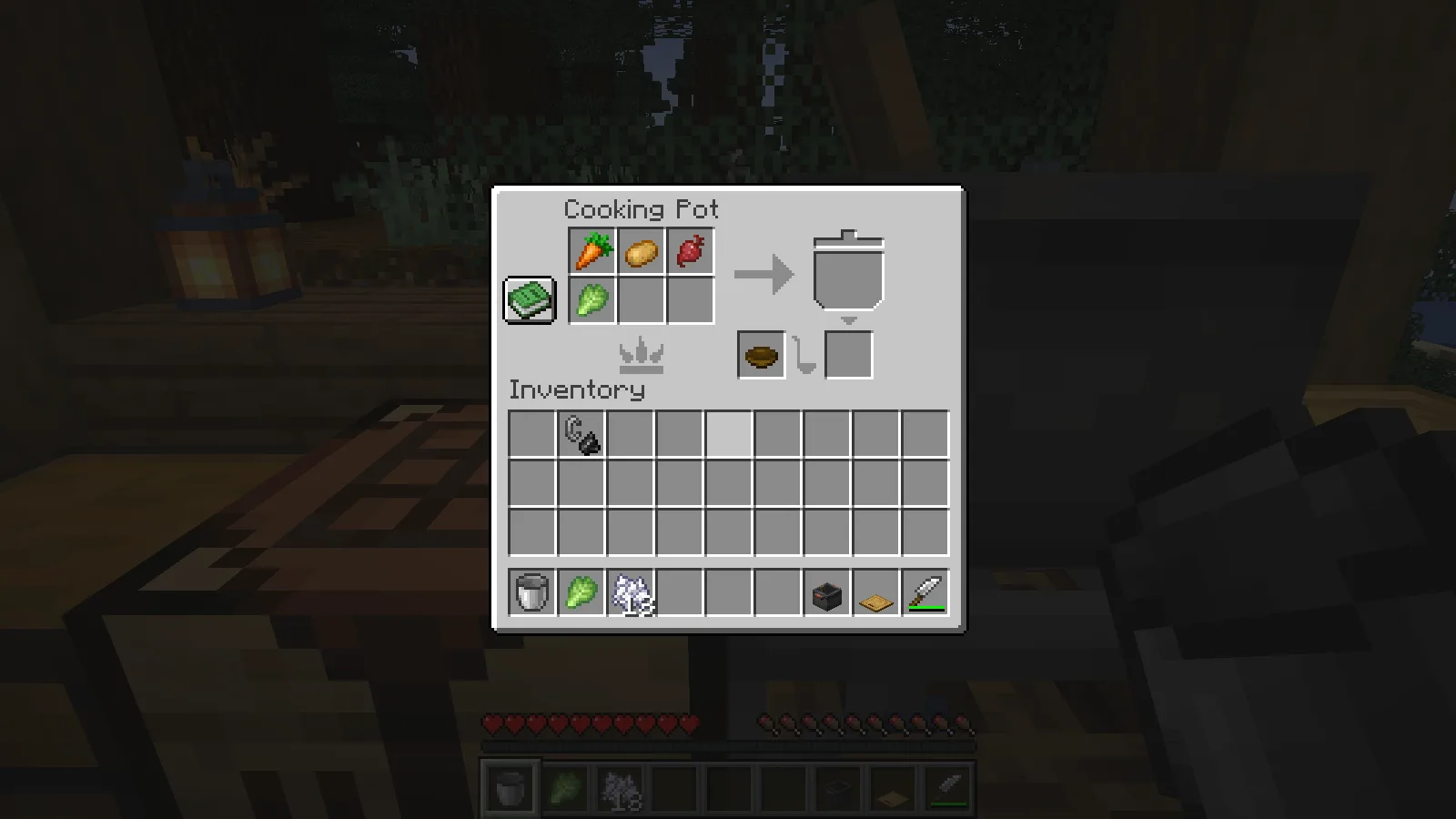
An unlit campfire is not enough. Our ingredients and bowl stayed unchanged while the pot was cold. After lighting the campfire with flint and steel, the heat indicator lit up and the recipe cooked normally.
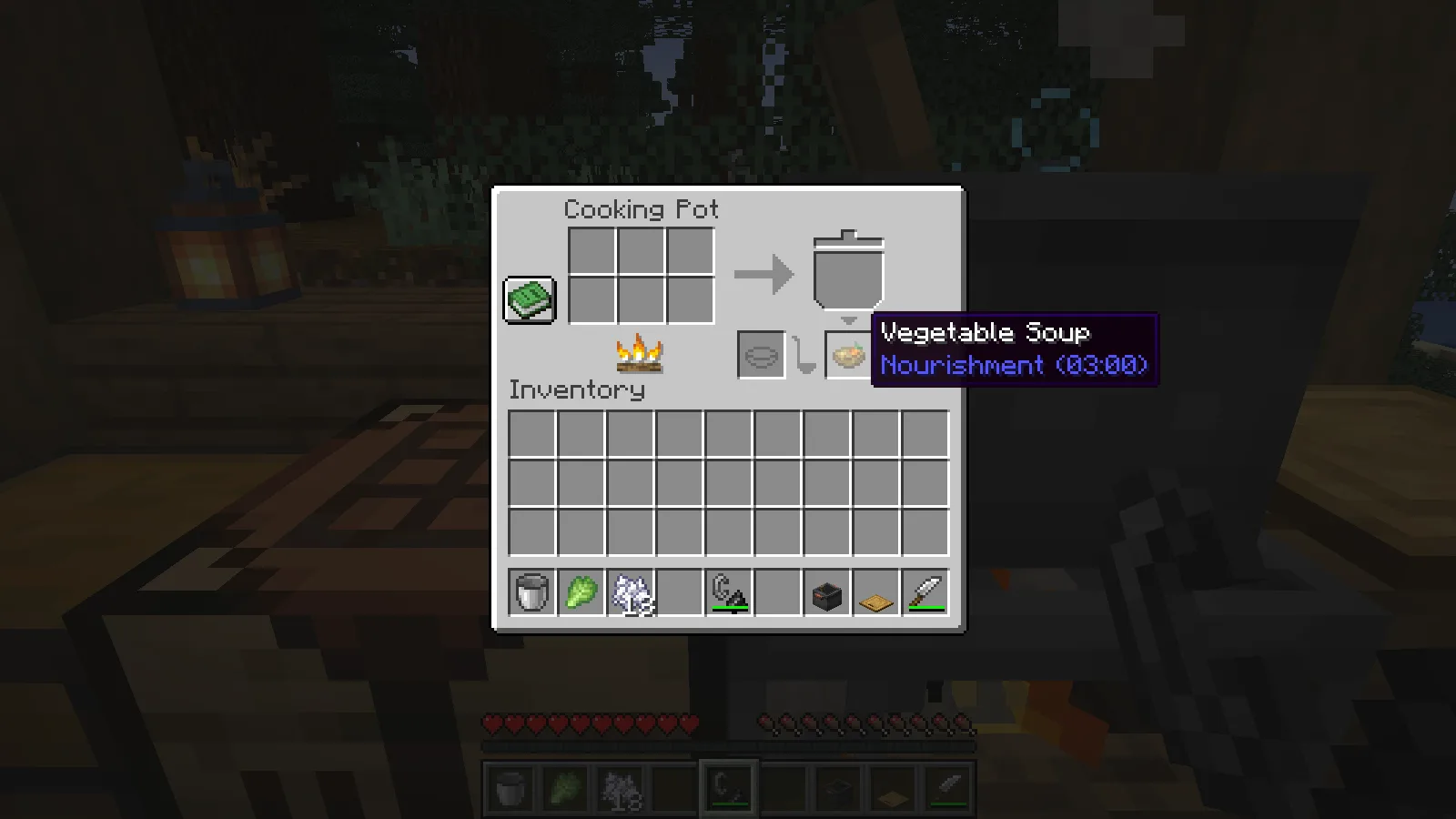
The four ingredients and the empty bowl became one Vegetable Soup in the output slot. Take the finished bowl from the bottom-right output, or shift-click it into your inventory. We collected the serving successfully; the spare cabbage leaf stayed available for another meal.
Cooking pot not cooking? Check heat, ingredients and the serving slot
Start with the heat indicator. In the vegetable soup example above, the ingredients stayed unchanged over an unlit campfire. Lighting the campfire started the cooking. For that soup, also check that you used the prepared cabbage leaf from the cutting board.
If the heat icon is already lit, look at how the ingredients occupy the six slots.
Two tomatoes need two ingredient slots
For tomato sauce, put one tomato in each of two ingredient slots. A stack of two in a single slot did not start this recipe, even with the campfire burning beneath the pot.
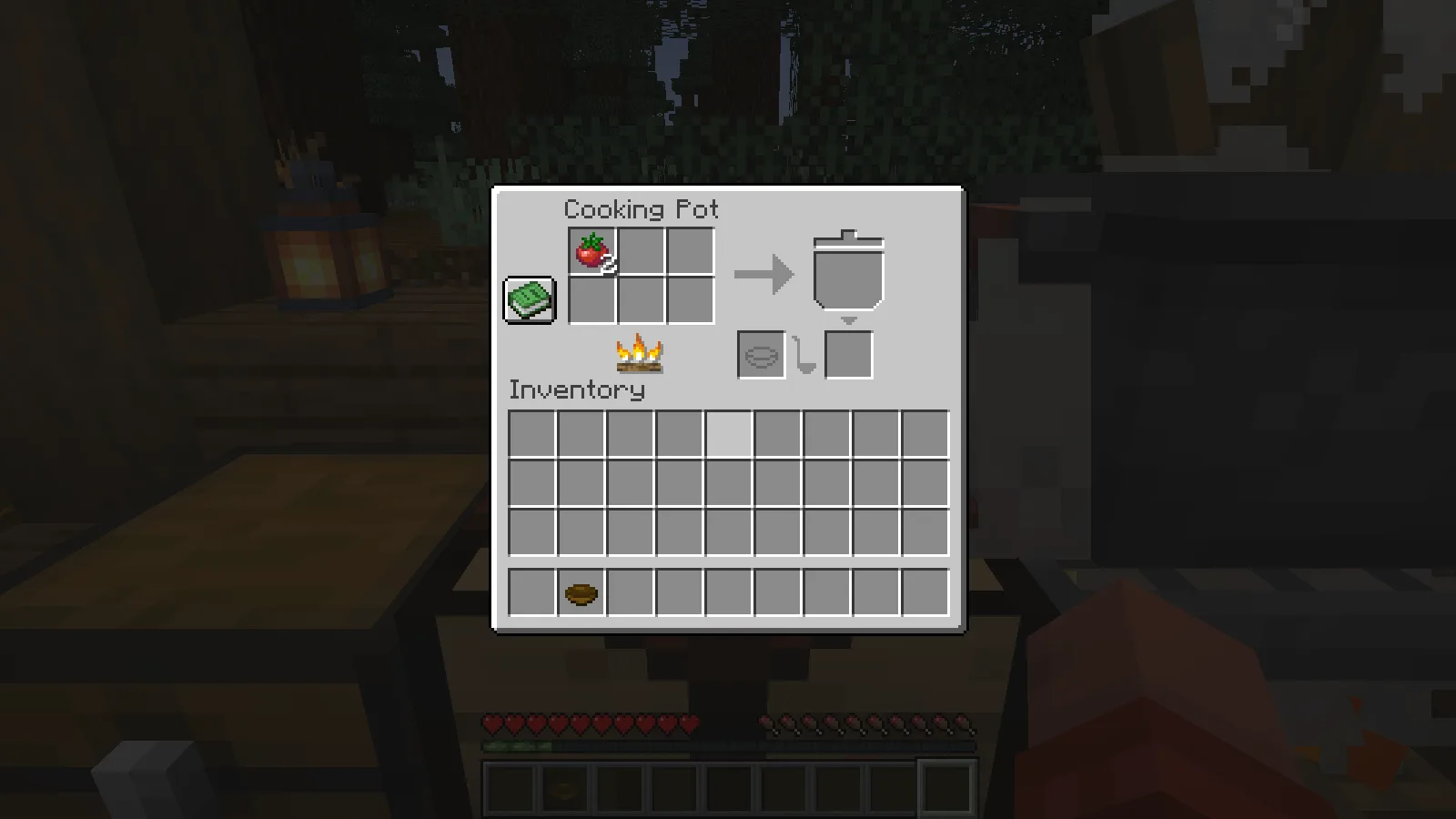
Right-click the stack of two to pick up one tomato, then place it in a second ingredient slot. With one tomato in each slot, cooking started without changing the fire.
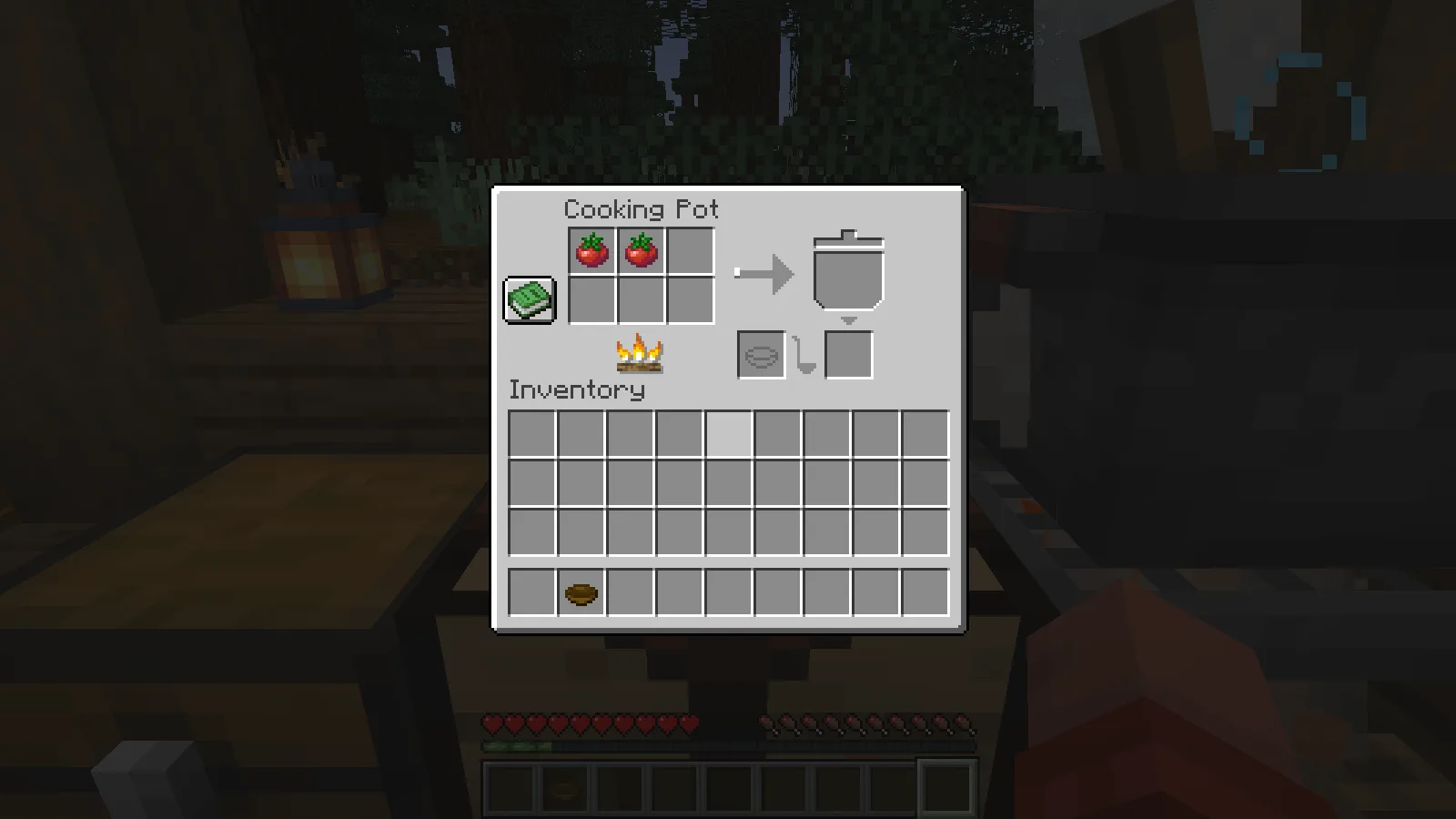
When a recipe asks for the same ingredient twice, check its separate ingredient entries instead of counting only the total number of items in the pot. If your modpack changes recipes, follow the recipe shown in that pack.
The sauce is ready, but the output is empty
Look inside the pot-shaped meal area before adding more ingredients. Our tomato sauce had finished cooking there, while the serving output below remained empty.
Hovering over it showed “Tomato Sauce” and “Served on: Bowl.”
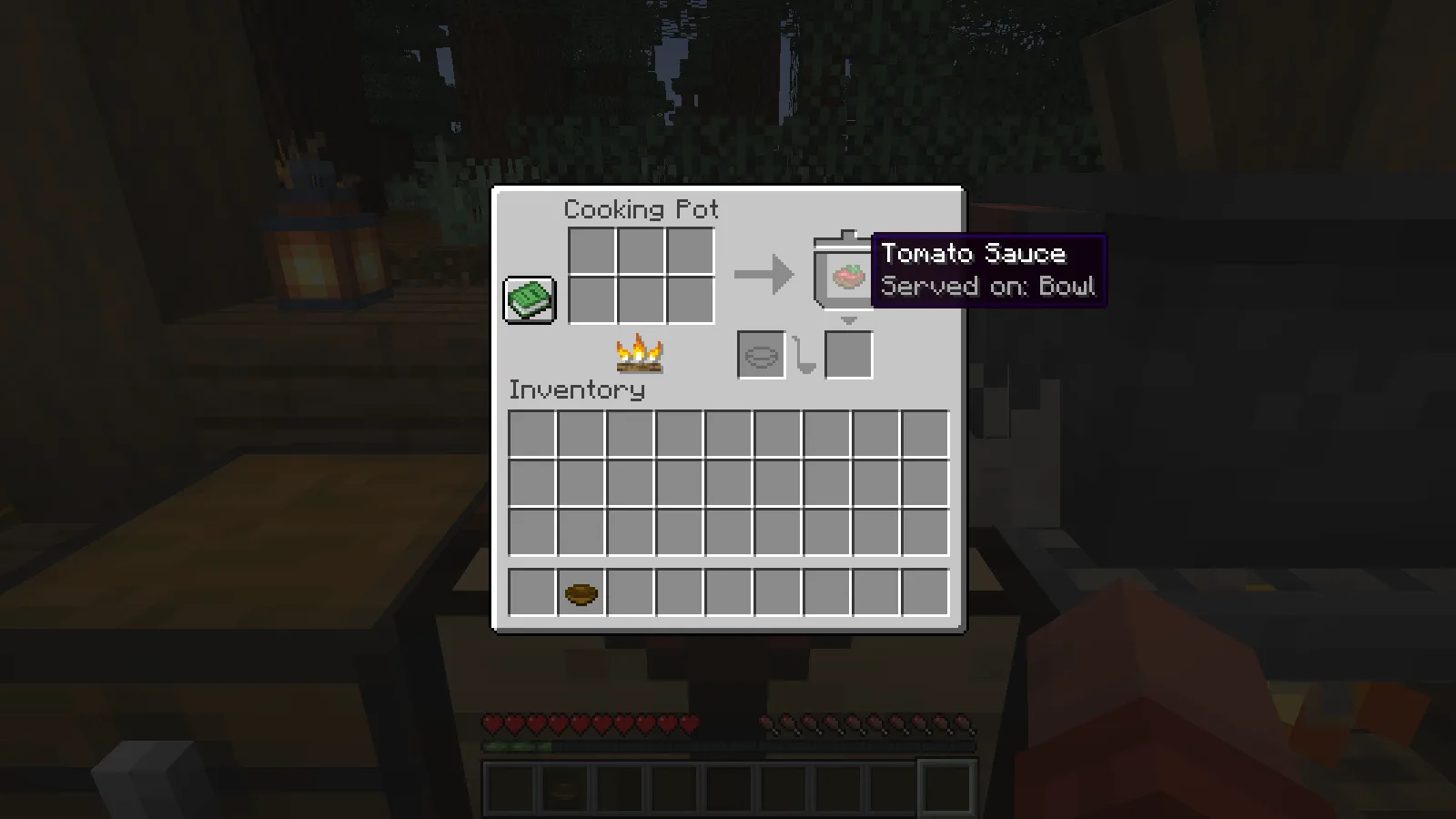
Put a bowl in the separate container slot marked with a bowl outline. Putting it into one of the six ingredient slots did not serve the sauce. Moving that same bowl into the container slot produced one serving in the output, ready to collect.
The vegetable soup above also uses a bowl in that separate slot. Check the finished meal and its container requirement before changing a recipe that has already cooked.
Add the kitchen tools to your game
Choose the matching Farmer’s Delight file in Files, close the game and place its JAR in the active instance’s mods folder. Reopen that instance before crafting the cooking pot.
For shared play, install matching files on the client and server.
Comments 0
Share what worked, ask for help or reply to another player.
Use your Modonix account to join the discussion and manage your comments.
Sign in to commentNo comments yet. Share what worked for you.