EMI keeps recipes beside your inventory, so you can plan a build without leaving the game. Start with something small, such as a lantern for your doorway: find the item, inspect its ingredients, and keep the recipe close while you craft.
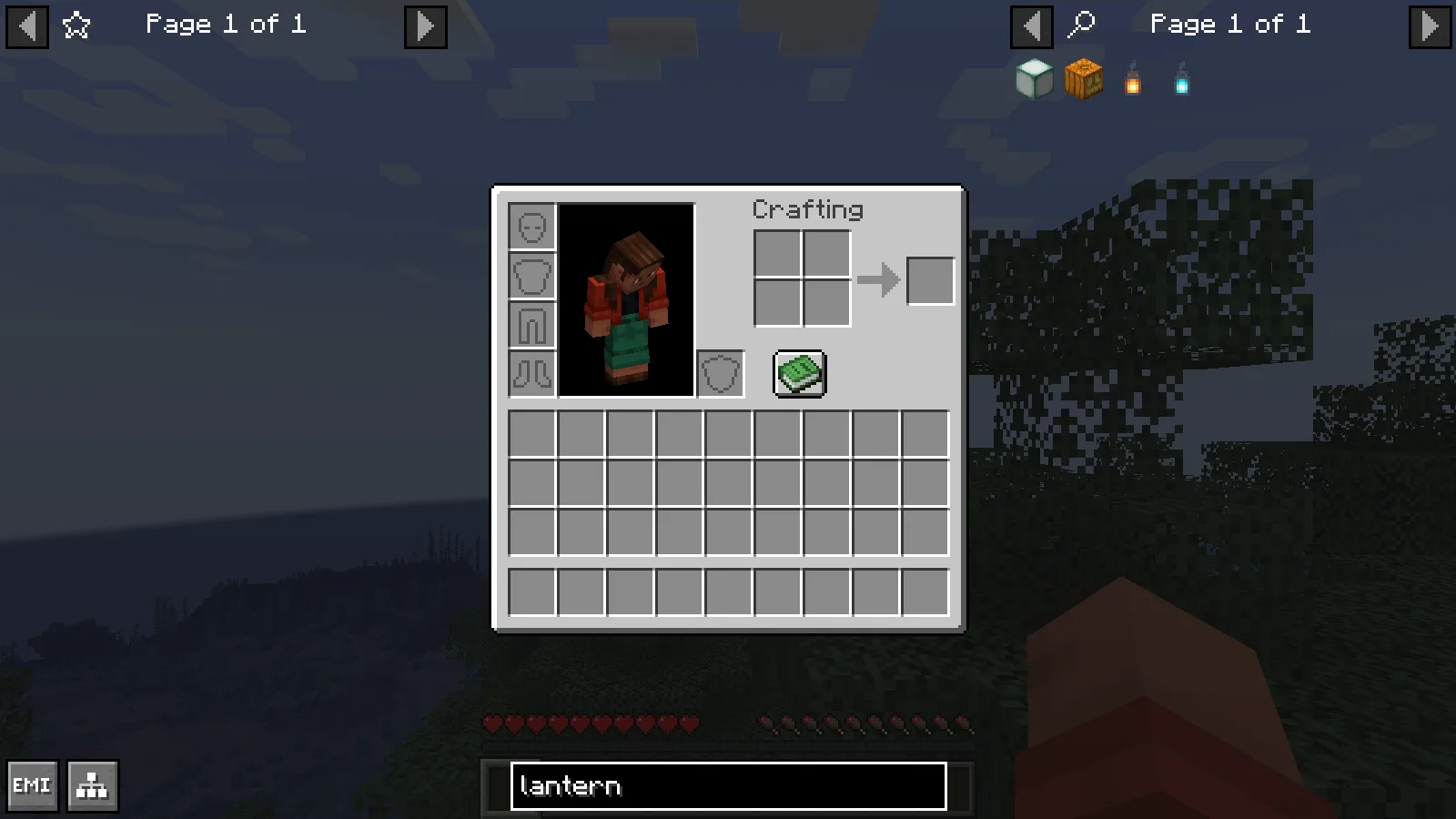
Type lantern into EMI search to narrow the item list. The query also finds related lantern items.
Find the right lantern
Open your inventory and type lantern into the search field at the bottom. The results include several items with lantern in their name, so choose the ordinary lantern when you want warm hanging light. Left-click its icon to open the recipe.
A lantern needs eight iron nuggets arranged around one torch. Check the ingredient names as well as their shapes; iron nuggets and iron ingots are different items.
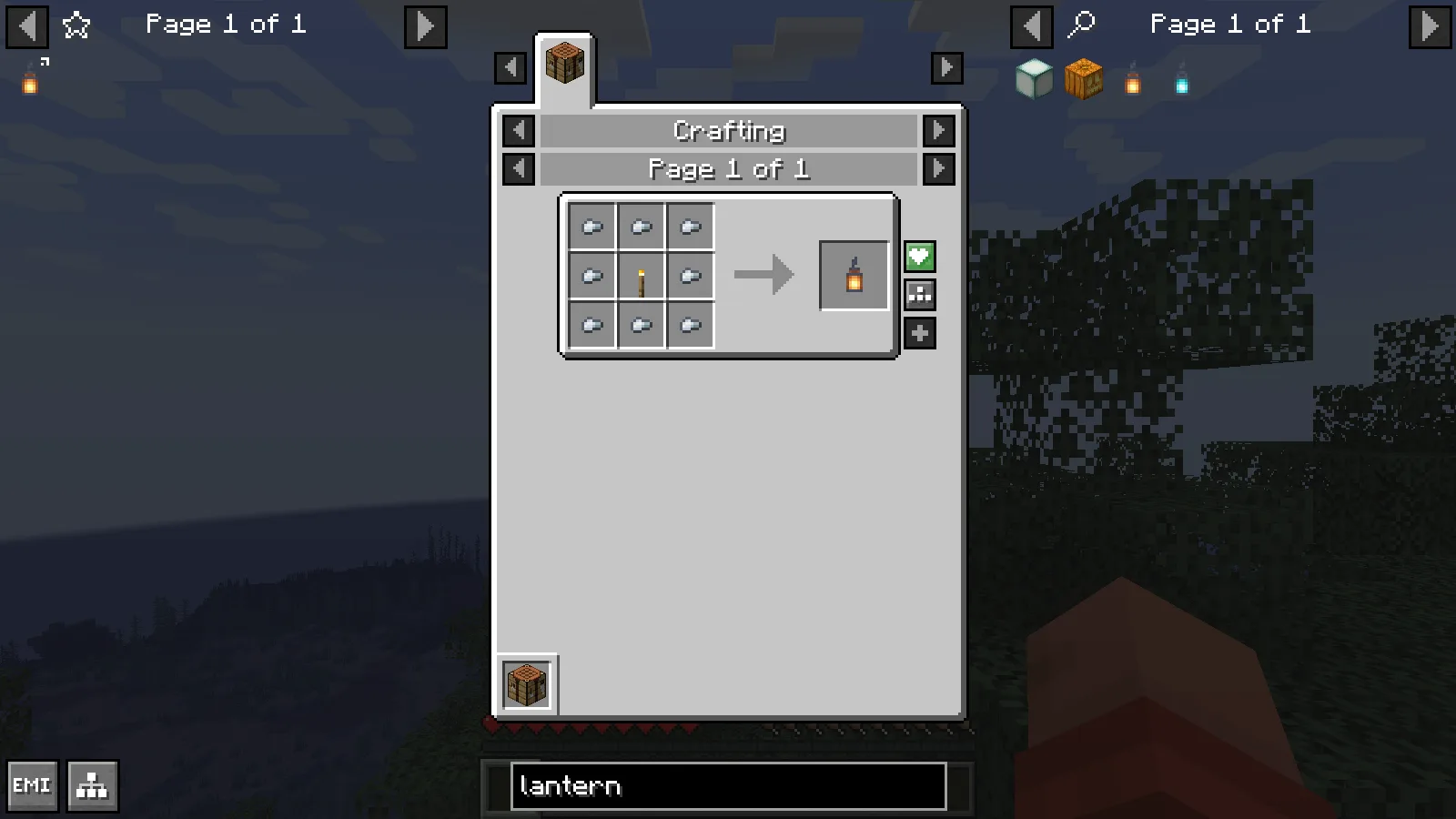
The lantern recipe uses eight iron nuggets around a torch. The saved lantern appears in the favorites column on the left.
Save a recipe you will use again
Hover over the lantern output and press A to add it to the favorites column on the left. That gives you a quick route back while gathering materials for several lights. Keep a small set of favorites for the current project instead of filling the sidebar with everything you might build later.
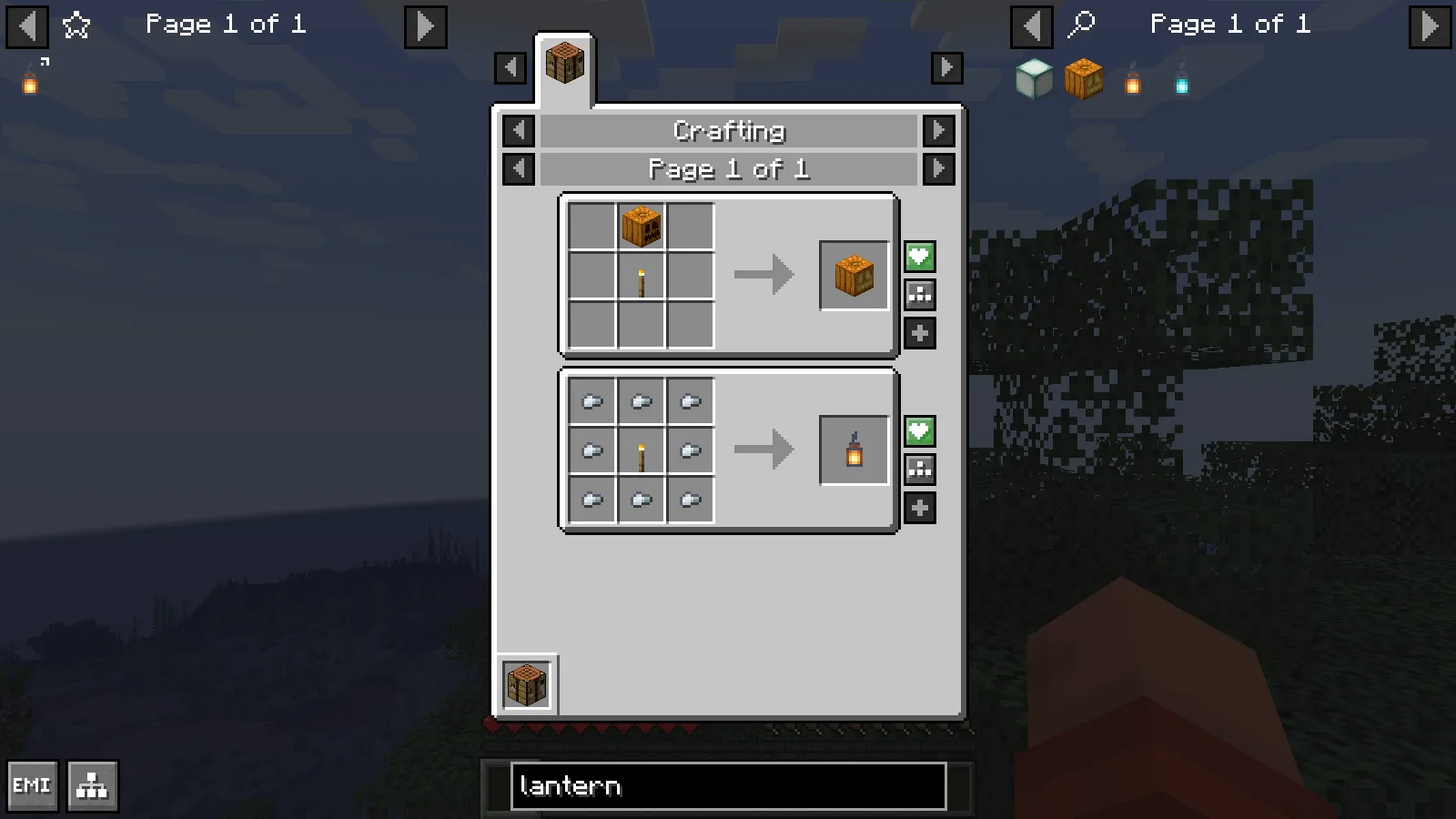
Right-clicking the torch ingredient shows its crafting uses, including Jack o'Lantern and Lantern.
Right-click the torch inside the recipe to see what uses it. This view connects the same ingredient to both a lantern and a Jack o'Lantern, which is useful when choosing a light that suits your build. Recipe lookup shows possibilities; it does not supply the materials.
Craft from your own materials
Bring eight nuggets and one torch to a crafting table. With the table open, click the saved lantern in the favorites column to move the available ingredients into the 3×3 grid. Take the lantern from the output slot, then put it in your inventory. The ingredients are consumed by ordinary crafting.
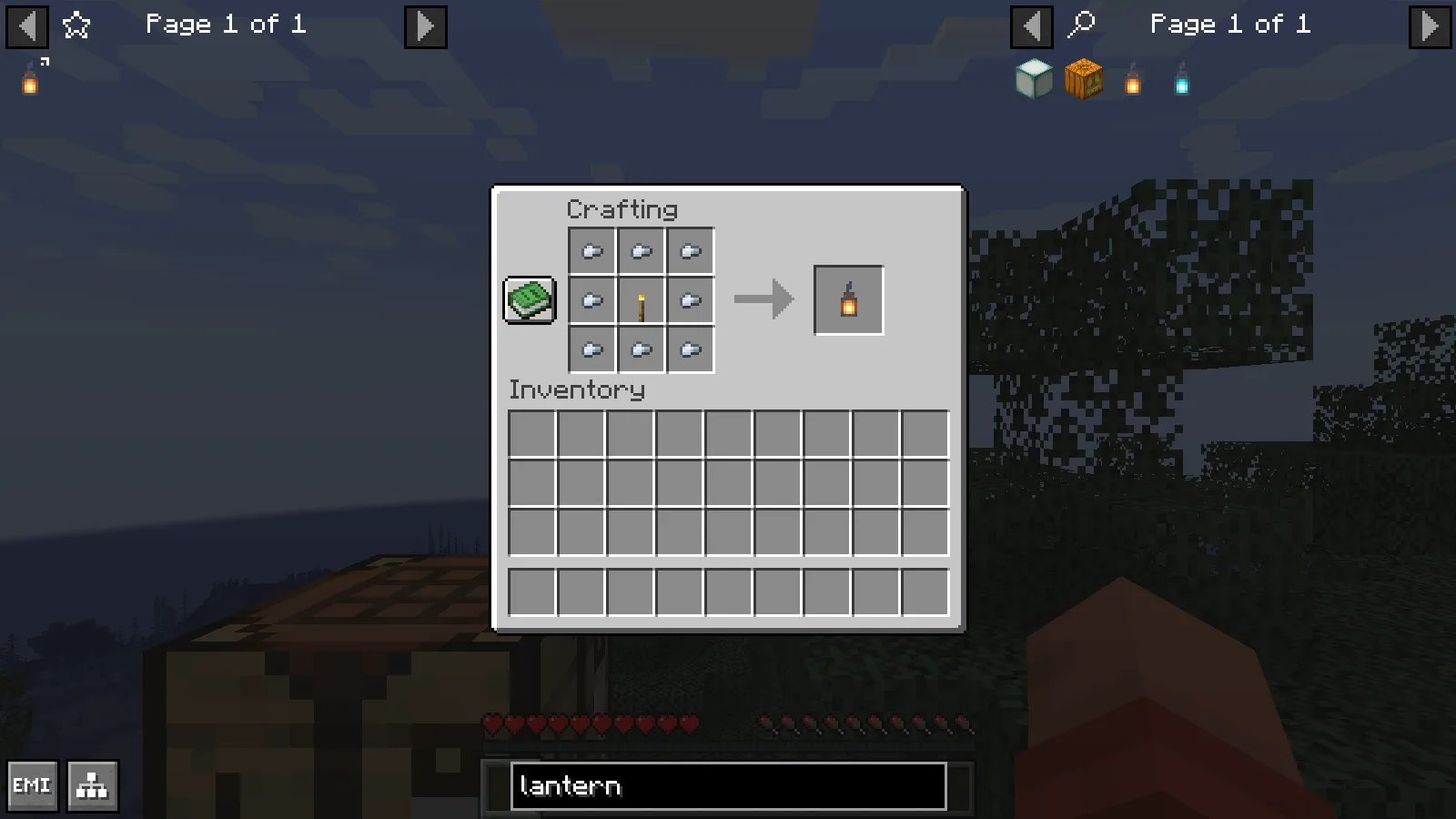
At a crafting table, clicking the saved lantern fills the 3×3 grid using available ingredients from the player inventory.
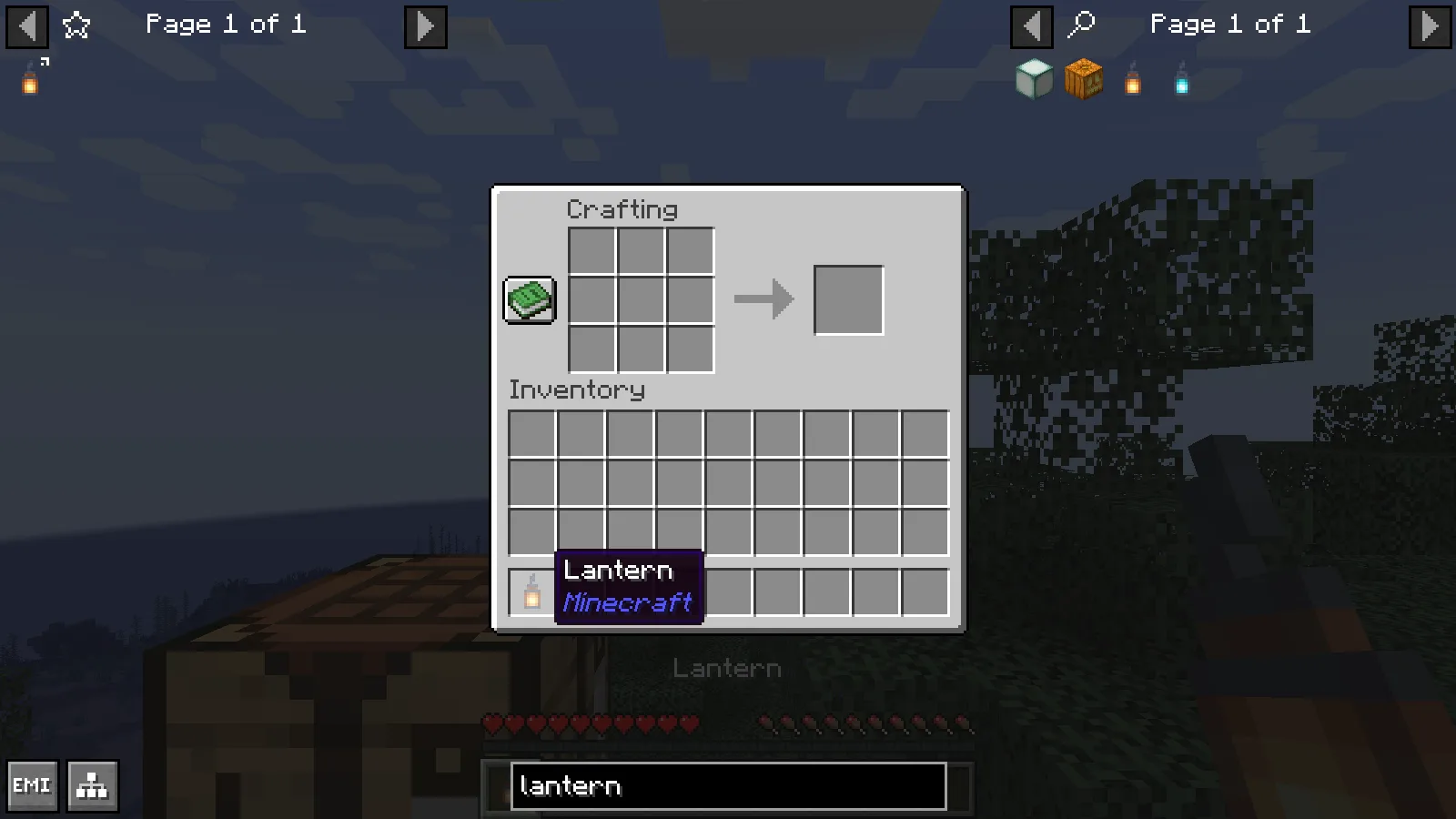
Taking the result consumes eight iron nuggets and one torch, leaving one crafted lantern in the hotbar.
Install a matching version
Use a Minecraft 1.21.1 Fabric profile for the release shown here. Add the matching EMI and Fabric API files to that profile's mods folder, then start the game and open an inventory. Use files that match the Minecraft version and loader of that profile.
In larger modpacks, recipes can differ from vanilla. Treat the recipe displayed in your current pack as your working reference, and make sure you have the correct workstation and ingredients before attempting to fill it.
Comments & questions
Share what worked, ask for help or reply to another player.
No comments yet. Share what worked for you.