
Your first Create machine can be small enough to fit beside a crafting table. A water wheel turns a line of shafts, the shafts power a Mechanical Press, and the press turns metal ingots into sheets on a Depot. You can see every part working in the world.
The guide follows five crafting recipes, a casing conversion and a working metal press. The spruce workshop keeps the water supply and every shaft connection in view.
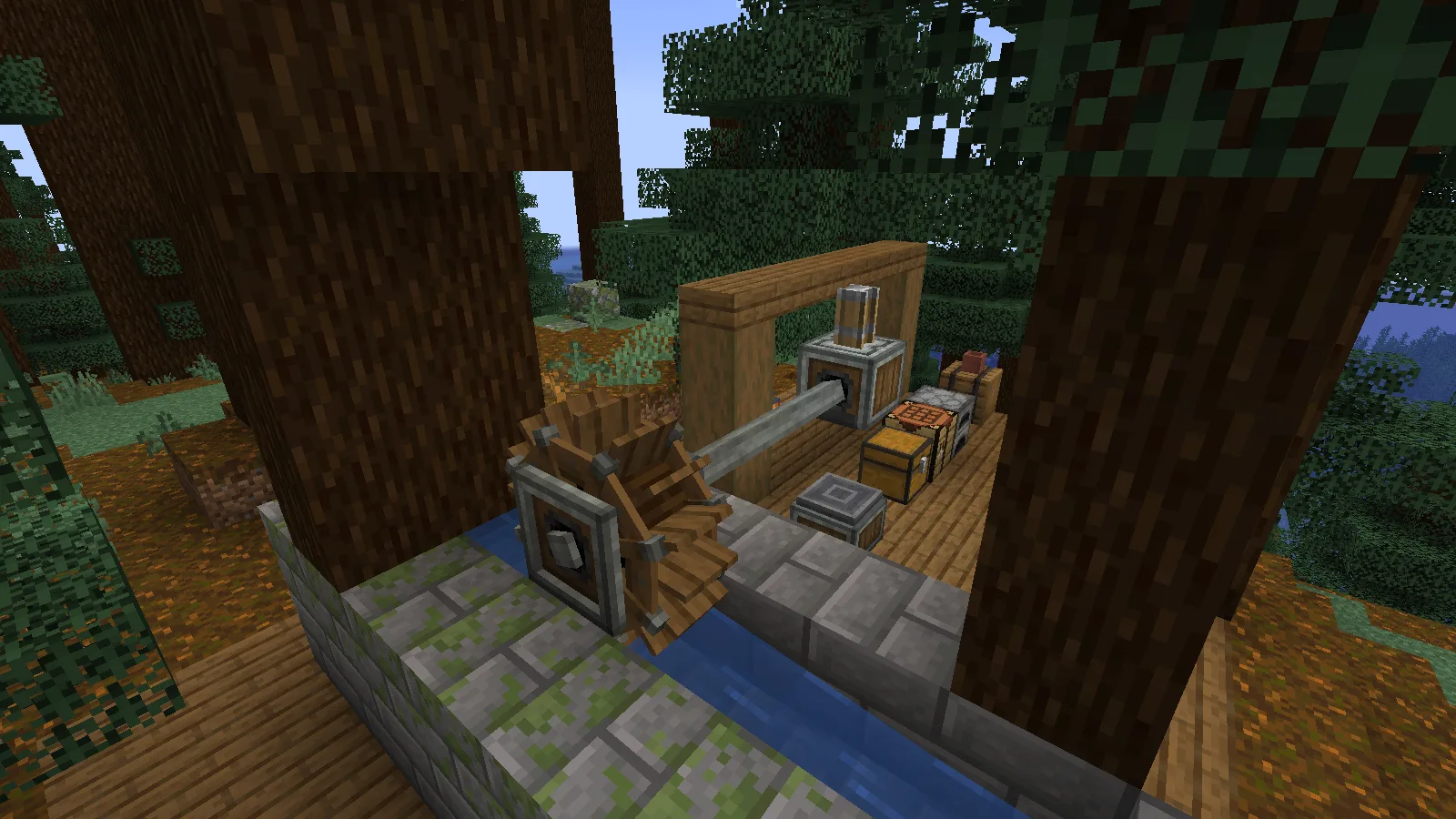
Gather the parts for a small press
The working line uses one Water Wheel, three Shafts, one Mechanical Press and one Depot. For those parts, prepare five Andesite Alloys, eight planks, two stripped logs and one iron block. Two of the alloys make eight shafts, leaving spares after this build. Bring a water bucket, building blocks for the channel and a few iron or copper ingots to process.
Spruce planks and stripped spruce logs give the little workshop a consistent look. Keep the channel along one edge of the floor so you can reach the crafting table, the Depot and your storage without crossing the water.
Make Andesite Alloy and shafts
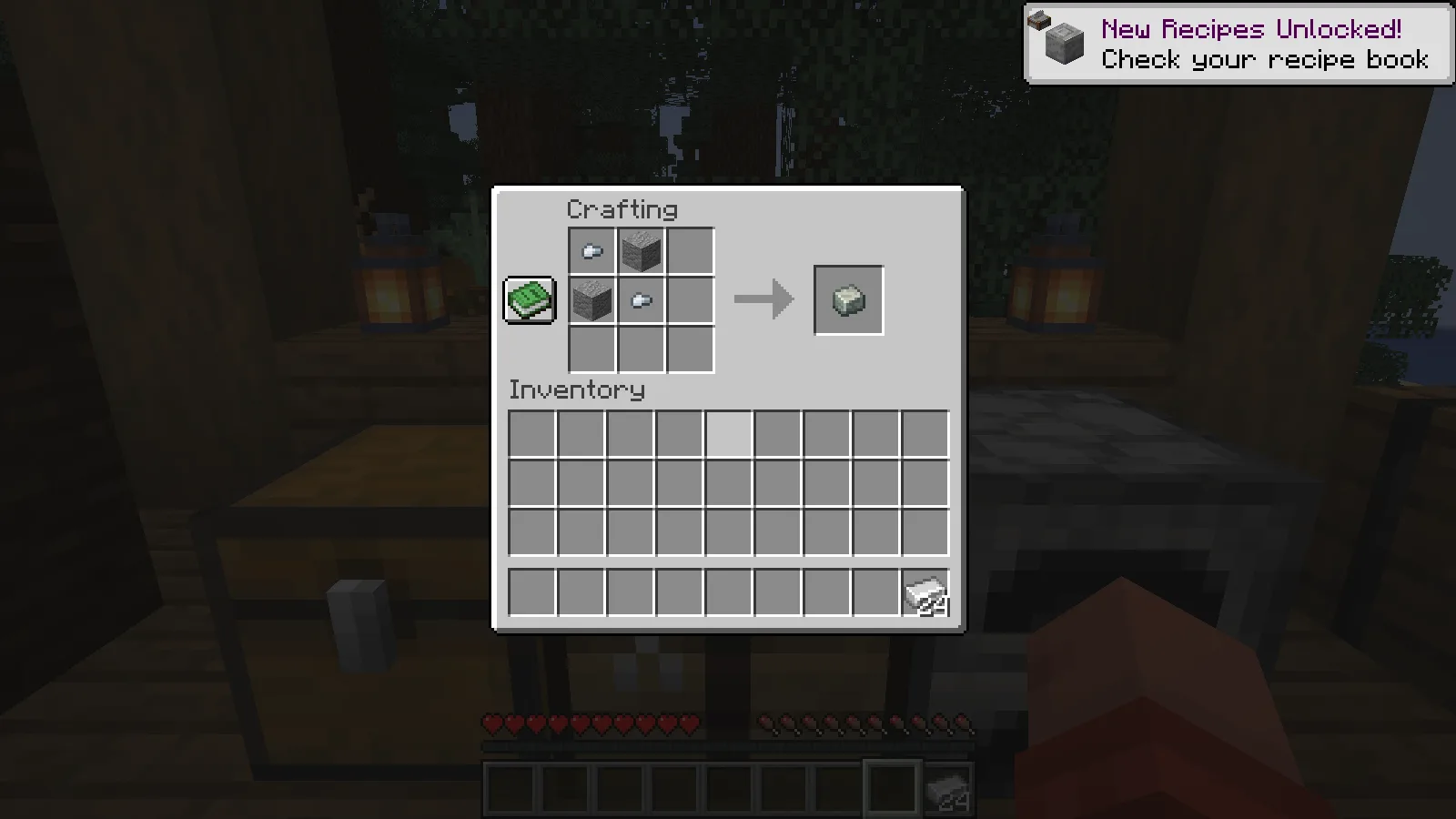
At a crafting table, arrange two andesite blocks and two iron nuggets in the alternating square shown below. In this release, the recipe produces one Andesite Alloy. Repeat it for the alloys your build needs.
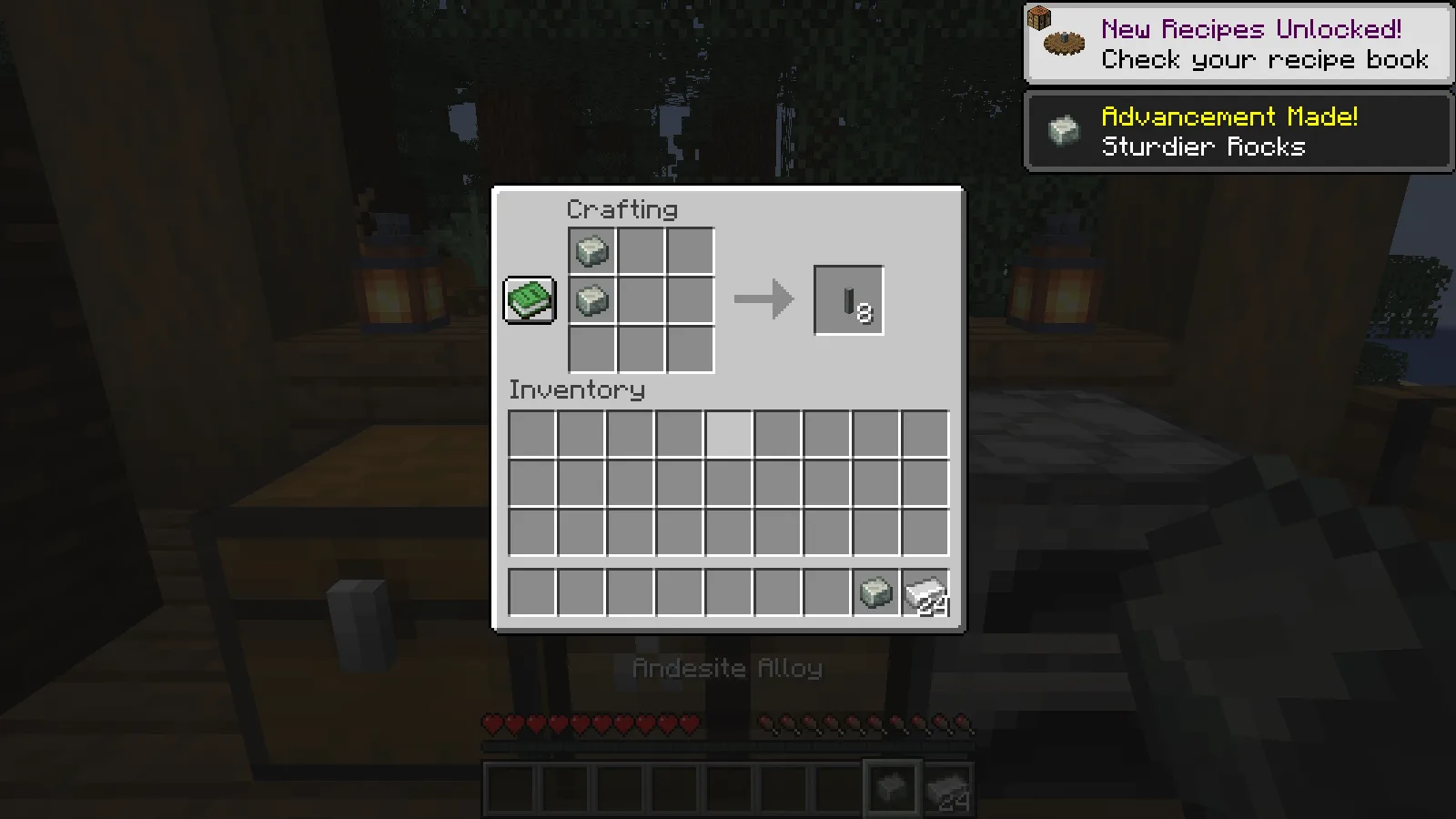
Place two Andesite Alloys in a vertical line to craft eight Shafts. Shafts carry rotation along their length. We use a straight line in this first machine, so you do not need to learn gear ratios before making your first sheets.
Turn stripped logs into casings
Place a stripped log in the world, hold an Andesite Alloy and use it on the log. The stripped spruce block becomes an Andesite Casing, with a metal frame around the wood. Compare it with the untreated log beside it: you want the framed block for the next recipes.
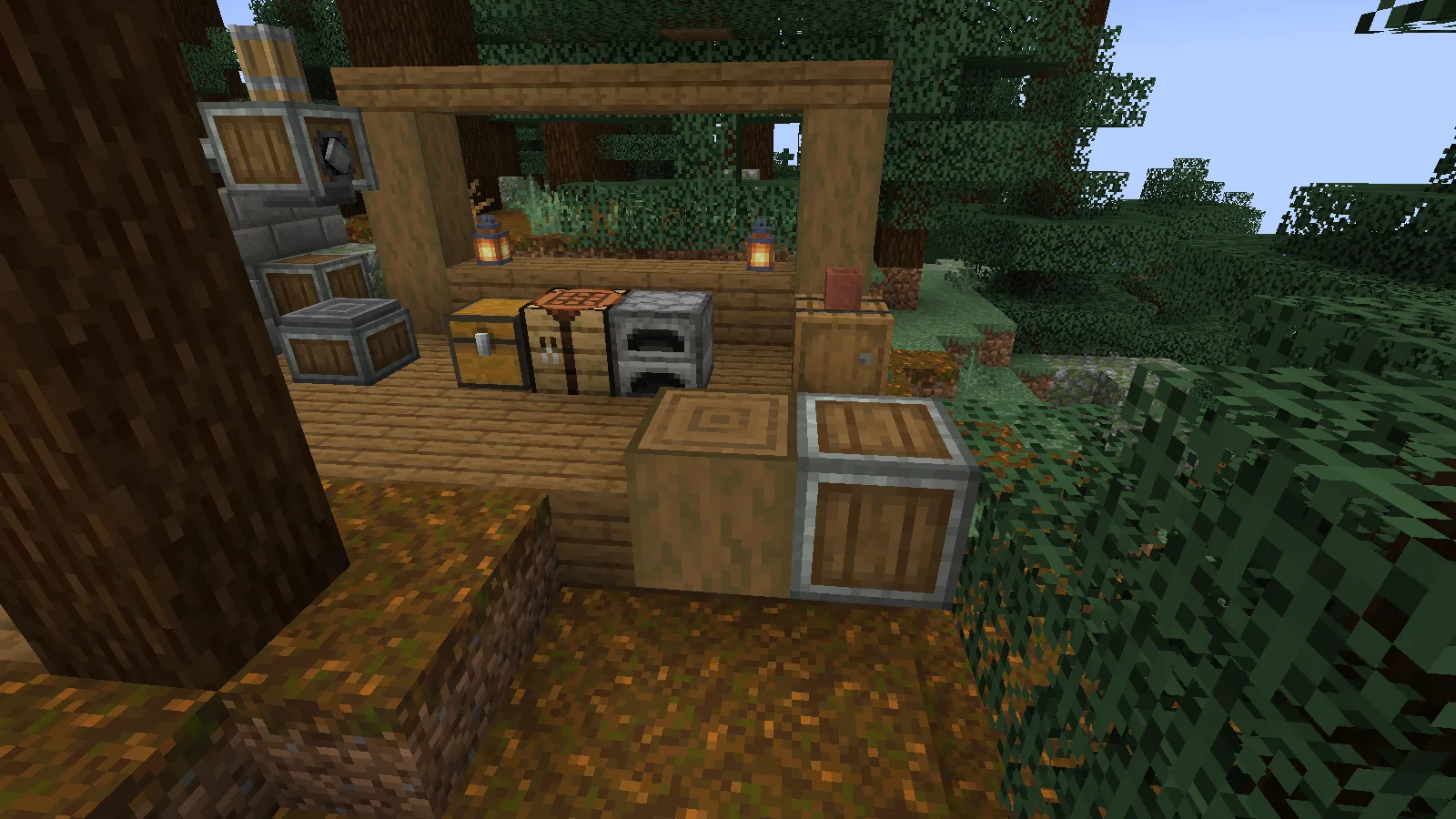
Prepare two casing items for the next recipes: one for the press and one for the depot.
Craft the wheel, press and depot
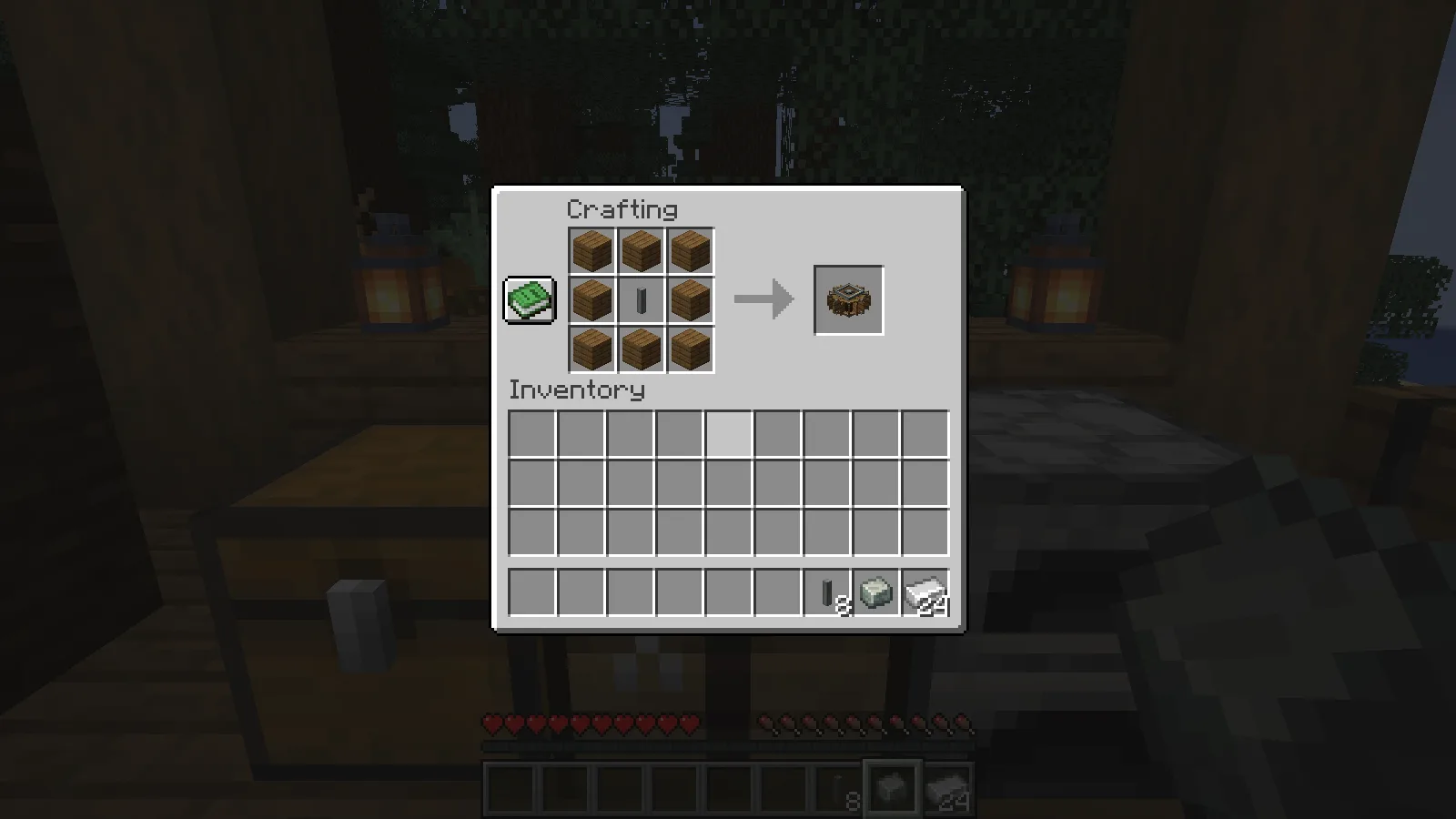
Surround a shaft with eight planks to craft a Water Wheel. This is the small wheel used throughout the guide.
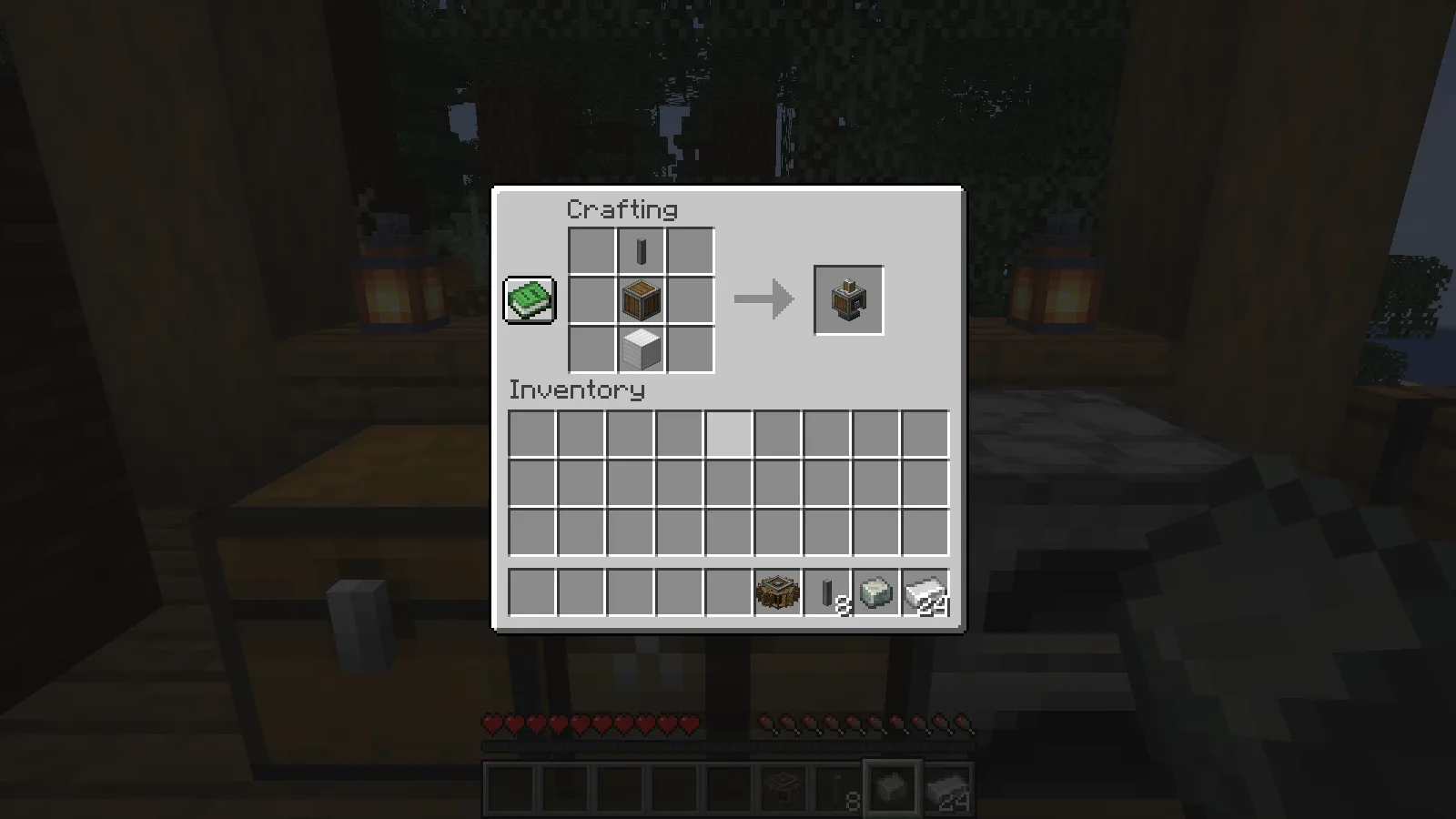
For the Mechanical Press, stack a shaft, an Andesite Casing and an iron block vertically in that order. The iron block is the bottom ingredient; an individual iron ingot will not replace it.
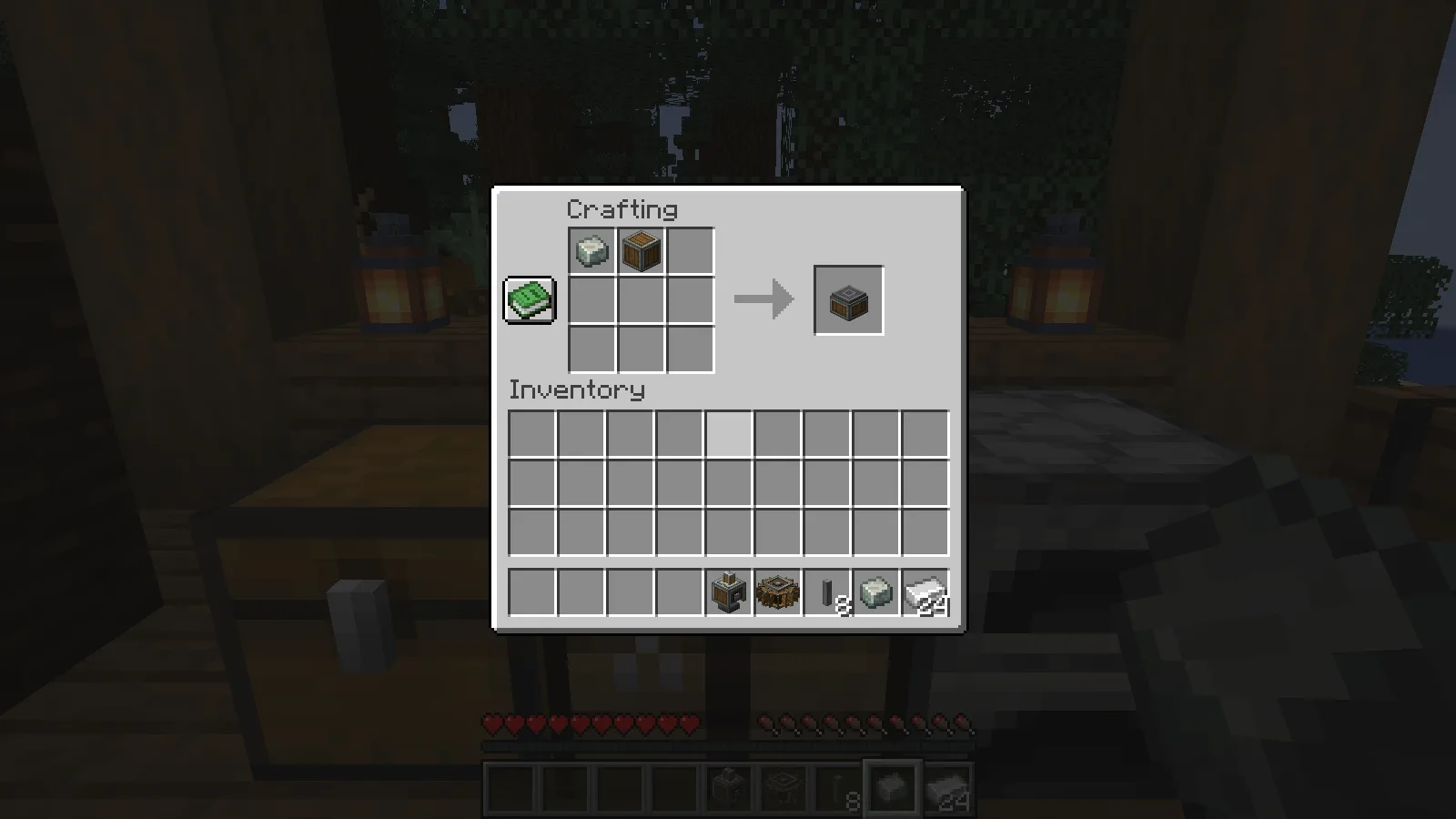
Combine one Andesite Alloy with one Andesite Casing to make the Depot. This is the small working surface on which you place the ingots.
Connect water power to the press
Mount the wheel vertically and build a channel so water flows past its lower edge. Our finished channel runs beneath the wheel, with a water source upstream and solid sides keeping the stream off the workshop floor. Moving water matters: simply placing still water beside the wheel did not turn it in our first channel attempt.
Connect three shafts in a straight line from the wheel's axle to the press's shaft connection. The axes must line up. In this build the press and wheel both use the same horizontal axis; placing a shaft against a decorative side will not create that connection.
Place the Depot directly below the press, with one empty block between the depot block and the press block. The pressing head needs that space to travel down to the item. Remove any temporary support that occupies the gap.
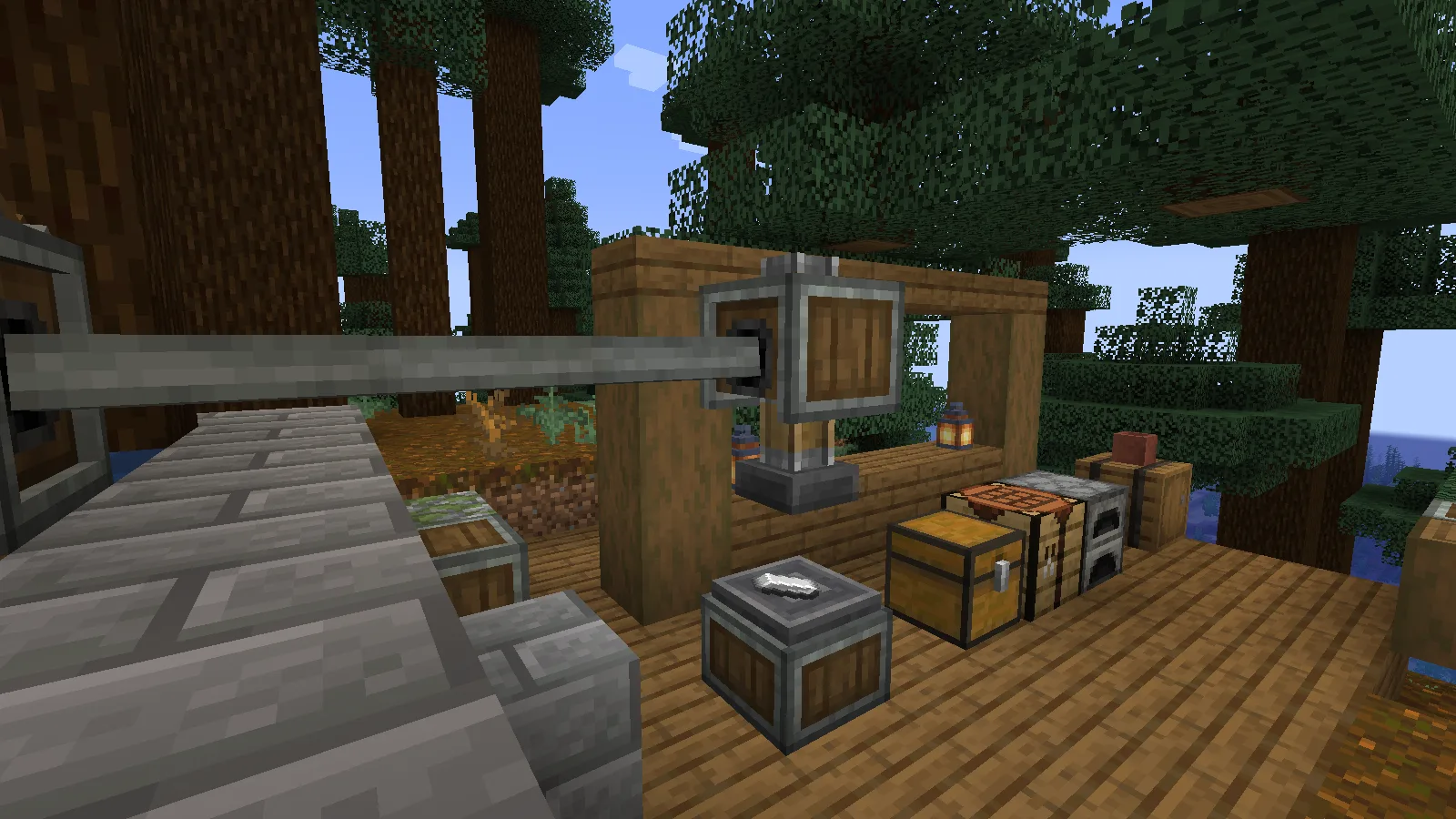
The completed line ran at 8 RPM in our default setup. Removing the water stopped both the wheel and press; restoring a working stream restarted the line. The wood, stone and water routing can suit your base, but keep the axle connection and the press-to-depot spacing clear.
Press iron and copper into sheets
Hold iron ingots and use them on the Depot. The stack appears on its top, and the powered press starts working. Let it finish a stroke before collecting the result. Use the Depot with an empty hand to retrieve the items.
We placed 24 iron ingots and later collected eight Iron Sheets plus sixteen unprocessed ingots. The press handled the stack gradually; it did not flatten every ingot in a single stroke. We then placed three copper ingots, waited for the full batch and collected three Copper Sheets.
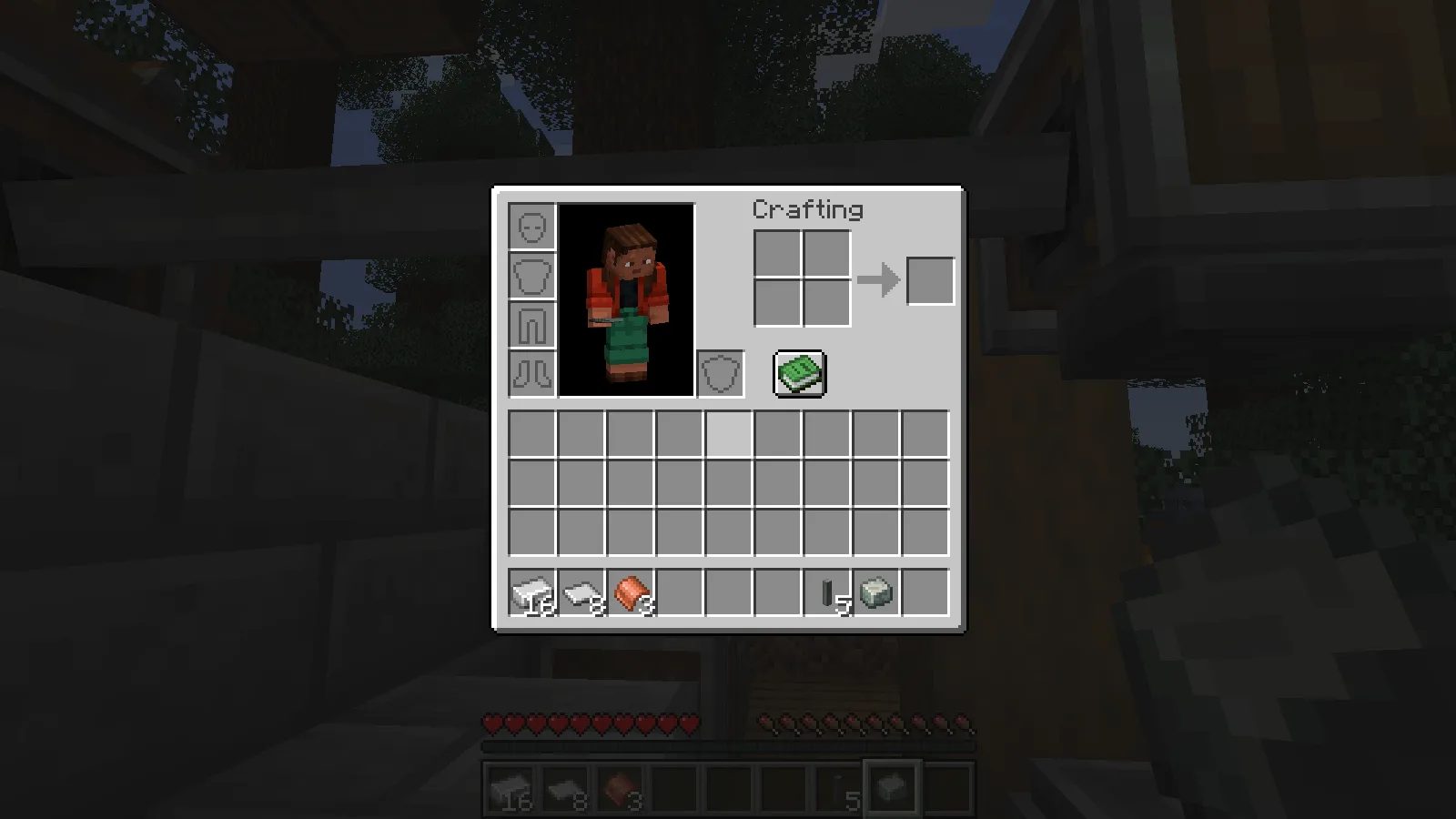
The inventory picture shows those actual results: remaining iron on the left, eight iron sheets beside it and three copper sheets in the next slot. This gives you a useful first production station without a belt, funnel or automatic storage system. Item placement and collection are manual in this build.
If the machine does not work
Start with the shaft connection on the press. If the shaft is not turning, follow the line back to the wheel and check the watercourse. A loose connection or the wrong shaft axis can break the drive; a block in the channel can stop water reaching the wheel. A turning wheel alone does not tell you whether the press is receiving rotation.
The Depot is too high. If the shaft turns but the head never comes down, look at the gap. A Depot touching the underside of the fixed press block is one block too high. The iron ingot stays there even though the shaft is turning.
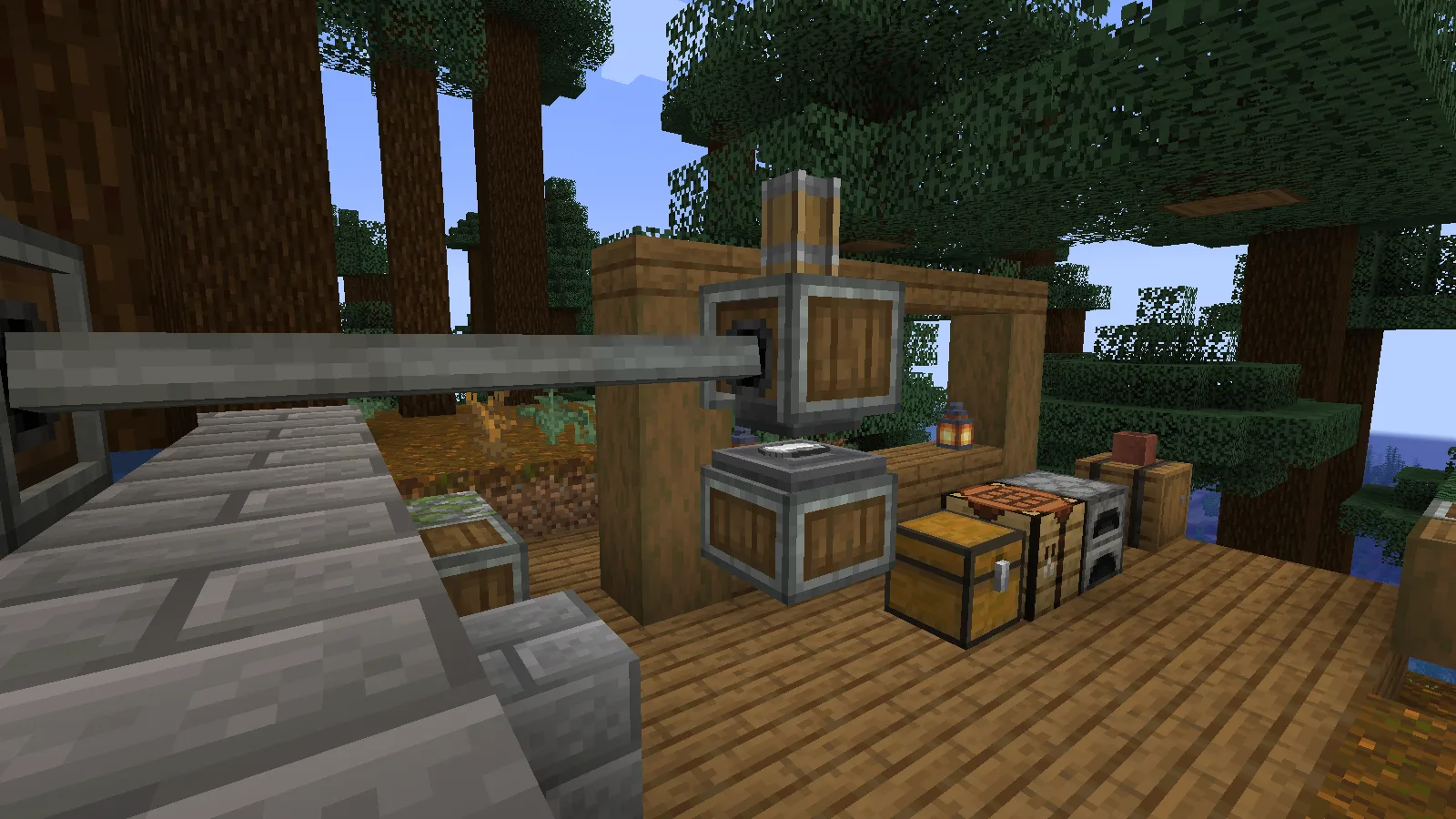
Move the Depot down so there is one empty block between the Depot block and the fixed press block. Keep it directly underneath the press. With that space restored, the press can reach the ingot and turn it into a sheet.
The Depot is off to one side. Correct height is only half the arrangement: the Depot and press must occupy the same vertical column. Moving the Depot one block sideways leaves the iron outside the working position. Put it directly beneath the press before changing anything in your water supply.
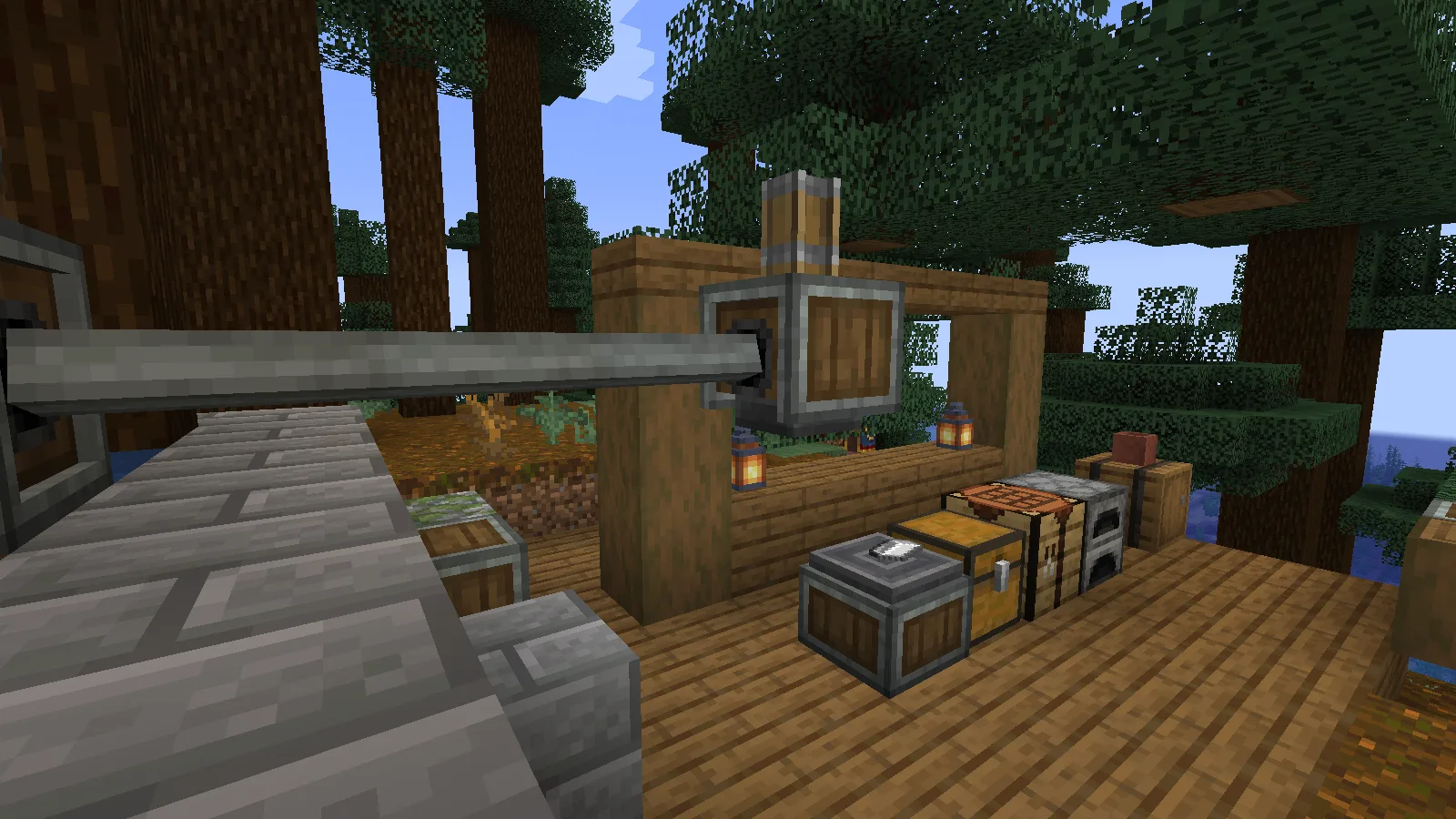
The item has no pressing recipe. A diamond stays unchanged on this correctly powered Depot; an iron ingot becomes an Iron Sheet on the very same station. If iron works but your chosen item does not, check that item's pressing recipe before rebuilding the machine. Adding speed cannot supply a missing recipe. A modpack may change recipes, so check the ones available in your own world.
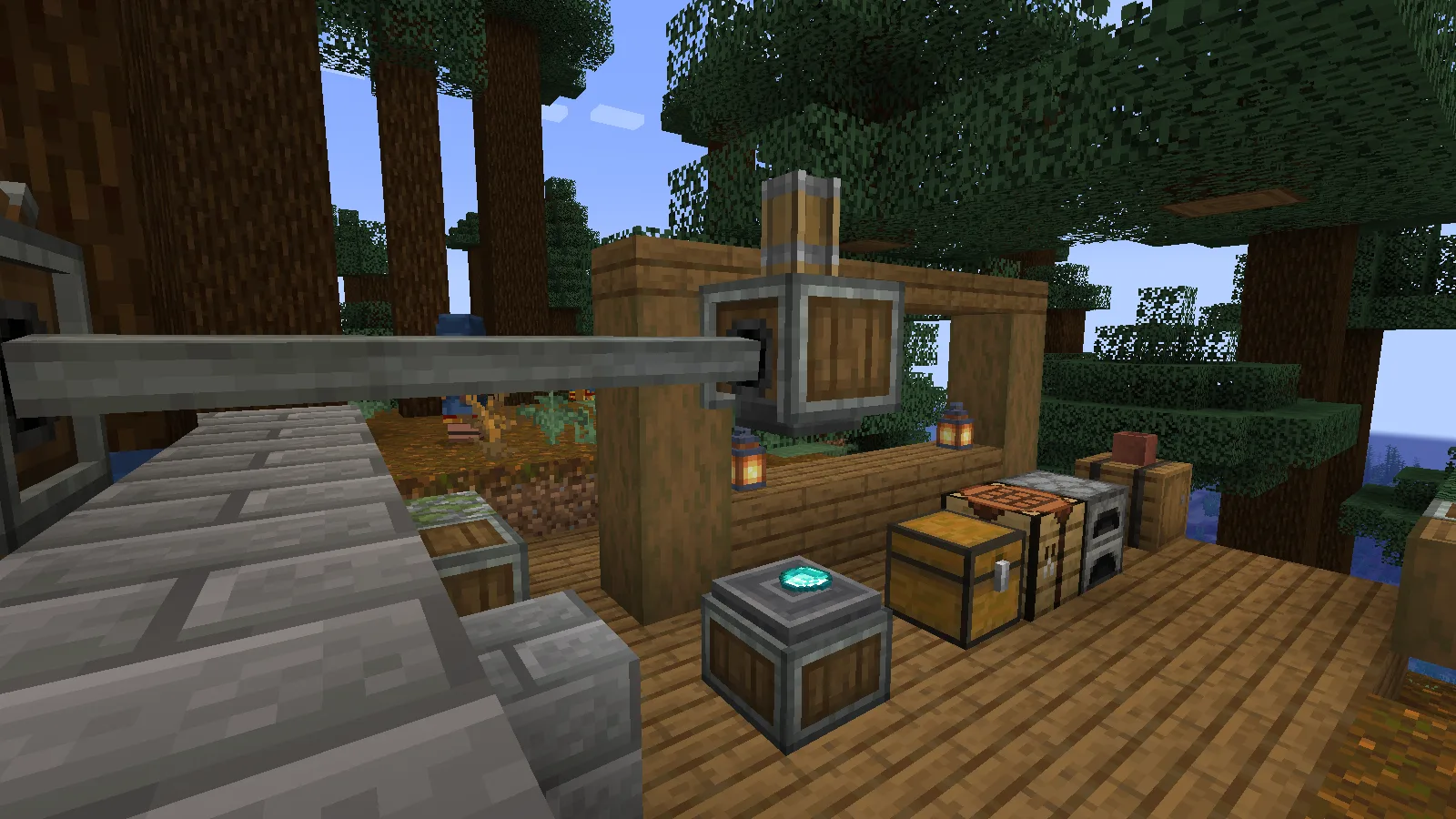
Use one iron ingot for each check. Let the head finish its stroke, then use the Depot with an empty hand to collect the sheet. Change one thing at a time: the height, the alignment or the item. That way you can see which correction gets the machine working.
Install this Create release
Choose the matching download in Files, then close Minecraft and put the Create JAR in the mods folder of the instance you actually play. Relaunch that instance before building the press.
If you play on a server, agree on the same Create setup with its owner before joining. Adding the mod to your own instance does not install it on the server.
Comments 0
Share what worked, ask for help or reply to another player.
Use your Modonix account to join the discussion and manage your comments.
Sign in to commentNo comments yet. Share what worked for you.