
Comforts gives Minecraft Java travellers a sleeping bag for the trail and a hammock for daytime naps. Both let you sleep without replacing the spawn point at your home bed. Pack a bag for an expedition, then build a hammock when you find a clearing worth returning to.
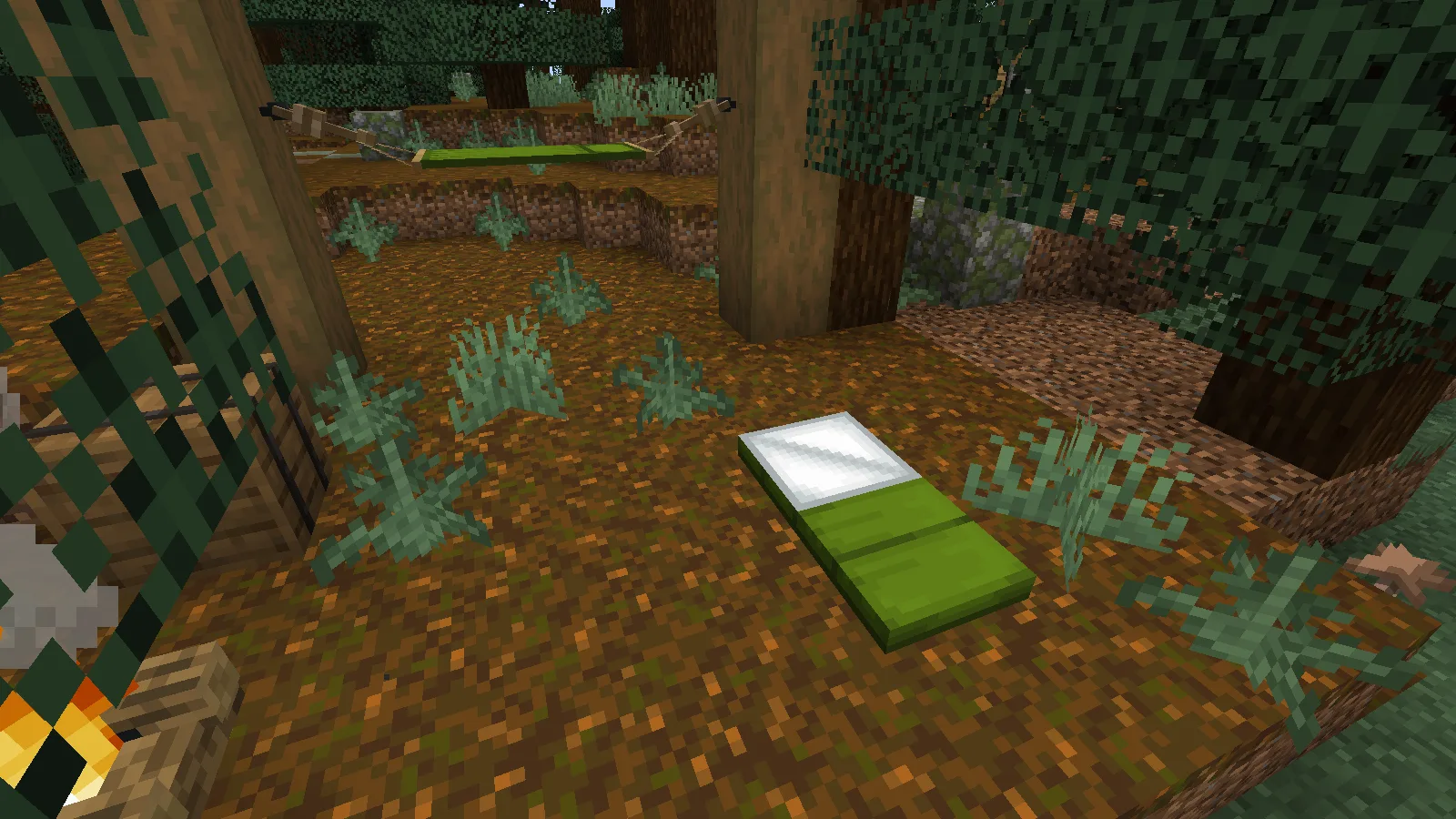
Craft a sleeping bag
For the reviewed Minecraft 1.21.1 release, place three wool blocks of the same colour in one vertical column at a crafting table. We used green wool and collected one Green Sleeping Bag. Older recipes shown elsewhere may use a different arrangement; this screenshot is from the file offered here.
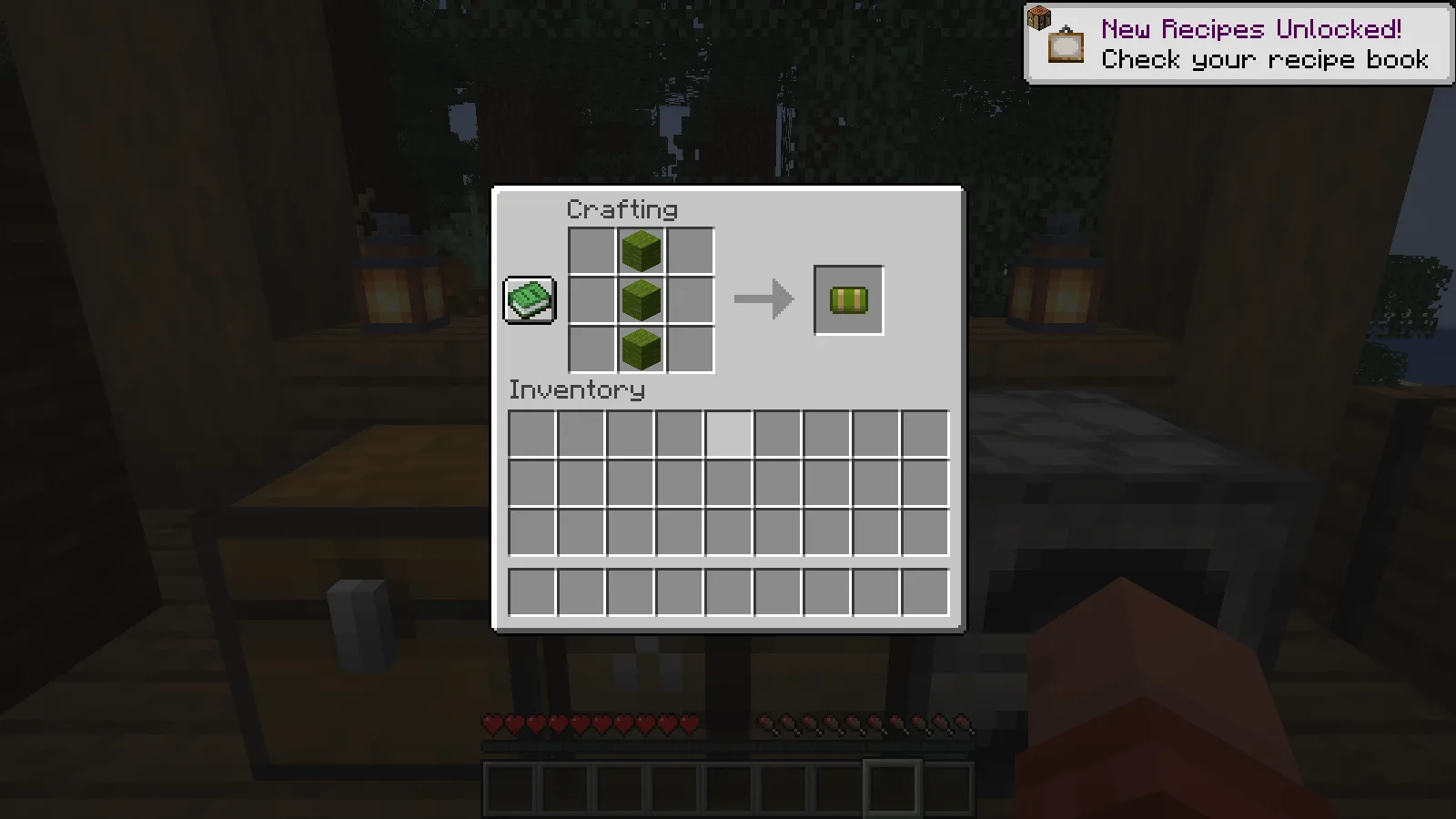
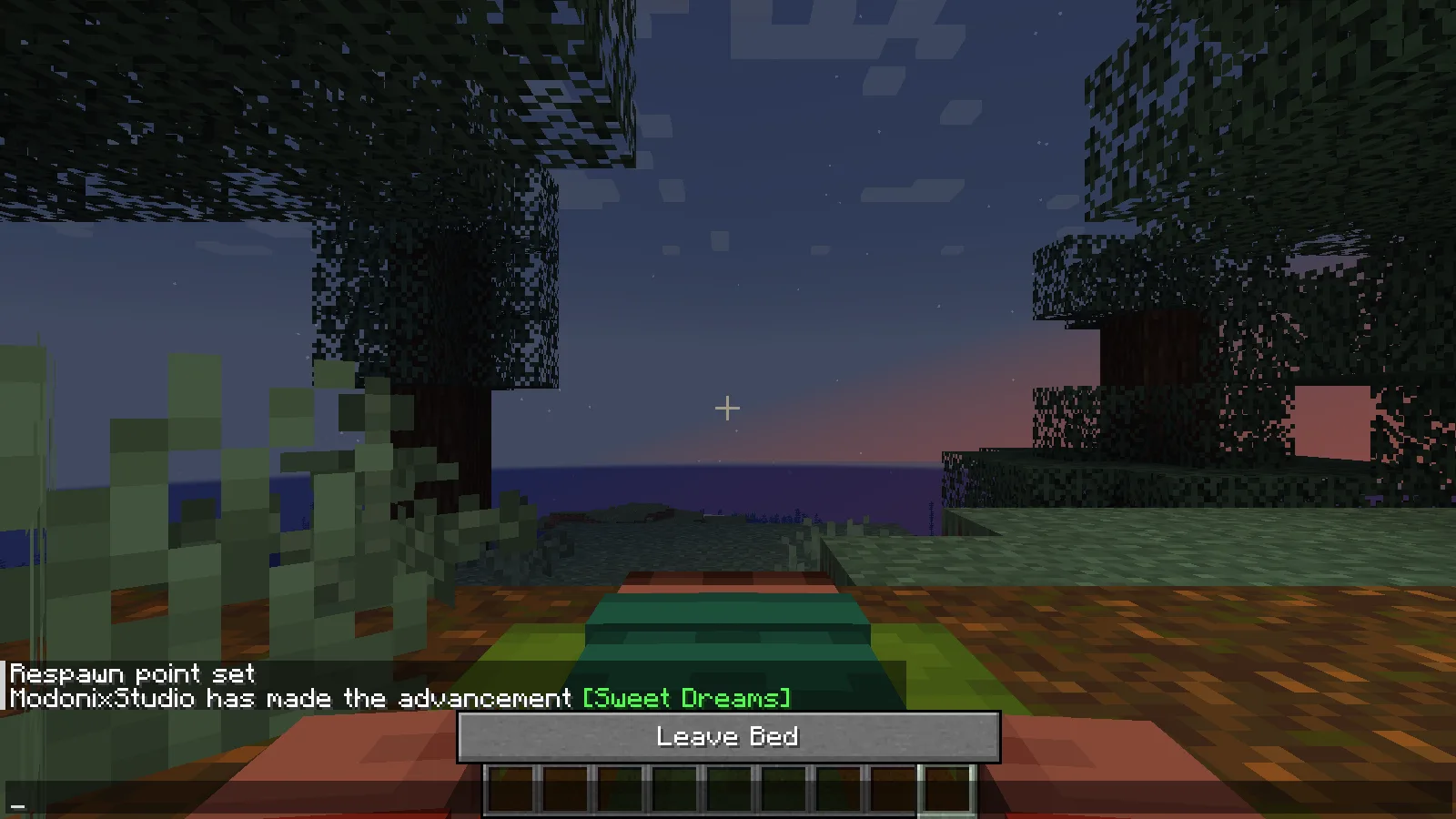
Set your home spawn with an ordinary bed before heading out. At night, select the sleeping bag and use it on clear ground with room for its full length. With the default settings in this release, placing it also starts the attempt to sleep. The bag packs itself back into your inventory after waking.
If you only want to lay it out, hold sneak while placing it. We used that control to leave the green bag beside the campfire for the opening photograph. It is a useful way to arrange a campsite before bedtime.
Sleep through the night and keep your home spawn
We first used the blue bed at our forest base, then went to the separate campsite. The green sleeping bag took the character through the night into morning. The bag returned to the inventory, and the original home spawn stayed unchanged.
After dying following a night in the sleeping bag, the character respawned beside the original blue bed, rather than at the campsite. The picture below shows that home location.
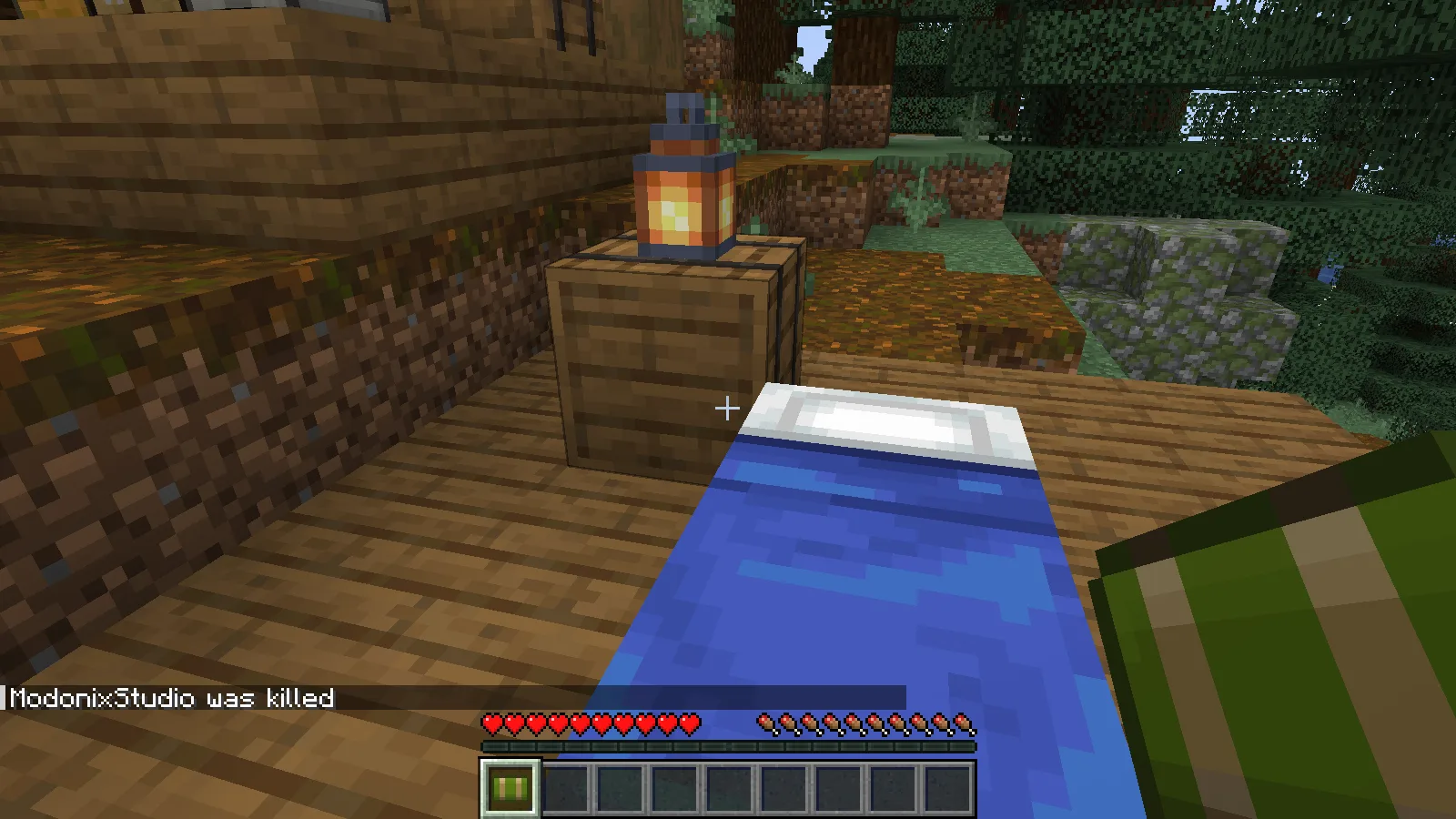
The bag does not create a new home spawn. Keep the original bed in place and leave a safe space around it if you expect to return there after dying.
Craft the hammock cloth
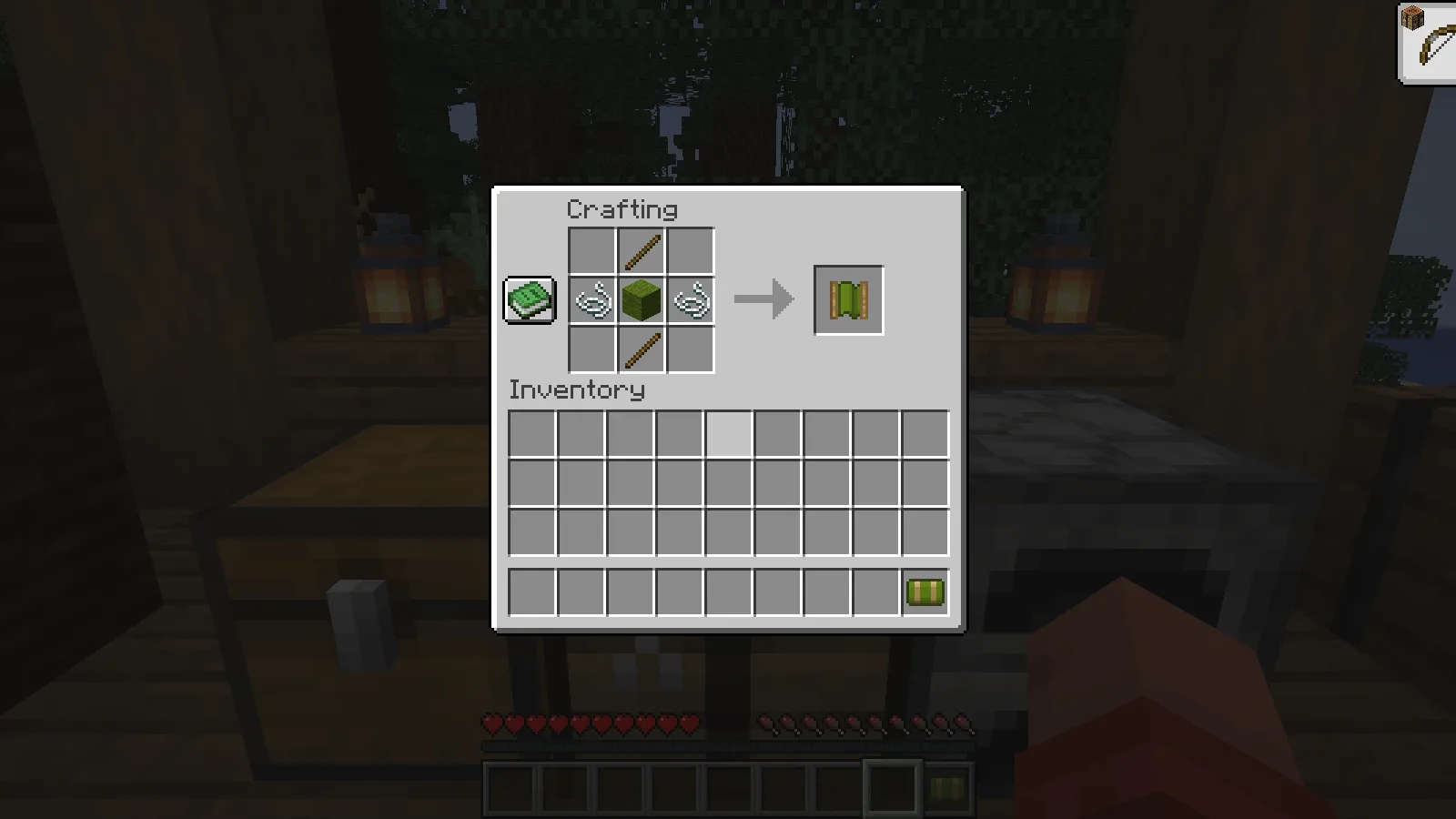
The Green Hammock needs one green wool, two sticks and two strings in this version. Put the wool in the centre, a stick above and below it, and a string to each side. Collect the green hammock cloth from the output.
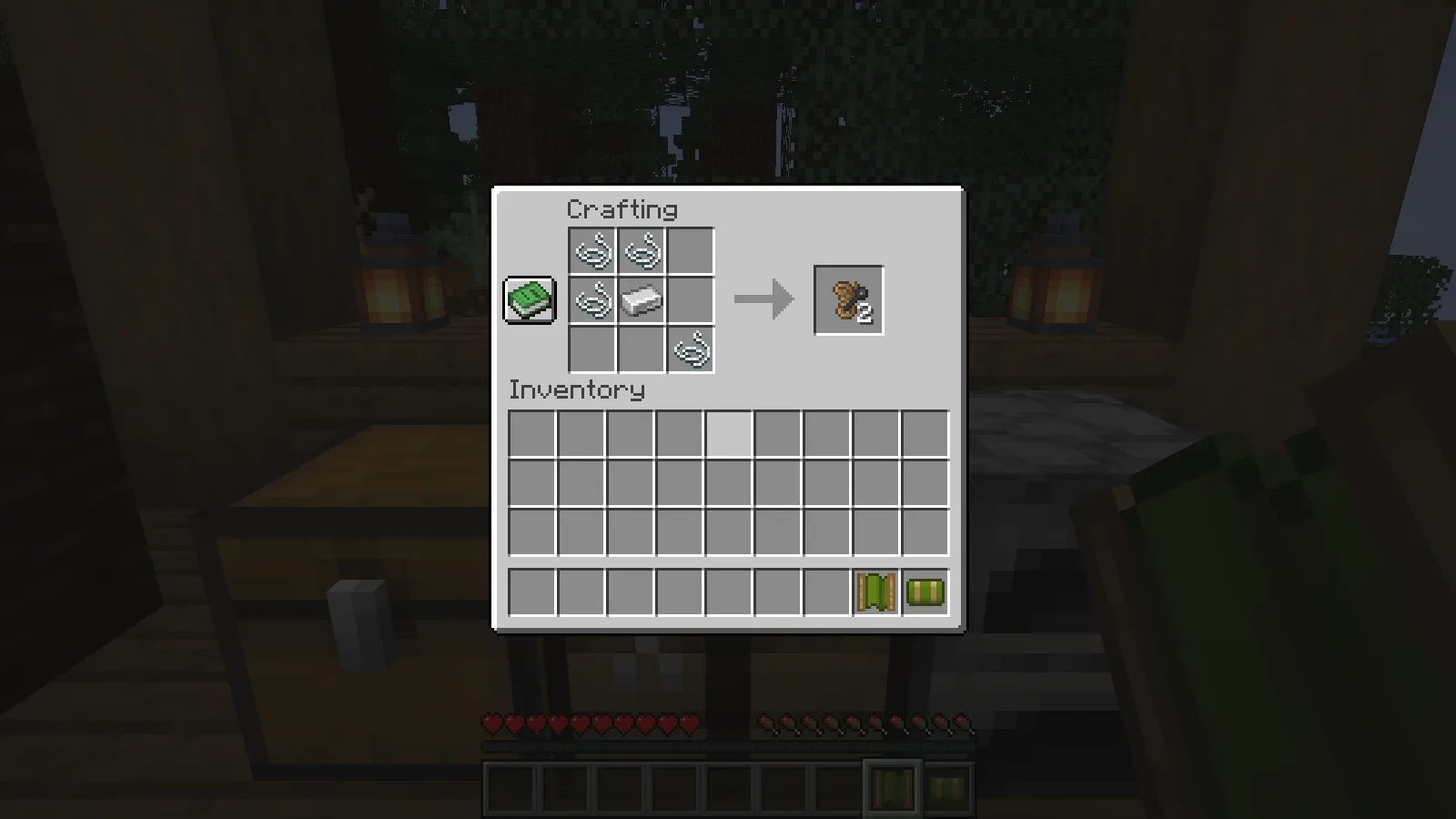
The cloth needs two supports before you can hang it. One craft of Rope and Nail produces both: use four strings and one iron ingot in the arrangement shown below. The empty slots matter, so follow the picture rather than filling the whole grid.
Hang it between two posts
Build two solid posts with four empty block positions between their inner faces. Attach one Rope and Nail to each inward-facing side, at the same height. We used stripped spruce posts and placed the attachments two blocks above the ground.
Use the hammock cloth on one of the attachments. The finished hammock spans the gap, with its cloth between the ropes. Leave the space underneath and around it clear enough to approach.
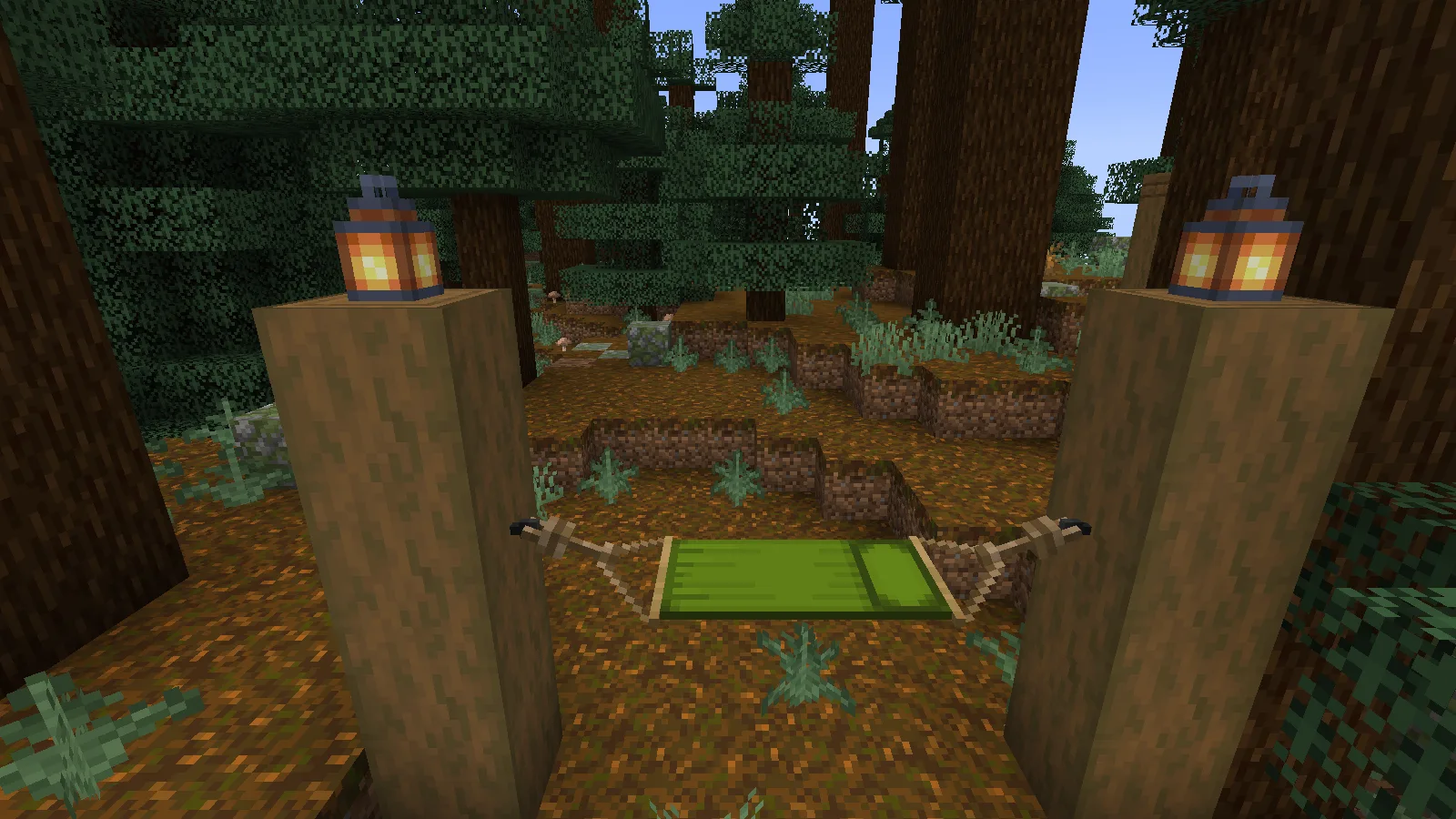
With an empty hand, use the hammock during the day. In our default-settings check, a nap advanced the world from midday to evening and preserved the same home spawn. The sleeping bag then handled the night-to-morning part of the trip. This gives the two items different jobs: the bag is useful when travelling overnight; the hammock helps when you want the evening to arrive.
If you cannot sleep
Check the time first. In the reviewed setup, sleeping bags are for night and hammocks are for day. If a hammock will not install, check the gap, matching attachment heights and inward-facing supports. If a bag disappears after an unsuccessful automatic sleep attempt, check your inventory before crafting another one.
Server owners can change sleep rules, including how many people must sleep and whether the items can break. Check those settings before planning a group expedition.
Download the matching Java version
Close Minecraft, put the matching Comforts JAR in the instance’s mods folder, then reopen that instance. For shared play, install matching files on the server and participating clients. Choose the file for your setup in Files.
Comments 0
Share what worked, ask for help or reply to another player.
Use your Modonix account to join the discussion and manage your comments.
Sign in to commentNo comments yet. Share what worked for you.