
Put a slower patch of ground between yourself and approaching mobs. Chrono Dome changes their movement inside a bounded area, creating time to move without freezing the whole game.
Slow the approach, then change position
Place the field where approaching mobs will enter it. For ten seconds, selected zombies, skeletons, creepers and spiders within five blocks move at half their normal speed.
Use the extra space to move or find cover. Their attacks and projectiles keep working, and the world keeps running. Normal movement returns when a mob leaves the field or the timer ends.
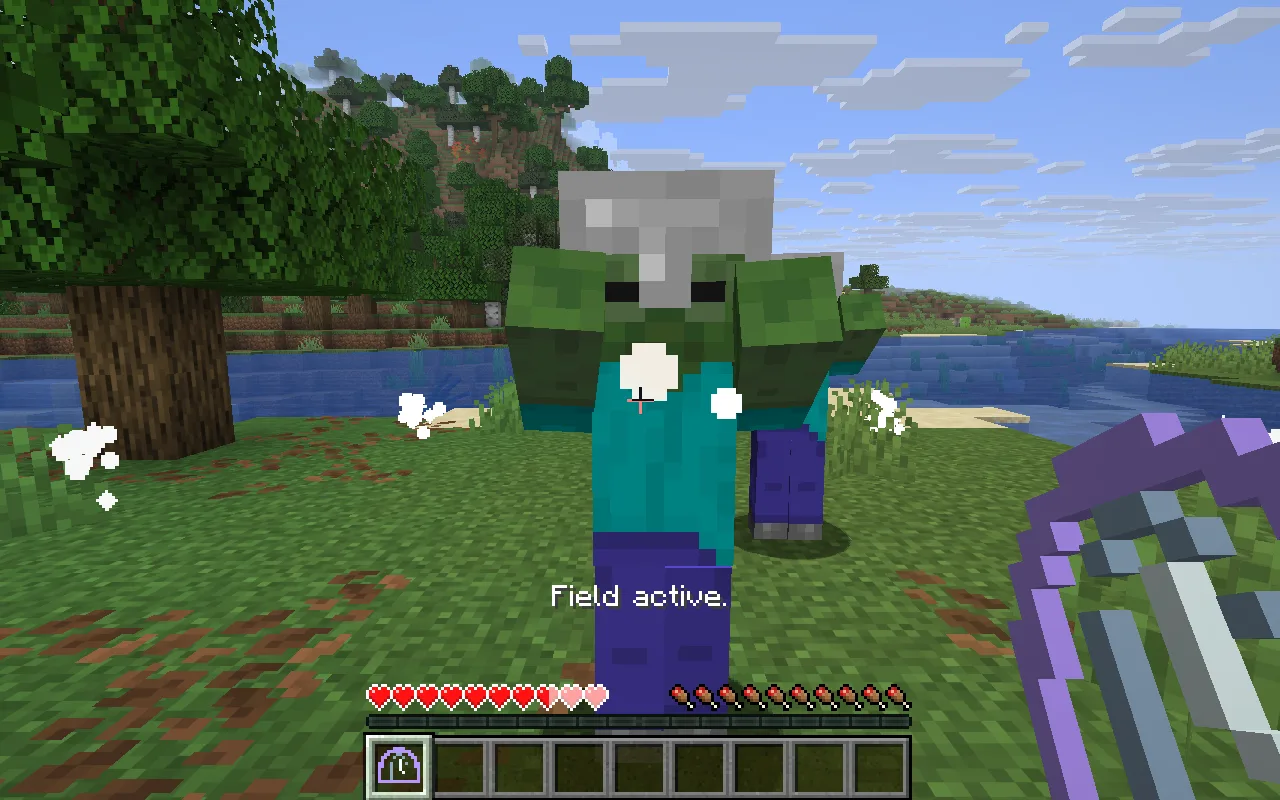
The hourglass creates a place to slow approaching enemies. Use it before they reach you, then reposition while the field is active.
What the field leaves dangerous
- The rest of the world keeps running: attacks, projectiles and other players are not frozen.
- The field slows the listed mob types to half speed; it does not affect every creature.
- Overlapping fields in this project use the strongest slowdown instead of multiplying effects.
Each activation costs one amethyst shard in Survival, with a three-second cooldown. Creative use is free.
Craft an hourglass for a retreat
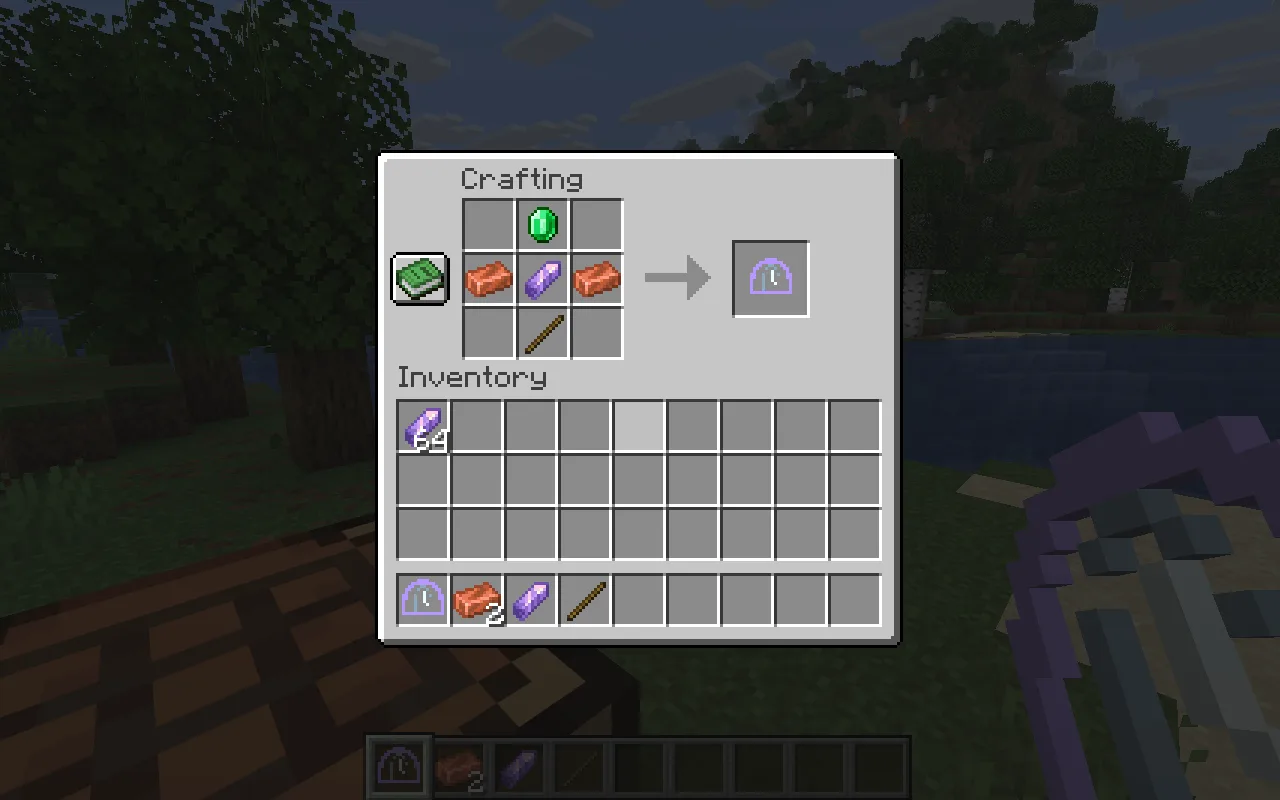
At a crafting table, put an emerald at top centre, copper–amethyst–copper across the middle, and a stick at bottom centre. Leave the other slots empty. Carry extra amethyst for activating the field.
Make a shorter escape window
Shorten Duration from ten to five seconds for a brief escape tool. Use the mob filter to focus on the encounters you want to change.
Open Chrono Dome in the constructor to change the settings and build your own version. Save its editable project if you want to keep working later.
Install Chrono Dome and Fabric API together in the instance’s mods folder, using the matching downloads in Files. Reopen that instance before crafting the hourglass.
Comments 0
Share what worked, ask for help or reply to another player.
Use your Modonix account to join the discussion and manage your comments.
Sign in to commentNo comments yet. Share what worked for you.