
A mixed kitchen garden rarely ripens all at once. Bloomwave clears the crops that are ready and leaves the younger plants growing, so you can tend a patch without clicking every stalk.
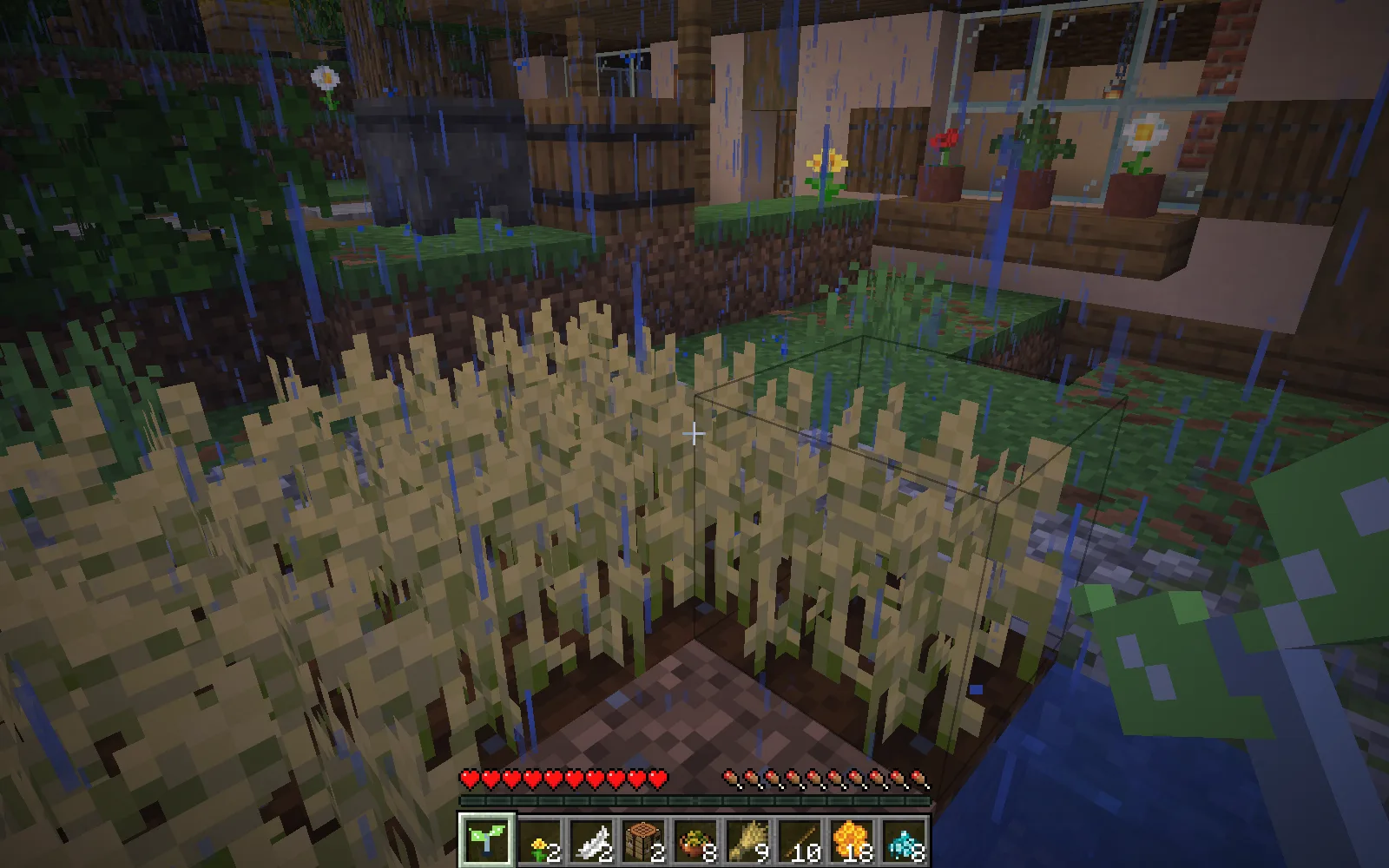
Before harvesting. The cottage and garden are authored filming scenery, not structures generated by Bloomwave.
Harvest a patch, keep the garden growing
Hold Bloomwave and use it beside your crops. The supplied version reaches three blocks to each side of where you are standing and works on mature wheat, carrots, potatoes and beetroot. On level farmland, that makes it useful for a small plot or a few neighboring rows. It does not grow young plants for you.
Replanting is enabled. Bloomwave first saves a suitable seed or piece of produce from the crop's actual drops; if there is none, it looks in your inventory. Wheat and beetroot need their seeds, while carrots and potatoes can plant themselves. With no planting material available, that harvested spot stays empty. The rest of the harvest drops into the world for you to collect.
Try it beside a cottage vegetable patch, or walk a larger field in sections. Sneak-use cancels work still waiting to happen; it does not put an already harvested crop back.
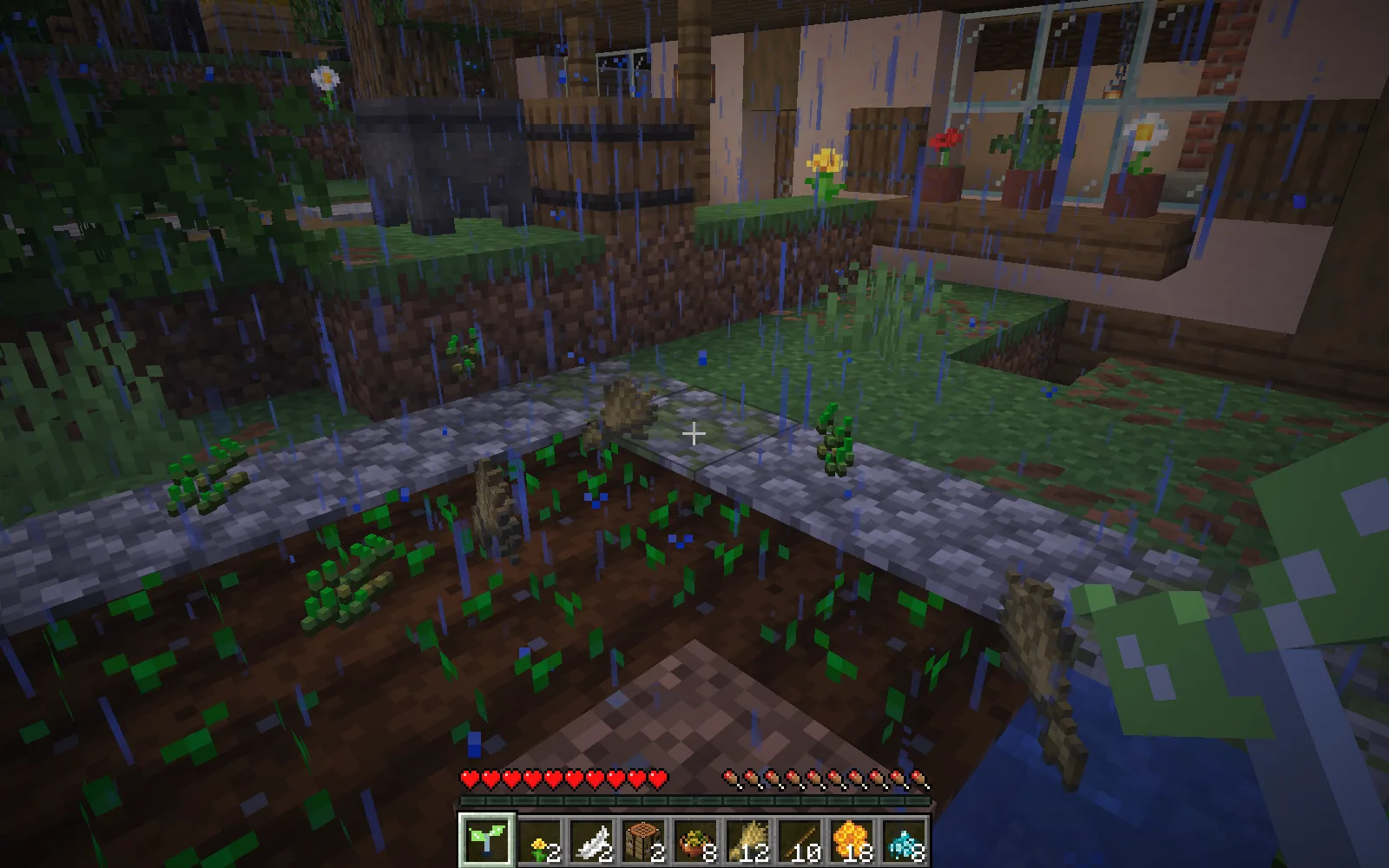
After one use: the wheat has been harvested and replanted, with drops left to collect. The activation spent one amethyst shard.
Craft Bloomwave
Gather two amethyst shards, two copper ingots and one stick, then craft the tool at a crafting table. Keep another amethyst shard for using it.
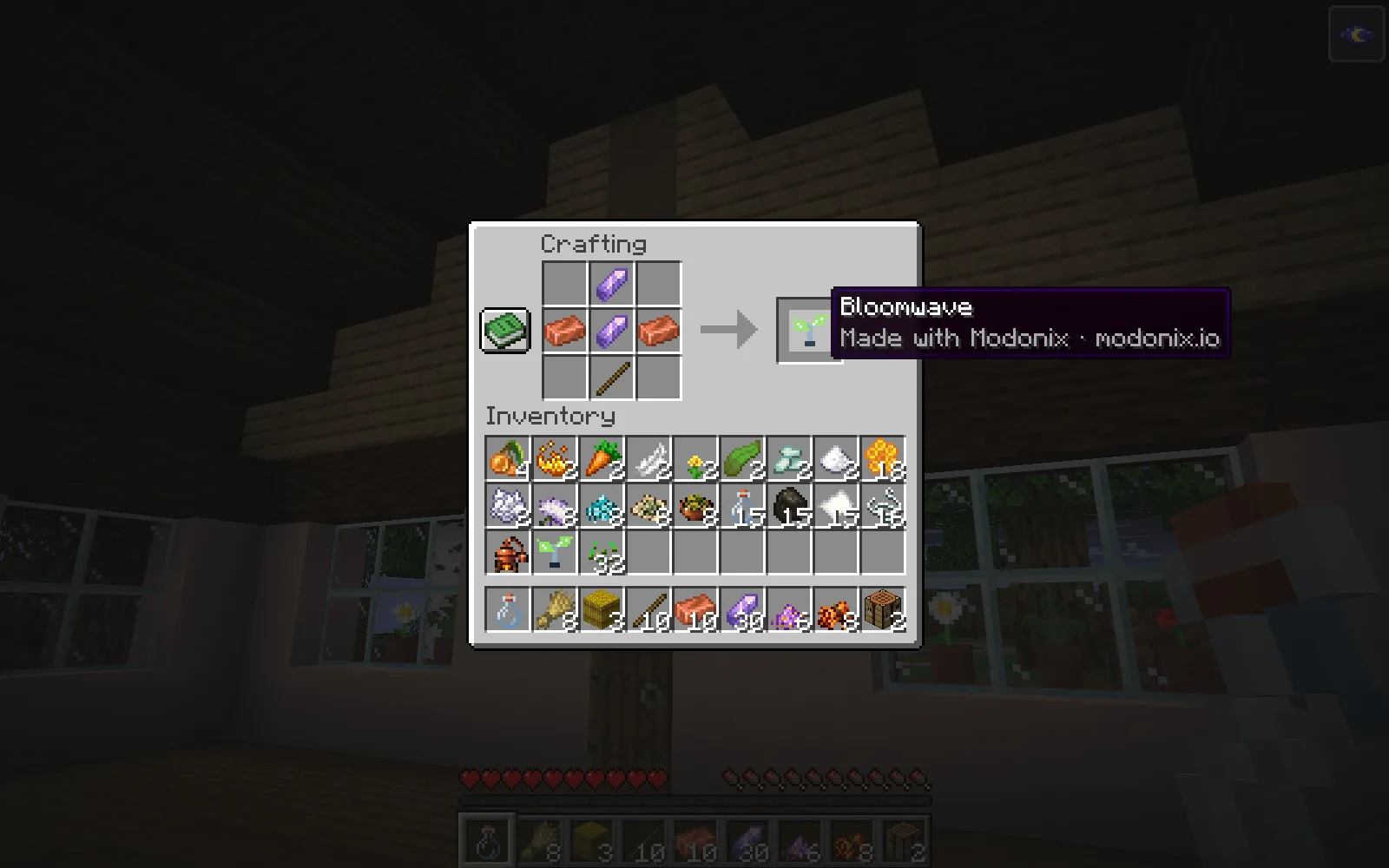
Craft Bloomwave with two amethyst shards, two copper ingots and one stick. This is the actual in-game recipe.
What each harvest costs
A harvest that starts successfully spends one amethyst shard in Survival. There is a three-second cooldown before another activation. Replanting also uses the planting material described above. Creative use does not charge the amethyst cost.
Bloomwave only handles the four listed crops. Trees, pumpkins, sugar cane and the surrounding build stay outside its job. Pending harvesting does not resume after a world reload, so use it again if you leave before the patch is finished.
Fit it to your farm
Open Bloomwave in the constructor to choose the crops, reduce the field radius or turn replanting off. A radius of one is a useful starting point for a narrow row. You can also save the editable project.
The Files tab contains beta 0.1.0 for Minecraft Java 26.1.2 with Fabric and its exact requirements. Install the JAR and the required Fabric API in that instance's mods folder.
Created by Modonix Studio. Made with Modonix.
Comments & questions
Share what worked, ask for help or reply to another player.
No comments yet. Share what worked for you.