
Artifacts gives exploration a lasting reward: wearable finds that change what your character can do. A pair of goggles helps you see underground, a crystal heart adds room on the health bar, and a small charm lets you walk through a gap that normally blocks you.
The route below starts at underground camps and follows three wearable finds: extra hearts, cave visibility and a smaller character. Curios provides the accessory slots used here.
Find treasures while exploring
Look inside suitable structure chests and explore underground campsites. Different artifacts have different loot sources; the three items below are finds, not crafting-table recipes. The mod also includes archaeology and mimics: some camps can contain a hostile mimic instead of an ordinary chest. We did not fight a mimic in this walkthrough.
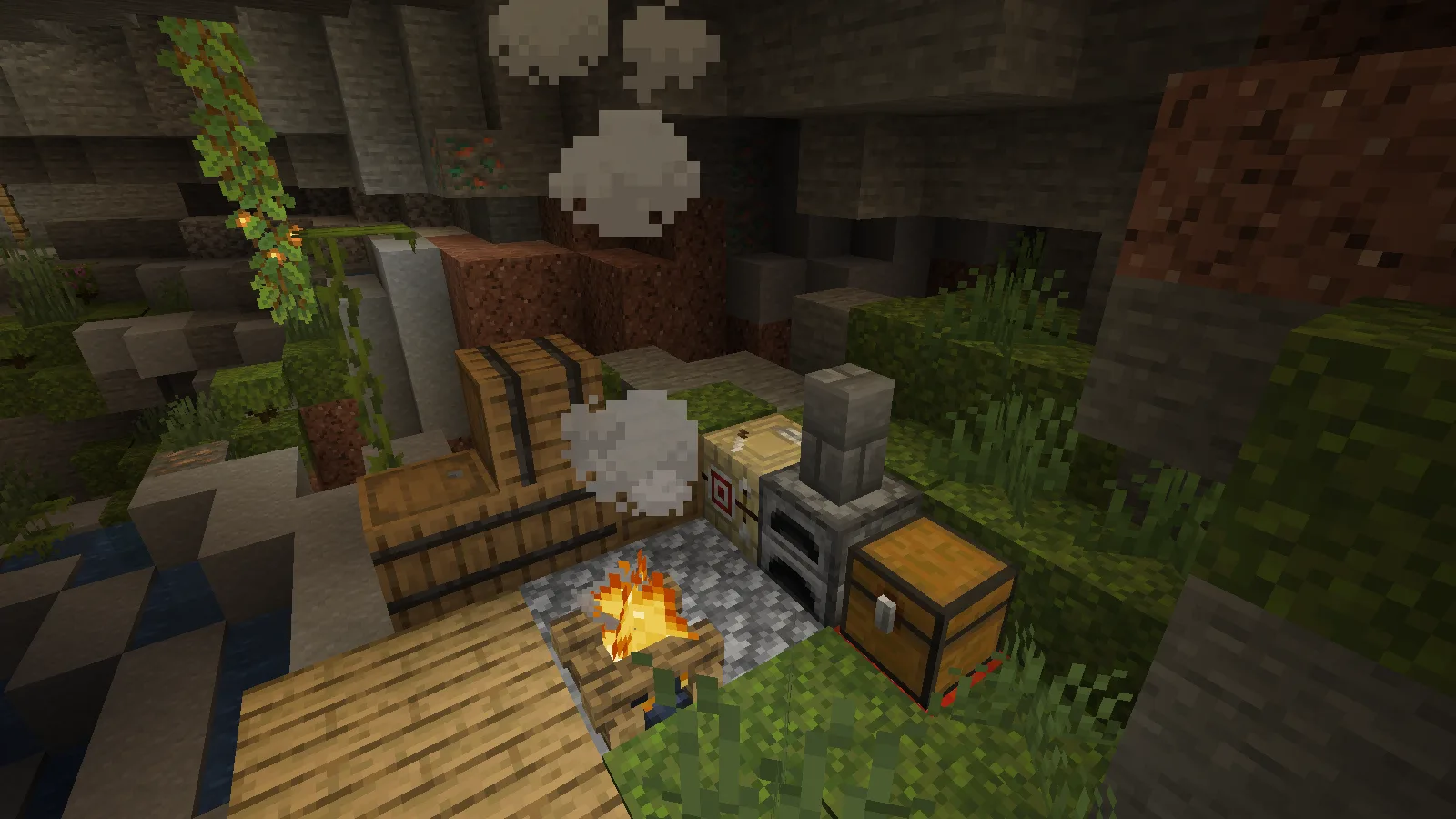
The pictured mossy camp appeared naturally in a lush cave. It is a compact rest stop with storage, a campfire and work blocks. Our other camp was deeper underground. Its chest contained tools, raw copper, leather and three diamonds, but no artifact. We collected those diamonds through the ordinary inventory screen.
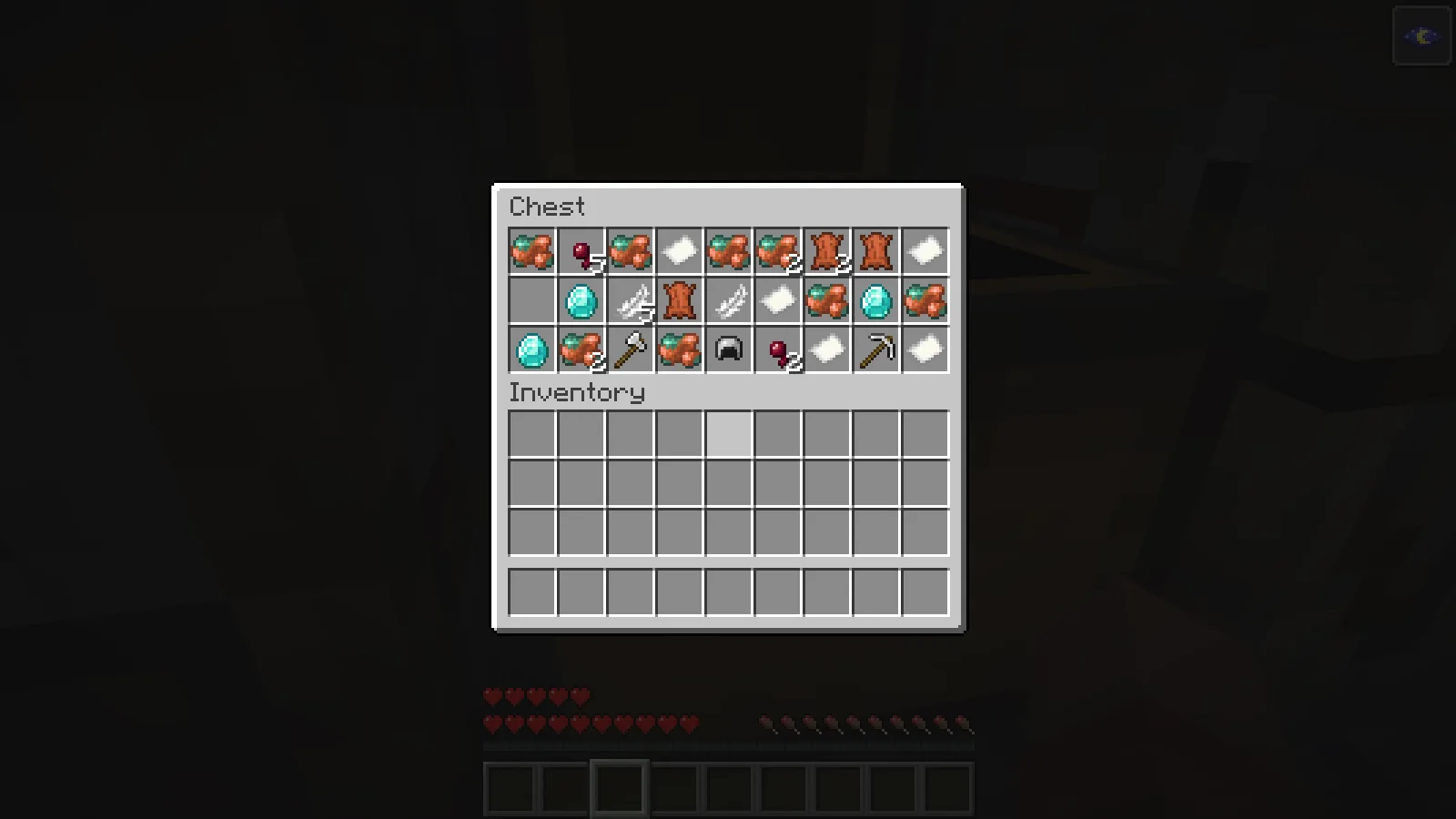
That is a useful expectation for your first expedition: a camp does not guarantee the item you want. Bring room for ordinary supplies and keep exploring. Loot also depends on the release and your modpack's settings.
Equip the finds in Curios slots
Install Curios alongside Artifacts to use the accessory inventory shown here. Artifacts can load without it, but wearable items need a supported accessory-slot mod; you do not need to install every alternative slot system.
Press G with the default Curios controls to open the accessory inventory. If another mod uses that key, look for the Curios binding in Minecraft's Controls menu. Place each item in a compatible slot on the left: goggles at the head, the shrinking charm at the necklace slot and Crystal Heart at the belt. In our setup, using an artifact while holding it also equipped it when its slot was available.
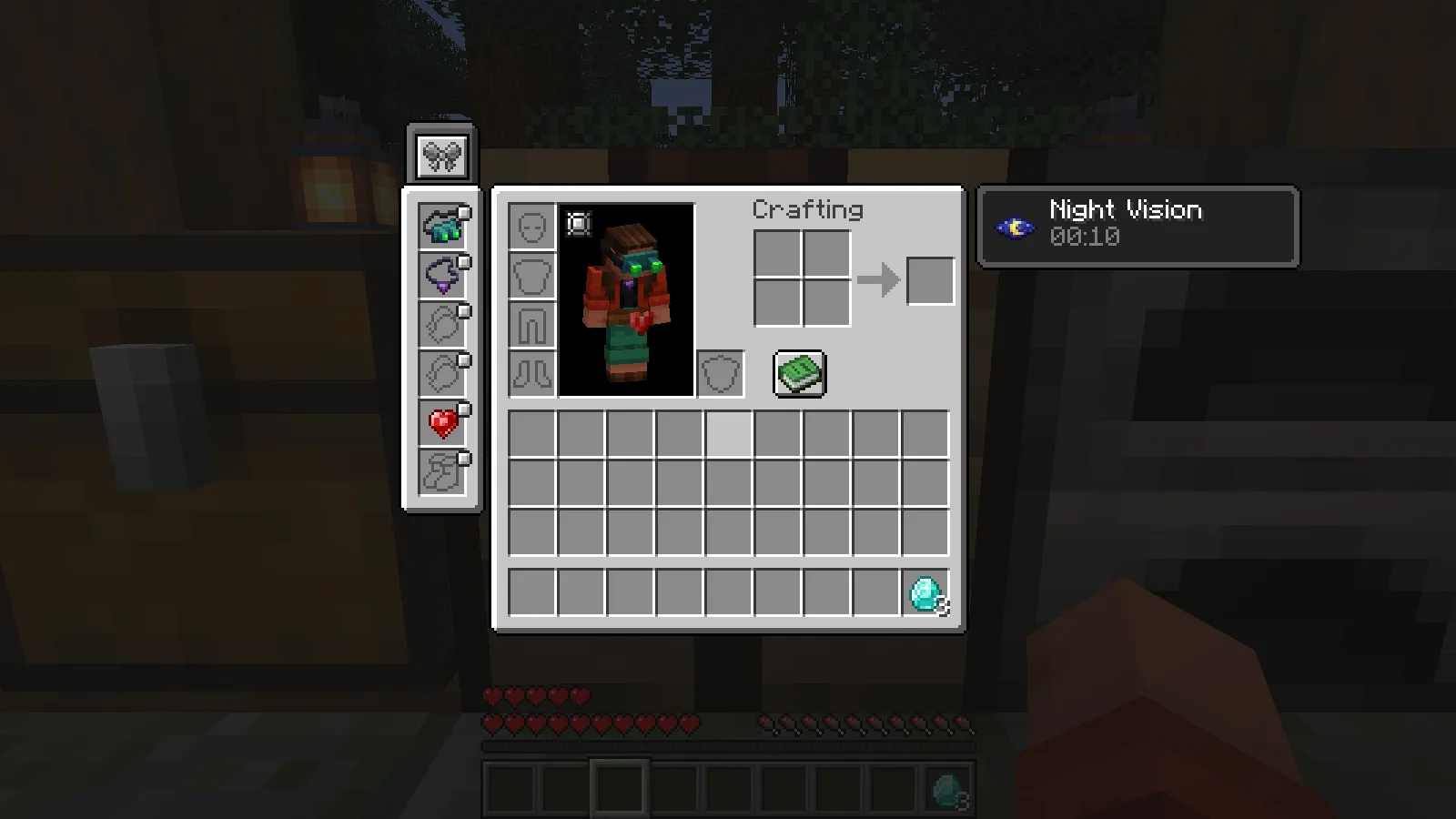
The picture shows all three equipped together. An item in an ordinary inventory slot is not being worn: if an effect seems absent, check its accessory slot first. These three artifacts illustrate their abilities; they are not the contents of the pictured chest.
Crystal Heart: five extra hearts
Equipping Crystal Heart increased maximum health from the usual ten hearts to fifteen in our unchanged configuration. The extra row is visible in the gameplay pictures. This is additional health capacity; it does not make the wearer invulnerable.
In this release, the item's dedicated chest sources include pillager outposts, End city treasure and bastion treasure. Treat those as places to search, not a promise that every chest contains a heart. These locations come from the tested release's loot definitions; we did not collect a heart from each structure.
Night Vision Goggles: compare the same cave
Night Vision Goggles supplied the Night Vision effect while equipped. The inventory displayed a short remaining duration that refreshed while we wore them. After removing them and allowing the effect to expire, the deeper shadows returned.
The two pictures use the same position, viewing direction and brightness settings. First, the cave without goggles:
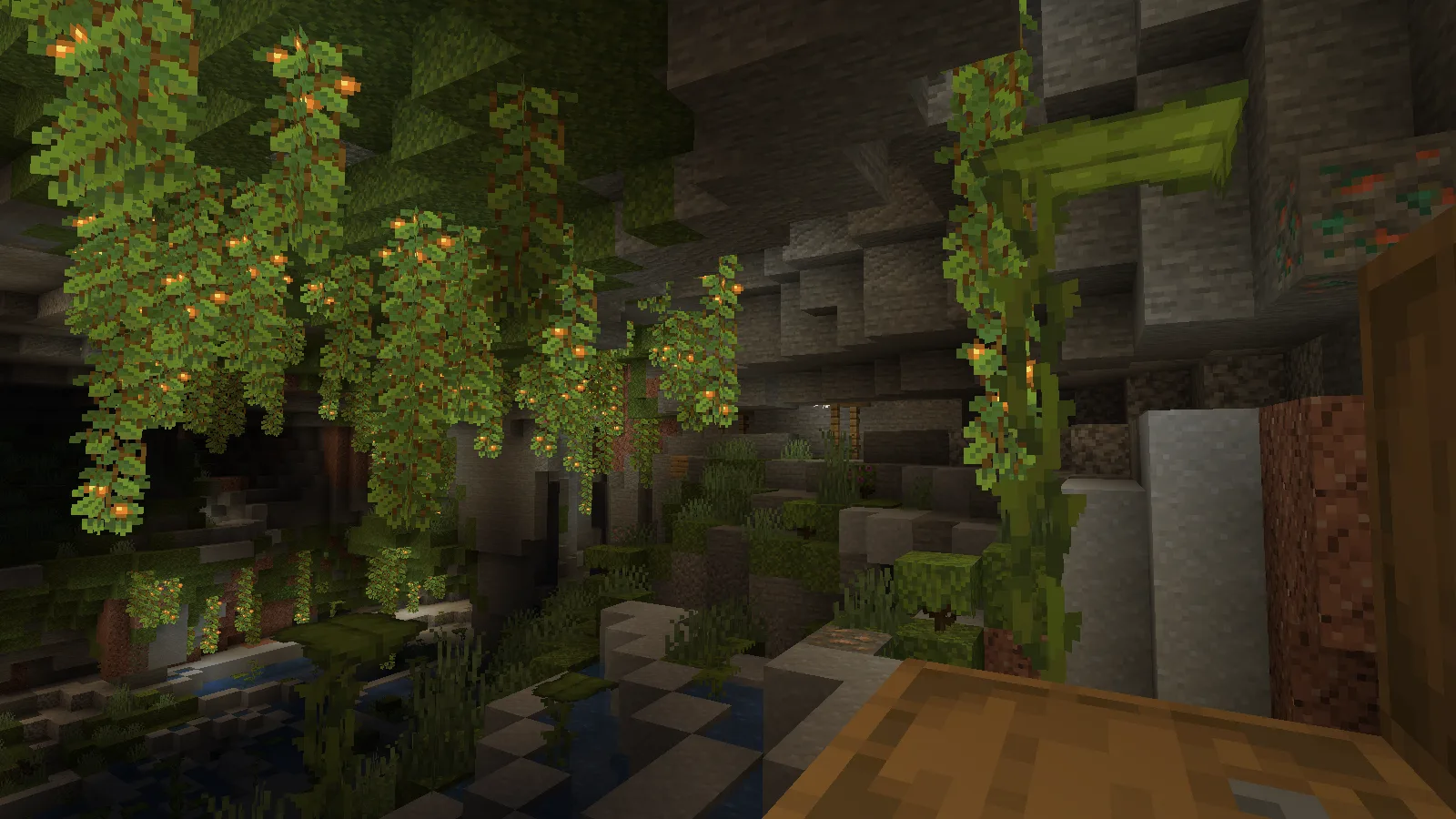
Then the same view while wearing them:
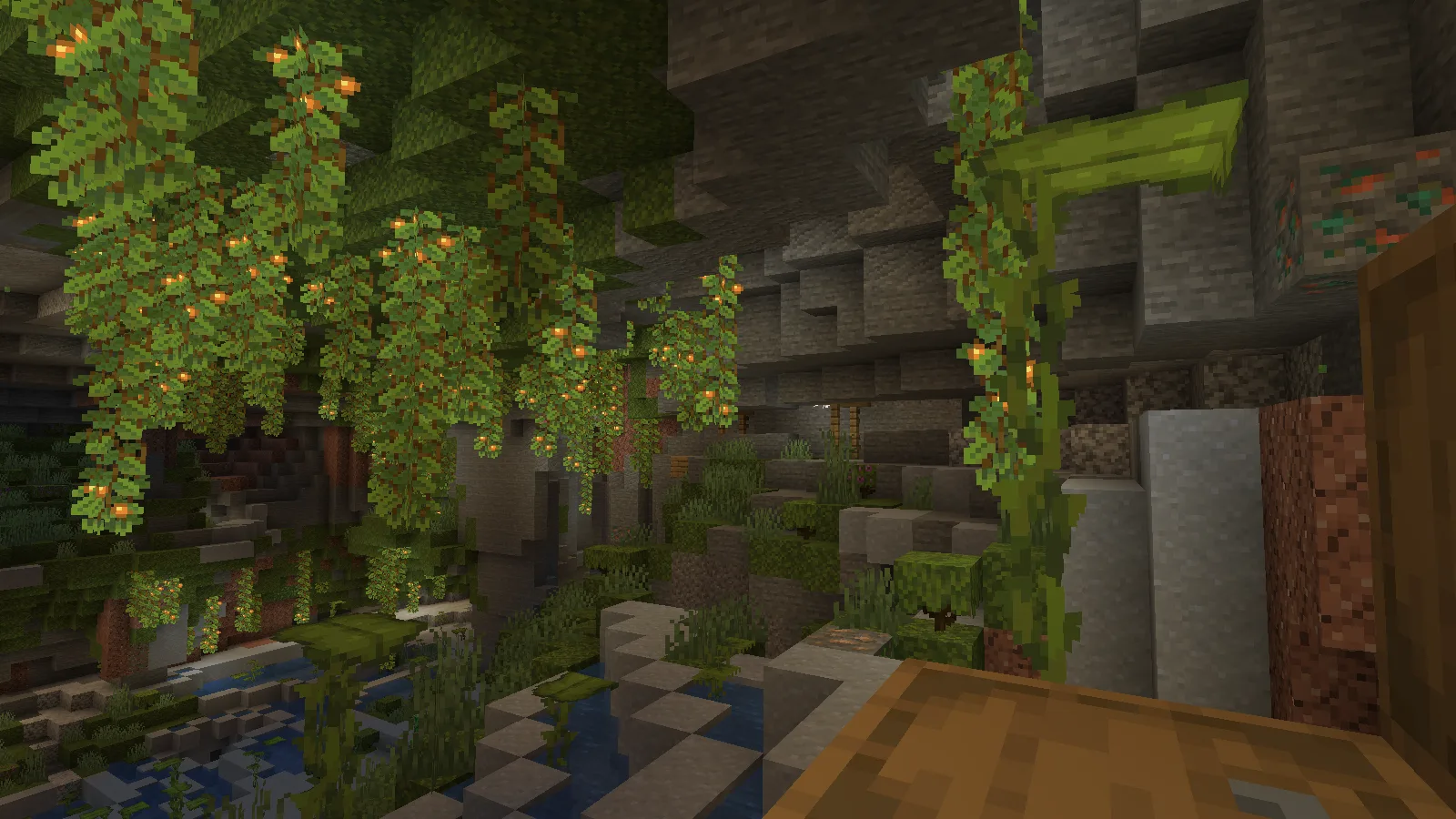
The glow berries still light parts of this cave on their own; the goggles help with the darker recesses. They do not place torches or physically light the room for other players. Dedicated sources in this release include abandoned mineshaft chests, Nether fortress chests, ruined portals, shipwreck treasure and desert-pyramid archaeology.
Charm of Shrinking: use a one-block opening
The Charm of Shrinking reduced the character to half the normal scale. To check its practical use, we built a small stone opening in a forest workshop. Without the charm, walking forward stopped the standing player at the entrance.
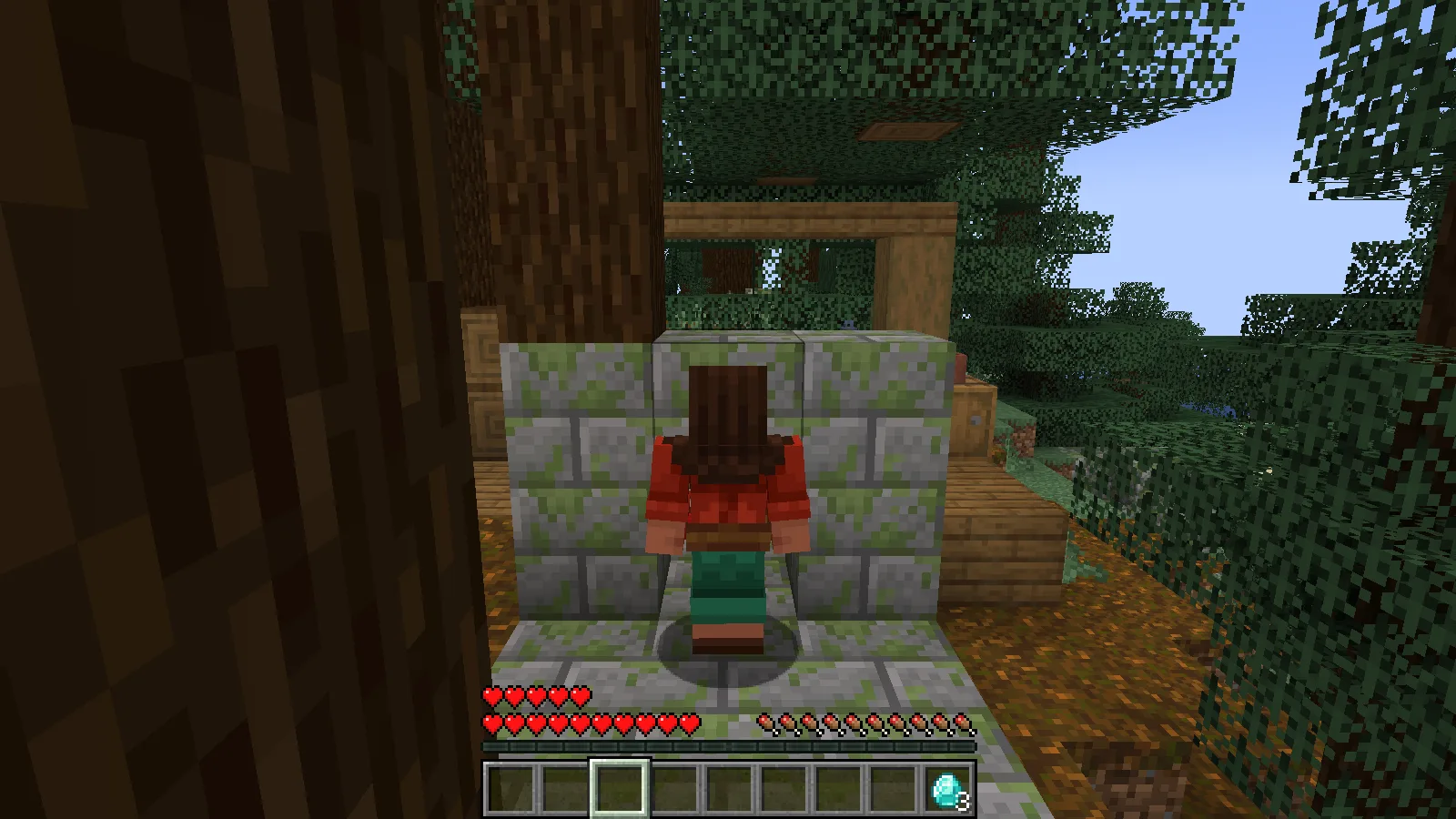
We then equipped the charm and walked through the same opening. The smaller character reached the workshop on the other side; the crafting table makes the changed size easy to see.
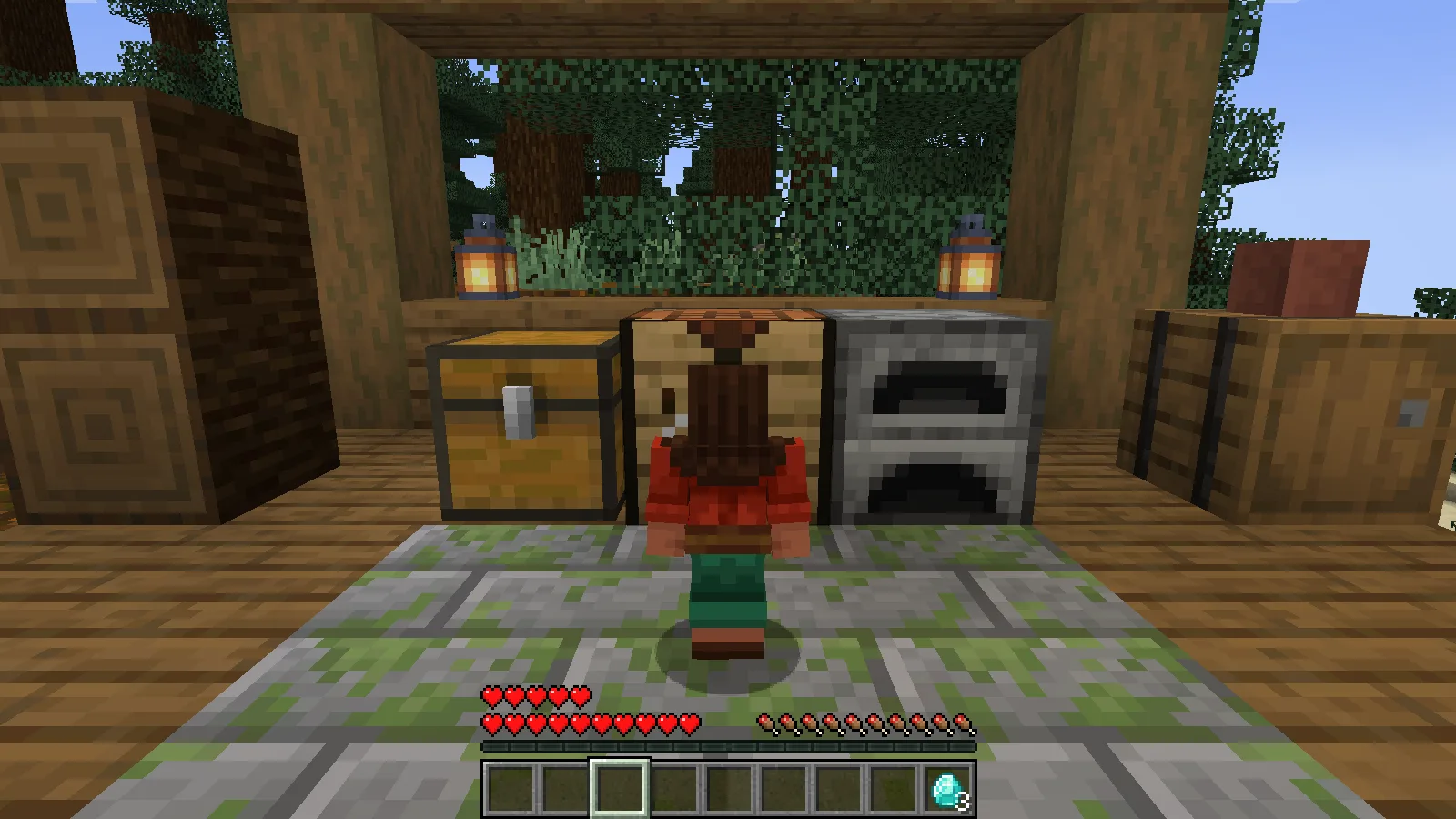
This is useful for compact passages. Before removing the charm, move into a space tall enough for a normal character. The tested release lists dungeon chests, Nether fortresses, ruined portals, village weaponsmith chests and rare trail-ruins archaeology among its dedicated sources.
Keep your expedition kit between sessions
The three accessories stay equipped between sessions. Before setting off, open the Curios inventory and check the slots: carrying a find in your backpack is different from wearing it.
Install the reviewed version
Install the matching Artifacts and Curios JARs in the same instance's mods folder, then reopen Minecraft. For shared play, use matching files on the server and clients. The creator block has the official dependency resources.
Comments 0
Share what worked, ask for help or reply to another player.
Use your Modonix account to join the discussion and manage your comments.
Sign in to commentNo comments yet. Share what worked for you.