
A kangaroo can carry your supplies, wear a helmet and hold a sword. An elephant can take a chest, a coloured carpet and a rider. Alex's Mobs gives familiar animals things to do in your Minecraft world, alongside stranger creatures to discover on your travels.
This walkthrough focuses on two useful companions: how to tame them, open their storage and equip them for your next trip.
Start with the Animal Dictionary
Keep the Animal Dictionary nearby when meeting an unfamiliar creature. Its illustrated entries explain habitats, food and special interactions. Open it from your hand and choose an animal's picture to read its entry. Animals do not all share the same taming food or controls.
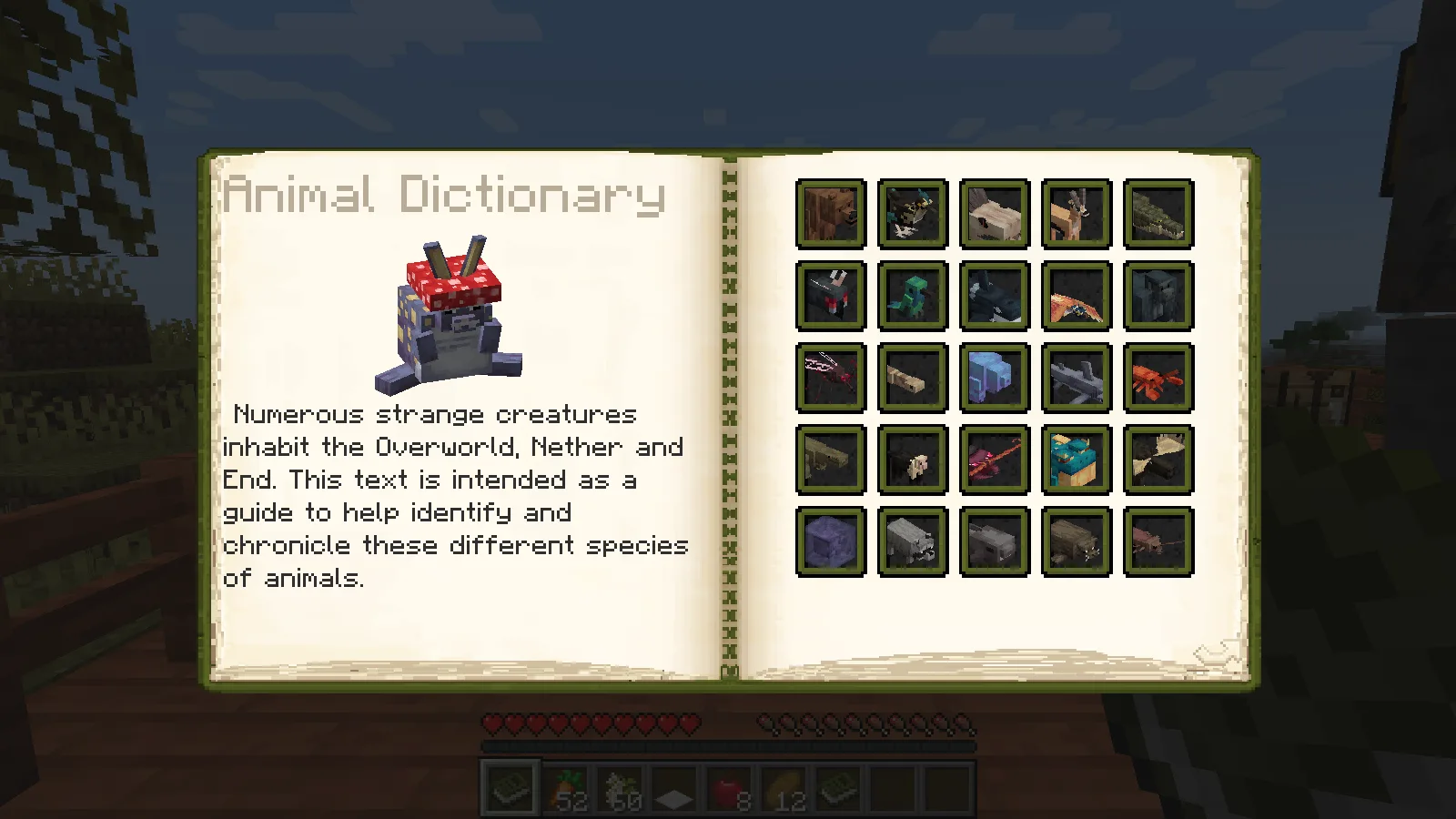
To craft another copy, combine a book, green dye and an accepted animal ingredient. Our recipe uses a Roadrunner Feather, as shown below. It is a shapeless recipe: these three ingredients fit in your inventory's small crafting grid, so you do not need a crafting table for this combination. The feather is a mod item, not an ordinary chicken feather.
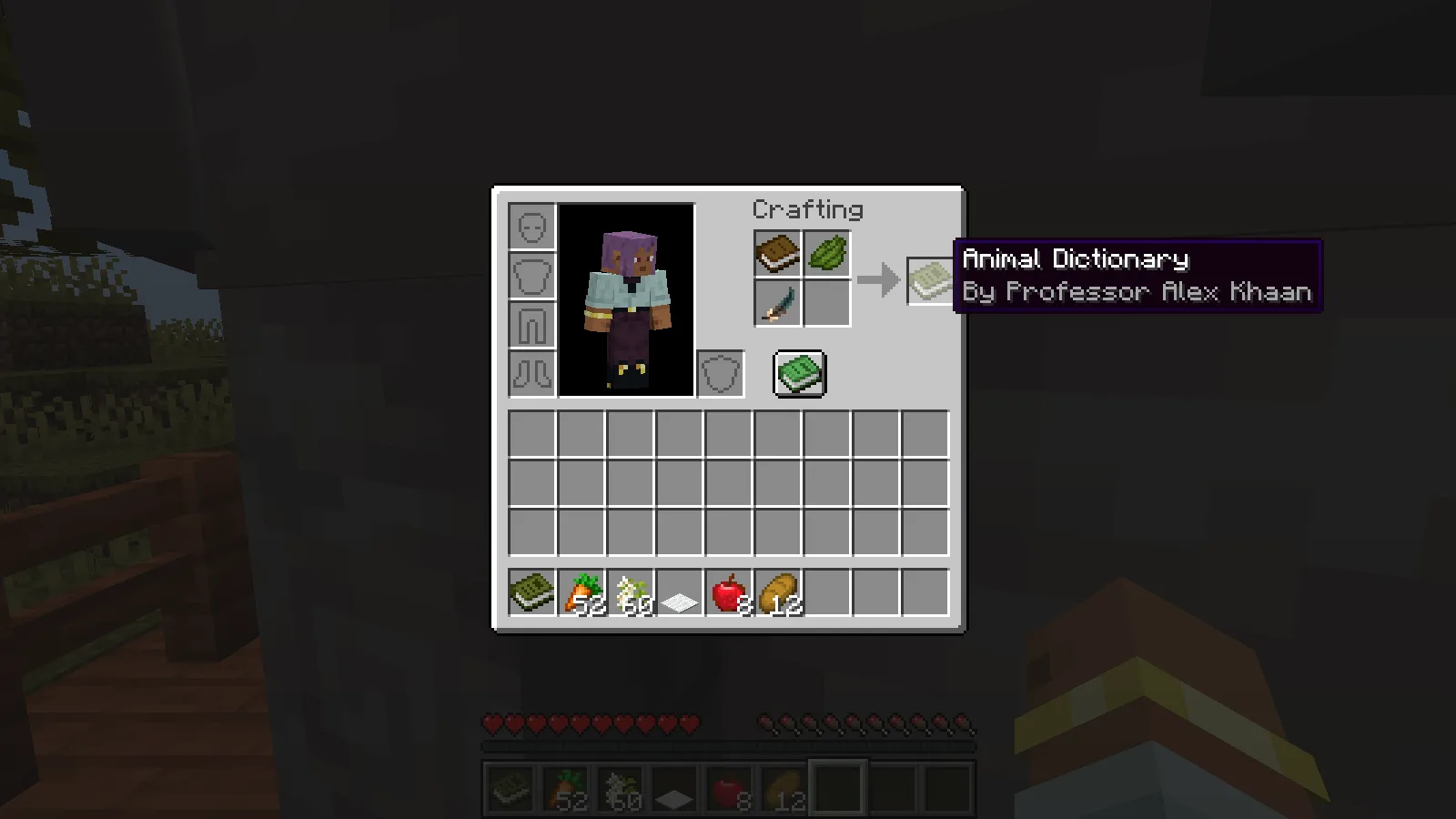
We placed the three ingredients in the grid, collected the finished dictionary and opened it in Survival. Other accepted ingredients include Bear Fur and a Crocodile Scute; the pictured feather is the recipe option we actually crafted.
Tame a kangaroo and open its pouch
The dictionary places kangaroos in savannas and badlands. Bring a supply of carrots, approach one and use a carrot on the animal. Keep feeding until it becomes your companion. Our kangaroo consumed several carrots before taming; one carrot is not a reliable complete taming plan.
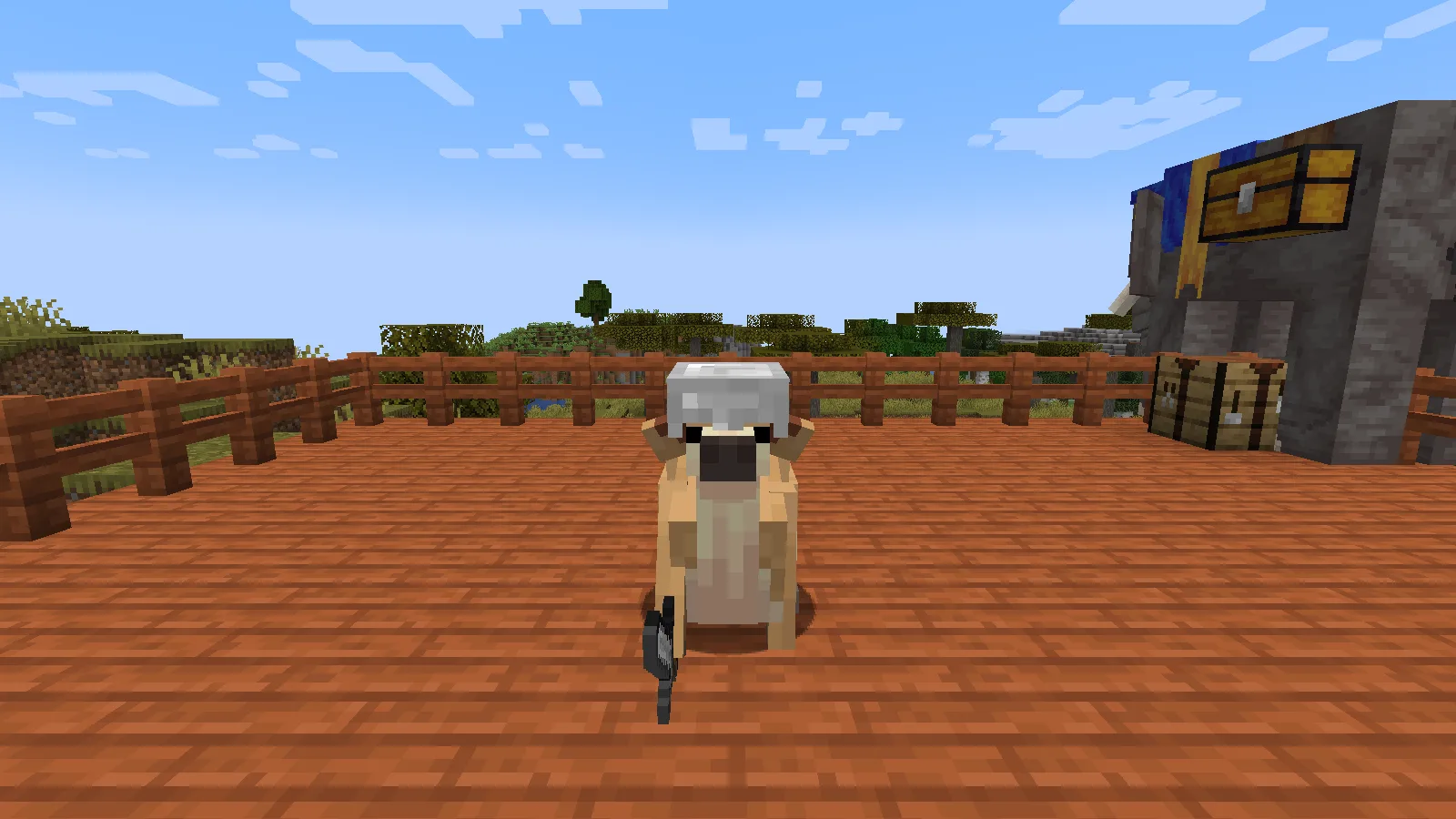
Once tamed, use an empty hand to cycle its orders. We switched ours into its sitting order before taking the portrait above. When aiming at a sitting kangaroo, look lower than you would for the standing animal.
Sneak and interact to open Kangaroo's Pouch. It has nine slots in this version. We put an iron helmet, an iron sword and eight apples inside. The helmet appeared on the animal, and the sword was held visibly when it sat down. Equipment uses space in the same pouch as your supplies.
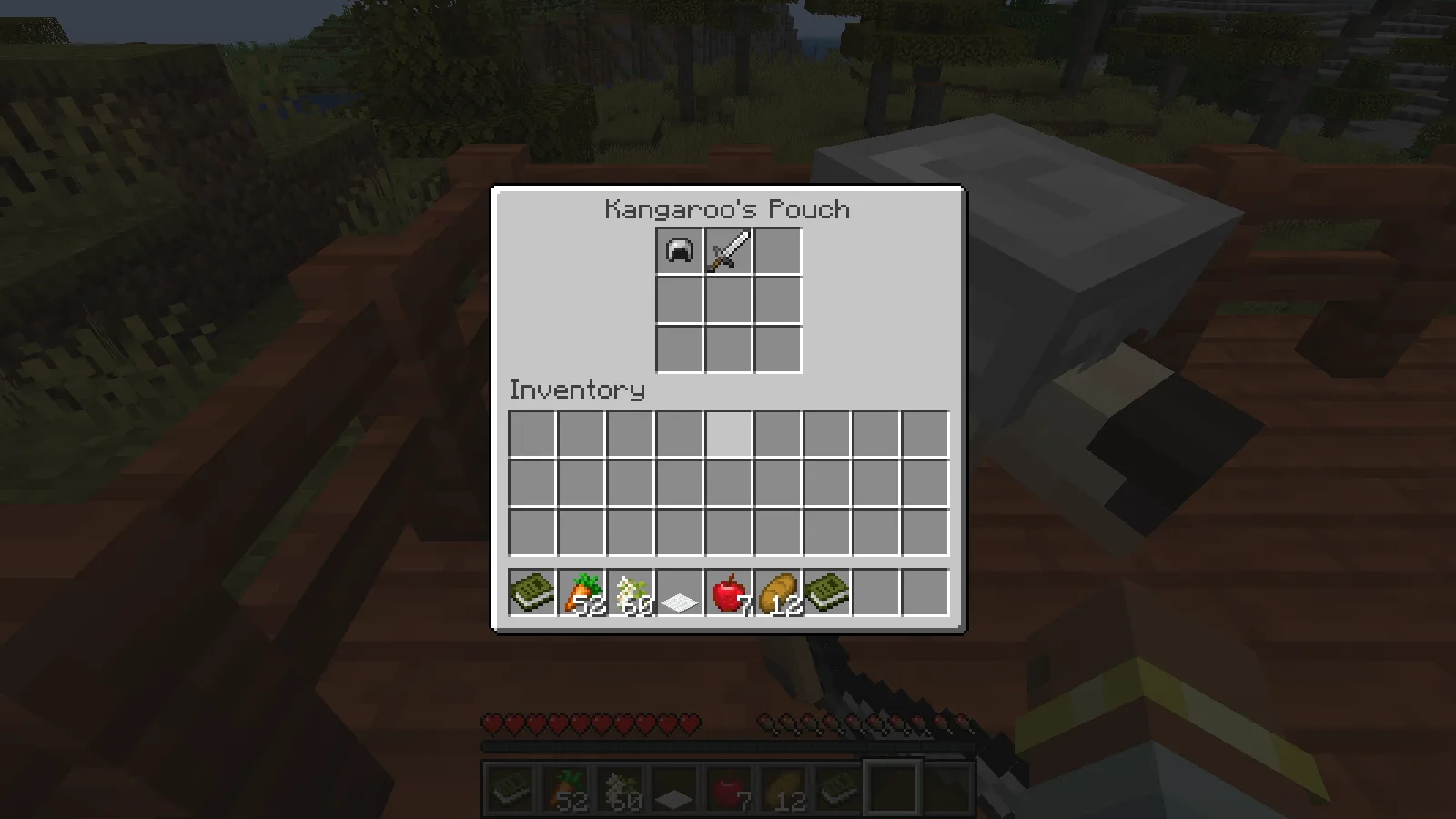
The picture shows the pouch after collecting the apples back into our inventory; the helmet and sword remain with the kangaroo. You can move items through the normal inventory screen. The dictionary also describes using weapons in combat and eating suitable food when injured; this walkthrough checks equipping and storage, rather than a combat or healing trial.
Give an elephant a travelling chest
For an elephant, bring Acacia Blossoms, not the kangaroo's carrots. The dictionary explains that blossoms can drop from acacia leaves and that adult wild tusked elephants cannot be tamed in the same way as non-tusked elephants or calves. We used a non-tusked adult for the interaction checks.
Offer blossoms directly to the animal and let it finish eating. Ours became tame after repeated feeding. The blossom drop chance was not measured, so bring a supply rather than counting on a single attempt.
Use a chest on the tame elephant to add its baggage, then sneak and interact to open Elephant's Chest. Its 54 slots give you room for expedition supplies; the bread below occupies just one of them.
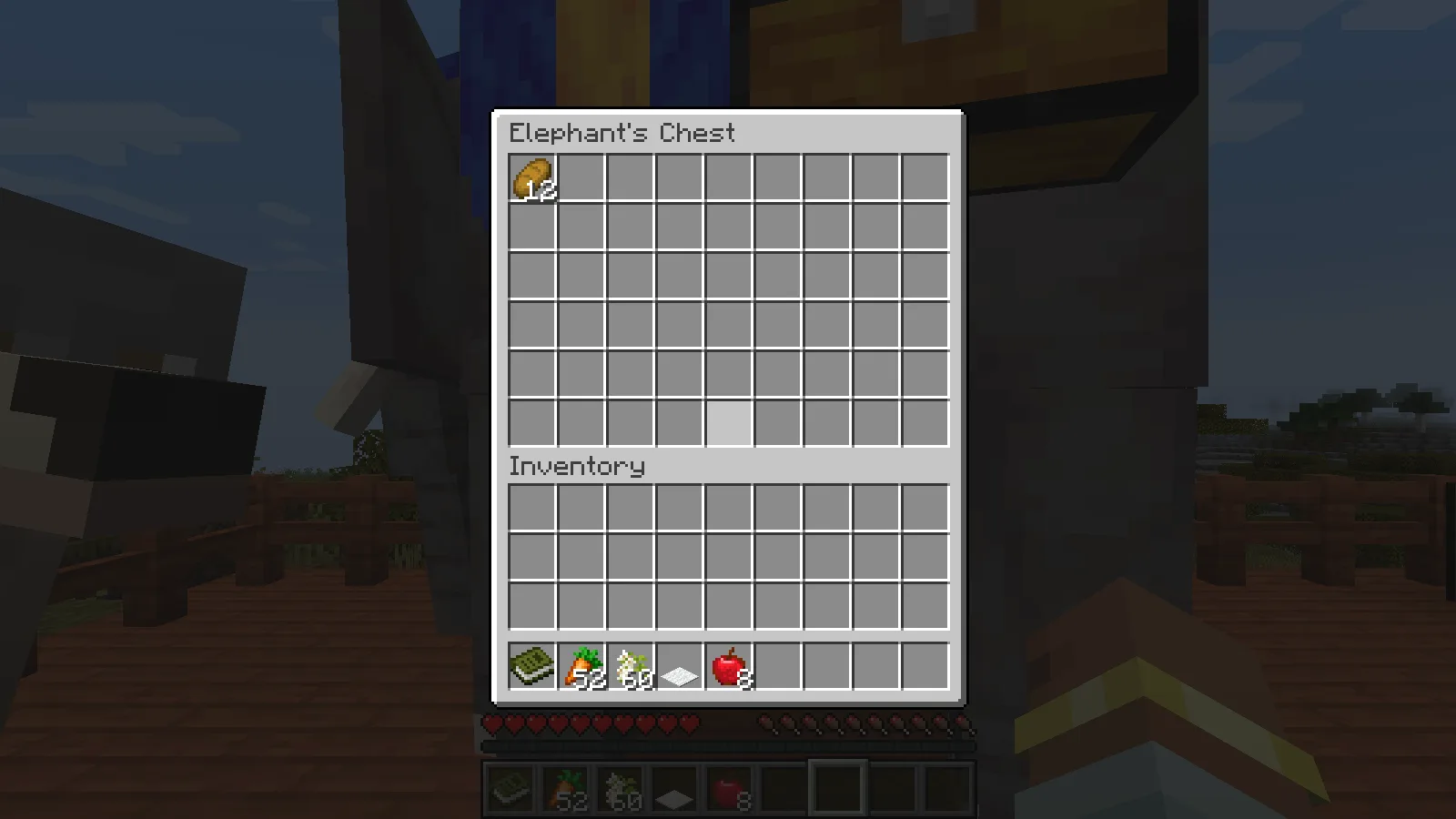
Move supplies through the ordinary chest screen. Storage stays with the animal between sessions, but you still need to keep track of your companion while travelling.
Add a carpet and climb aboard
Use a coloured carpet on the tame elephant to decorate it. Our blue carpet produced the blue-and-gold covering shown here, while the fitted chests remained attached.
With an empty hand, interact without sneaking to mount. Minecraft displays its Left Shift to Dismount prompt and the elephant's health while you are aboard. Sneaking is the important difference when you want the chest instead of a seat.
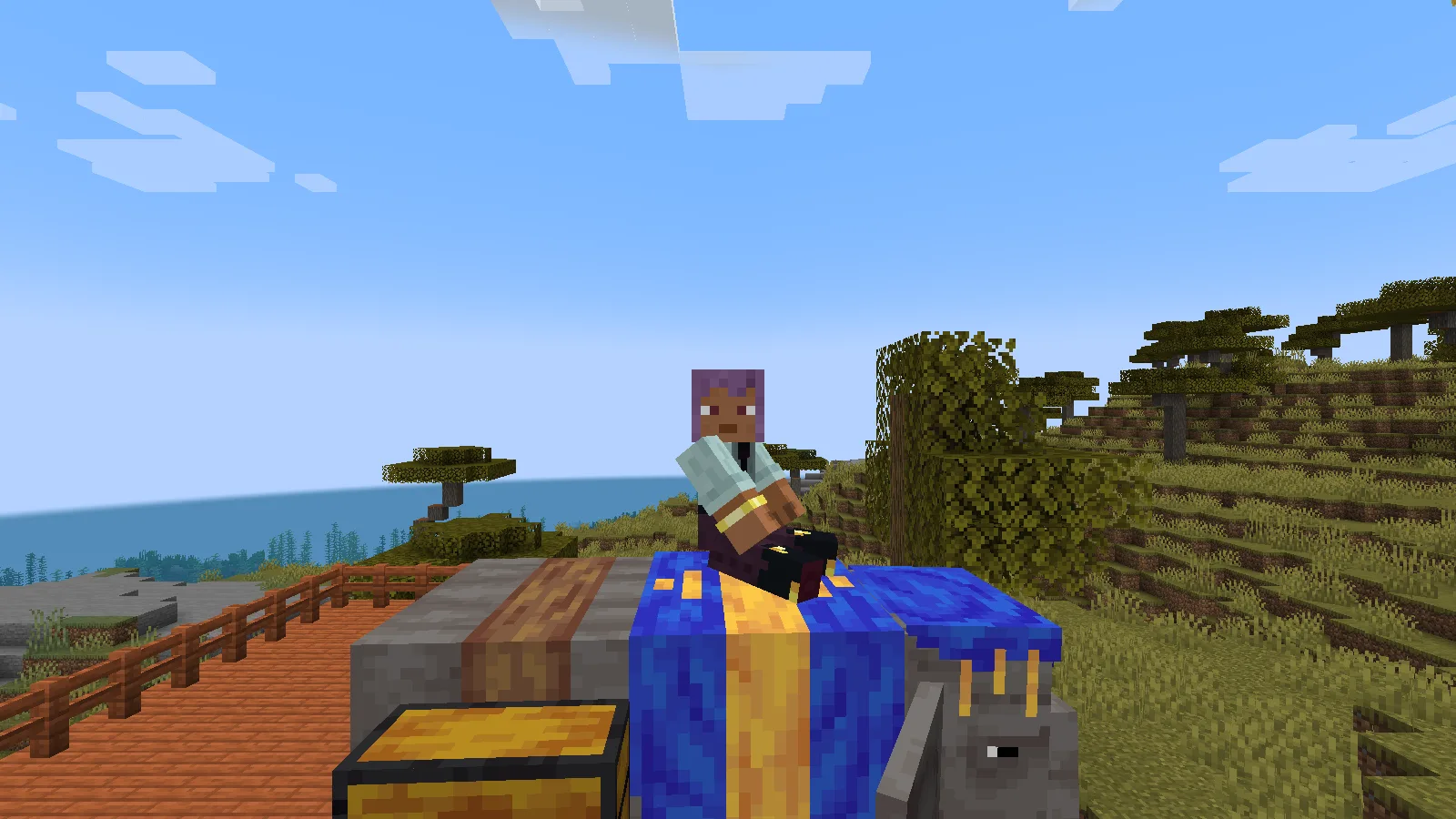
Sneak when you want supplies; leave sneak released when you want to mount. Keep that distinction in mind when approaching an equipped elephant.
Plan around the companion you chose
The kangaroo combines equipment and supplies in one small pouch; the elephant offers much more storage and a riding position. Choose the kangaroo for a compact kit or the elephant when the extra cargo space matters.
For another animal, begin with its dictionary entry instead of assuming these two companions' food, controls or equipment apply to it.
Install the reviewed version
Download the matching Alex's Mobs and Citadel files, then place both in the active instance's mods folder while the game is closed. Citadel is required; adding Alex's Mobs alone is not enough. The creator block includes the official dependency link.
Client and server installations need matching files when playing together. Check the selected download's requirements in Files.
The enclosure is a building example for keeping animal companions. The mod adds the animals and their interactions; it does not generate this enclosure.
Comments 0
Share what worked, ask for help or reply to another player.
Use your Modonix account to join the discussion and manage your comments.
Sign in to commentNo comments yet. Share what worked for you.