

Tectonic makes the landscape part of the adventure. A hillside can become the backdrop for a village, a river can disappear beneath a mountain, and a desert can give you a ready-made layout for a terraced outpost. If you enjoy choosing a place to build as much as building itself, this Java terrain pack is worth a closer look.
We explored Tectonic datapack 3.0.25 on Java 1.21.1, using seed 20260927 and free flight to scout the landscape. The screenshots below use Minecraft's default textures and lighting. These are places in our world, with practical ideas for what you could do there.
Mountains: build beside the view, not necessarily on top
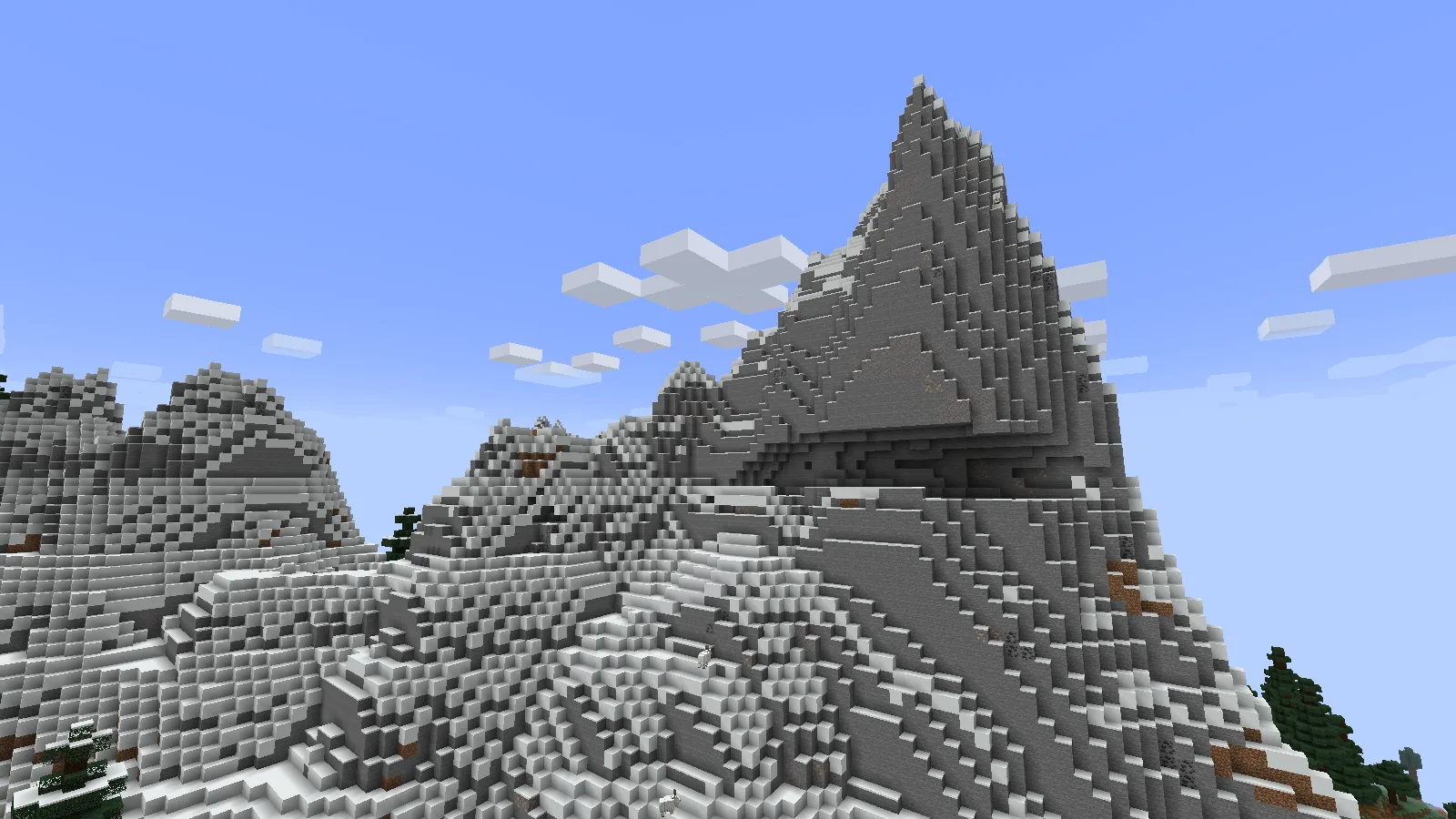
A ridge can be the backdrop for your base without becoming the place where you build it.
At the jagged peaks, narrow snowy ledges rise above the surrounding forest. Goats picked their way across the slope while we looked for an approach. The interesting choice here is where to stop climbing: a lower shelf can give a cabin a mountain view without making every trip home an ascent to the summit.
For a survival base, walk around the foot of the ridge before clearing land. Look for room for storage, a small farm and a safe path. A lookout near the top can become a later project, connected to the main base by a staircase following the slope. Carry spare blocks when scouting; a ledge that looks connected from far away may end in a drop.
A cherry grove that suggests a small hillside home
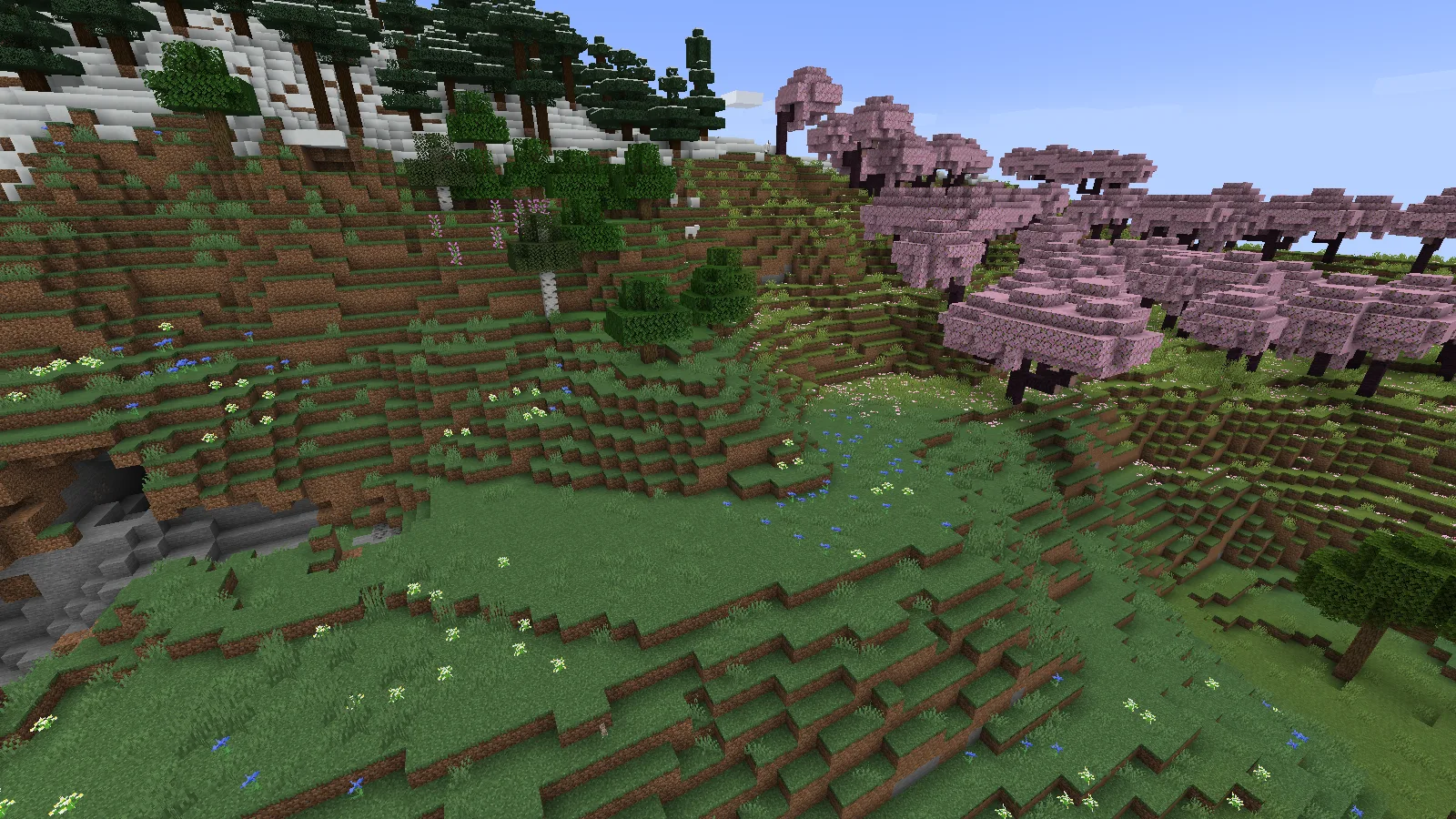
Look for a usable shelf first. A small clearing lets the surrounding slope do much of the landscaping.
This clearing sits among pink trees, grass shelves and a nearby snowy forest. Instead of flattening the entire area, try placing a compact house on one shelf and letting the next shelf hold the garden. A path can bend around the trees rather than cutting a straight trench through the hill.
A few ideas for this kind of spot:
- A hillside cottage: put the entrance on the broadest grassy shelf and keep the taller slope behind it.
- A stepped garden: use the existing changes in height for small planting beds and short stairs.
- A quiet viewpoint: leave an opening between trees so the neighboring forest remains visible from a bench or porch.
Before choosing the final footprint, check what is behind the slope. The opening visible on the left is a good reminder that an attractive hillside can also contain a cave entrance you may want to light or fence off.
The river does not have to stop at the mountain
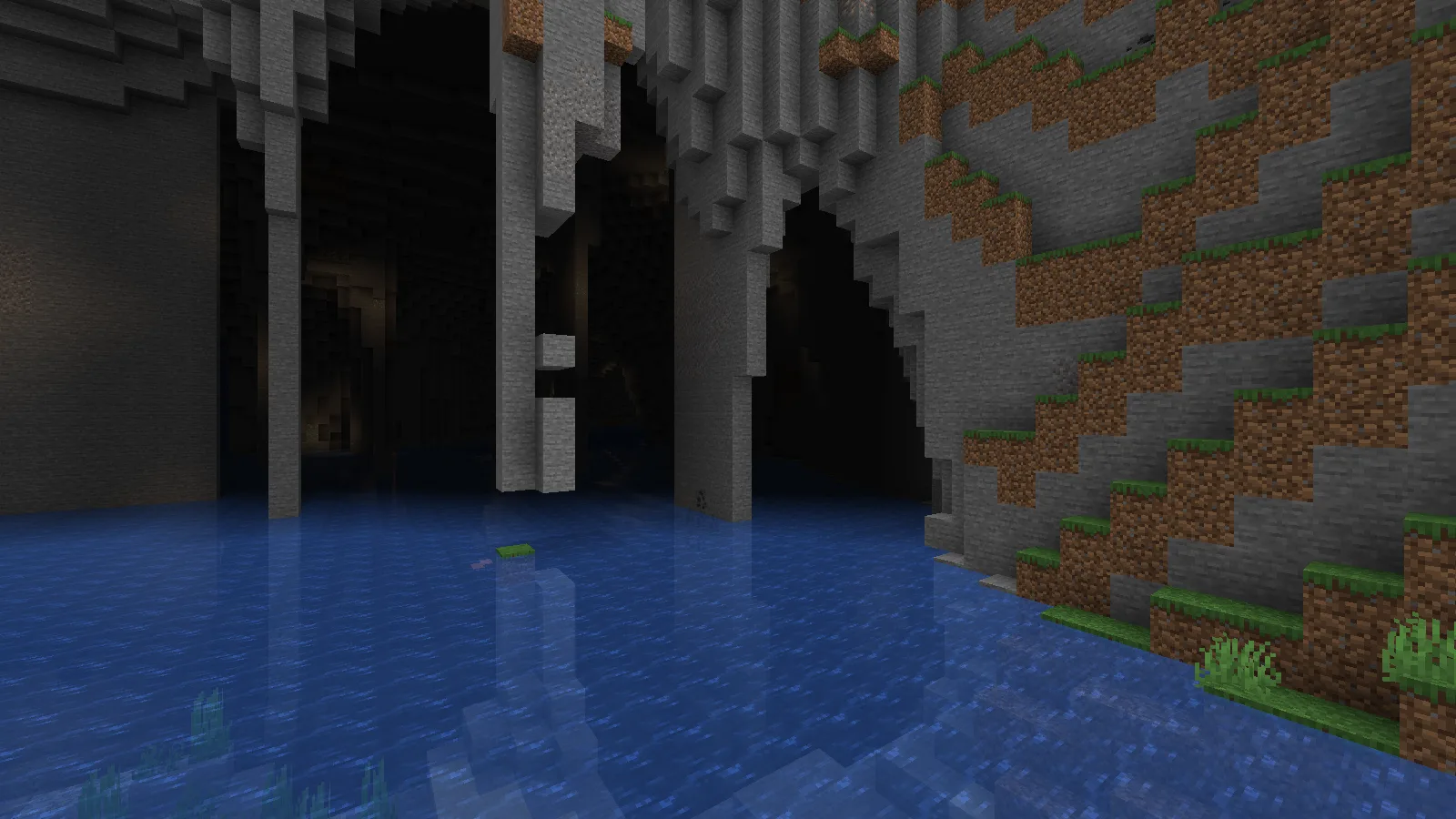
From water level, the dark opening becomes a route to investigate rather than just a hole in the hillside.
Near the grove, we found water continuing into a wide opening under the hillside. From above, the steep bank hides much of the entrance. At water level, the stone roof and columns make it an obvious place to investigate.
This suggests a small riverside base: a dock outside, a lit landing just inside, and a route leading back to the surface. Scout the opening before committing to a boat journey. Check the waterway, look for places to get out, and bring light for any dry ledges you intend to use. The entrance alone does not tell you where the whole river will lead.
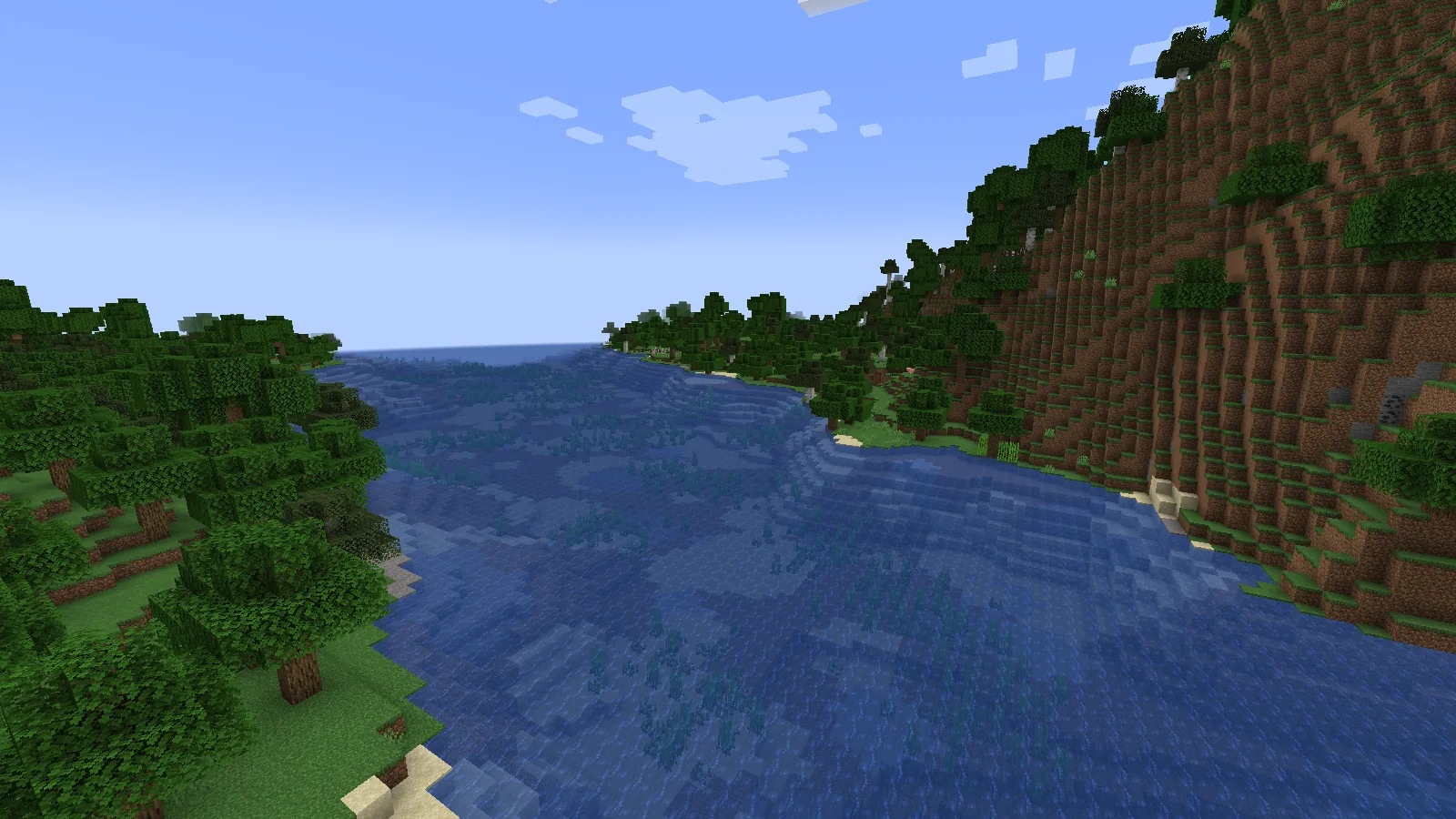
The two banks suggest different builds: a small dock near the water, or a lookout higher up.
The outside view gives a useful second perspective. One side rises sharply into forest while the other offers gentler ground near the water. For a first build, the lower bank looks easier to approach; a cliffside balcony would make a good separate project. Mark the entrance from outside so you can recognize it when returning along the river.
Desert terraces: let the slope set the layout
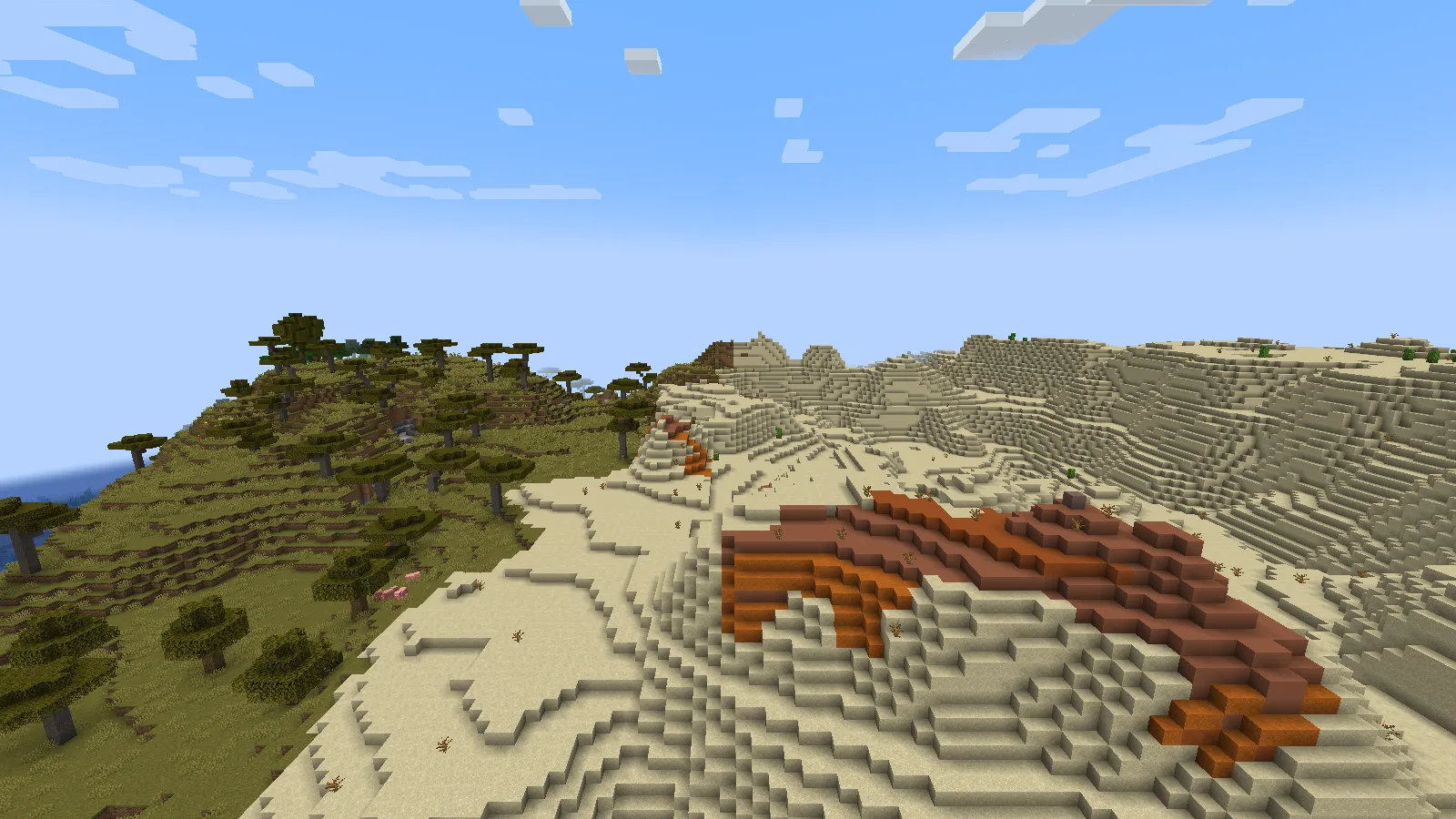
Follow the existing terraces when planning paths or a desert outpost.
Here, pale sand steps toward orange badlands, with acacia trees along the neighboring edge. The change in color makes a small outpost easier to place visually: sandstone on the sandy side, then a path leading toward the warmer terracotta landscape.
Try arranging a few small buildings at different heights instead of making one huge flat platform. Short stair sections can connect the existing terraces. Before adding a wall or tower, stand back at ground level and check the silhouette; leaving some of the natural slope visible keeps the settlement tied to its surroundings.
Find the places shown here
These are X / Z landmarks for seed 20260927 with the 3.0.25 datapack on Java 1.21.1. They are scouting points, not promised spawn locations or safe teleport heights. Other versions and world-generation packs can change the result.
| Place | X | Z | What to look for |
|---|---|---|---|
| Jagged peaks | 1234 | 1050 | Snowy ledges above the forest |
| Cherry grove | -2702 | 58 | Pink trees and stepped grassy clearings |
| River entrance | -2414 | -81 | Water passing beneath a tall bank |
| Badlands edge | -2382 | -1638 | Sand terraces, orange slopes and nearby acacias |
Install the Tectonic datapack before creating your world
- Open Files, choose your Minecraft version, and download the datapack ZIP. The world shown here uses 3.0.25 with Java 1.21.1.
- Start that Java version and choose Singleplayer → Create New World.
- Open More → Data Packs → Open Pack Folder. Put the downloaded ZIP in that folder without unpacking it.
- Return to Minecraft and move Tectonic from Available to Selected, then click Done.
- Set your seed on the World tab if you want a repeatable world. Enter 20260927 to explore the example above, then create the world.
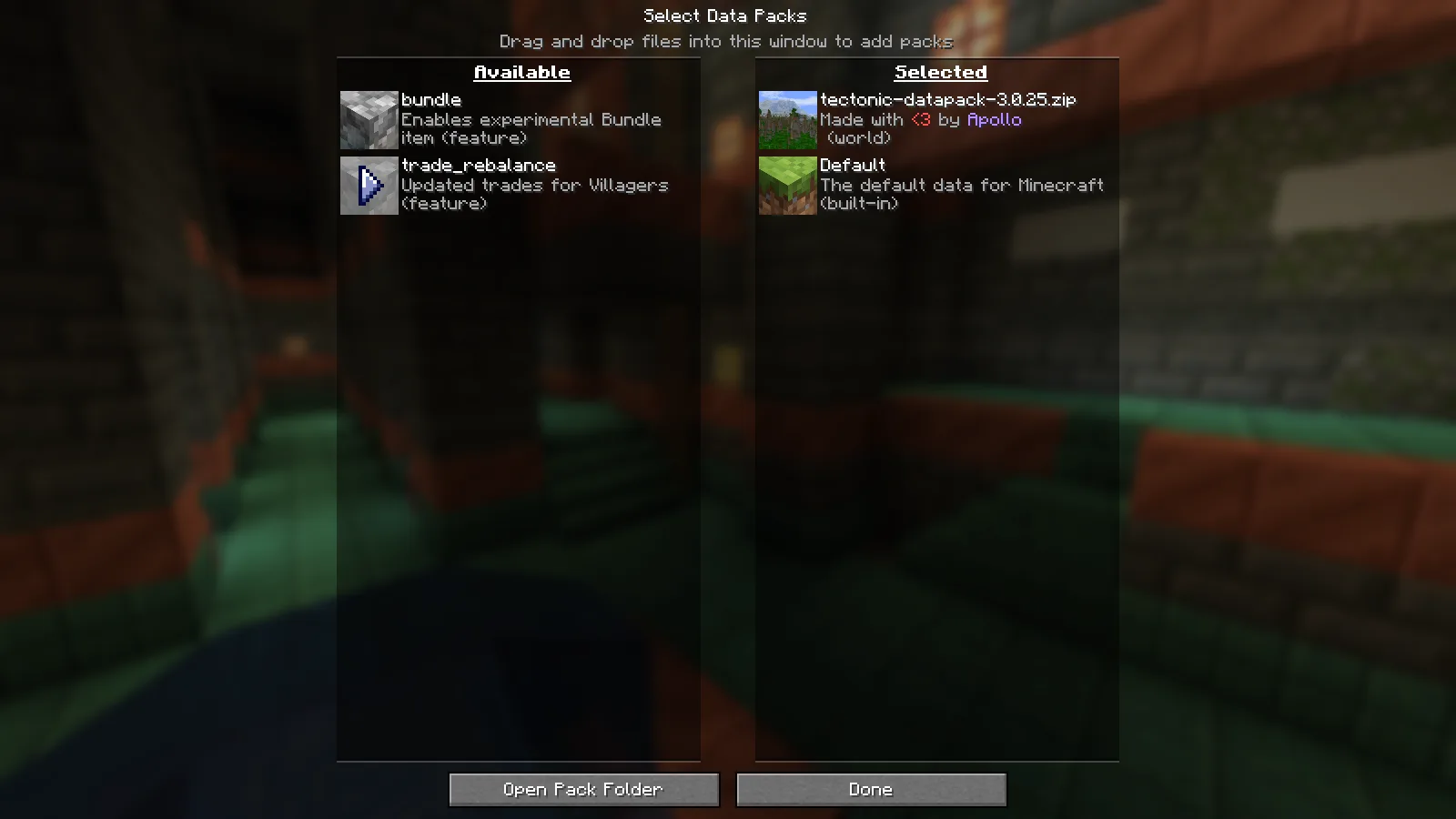
The pack belongs in Selected before you create the new world.
Minecraft showed an experimental-world warning in this setup. Keep a backup before changing an existing world or opening it in another version; on reopening, the game offers Create Backup and Load. A fresh world is the clearest starting point for Tectonic because its terrain settings are present from the first generated area.
Already have a favorite world? Work on a copy first. A terrain pack does not rebuild the land you have already explored, so adding one is not a way to instantly turn the hills around an existing base into these mountains. Do not replace another world-generation setup in your only save.
Datapack, mod, and other terrain packs
This page's walkthrough is for the datapack ZIP. Tectonic also has mod releases; those can include a configuration screen and extra behavior that is not part of this ZIP. Choose the file type you actually want, and do not install two copies of Tectonic into the same setup.
Combining terrain packs needs a little more care than combining decorative resource packs. For Terralith, the creator provides a combined datapack called Terratonic. Simply stacking the separate Tectonic and Terralith ZIPs is not the intended combined setup. Make a separate trial world before moving a terrain combination into a long-running playthrough.
Turn a scouting trip into a build plan
Pick one of the landmarks above and take three views before placing blocks: the approach at walking height, the proposed front door, and a wider view from the opposite bank or slope. The first tells you whether the route is practical; the second shows the view you will actually live with; the third helps keep the building in proportion to the landscape.
Mark a small footprint with temporary blocks instead of clearing a whole hillside. Leave room for the things you use every day—storage, a farm and a safe way home—then let bridges, towers and high lookouts become later projects. A spectacular seed becomes more enjoyable when the base is easy to use.
If the world does not look as expected
- The pack is still in Available: move it to Selected before creating the world. Copying a file into the folder alone does not select it.
- The area looks ordinary: explore beyond one patch of terrain. A single flat area does not represent an entire seed; use the landmarks above only with the matching setup.
- An older world looks unchanged: already-created land stays as it was. Start a separate world to see the pack from the beginning.
- The game rejects the pack: check the exact game version and downloaded file in Files, rather than choosing a ZIP just because its release number is higher.
Tectonic is created by Apollo. The landscape exploration, screenshots and building suggestions in this guide are by Modonix. Choose your compatible file below, and use Report on this page if a particular release gives you trouble.
Comments & questions
Share what worked, ask for help or reply to another player.
No comments yet. Share what worked for you.