Modonix Waymarker: A NeoForge Starter Project

9 views 0 downloads

Craft a coordinate marker for your paths, then build and adapt its small editable Java project.

Waymarker is an original Modonix project with one practical action: place its block at a useful spot, interact with an empty hand and read that block's coordinates above the hotbar. It works as a simple trail marker and as a small Java mod whose code you can explore without starting with a large content pack.
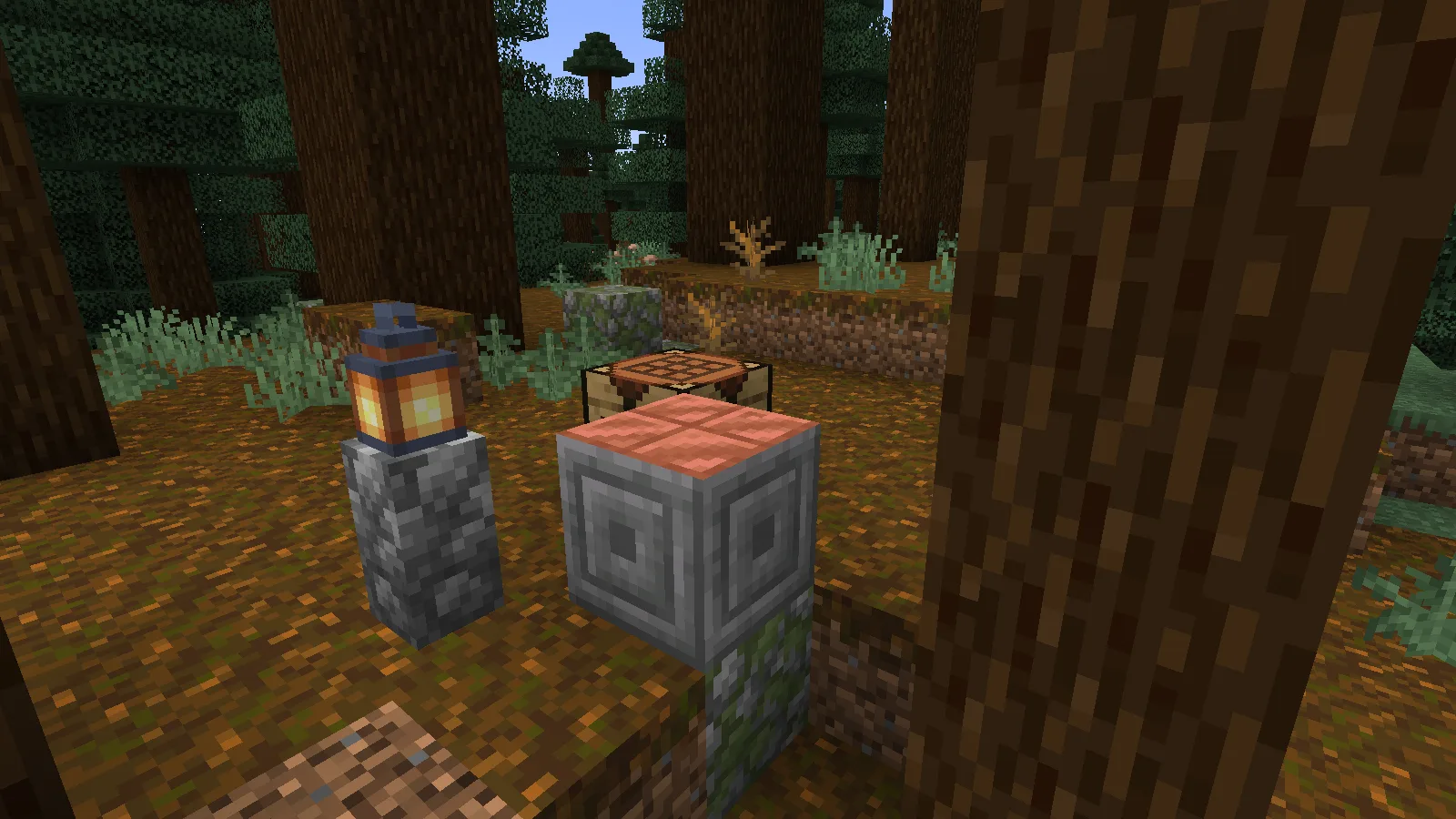
Waymarker beside a forest path in our arranged Java 1.21.1 example.

Waymarker beside a forest path in our arranged Java 1.21.1 example.

Install and craft it

Use Minecraft Java 1.21.1 with NeoForge 21.1.219. Put the Waymarker 0.1.0 game JAR in that instance's mods folder, then open a new world or a backup. Choose the game JAR for playing; the separate Source ZIP is for editing and building the project.

At a crafting table, place one compass in the center and one cobblestone in each of the eight surrounding slots. Take the Waymarker and place it beside a trail junction, mine entrance or base.
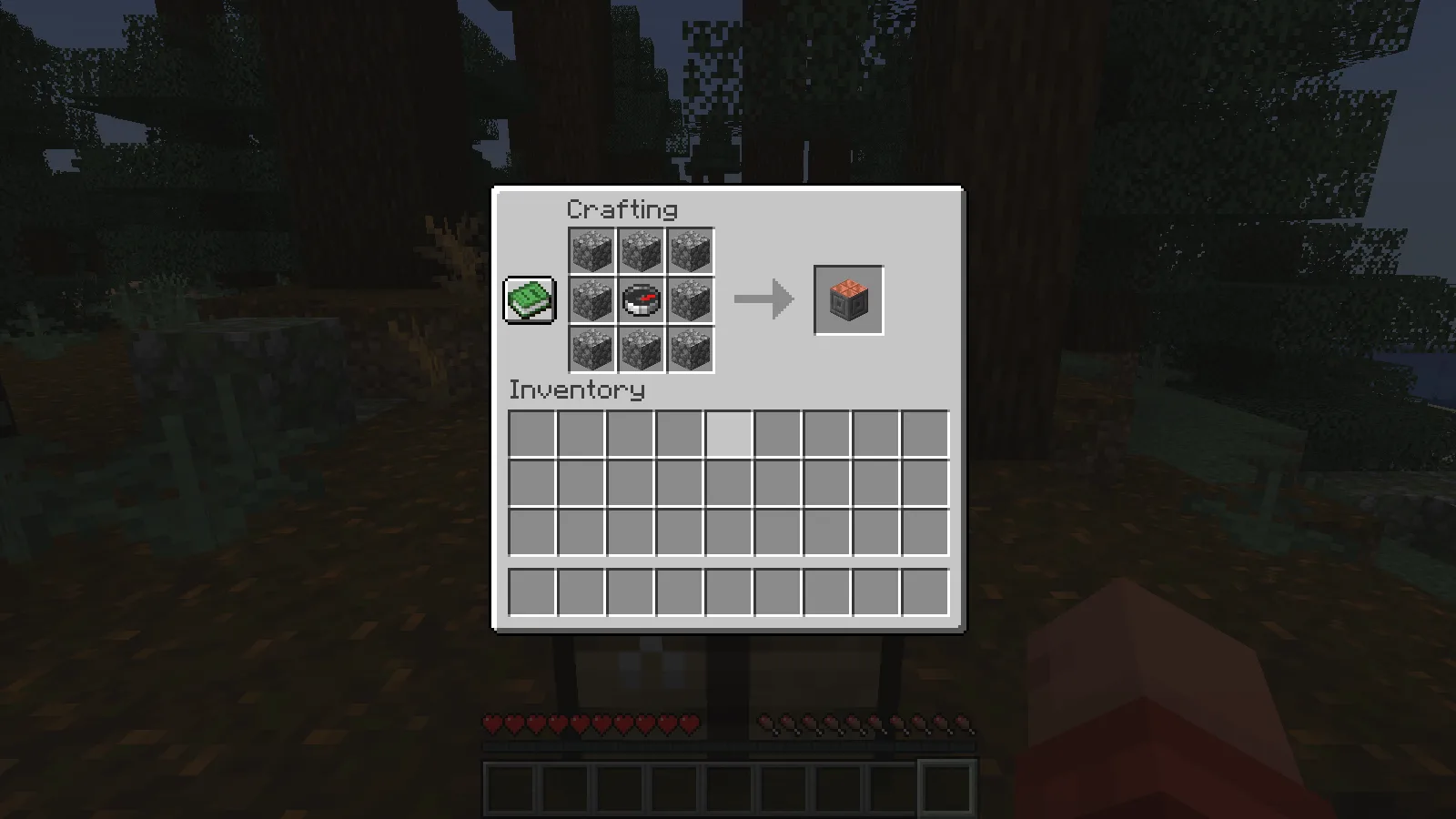
One compass surrounded by eight cobblestone makes one Waymarker.

One compass surrounded by eight cobblestone makes one Waymarker.

Select an empty hotbar slot and right-click the marker. The action bar shows its X, Y and Z. Pair it with a sign such as “River landing” or “North mine” to give those coordinates context. To move it, collect it with a pickaxe and place it again.
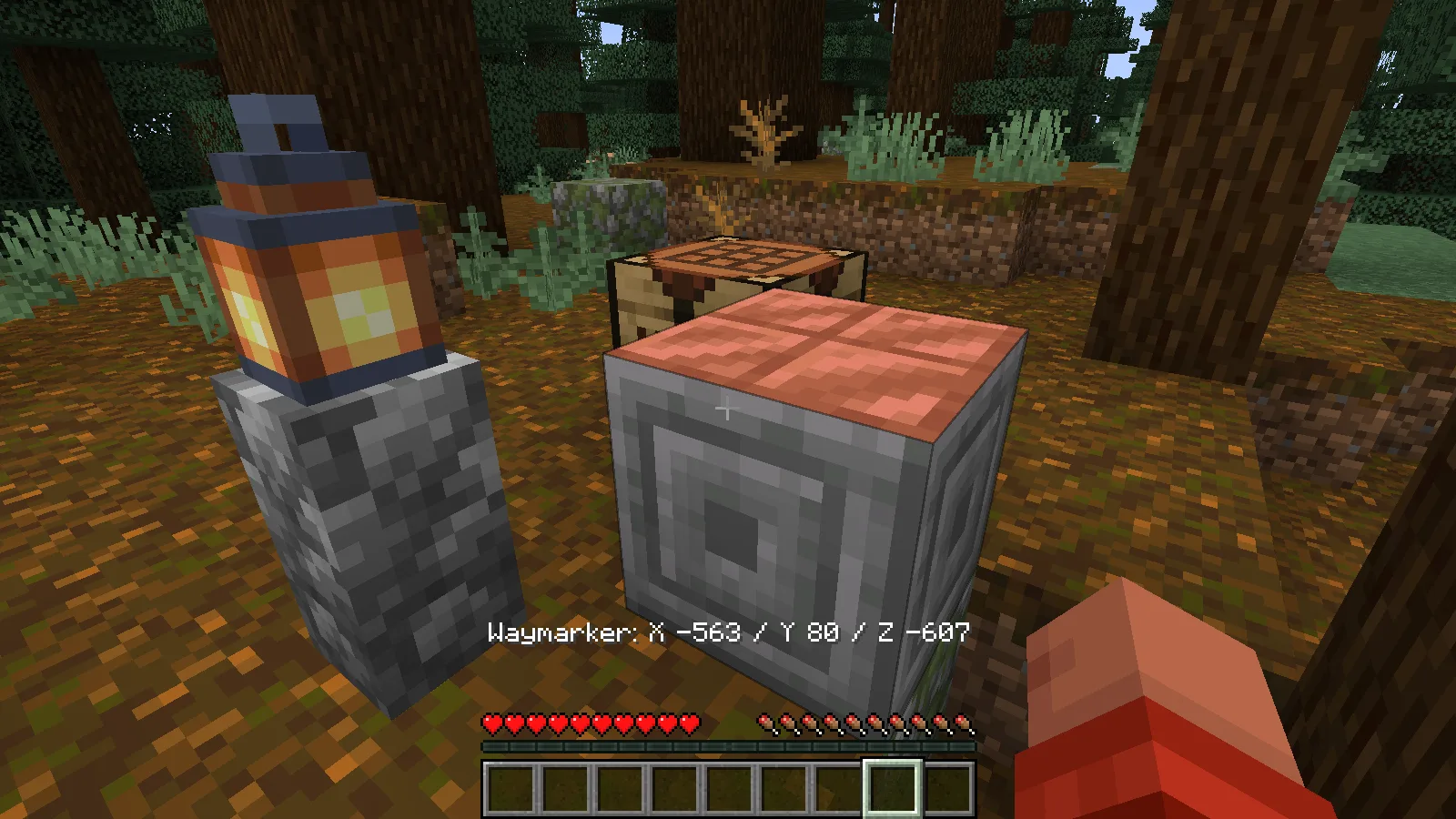
An empty-hand interaction displays the placed marker’s X, Y and Z.

An empty-hand interaction displays the placed marker’s X, Y and Z.

This is a coordinate marker, so it does not teleport you or change your spawn. Keep a bed or another spawn-setting method for that separate job.

Build your own copy from the Source ZIP

  1. Install JDK 21, extract the Source ZIP and open its modonix-waymarker folder. This folder contains build.gradle and the Gradle wrapper.
  2. Open a terminal in that folder. On Windows, run .\gradlew.bat build. On macOS or Linux, run sh ./gradlew build. The first run downloads the build dependencies.
  3. After a successful build, find build/libs/modonix-waymarker-0.1.0.jar. With Minecraft closed, use that file in your separate instance's mods folder, replacing the previous Waymarker JAR.
  4. Open a test world and try the recipe and empty-hand interaction. Keep your main world backed up while experimenting.

The two Java classes register the block and handle its interaction. Resource JSON files define the recipe, displayed name, model and drop. A name or recipe change makes a manageable first edit. If Gradle reports the wrong Java version, check the terminal's java -version and select JDK 21 before retrying.

The original implementation is MIT licensed. NeoForge supplies the framework and MDK foundation; the source package retains those upstream notices. The model uses textures supplied by the installed game.

Project links

NeoForge · NeoForge 1.21.1 MDK

No ratings yet

Example files

Use these examples with the guide. Each file has its own author and license.

Filter files 2 filesStable
Show all files

Example version 0.1.0

Stable

modonix-waymarker-0.1.0.jar

Mod example Minecraft 1.21.1 NeoForge
0 downloads
Download · 6.4 KB
Requirements & details

Waymarker game JAR

  • Example type: Mod example · Example Minecraft edition: Java · Example Minecraft version: 1.21.1 · Example mod loader: NeoForge

Example file by Modonix · MIT; NeoForge MDK notices retained

Use this example with the steps in the guide. Follow its installation instructions below.

For Minecraft Java with the listed NeoForge version. Put this game JAR in the instance’s mods folder, then open a new world or a backup.

Technical details
File details
Download type
Main
Target tool & version
Minecraft Java1.21.1; NeoForge21.1.219; Java21
Export / target format
Playable mod JAR
Included files
Original Modonix Waymarker mod; no framework, game client or capture instrumentation.
Example author
Modonix
Example license
MIT; NeoForge MDK notices retained
File information

Archive structure and entry integrity checked · 12 entries · 0.0 MB unpacked.

No supported compatibility manifest was read. Review the author’s file requirements.

Manifest values describe the package. They do not prove that it works with every game version. This check is not an antivirus scan.

SHA-256: 99183946064b8ab825c262b9fb6c7b70361ce0876e45c488b45c9f64ae6f1f5d

modonix-waymarker-0.1.0-sources-docs-r2.zip

Source example

Minecraft version not specified.

0 downloads
Download · 52.2 KB
Requirements & details

Editable Source ZIP · docs R2

  • Example type: Source example

Example file by Modonix · MIT original code; NeoForge MDK notices retained

Use this example with the steps in the guide. Follow its installation instructions below.

Extract this ZIP and read README before editing or building. Use JDK21 and the included Gradle wrapper; this is source code, not a game JAR to put in mods.

Technical details
File details
Download type
Source
Target tool & version
JDK21; included Gradle wrapper; NeoForge1.21.1 MDK
Export / target format
Editable source project ZIP
Included files
Original Java classes, resources, Gradle build files, wrapper, README and license notices.
Example author
Modonix
Example license
MIT original code; NeoForge MDK notices retained
File information

Archive structure and entry integrity checked · 21 entries · 0.1 MB unpacked.

Nested packages are present. Their internal contents require separate inspection.

No supported compatibility manifest was read. Review the author’s file requirements.

Manifest values describe the package. They do not prove that it works with every game version. This check is not an antivirus scan.

SHA-256: 2fe2192f726819e676af6d08b72a049bc06efbabb92c1b693ad9241ade7f9d75

Release updates

Version 0.1.0

Stable

Waymarker 0.1.0 for Minecraft Java 1.21.1 with NeoForge. Choose the game JAR to play or the editable Source ZIP to build and adapt the example with JDK21.

View files

Comments & questions

Share what worked, ask for help or reply to another player.

No comments yet. Share what worked for you.

Join the conversation

No account required. Confirm your email with a code before your first comment.

1Your name & email

Only a masked address appears with your name. Guest comments are reviewed before publication.

2Verify & post

Search Modonix

Search in