Riverside Field Station

10 views 0 downloads

A small waterside cabin and lantern-lit landing for organizing supplies at your own shoreline.

Give your waterfront a compact place to unload supplies, craft a replacement tool and prepare for the next trip. The field station joins a small cabin to a timber landing, with lanterns marking the outer end. Its supports are part of the template; the surrounding bay, shoreline and water are not.
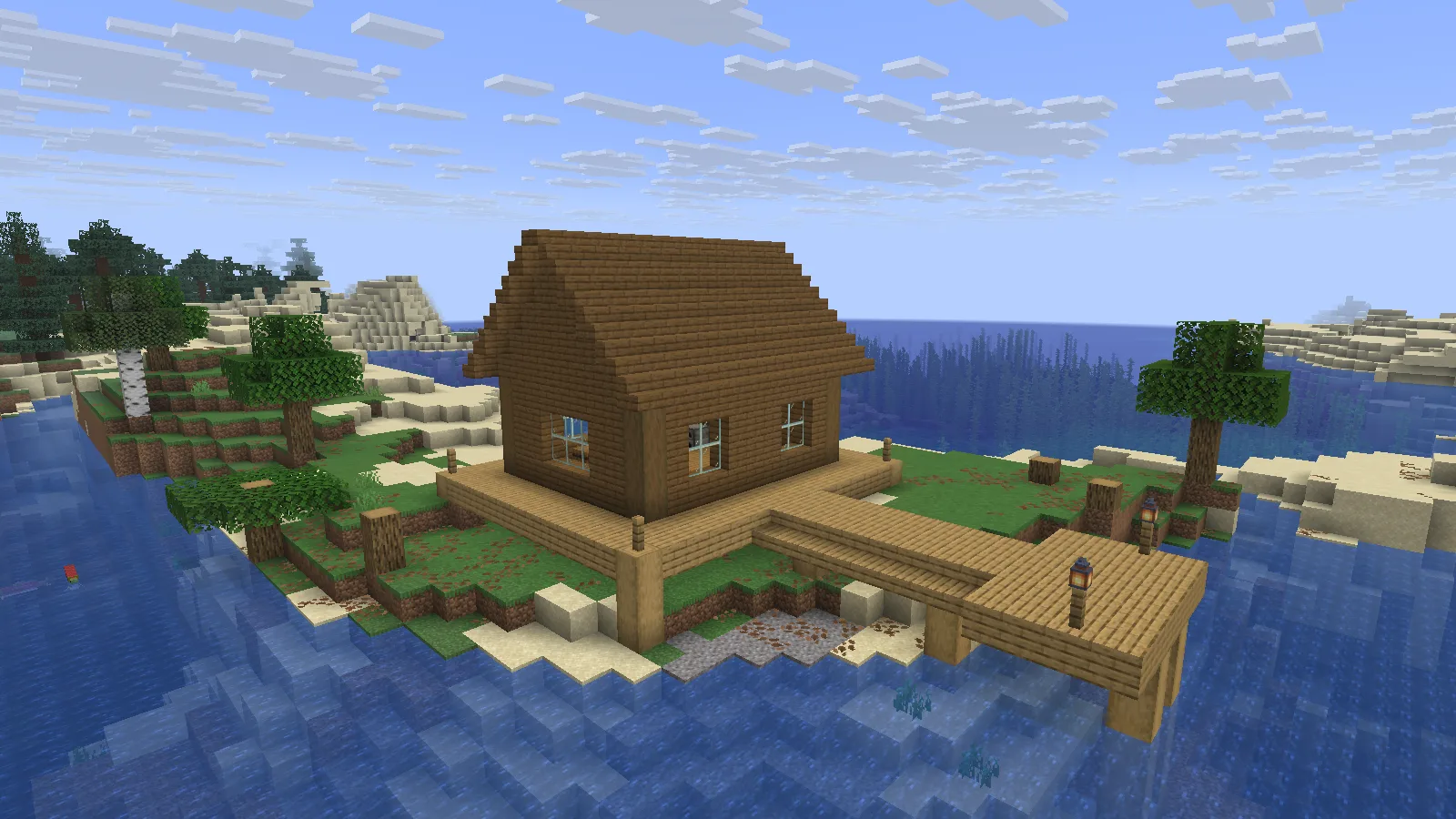
The field station beside a natural bay, with its timber landing meeting the water. Creative placement example.

The field station beside a natural bay, with its timber landing meeting the water. Creative placement example.

Fit the landing to your waterline

Place the cabin on a suitable bank and extend the landing toward navigable water. Check the depth and support contact at your chosen site before using it regularly. A shallow river bend and a broad bay need different ground preparation, even with the same building.
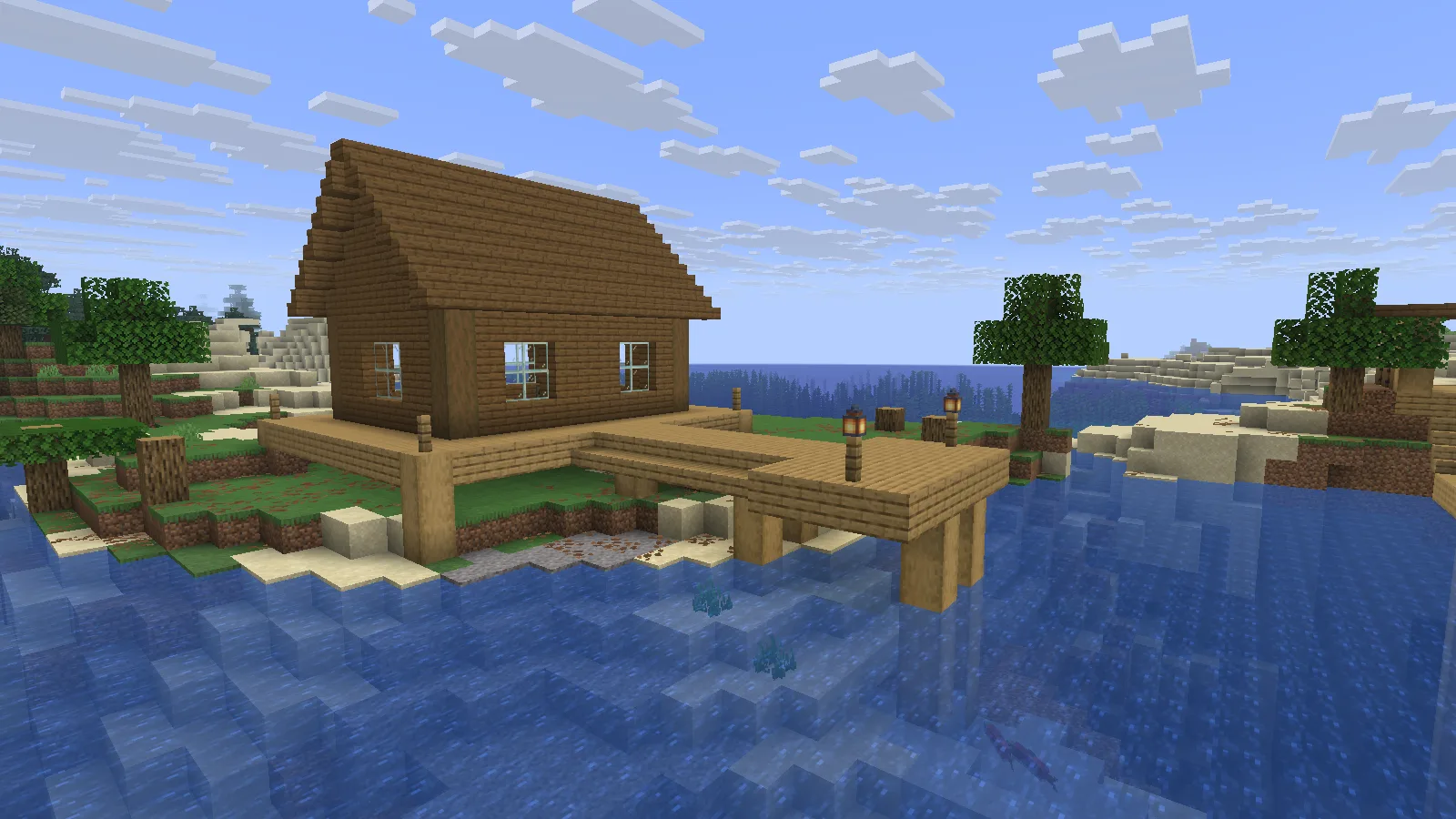
The landing and cabin share one raised timber deck. Adjust the supports to your own shoreline.

The landing and cabin share one raised timber deck. Adjust the supports to your own shoreline.

Keep the deck clear enough to carry supplies between the cabin and water. Put frequently used items close to the entrance, and reserve the indoor storage for materials you want to leave at this stop. This layout does not add automatic docking or navigation.

Place the vanilla template

Make a backup or choose a separate Creative world with commands enabled. These templates contain air: placement replaces every cell in their bounding box, including existing terrain, trees and buildings. Use empty space first and inspect the result before placing a copy near anything valuable.

  1. Put the 1.1.0 datapack ZIP in your world's datapacks folder without extracting it, then run /reload in the world.
  2. Reserve a 15 × 15 × 27 block box in X/Y/Z order. The placement coordinate is the minimum corner; the cabin floor and deck sit four blocks above it.
  3. Run /place template modonix:riverside_field_station ~ ~ ~ at that corner.
  4. Inspect the timber supports, water access and doors. Extend or reshape the supports where your shoreline needs it.

Use the cabin as a small supply stop
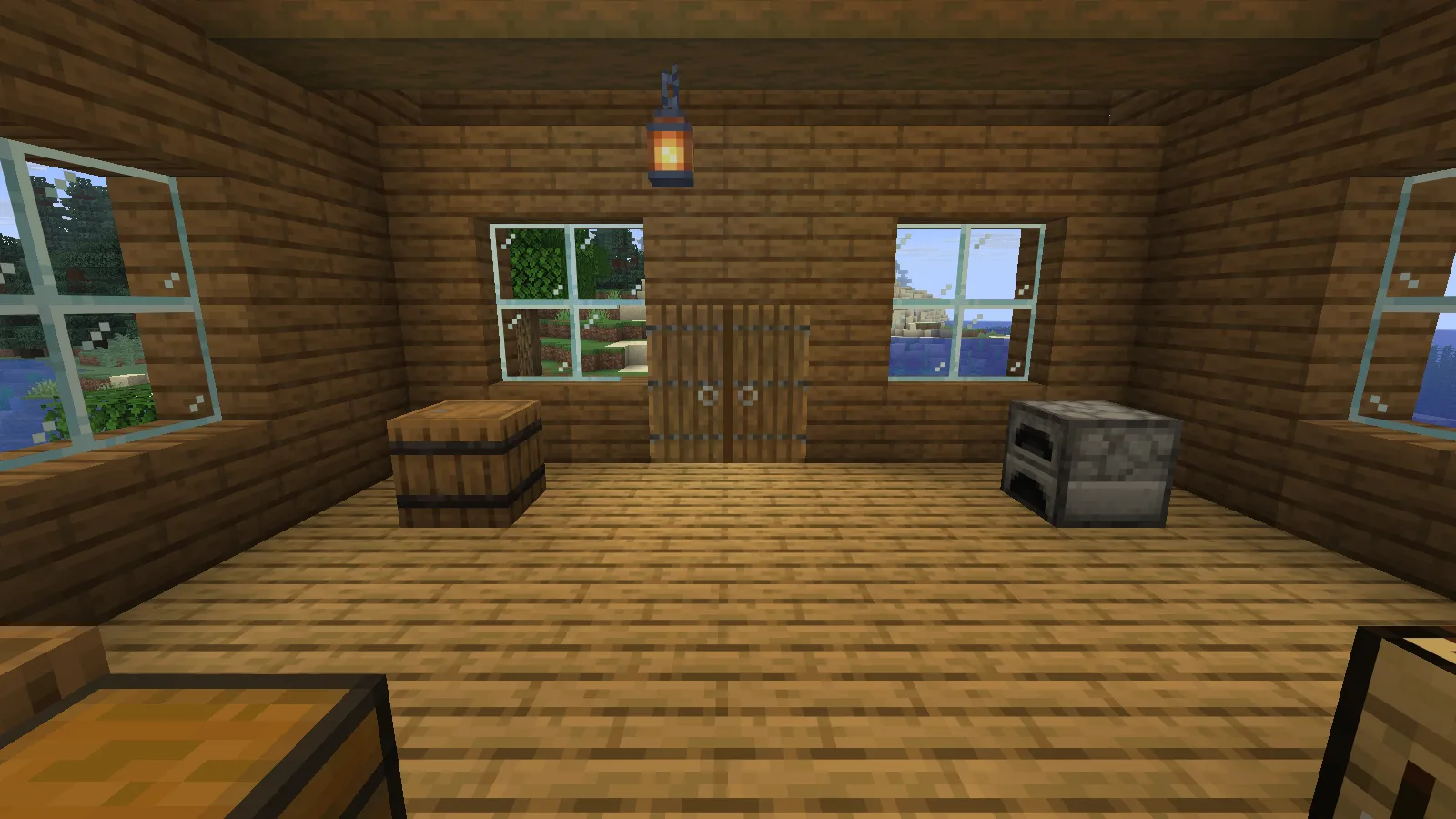
Two complete spruce doors sit beneath a solid timber header; the cabin includes a barrel and furnace.

Two complete spruce doors sit beneath a solid timber header; the cabin includes a barrel and furnace.

The pair of spruce doors leads to empty storage, crafting and cartography tables, and a furnace. The solid header above the doors closes the front wall without blocking their normal opening. Organize one chest around spare tools or building materials and keep food or small essentials in the barrel.
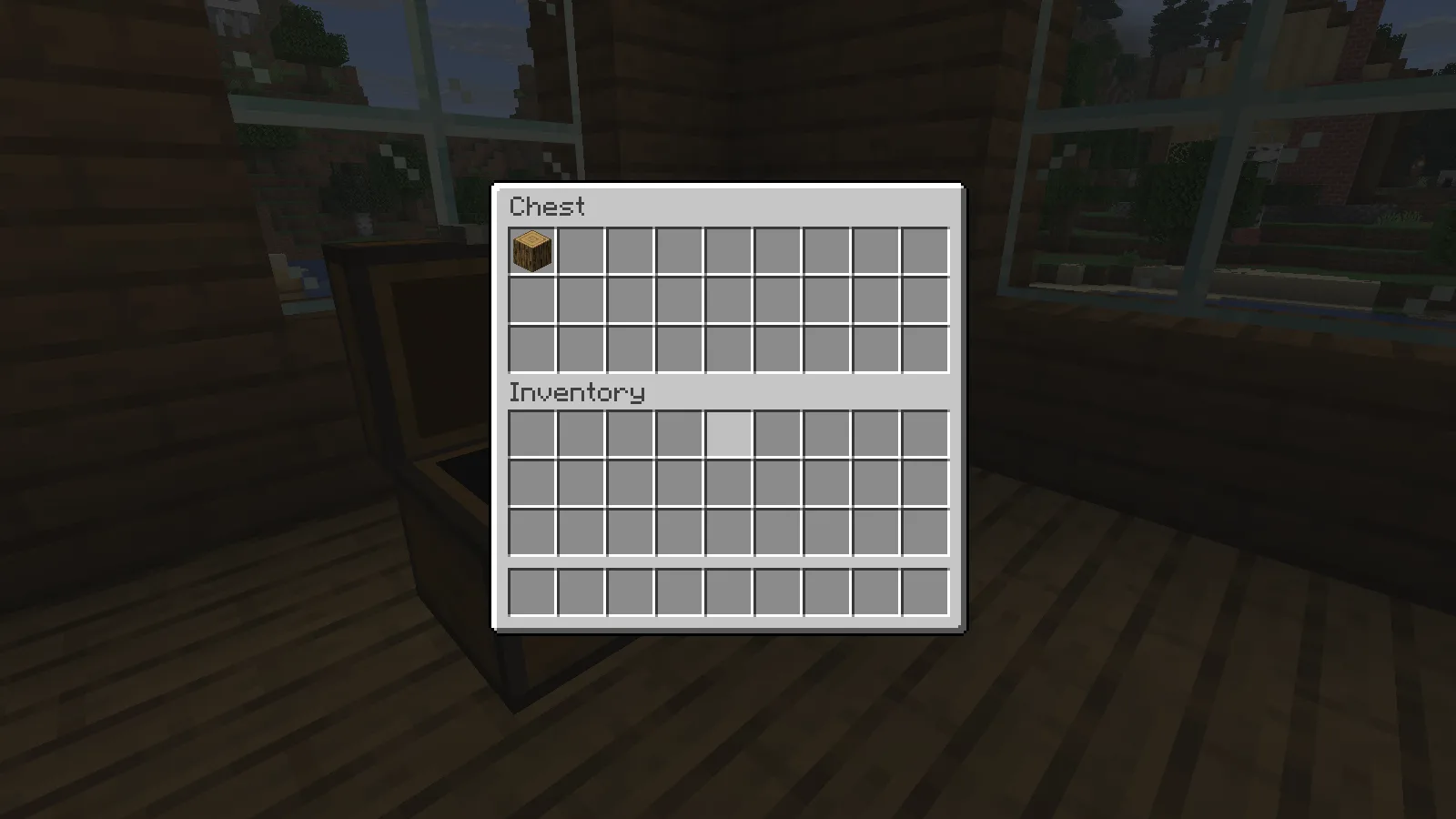
The station chest accepts a staged oak log and returns it through normal inventory interactions. The download starts with empty containers.

Storage inside the field station. Containers in the supplied template are empty.

Bring the supplies for one short trip and arrange them near the entrance before adding more storage. The download contains the vanilla .nbt, datapack, editable source files and a Sponge v3 .schem for compatible WorldEdit installations. Use the vanilla placement steps above for the demonstrated route. Modonix releases this original arrangement under CC0 for you to adapt.

No ratings yet

Files

Filter files 3 filesAll release types
Show all files

Version 1.1.0

Stable

riverside-field-station-datapack.zip

.zip Minecraft 26.2
0 downloads
Download · 4.2 KB
Requirements & details

Vanilla template datapack

  • Game version: 26.2 · File format: .zip

Java26.2. Keep this ZIP intact in the world datapacks folder; use /reload and /place template as the article explains. Commands enabled; place in an empty bounding box on a backup first. Original author: Modonix; CC0-1.0.

Requirements & notes
Known issues
This page covers Creative placement of the Sponge v3 template and use of the example container or door, not a Survival build or walking route. It does not include a WorldEdit import walkthrough; use a compatible editor or plugin that supports Sponge v3.
Technical details
File details
Download type
Main
Dimensions (W × H × L)
15 × 15 × 27 (X/Y/Z)
Build or import instructions
Contains air; placement overwrites the entire bounding box. Cabin floor/deck four blocks above minimum corner.
File information

Archive structure and entry integrity checked · 3 entries · 0.0 MB unpacked.

No supported compatibility manifest was read. Review the author’s file requirements.

Manifest values describe the package. They do not prove that it works with every game version. This check is not an antivirus scan.

SHA-256: 15817bdbda6d070d95a9583809814d6a694c94ee2625624ef6095e9f7c459472

riverside-field-station-download.zip

.zip Minecraft 26.2
0 downloads
Download · 10.2 KB
Requirements & details

NBT and Sponge schematic bundle

  • Game version: 26.2 · File format: .zip

Standalone vanilla NBT and Sponge v3 schematic. Vanilla template placement was exercised on Java26.2; a WorldEdit schematic import was not exercised. Original author: Modonix; CC0-1.0.

Requirements & notes
Known issues
This page covers Creative placement of the Sponge v3 template and use of the example container or door, not a Survival build or walking route. It does not include a WorldEdit import walkthrough; use a compatible editor or plugin that supports Sponge v3.
Technical details
File details
Download type
Main
Dimensions (W × H × L)
15 × 15 × 27 (X/Y/Z)
Build or import instructions
Contains air; placement overwrites the entire bounding box. Cabin floor/deck four blocks above minimum corner.
File information

Archive structure and entry integrity checked · 5 entries · 0.0 MB unpacked.

Nested packages are present. Their internal contents require separate inspection.

No supported compatibility manifest was read. Review the author’s file requirements.

Manifest values describe the package. They do not prove that it works with every game version. This check is not an antivirus scan.

SHA-256: c8709734cd6b76c594138e3922b9f4bff2199ff44b8c463ec6b0440fc6bf703e

riverside-field-station-sources.zip

.zip Minecraft 26.2
0 downloads
Download · 21.6 KB
Requirements & details

Editable build source

  • Game version: 26.2 · File format: .zip

Editable original block list, generation source and build function. Keep the CC0 notice. The article demonstrates the separately attached vanilla datapack. Original author: Modonix; CC0-1.0.

Requirements & notes
Known issues
This page covers Creative placement of the Sponge v3 template and use of the example container or door, not a Survival build or walking route. It does not include a WorldEdit import walkthrough; use a compatible editor or plugin that supports Sponge v3.
Technical details
File details
Download type
Source
Dimensions (W × H × L)
15 × 15 × 27 (X/Y/Z)
Build or import instructions
Contains air; placement overwrites the entire bounding box. Cabin floor/deck four blocks above minimum corner.
File information

Archive structure and entry integrity checked · 4 entries · 0.4 MB unpacked.

No supported compatibility manifest was read. Review the author’s file requirements.

Manifest values describe the package. They do not prove that it works with every game version. This check is not an antivirus scan.

SHA-256: 208b605ad760f103a14171eaae2e9679b340d9f8152332895a4dfb30d316399a

Release updates

Version 1.1.0

Stable

Riverside Field Station 1.1.0 provides a compact shelter with storage and usable entrances. Choose the vanilla structure file, schematic or editable source according to your placement workflow; read the guide before replacing blocks.

View files

Comments & questions

Share what worked, ask for help or reply to another player.

No comments yet. Share what worked for you.

Join the conversation

No account required. Confirm your email with a code before your first comment.

1Your name & email

Only a masked address appears with your name. Guest comments are reviewed before publication.

2Verify & post

Search Modonix

Search in