
A downloaded house is easier to choose when you can see more than its front wall. These two examples from the PrismarineJS schematic sample collection have quite different personalities: a tall, decorated home and a timber building with a striking curved roof.
We placed both with WorldEdit 7.4.5 on Java 26.2. The grassy plots and surrounding landscape are our demonstration setting; the downloads are individual structures, not this entire world.
Smallhouse: a narrow footprint with plenty of height
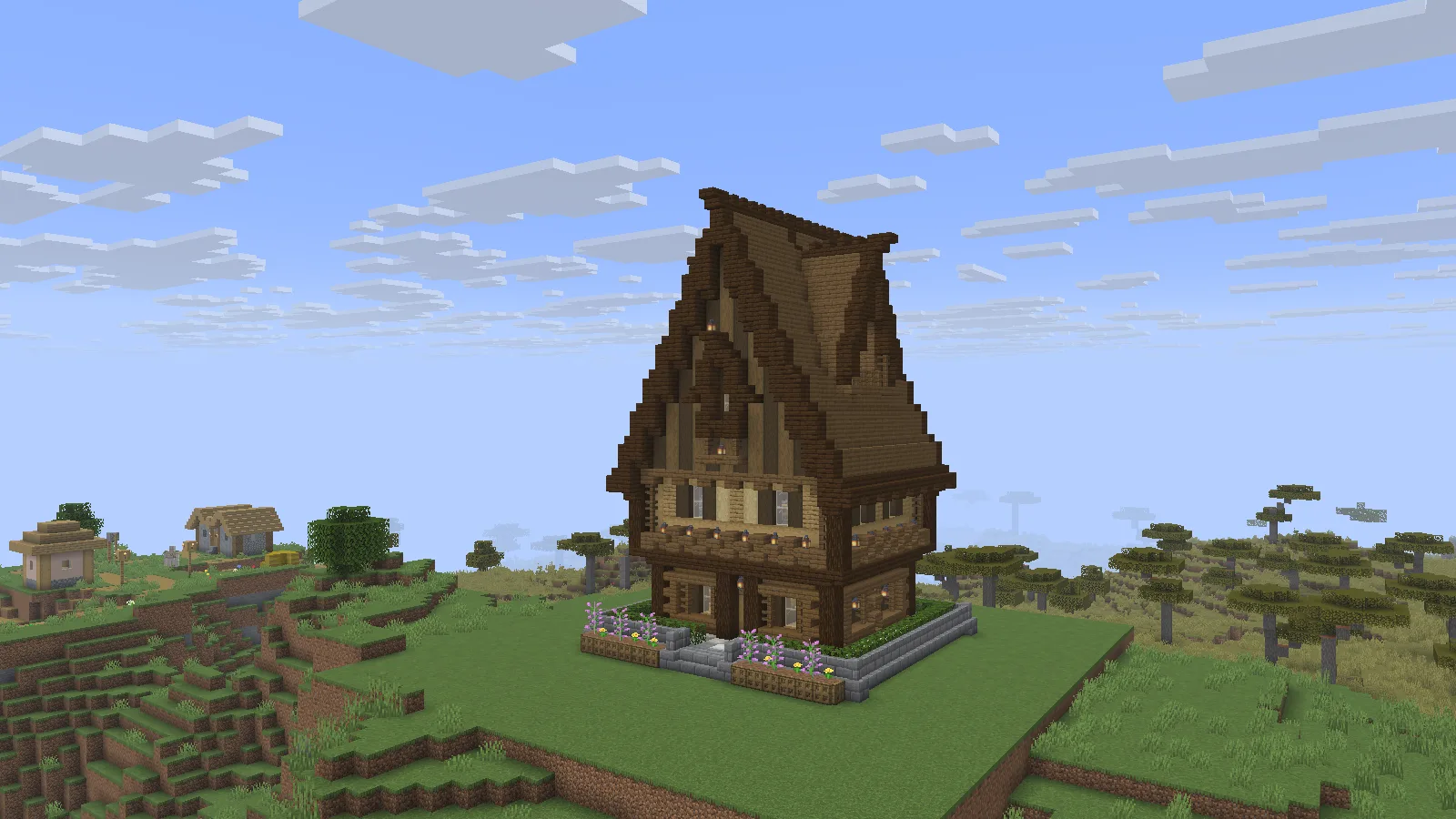
Smallhouse has a tall silhouette; leave room around it to see the roof.
The name is modest, but the roof gives this house a strong silhouette. Lanterns, planted details and projecting levels keep the walls from looking flat. It could work as a village landmark, an alchemist's home or a taller building at the end of a narrow street.
Give it enough open space to be seen from a few steps away. If you press it directly against a cliff or another tall roof, much of the detail disappears.
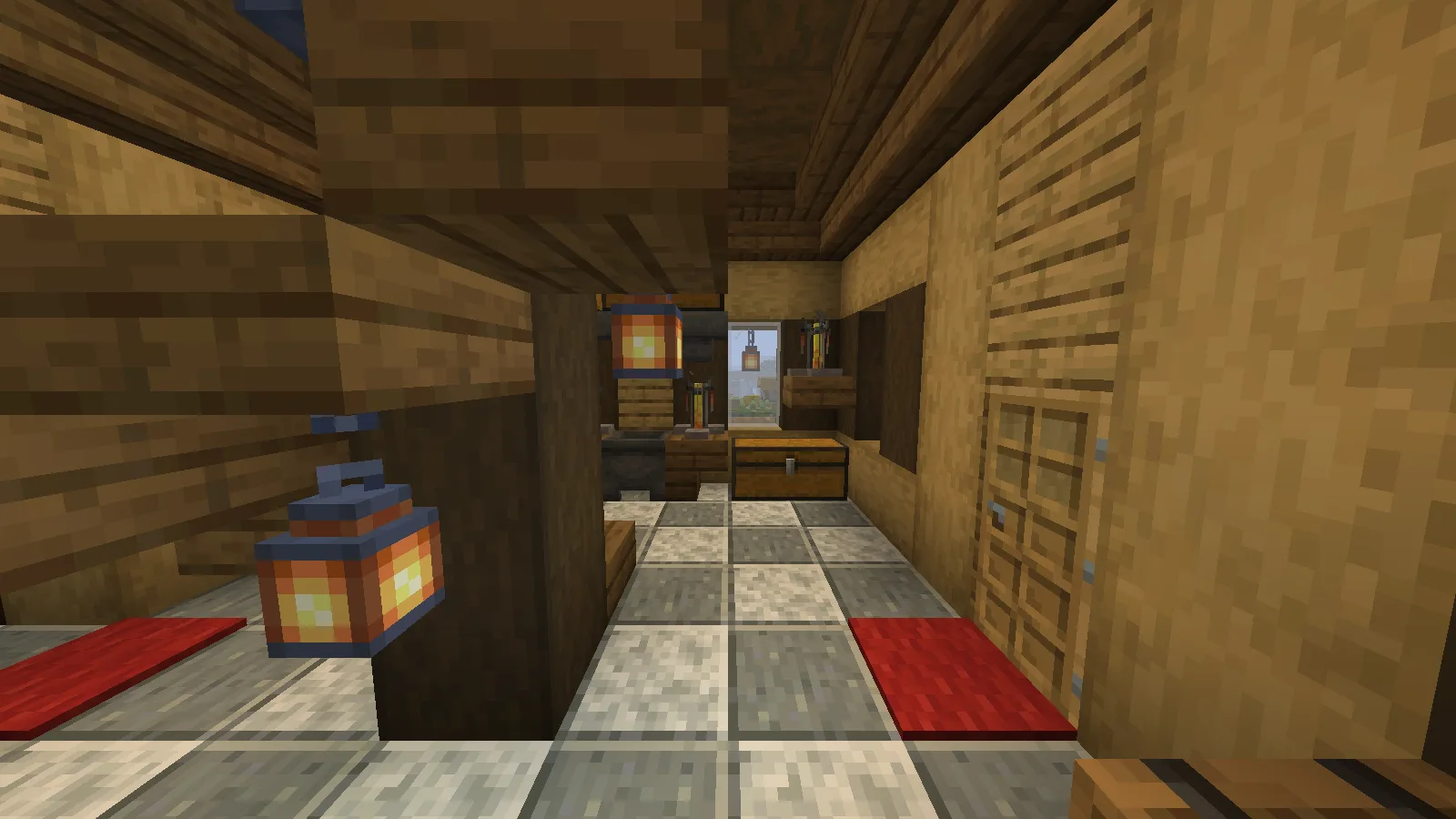
The furnished room suggests storage and brewing uses for the house.
Inside, we found storage and brewing details around the central structure. This suggests a practical use: keep everyday supplies near the entrance and turn an upper room into a quieter work area. Walk through the imported house before planning a survival move; check doors, stairs and furnishings in your chosen game version.
Viking house: let the roof lead the build
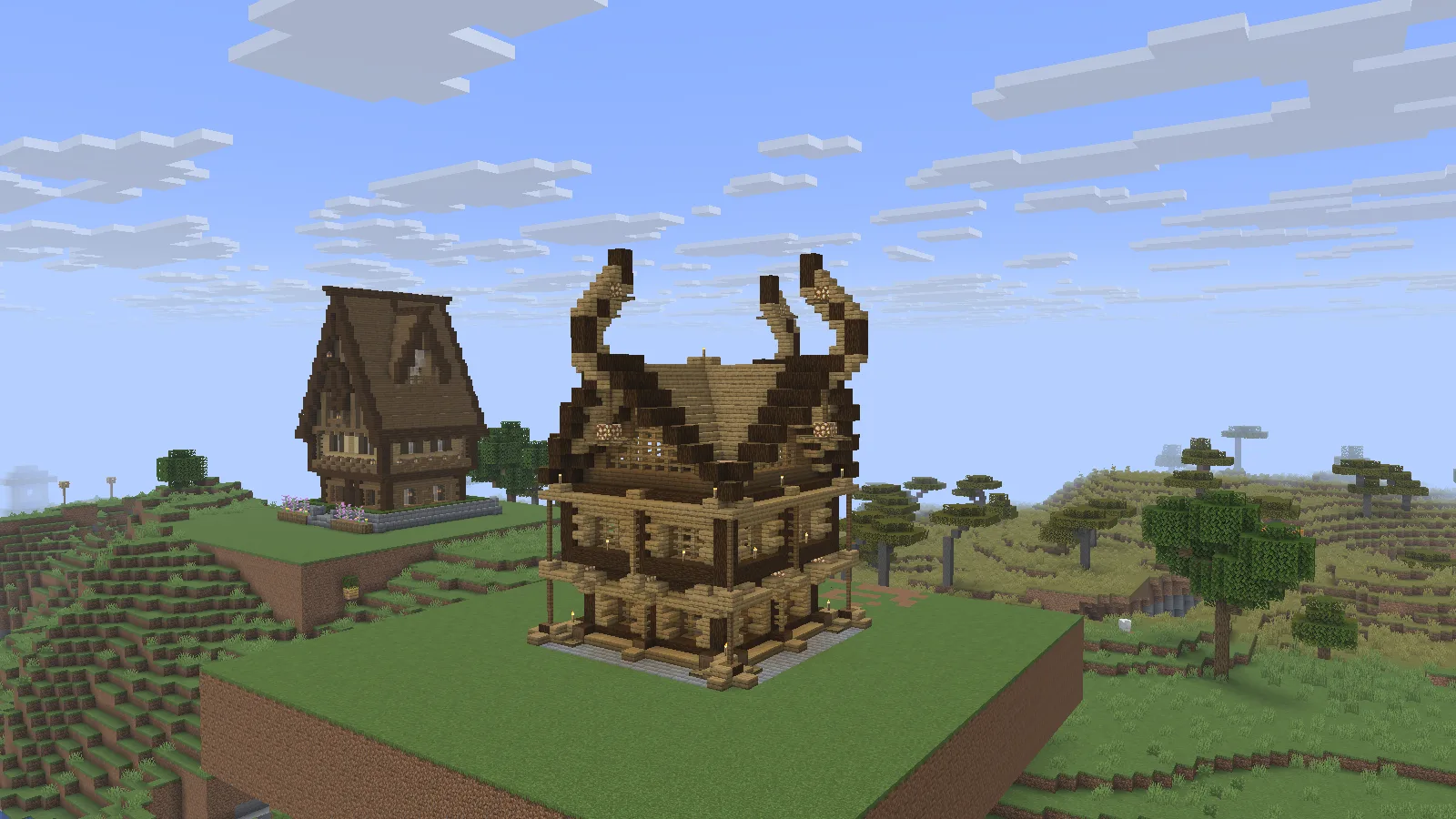
A curved roof makes the second house a stronger landmark.
The second file has a broader timber shape and upward-curving roof ends. It would suit a dockside settlement, a gathering hall or a colder village. A path that approaches from an angle lets the roof profile show more clearly than a close, straight-on view.
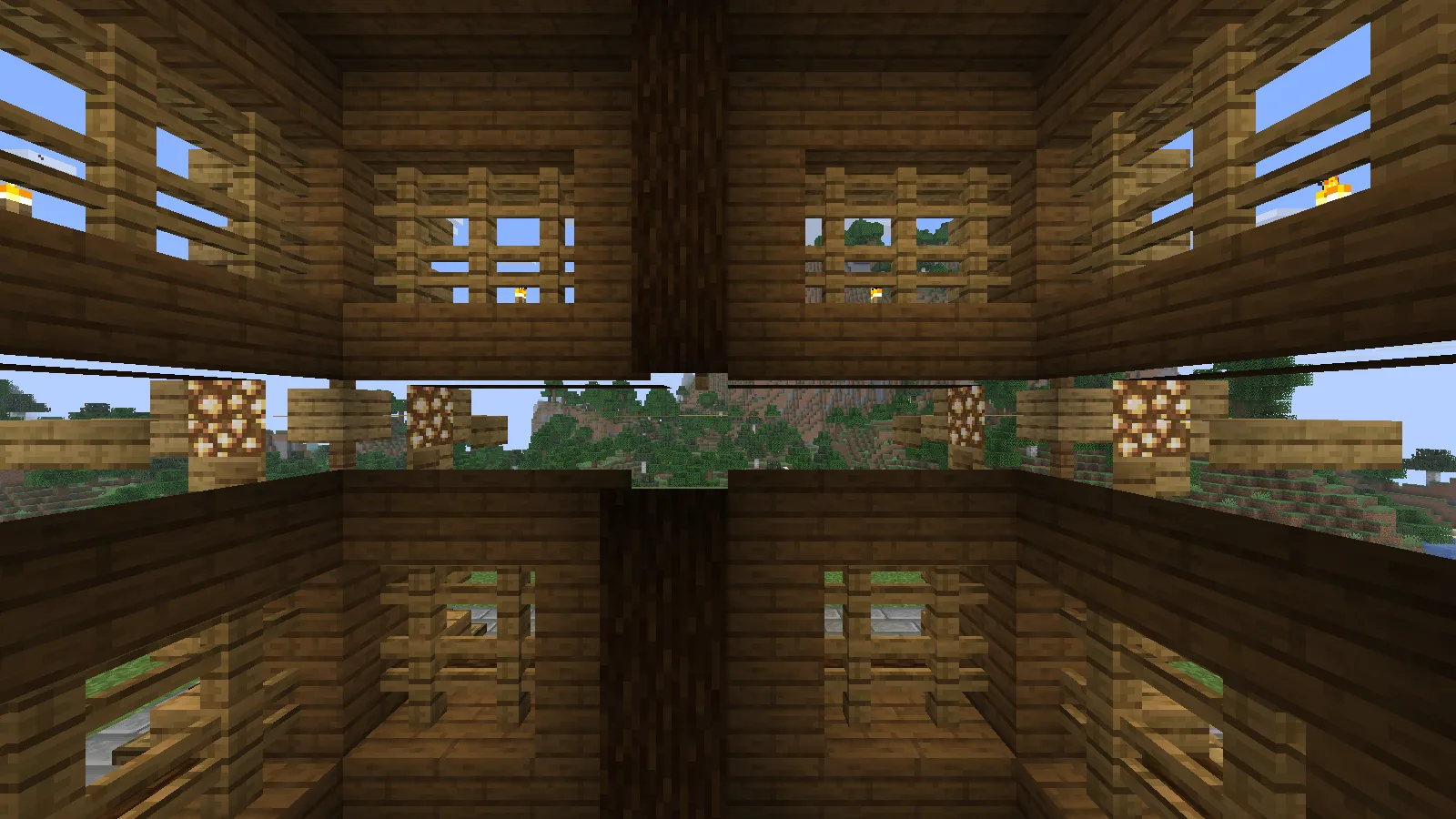
The open interior leaves space for your own layout and furnishings.
Its open interior framing leaves room for your own layout. Think long tables, a storage hall or a workshop, rather than assuming every room is already furnished. The examples here show the imported structure before we add that kind of personal decoration.
Which file should you choose?
| File | What you get | Space to allow before decorating |
|---|---|---|
| smallhouse1.schem | Tall decorated house with a steep roof | 21 blocks wide, 20 deep and 28 high |
| viking-house1.schematic | Timber house with curved roof ends | 23 blocks wide, 23 deep and 35 high |
Those are the files' bounding sizes, including empty space. Leave extra room for an approach, roof overhangs in context and any landscaping you add. Neither file is a Bedrock .mcstructure download.
Place one with WorldEdit
Use a spare Creative world or a copy of your save first. Put the downloaded file in WorldEdit's schematics folder: for our Fabric setup this is config/worldedit/schematics inside the active instance; a Paper server normally uses plugins/WorldEdit/schematics.
For the first house, enter:
//schem load smallhouse1.schem
Wait for WorldEdit to confirm that the file has loaded. Stand beside a clear plot, then use //paste. If the house lands in the wrong place, use //undo, adjust your position and paste again. A schematic's saved origin means the building need not appear exactly underneath you.
For the other house, load viking-house1.schematic first and wait for its confirmation before pasting. This matters when switching files: pasting too soon can use the previous clipboard.
To turn the loaded building, use //rotate 90 before pasting. If you already placed a copy, undo that placement first. Rotation affects the clipboard; it does not turn the house that is already standing in your world.
Blend the house into your world
Start with the entrance height. A beautiful build can still feel awkward if every visit requires jumping onto its doorstep. Add a short path, then shape the ground around the foundation instead of flattening a huge area immediately.
Keep old-format imports in a separate trial world until you have walked through them. A successful paste does not guarantee that every old furnishing behaves exactly as it did in its original game version.
These files are supplied in PrismarineJS's example collection; the sample directory does not identify individual builders. Modonix does not claim to have designed the houses. We placed them, explored the rooms and photographed the scenes for this guide.
Comments & questions
Share what worked, ask for help or reply to another player.
No comments yet. Share what worked for you.