Compact Survival Workshop

10 views 0 downloads

A timber workshop that puts empty storage, crafting and smelting around one clear working floor.

Bring storage, crafting and smelting into one compact working room. This workshop has a glazed entrance wall, enclosed timber gables and an open doorway, so you can see the work floor before stepping inside. The brick chimney gives the exterior a useful landmark without filling the interior with decoration.
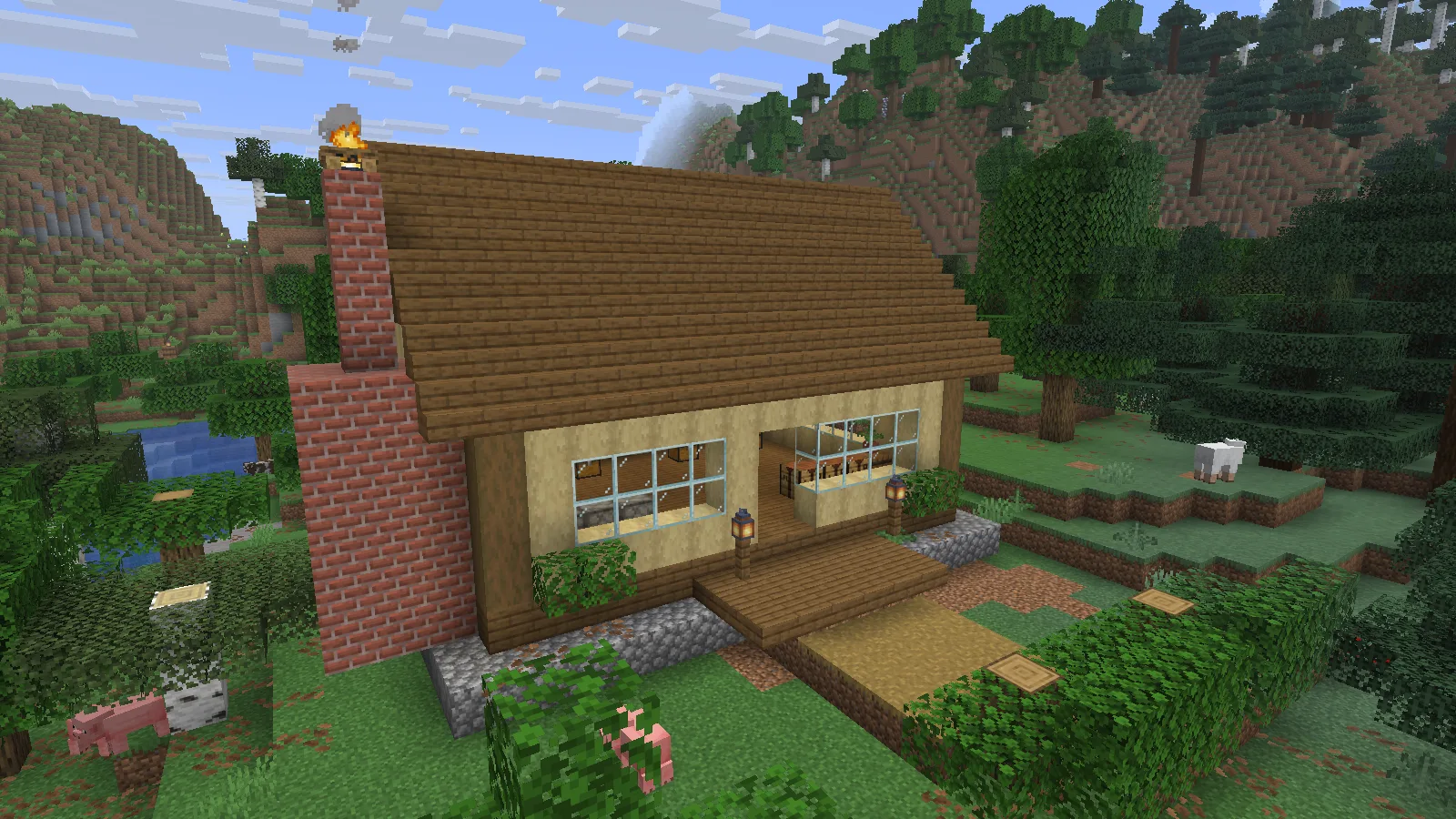
The workshop placed in a prepared woodland clearing in Java 26.2. Creative placement example; surrounding terrain is not included.

The workshop placed in a prepared woodland clearing in Java 26.2. Creative placement example; surrounding terrain is not included.

Give each wall a job

Keep common building supplies in the four chests and small tools or spare food in the two barrels. Three crafting tables and three furnaces sit around the edge of the room, leaving the middle available for sorting materials. The containers are empty in the download: organize them around your own projects instead of inheriting someone else's inventory.
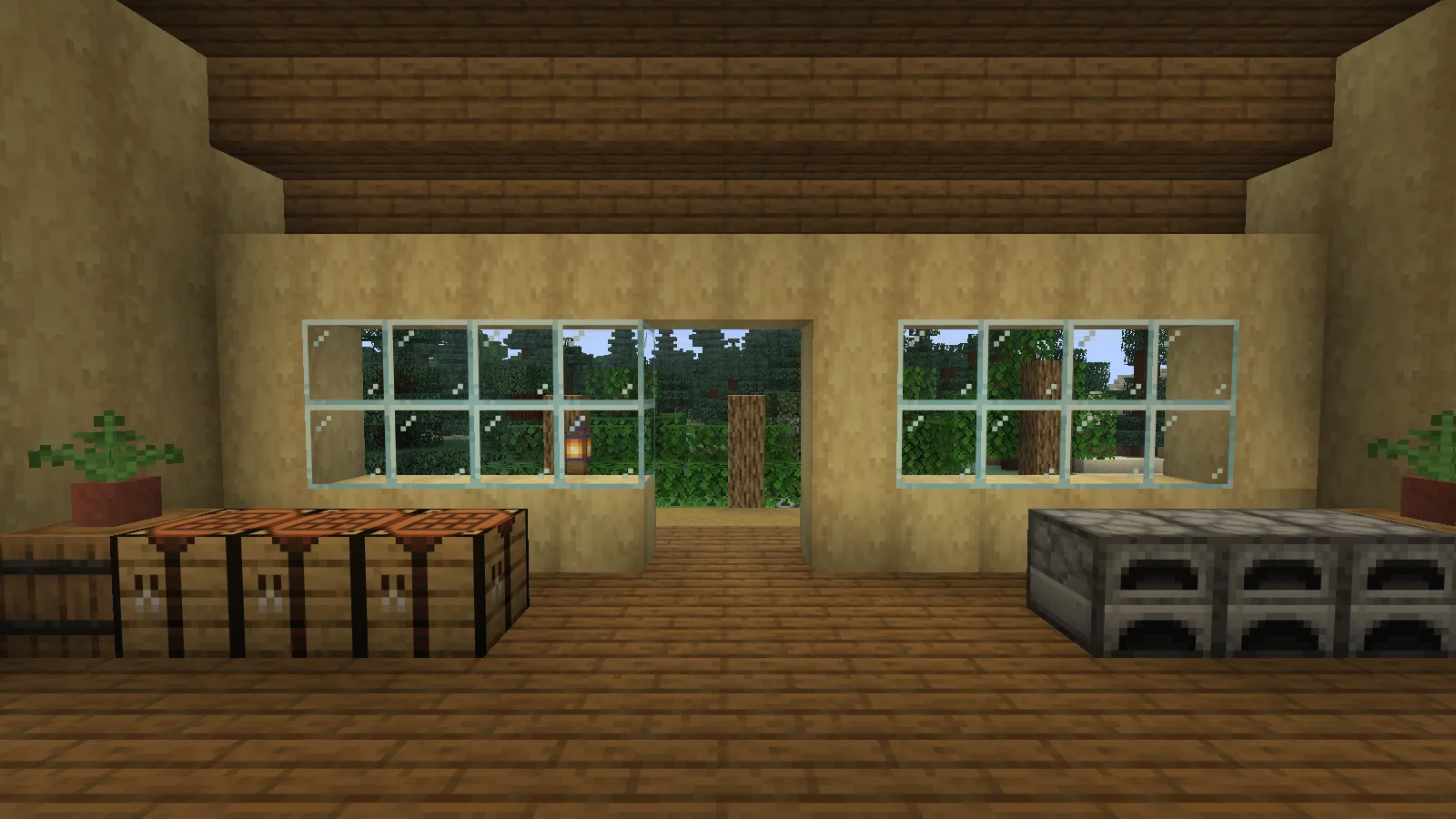
Crafting tables and furnaces face a bright glazed entrance, with open floor space between them.

Crafting tables and furnaces face a bright glazed entrance, with open floor space between them.

Try a simple split: wood and stone in separate chests, finished blocks in a third, and supplies for your current build in the fourth. Keep the route from the open entrance to the work floor clear when adding your own furniture.

Place the vanilla template

Make a backup or choose a separate Creative world with commands enabled. These templates contain air: placement replaces every cell in their bounding box, including existing terrain, trees and buildings. Use empty space first and inspect the result before placing a copy near anything valuable.

  1. Download the 1.1.0 datapack ZIP and put it, still zipped, in your world's datapacks folder. Open the world and run /reload.
  2. Choose a clear 20 × 13 × 20 block box, in X/Y/Z order. The placement position is its minimum corner; the workshop floor is one block above that position.
  3. Run /place template modonix:compact_survival_workshop ~ ~ ~ from that corner.
  4. Inspect ground contact and the entrance. Shape your paths and nearby terrain around the placed build; the woodland clearing in the screenshot is a separate demonstration scene.

The download also includes a standalone .nbt, an editable block list and build function, plus a Sponge v3 .schem for a compatible WorldEdit setup. Use the vanilla datapack steps above for the demonstrated installation; the schematic is included as an alternative format.

Make the storage your own
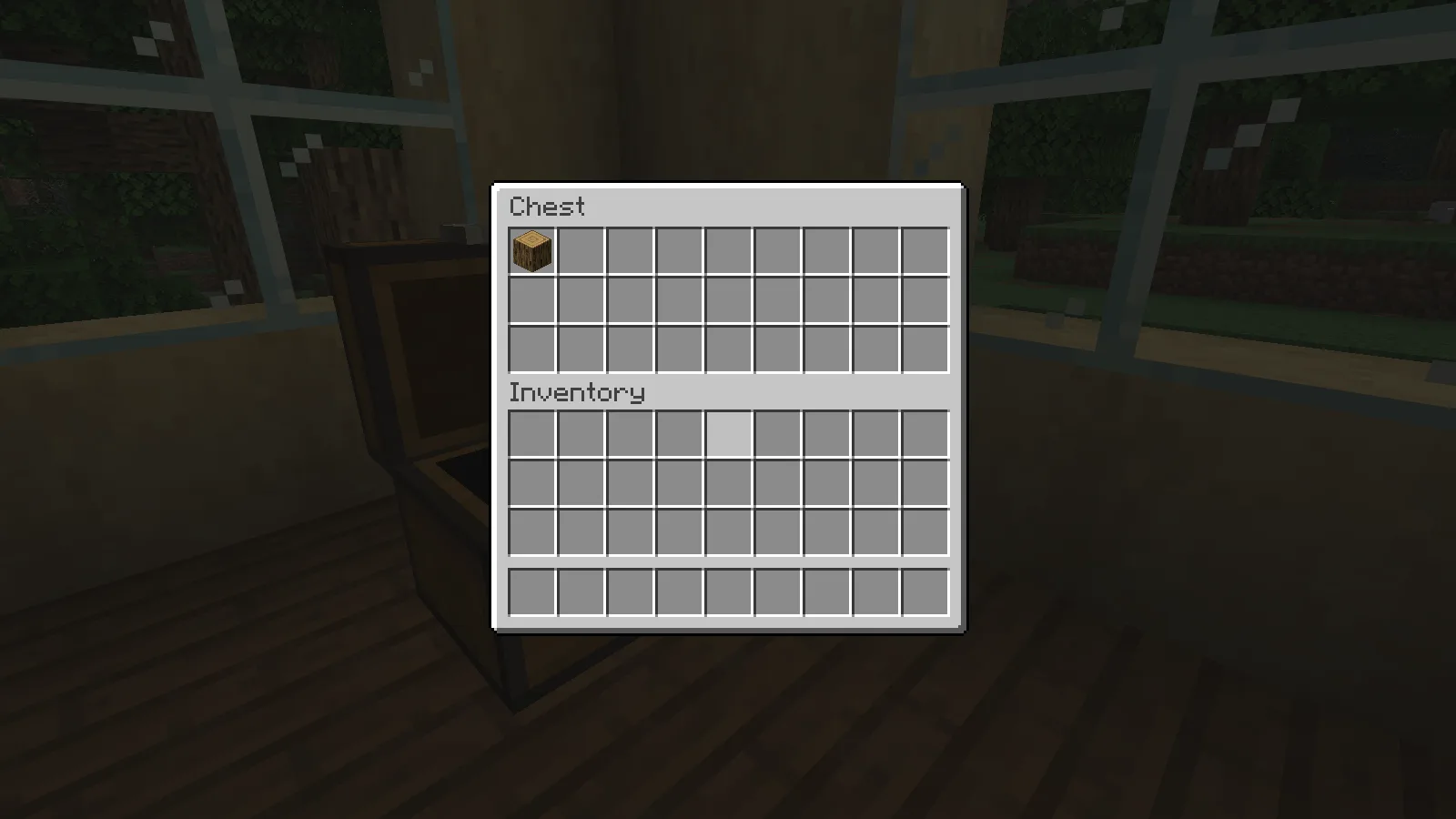
One staged oak log is placed into an empty workshop chest, then returned to the player inventory. Creative interaction check.

The workshop chest interface, with a staged oak log. The supplied template starts with empty containers.

Start with a small supply of your most-used materials, then expand your sorting system as projects grow. Keep one chest available for unfinished work so loose blocks do not spread across every container. The original Modonix arrangement is released under CC0, so you can change the roof, palette and storage layout to fit your base.

No ratings yet

Files

Filter files 3 filesStable
Show all files

Version 1.1.0

Stable

compact-survival-workshop-datapack.zip

.zip Minecraft 26.2
0 downloads
Download · 3.7 KB
Requirements & details

Vanilla template datapack

  • Game version: 26.2 · File format: .zip

Java26.2. Keep this ZIP intact in the world datapacks folder; use /reload and /place template as the article explains. Commands enabled; place in an empty bounding box on a backup first. Original author: Modonix; CC0-1.0.

Requirements & notes
Known issues
This page covers Creative placement of the Sponge v3 template and use of the example container or door, not a Survival build or walking route. It does not include a WorldEdit import walkthrough; use a compatible editor or plugin that supports Sponge v3.
Technical details
File details
Download type
Main
Dimensions (W × H × L)
20 × 13 × 20 (X/Y/Z)
Build or import instructions
Contains air; placement overwrites the entire bounding box. Floor one block above minimum corner.
File information

Archive structure and entry integrity checked · 3 entries · 0.0 MB unpacked.

No supported compatibility manifest was read. Review the author’s file requirements.

Manifest values describe the package. They do not prove that it works with every game version. This check is not an antivirus scan.

SHA-256: 662e661e3818911983535292c84649248370ad9b76e8932157afbe72fec9ccd1

compact-survival-workshop-download.zip

.zip Minecraft 26.2
0 downloads
Download · 9.2 KB
Requirements & details

NBT and Sponge schematic bundle

  • Game version: 26.2 · File format: .zip

Standalone vanilla NBT and Sponge v3 schematic. Vanilla template placement was exercised on Java26.2; a WorldEdit schematic import was not exercised. Original author: Modonix; CC0-1.0.

Requirements & notes
Known issues
This page covers Creative placement of the Sponge v3 template and use of the example container or door, not a Survival build or walking route. It does not include a WorldEdit import walkthrough; use a compatible editor or plugin that supports Sponge v3.
Technical details
File details
Download type
Main
Dimensions (W × H × L)
20 × 13 × 20 (X/Y/Z)
Build or import instructions
Contains air; placement overwrites the entire bounding box. Floor one block above minimum corner.
File information

Archive structure and entry integrity checked · 5 entries · 0.0 MB unpacked.

Nested packages are present. Their internal contents require separate inspection.

No supported compatibility manifest was read. Review the author’s file requirements.

Manifest values describe the package. They do not prove that it works with every game version. This check is not an antivirus scan.

SHA-256: 48d8a83552b4b0c5085eb99673023e68297e33187acc6edff1ce1082e52f1ce7

compact-survival-workshop-sources.zip

.zip Minecraft 26.2
0 downloads
Download · 15.0 KB
Requirements & details

Editable build source

  • Game version: 26.2 · File format: .zip

Editable original block list, generation source and build function. Keep the CC0 notice. The article demonstrates the separately attached vanilla datapack. Original author: Modonix; CC0-1.0.

Requirements & notes
Known issues
This page covers Creative placement of the Sponge v3 template and use of the example container or door, not a Survival build or walking route. It does not include a WorldEdit import walkthrough; use a compatible editor or plugin that supports Sponge v3.
Technical details
File details
Download type
Source
Dimensions (W × H × L)
20 × 13 × 20 (X/Y/Z)
Build or import instructions
Contains air; placement overwrites the entire bounding box. Floor one block above minimum corner.
File information

Archive structure and entry integrity checked · 4 entries · 0.3 MB unpacked.

No supported compatibility manifest was read. Review the author’s file requirements.

Manifest values describe the package. They do not prove that it works with every game version. This check is not an antivirus scan.

SHA-256: 0ae5546a880f9fd7929157cc42f5048b80f2bee3607a7a23b18b3e32e84c6d59

Release updates

Version 1.1.0

Stable

Compact Survival Workshop 1.1.0 provides a small working interior with storage and doors. Choose the vanilla structure file, schematic or editable source according to your placement workflow; read the guide before replacing blocks.

View files

Comments & questions

Share what worked, ask for help or reply to another player.

No comments yet. Share what worked for you.

Join the conversation

No account required. Confirm your email with a code before your first comment.

1Your name & email

Only a masked address appears with your name. Guest comments are reviewed before publication.

2Verify & post

Search Modonix

Search in